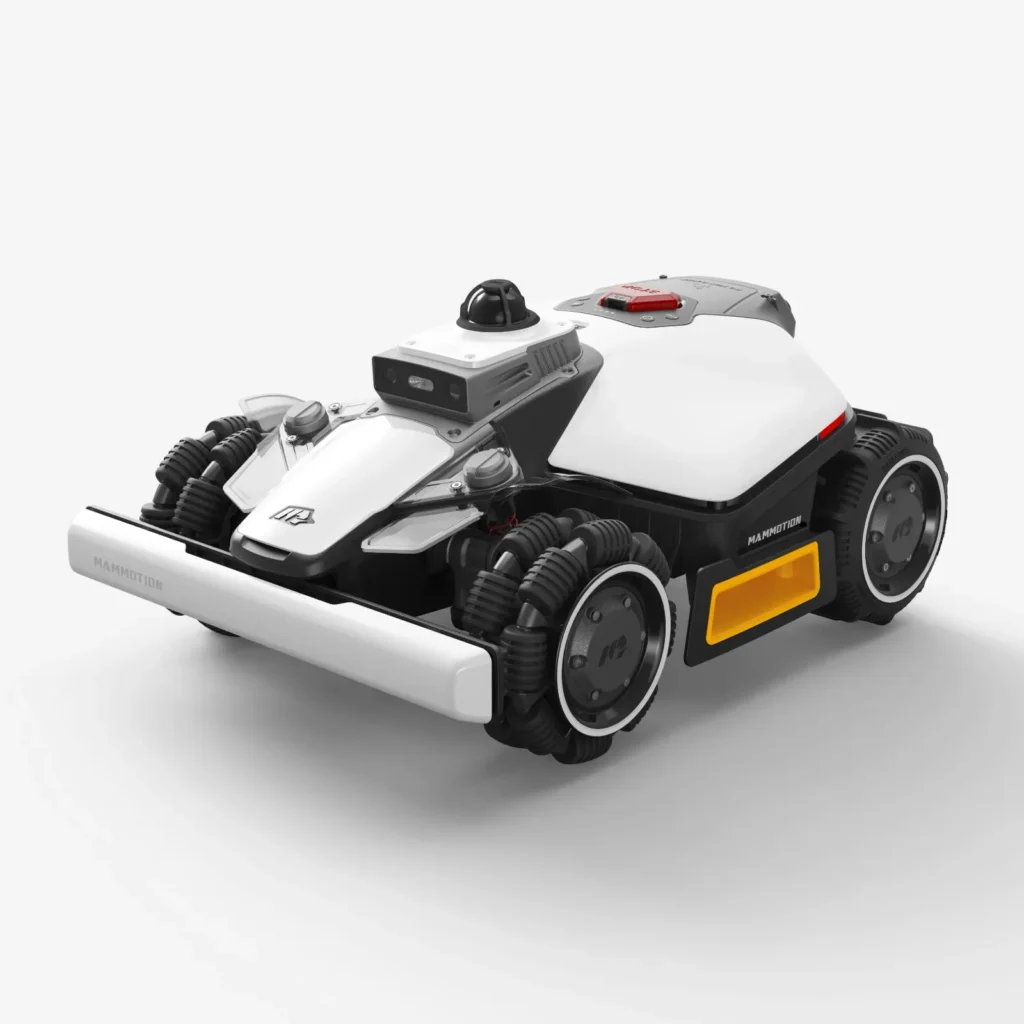
The mower is connected via the app, it shows up at the access point—and yet the Mammotion app only displays “Robot offline.” Or worse: the LUBA doesn’t follow the lawn edge properly, drifts over the virtual boundary, and a No-Go zone suddenly feels more like a suggestion than a lockout. Exactly at these points, the new Mammotion LUBA Mini 2 AWD determines whether the technology in your garden truly helps—or just looks good on the spec sheet.
Mammotion has meanwhile become one of the most noticeable brands in cordless mowing robots: lots of AWD traction, no classic boundary wire loop, strong reliance on the app, and in newer models a mix of Vision, NetRTK, LiDAR, and mobile connectivity. For Messerscheibe24, what matters is this: we don’t sell mowing robots—we manufacture and test accessories around cutting discs, mowing discs, and replacement blades. If you want to get an overview of suitable wear parts first, you’ll find early in the decision process the appropriate Mammotion cutting discs and replacement parts for the common LUBA models.
This first check is not a long-term test across three mowing seasons. For that reason, the LUBA Mini 2 AWD—especially in the 1000 and 1500 LiDAR variants with market launch in 2026—is still too new. We therefore put manufacturer data, early user reports, typical forum issues, and our experience with blade plates into practical context: What actually changes compared to the LUBA Mini AWD—and where should you be cautious before buying?
LUBA Mini 2 AWD 1000 vs. 1500 LiDAR: Which version is actually meant?
With Mammotion, the model designation is currently part of the problem. Many users report that they are not sure whether they are talking about the LUBA Mini AWD, the LUBA Mini AWD LiDAR, the LUBA Mini 2 AWD 1000, or the LUBA Mini 2 AWD 1500 LiDAR. In addition, there are EU, UK, and US pages where sensing, naming, and availability are perceived differently.
The most important difference in the first check: the LUBA Mini 2 AWD 1000 primarily relies on Tri-Camera-AI-Vision in combination with NetRTK or iNavi positioning. The LUBA Mini 2 AWD 1500 LiDAR, on the other hand, uses 360° LiDAR plus Dual-Camera-AI-Vision. Both variants are wireless and have all-wheel drive, but the way they capture their surroundings is not the same.
The older LUBA Mini AWD and the LUBA Mini AWD LiDAR are the direct comparison basis. If you’re coming from the previous generation, you shouldn’t just look at “1000 m²” or “1500 m²,” but at navigation, app features, edge behavior, the charging station, mobile connectivity, and blade pickup. A good foundation for classification is provided by our practical guide to the LUBA Mini AWD, because many strengths and weaknesses of the platform are already visible there.
| Model | Navigation in practice | Typical target group | What to look out for? |
|---|---|---|---|
| LUBA Mini AWD | Previous generation, depending on version without LiDAR | Small to medium gardens with a demand for traction | App, edge distance, blade wear, station |
| LUBA Mini AWD LiDAR | LiDAR-based navigation, early user reports with light and shadow | Gardens with trees, shade, narrow areas | No-go zones, boundaries, obstacles, support |
| LUBA Mini 2 AWD 1000 | Tri-Camera AI Vision plus NetRTK/iNavi | Open to moderately complex areas up to about 1000 m² according to the datasheet | NetRTK coverage, mobile reception, small edge areas |
| LUBA Mini 2 AWD 1500 LiDAR | 360° LiDAR plus Dual-Camera AI Vision | More complex gardens, multiple zones, trees, night operation | Still secure boundaries, check real area performance |
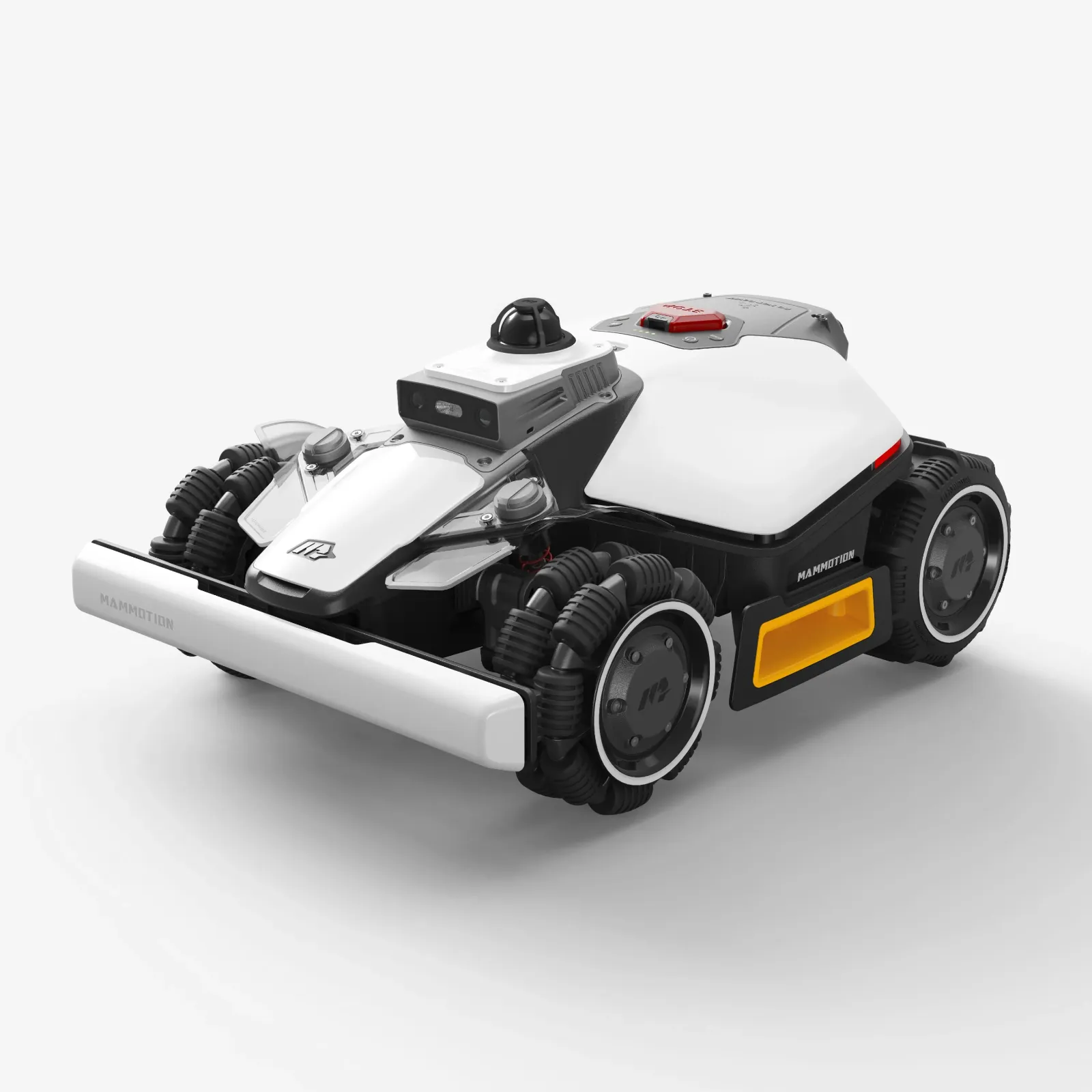
Practical rule of thumb: First check the type label, the app model, the market version, and the sensor system—then compare. With Mammotion, similar names do not automatically mean the same navigation.
What really changes compared to the LUBA Mini AWD?
The big change isn’t “more square meters,” but the new sensor technology and software logic. With the Mini 2 AWD 1000, Mammotion will work more strongly with Tri-Camera AI Vision and NetRTK. With the 1500 LiDAR, a 360° LiDAR system is added that actively scans the surroundings. That sounds like clear progress, but it doesn’t automatically solve every garden problem.
AWD stays AWD: All-wheel drive helps on slopes, on damp ground, and over short uneven patches. But it doesn’t replace safe orientation. This gets mixed up in forums again and again. Traction determines whether the robot makes it up the slope. Navigation determines whether it stays in the right spot there as well. LiDAR, camera, and NetRTK improve orientation, but they are no guarantee against drifting off the line, tank turns, incorrect edges, or difficult reverse trips back to the station.
There is also a stronger dependence on the app and online services. With cordless mowing robots, the app is not just for convenience. It is a mapping tool, a diagnostic window, a firmware channel, and a support interface. If eSIM, 4G, WLAN, Bluetooth, or server status don’t work together properly, a mechanically intact mower can still seem unusable in everyday life.
When it comes to the cutting system, there’s good news for owners of the LUBA Mini AWD: the mounting for the cutting disc is identical after our inspection. That means: CUT GUARD discs for the LUBA Mini AWD also fit the LUBA Mini 2 AWD. So if you switch from the older model to the Mini 2, you don’t have to start from scratch with the blade plate.
How reliable are boundaries and no-go zones with the LUBA Mini 2 AWD?
This is exactly one of the most important points. User reports repeatedly mention complaints that virtual boundaries were crossed or no-go zones were ignored. One particularly serious case describes a LUBA Mini AWD LiDAR 1500 that, after just a few months, went beyond a boundary and fell about a meter from a retaining wall. Other users report that they had to set physical barriers despite virtual locks.
This isn’t just a minor cosmetic issue. On a flat lawn area next to a paved path, an edge error is usually just a matter of rework. Next to a pond, a staircase, a retaining wall, or a slope, it becomes a risk to both the device and the surroundings. That’s why you shouldn’t push virtual boundaries to the very last centimeter in such locations.
With the LUBA Mini 2 AWD 1000, some users report disappointing NetRTK accuracy. Especially in small gardens with tight edges, every drift becomes dramatic: if you already factor in a 50 cm safety buffer and the robot still regularly wanders over the desired boundary, there is hardly any usable mowing area left with only 100 m² of garden. A larger garden is more forgiving of such buffers, but not a small townhouse garden.
Our workshop assessment: LiDAR and Vision can improve orientation, but they do not turn a virtual boundary into a concrete wall. If you have sharp drop-off edges, you should plan for additional safety: a mechanical lawn edge, a low barrier, a larger distance in the map, and regular checks after firmware updates.

Practical rule of thumb: LiDAR, camera, and NetRTK reduce orientation problems – but they do not replace a safety margin around walls, ponds, stairs, and steep edges.
Do I really need LiDAR for the LUBA Mini 2?
The honest answer: For simple, open areas, not every garden necessarily needs LiDAR. A rectangular lawn, clear sight, few obstacles, a stable connection, and wide edge zones are conditions under which the Mini 2 AWD 1000 can also make sense. In those cases, it matters more whether mapping, the app, the station, and mowing schedules are set up properly.
LiDAR becomes more interesting when the garden is cluttered: trees, shaded areas, narrow passages, winding corners, frequently changing obstacles, garden furniture, toys, raised bed edges, or mowing at dusk. The 1500 LiDAR can capture such situations better than a purely camera-based system. Many users look specifically for real experiences with the LiDAR version because spec sheets don’t show how the mower actually handles shrubs, branches, and tight edges.
At the same time, early reports on the Mini AWD LiDAR show that even LiDAR doesn’t always react perfectly. Some users feel obstacle detection is too “blind” when the mower doesn’t stop cleanly at raised bed boundaries or branches. Others experience the opposite: overhanging shrubs or untidy edge areas are avoided too cautiously, leaving more rework. That’s the typical trade-off with sensors: too bold causes damage, too cautious creates wider edge strips.
So for the buying decision, it comes down to this: the LUBA Mini 2 AWD 1500 LiDAR is especially worth it when the garden isn’t just larger, but more complex. If you only have 300 m² of open space, people often buy LiDAR for the comfort margin. If you have 800 m² with six zones, slopes, trees, and narrow spots, you’re more likely to buy LiDAR out of necessity.
Does the LUBA Mini 2 AWD 1000 really handle 1000 m²?
The area specifications of 1000 m² and 1500 m² should be read as ideal values. Many users ask about them for exactly this reason, because real gardens don’t work like test rectangles. A large, flat, simple area with long mowing windows comes close to the datasheet. A complex garden with six zones, slopes, obstacles, reversing back to the station, rain pauses, and hedgehog protection times is clearly below that.
In forums, it is often described that charging pauses significantly reduce progress during the day. A user with around 800 m², multiple areas, and obstacles reports, in essence, that after about 90 minutes of mowing time, a longer charging phase follows and, due to limited daily time windows, only a little over 200 m² per day is realistically achievable. This is not a Mammotion-specific issue, but it is especially important for cordless, sensor-intensive mowing robots, because mapping, return trips, and safety maneuvers take time.
That’s why the 1500 LiDAR is interesting not only for “more area,” but also for margin. Margin helps with short permitted mowing time, taller grass, many corridors, multiple zones, and long return routes. Conversely, you shouldn’t blindly buy a larger or technically more complex robot if the garden is extremely narrow: maneuvering, turning space, the station corner, and edge clearances can then be more of a hindrance than a help.
- Mini 2 AWD 1000: sensible for small to medium, rather open gardens with a stable NetRTK/app situation.
- Mini 2 AWD 1500 LiDAR: sensible for more complex gardens, more zones, trees, shade, and a need for navigation buffer.
- Be careful with both: tight drop-off edges, very narrow edge strips, problematic mobile reception, and high expectations for immediately perfect support.
App, eSIM, 4G and NetRTK: the underestimated dependencies
With a boundary wire mower, you can still solve a lot locally: check the wire, measure the station, repair the loop. With the LUBA Mini 2 AWD, mapping, diagnostics, and usage depend much more on the app, the connection, and online services. That’s exactly where users report frustration: eSIM or 4G doesn’t work, a SIM of your own can’t be inserted, Bluetooth connects, but the app still shows the robot as offline.
The problem isn’t only “no internet.” From a user’s perspective, especially annoying is the in-between situation: the router or hotspot sees the mower, technically it seems a connection exists, but in the app it can’t be controlled. Then you can neither re-map properly nor start reliably, or simply read out support data.
With the Mini 2 AWD 1000, an additional question arises regarding NetRTK or iNavi coverage. If the correction data is not stable, this can show up as drift at the edges, fluctuating positioning accuracy, or uncertain behavior near edges. Additional zones do not automatically bypass such underlying problems. Before purchasing, you should check: mobile reception in the garden, Wi-Fi at the station, Bluetooth range during setup, firmware version, and whether the desired market version really has the expected functions.
Practical rule of thumb: With the LUBA Mini 2, connection is not a comfort issue. Without stable app, radio, and correction data, a cordless mower quickly becomes a very expensive stationary unit.
Blades and blade changes on the LUBA Mini 2 AWD: What stays the same?
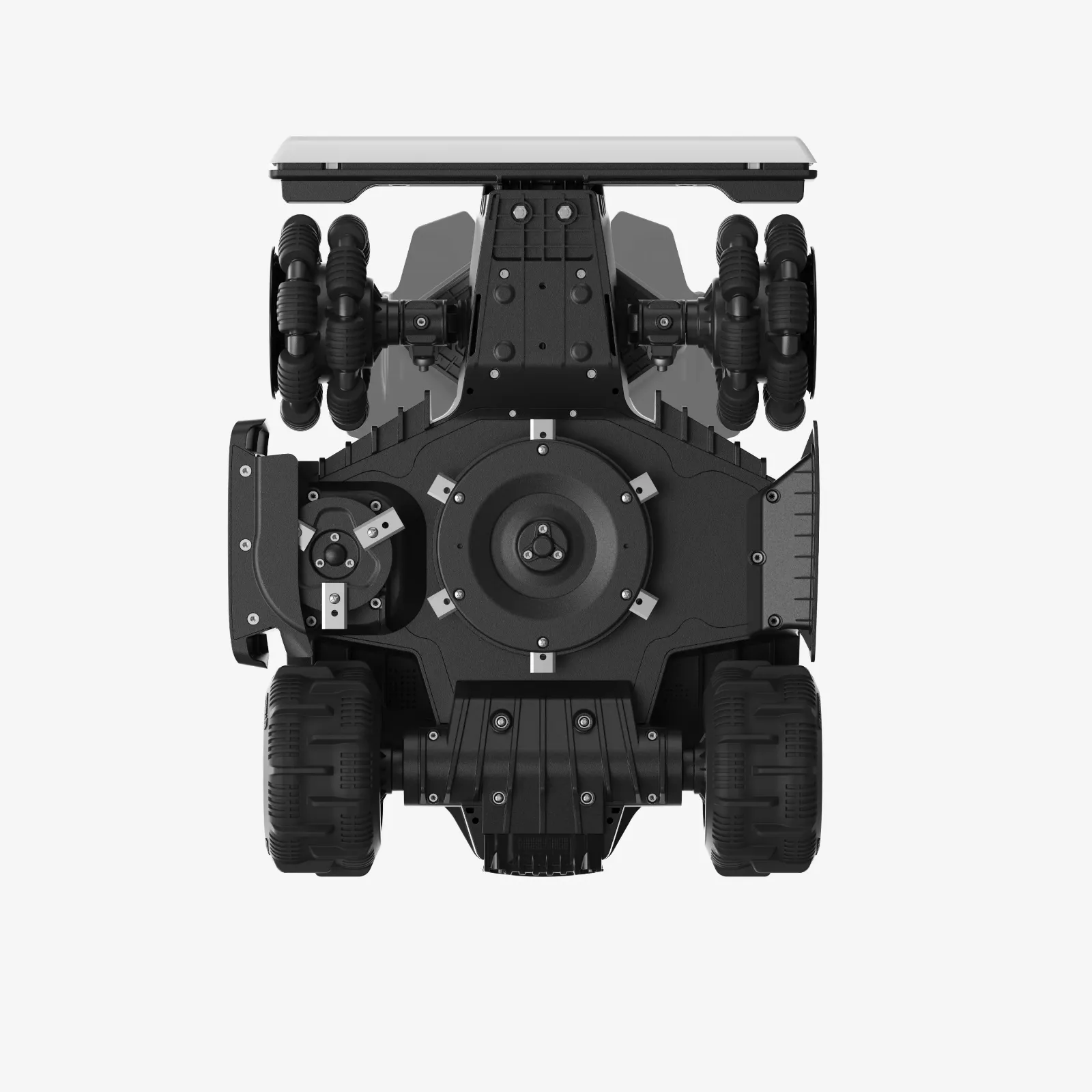
When it comes to blade changes, there is the clearest reassurance in the entire comparison: the cutting disc mount of the LUBA Mini 2 AWD is identical to that of the LUBA Mini AWD. All compatible CUT GUARD discs for the LUBA Mini AWD therefore also fit the LUBA Mini 2 AWD. This applies to the 1000 and 1500 LiDAR variants, as long as the mount matches the known Mini system.
In practice, this matters because Mammotion mowers put the blades under stress not only during normal mowing, but also due to AWD, edge driving, and frequent maneuvering. Edges, small branches, molehill mounds, fallen fruit, and damp grass clippings cause wear on the blade and on the blade plate. A frayed, gray cutting pattern is often not a navigation problem, but simply a sign of dull Klinge(s) or a clogged blade plate.
If you’re looking for maximum cutting area and a calmer cutting pattern, you shouldn’t just consider individual replacement blades when switching: Especially with denser grass or frequent edge mowing, a CUT GUARD cutting disc with 9 blades can help, because more cutting per revolution works on the grass and the robot doesn’t have to drive over each blade multiple times.
On the other hand, if grass clumping, damp corners, and cleaning are the priority, less is sometimes more practical: For users who prefer a robust mowing disc with a bit more clearance between the blades, it’s worth taking a look at a reinforced 7-blade cutting disc for LUBA Mini, because it stays more accessible for cleaning and looks less delicate in everyday use.
Support, spare parts, and warranty: the biggest factor of uncertainty
Many early complaints are not about whether the mower is technically exciting. They are about what happens when it doesn’t work. Users report repeatedly sending the same data, changing points of contact, logs, order ID, device ID, screenshots, and the feeling that with every new contact they start from zero again.
This is especially relevant for a cordless high-tech mower. When a conventional blade plate wears out, you can replace it. But if the eSIM, app account, cloud connection, 3D vision module, or charging station communication fails, you’re more dependent on the manufacturer’s process. In forums, people often complain that unclear shipping routes, long waiting times, or devices being in the service process can almost completely overshadow the actual defect.
Even the charging station and power supply should be part of the initial check. Some users report defective power supplies after just a few months, or stations where the infrared function does not work properly and the mower does not reliably return. These are not mass claims, but specific cases that you should take seriously with a young model.
Our advice from a workshop perspective: document the serial number, proof of purchase, photos of the station, screenshots of the app, firmware version, and short videos of the error directly. If you need support, you save time when all the data is prepared properly. Still, you should factor in when buying that a young model only becomes more mature through firmware updates, user feedback, and the availability of replacement parts.
Who is the LUBA Mini 2 AWD recommended for—and who should be cautious?
The LUBA Mini 2 AWD is recommended for users who want to mow wirelessly, can accept the technology, and can set up their garden neatly. The 1000 is better suited to smaller, more manageable gardens where NetRTK/iNavi, the app, and the radio connection run reliably. The 1500 LiDAR fits better for more complex areas with trees, shadows, nighttime operation, multiple zones, and a higher demand for surrounding detection.
Users should be cautious if they have very tight lawn edges, open drop-offs, ponds, stairs, extremely narrow passages, or poor mobile reception conditions. Anyone who expects that a robotic mower will run perfectly for weeks after unpacking without any readjustment should also stay realistic. Especially with newer models, weaknesses are often only revealed after a few weeks: mapping, edges, reverse travel, the charging station, the app, blades, damp corners, and narrow spots.
If you’re still deciding between Mammotion model lines, you shouldn’t only compare Mini 2 against Mini AWD, but also consider LUBA 2, LUBA 3, YUKA, and YUKA Mini. For this broader decision, our Mammotion buying guide by garden profile helps, because it looks at area size, slope, complexity, and blade changes across model lines.
Frequently asked questions
Do the LUBA Mini cutting discs also fit the LUBA Mini 2?
Yes, the LUBA Mini cutting discs also fit the LUBA Mini 2 AWD because the cutting disc mount is identical. This applies to the compatible CUT GUARD discs of the LUBA Mini AWD and makes switching from the predecessor to the Mini 2 with accessories noticeably easier.
Is the LUBA Mini 2 AWD 1500 LiDAR better than the 1000?
Yes, for complex gardens the 1500 LiDAR is usually the more sensible choice. It offers more navigation headroom thanks to 360° LiDAR and Dual-Camera AI Vision, but it costs more and doesn’t automatically resolve boundary issues, app problems, or support-related topics.
Can the LUBA Mini 2 AWD mow safely without a boundary wire?
Yes, it’s designed for cordless mowing, but virtual boundaries still need safety margin. When it comes to walls, ponds, stairs, and slopes, you shouldn’t map right up to the last centimeter, because user reports show that drift and boundary errors can occur.
How realistic are 1,000 m² and 1,500 m²?
The area specifications are more like ideal values than an everyday guarantee. In gardens with multiple zones, obstacles, inclines, short mowing windows, charging pauses, and reversing, the actual daily performance can be significantly lower.
What should you consider about support before buying?
Support is a real risk factor, because many users report long processes, repeated requests for data, and unclear repair procedures. Anyone buying Mammotion should document any errors well and expect additional firmware and service work with newer models.
Conclusion: Mini 2 is a real step forward – but not a free pass
The Mammotion LUBA Mini 2 AWD brings meaningful improvements over the LUBA Mini AWD: more modern sensors, with the 1500 LiDAR a stronger perception of the surroundings, wireless mapping, an Edge-Cutting-Disc, and continued powerful AWD drive. From an accessories perspective, it’s especially great that the blade disc mount is identical, because existing compatible CUT GUARD solutions for the LUBA Mini AWD and LUBA Mini 2 AWD can continue to be used.
The first check also shows, however: the key questions aren’t just in the data sheet. Limits, no-go zones, NetRTK, eSIM, app offline status, docking, power supply, and support determine in everyday use whether the mower is a joy or a source of frustration. If you have an open, well-maintained garden and set up the technology properly, the Mini 2 AWD offers an exciting system. If you have steep drop-offs, very narrow edges, or high expectations for support, you should check particularly critically before buying.
Comments