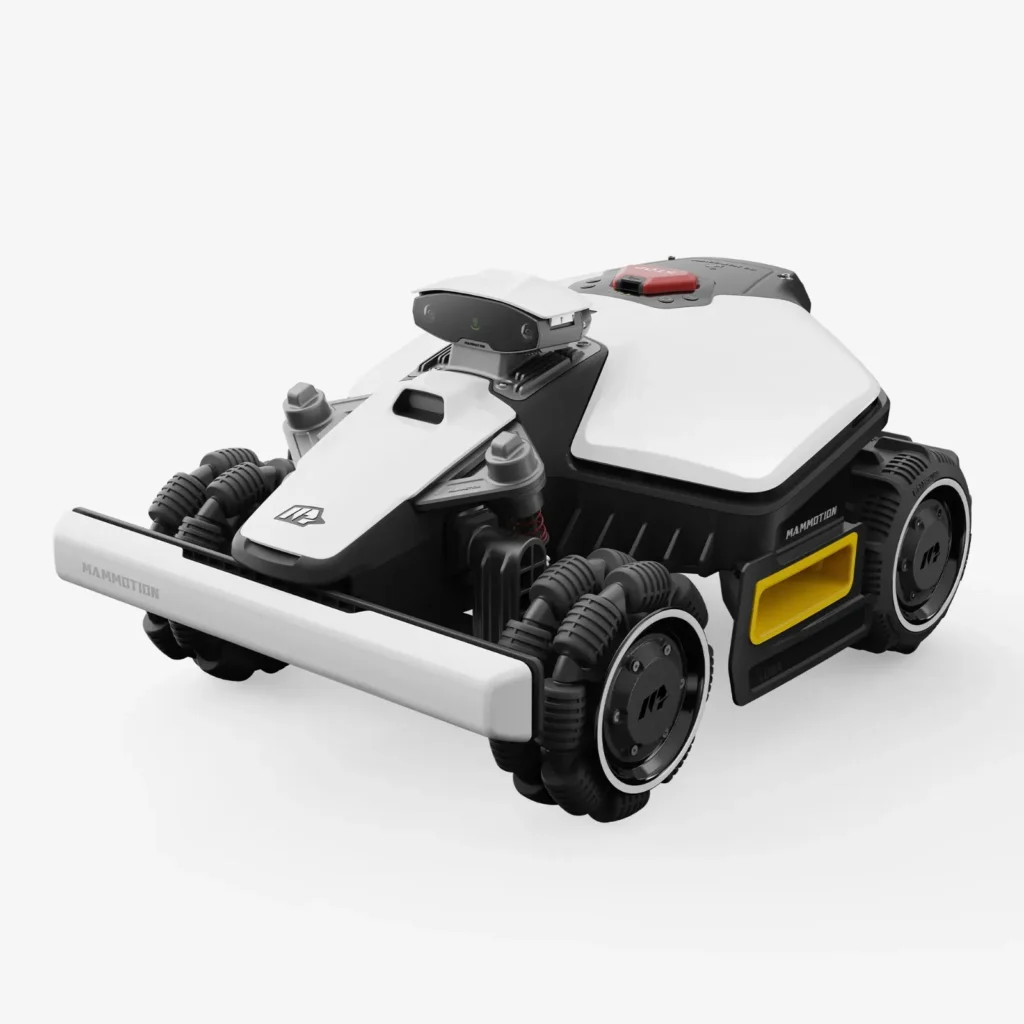
The LUBA is on the lawn, the battery is inserted, and the Wi-Fi on the router shows a connection—but in the app the mower suddenly goes offline or disappears completely. These are exactly the kinds of cases Mammotion users keep reporting again and again: it’s not the lawn that’s the first problem, but the app, cloud, Bluetooth, maps, and zones. And if a virtual boundary then doesn’t hold properly or the map gets ruined after an update, “wire-free convenience” quickly turns into a workshop evening with your phone in hand.
The Mammotion LUBA MINI AWD 800, the LUBA MINI AWD 1500, and the LUBA MINI AWD LiDAR 1500 are exciting robotic mowers for small to medium-sized gardens with slopes, uneven areas, and multiple zones. But they’re not magic boxes. AWD helps with traction, not navigation. LiDAR helps with orientation, but it doesn’t replace proper setup. And the model number 800 or 1500 doesn’t automatically mean the robot can handle a tricky, winding garden stress-free at 800 or 1500 m².
We’re not looking at these devices from a marketing perspective here, but from a service and accessories point of view: What do users report? Where do problems pile up? When is the larger battery worth it? When is LiDAR useful? And what do you need to consider for blades, the blade disc, edges, and maintenance so the cut quality doesn’t get worse—even though navigation is actually working?
Luba Mini AWD 800 vs. 1500 vs. LiDAR: Which model really fits which garden size?
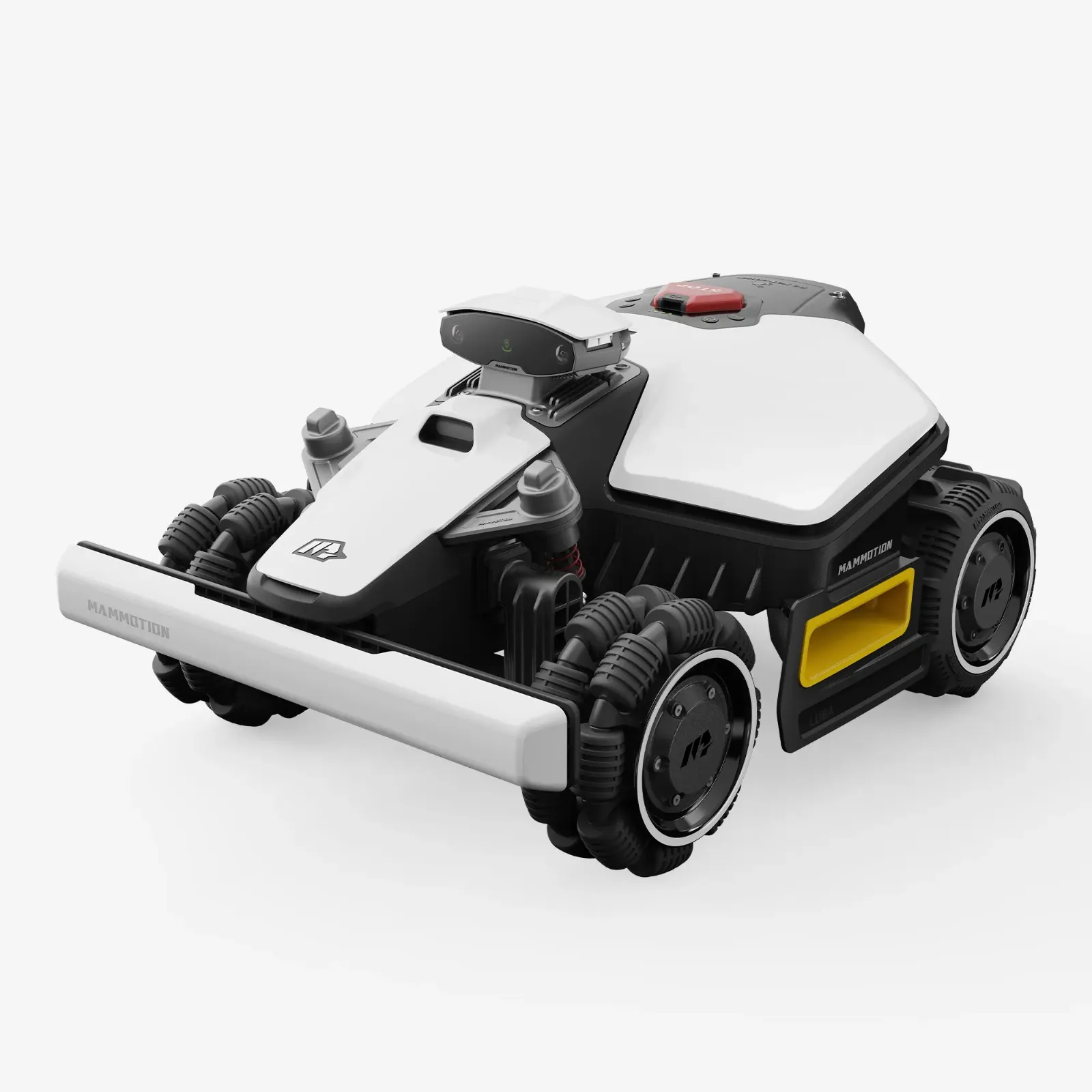
The first confusion starts with the names. There are LUBA MINI AWD 800 and 1500 as area classes. In addition, there are variants with different cutting heights depending on the market, and also the LUBA MINI AWD LiDAR 1500 with a LiDAR, NetRTK/iNavi, and Vision combination. There are also designations such as Mini, Mini 2, H-Version, S-Version, and LiDAR-Version. That’s why anyone buying should not only read “LUBA Mini 1500,” but also check the exact model designation, the market, and the navigation equipment.
From a user’s perspective, the 800 is interesting for simple, smaller areas: an L-shaped garden, fewer zones, no long corridors, and manageable obstacles. For example, one user reports about 226 m² including edge mowing in a single session, but with only around 15 to 18% battery remaining. That’s good, but it also shows this: as soon as the area gets larger, more intricate, or requires slower driving, the buffer shrinks.
The 1500 is not only interesting for “more square meters,” but above all for more reserve. If the garden is 600 to 800 m², has multiple zones, includes narrow passages, or the robot doesn’t have perfect conditions every day, the larger battery—or the higher class—is often the calmer choice. That’s exactly what people discuss in forums: the 800 may be enough, but with the 1500, charging breaks, rework, and time pressure are often less critical.
| Model | Manufacturer class | Navigation / Orientation | Strengths in practice | Weaknesses from user reports | Practical assessment |
|---|---|---|---|---|---|
| LUBA MINI AWD 800 | up to approx. 800 m² | depending on the version Vision / NetRTK / iNavi, no classic wire | compact, all-wheel drive, good for smaller to medium-sized gardens with slopes | on more complex areas less battery reserve, charging breaks, and possible update and app-related issues | realistically more relaxed for 200–500 m² than for true 800 m² with many zones |
| LUBA MINI AWD 1500 | up to approx. 1500 m² | depending on the market NetRTK/iNavi and Vision | more reserve, useful for intricate areas, multiple zones, and longer driving distances | not automatically easier; mapping, connection, and boundaries remain critical | for 600–1000 m² often a more sensible choice than the 800 model if the garden isn’t simple |
| LUBA MINI AWD LiDAR 1500 | up to approx. 1500 m² | LiDAR + NetRTK/iNavi + Vision, depending on region and firmware | interesting for trees, shade, satellite issues, and more complex areas | reports of app offline, leaving boundaries, no-go zones, narrow passages, and map problems | technically strong, but only for users who don’t mind setting it up and fine-tuning it |
Our rule of thumb from real-world experience: If you have 700 m² on paper, you shouldn’t automatically go for the 800 model. For a straight rectangular yard without bottlenecks, that can work. But for 700 m² with a trampoline, trees, two lawn islands, a narrow passage, and a slope, the 1500 is the more realistic choice. The robot doesn’t just need to mow—it also has to turn, drive back home, avoid obstacles, use boundary channels, and restart in the event of errors.
The model number is not a comfort guarantee. The more intricate the garden, the more buffer you should plan for—when it comes to the battery, driving time, and your own patience for mapping and the app.
LiDAR or RTK: What users report about trees, shadows, and narrow passages
LiDAR sounds like the clean solution for everything that RTK doesn’t like: tree canopies, shadows, walls, narrow passages, and poor satellite visibility. In theory, that’s plausible. In practice, however, users report mixed results. Some are very satisfied because the LiDAR mower comes through difficult areas more reliably without a classic RTK antenna. Others say the mower gets stuck in narrow passages, loses its way, or doesn’t reliably reach certain zones.
The key point: LiDAR needs a usable environment. Open lawn areas without clear structures, flat paths, very low curbs, or unclear transitions can remain challenging. RTK, on the other hand, likes a clear view of the sky, but it loses reliability around buildings, tree canopies, narrow inner courtyards, or covered areas. Vision helps with objects, but it depends on light, contrast, and a clean camera.
Many users expect that LiDAR “self-learning” automatically makes everything better. That expectation is dangerous. With the LUBA MINI AWD LiDAR as well, zones, no-go areas, transitions, and corridors must be set up properly. After changes to the garden—new flower bed, moved trampoline, changed edging, lumber on the lawn—orientation can get worse if the map no longer matches the real environment.
When LiDAR can make sense
- if RTK frequently struggles under trees or near buildings,
- if the garden has multiple structured areas with walls, hedges, or fixed objects,
- if the mower should navigate more reliably even under changing lighting conditions,
- if you’re willing to set up no-go zones and corridors conservatively.
When LiDAR doesn’t work miracles
- in very narrow 90-cm passages with unclear side edges,
- at open boundaries without physical orientation points,
- at drop-off edges, ponds, or walls without a real barrier,
- when obstacles frequently change, such as toys, garden furniture, or cables.
AWD and LiDAR are often thrown into the same pot, but they address different problems. AWD means: the mower gets better over uneven ground, small edges, and slopes. LiDAR, RTK, and Vision mean: the mower tries to know where it is. A mower can have excellent traction and still drive the wrong line. It can also navigate cleanly and still leave tracks on wet, soft ground.
What to do if the LUBA MINI AWD is offline or disappears from the app?

App, WLAN, Bluetooth, and cloud issues stand out as the actual source of frustration in negative user reports. The robot is in the garden, can be seen briefly via Bluetooth, is supposedly connected to the WLAN, but in the app it shows as offline—or it disappears completely. It becomes especially frustrating when, afterward, maps, zones, channels, or schedules are missing.
Before thinking about the battery, main board, or sensors, it’s best to proceed calmly and systematically. First check: Is the charging station supplied with power? Is the mower positioned correctly in the station? Are the contacts dry and clean? Is there moisture on the power supply, plug, or extension cable? Then restart the app, test Bluetooth directly next to the device, check the WLAN signal at the station, and note the firmware/app version.
If multiple users report similar app or cloud problems on the same day, the fault isn’t necessarily in your own garden. In that case, a server, app, or synchronization issue is more likely than a defective mower. In such situations, it’s helpful not to remap everything right away, but to save screenshots of maps, zones, channels, and schedules and document the condition clearly.
Practical diagnostic sequence
- Remove the mower from the station, disconnect power to the station, and wait two minutes.
- Check the charging contacts on the mower and on the station to ensure they are dry and clean.
- Inspect the power supply unit, cable, plug, and any possible moisture.
- Reinsert the mower exactly and observe the charging indicator.
- Close the app, restart the smartphone, and test Bluetooth directly on the device.
- Check the WLAN signal at the station—not just in the house at the router.
- Before updates, take screenshots of the maps, zones, no-go zones, and schedules.
If the battery indicator shows 0%, charging stops, or the battery appears to be empty, you should also not immediately label the battery as defective. Charging and docking problems show up in forums, but the cause can also be the power supply unit, contacts, station, moisture, firmware, or incorrect parking. Only after these points have been cleanly ruled out will the battery component truly be suspect.
When the mower is gone digitally, don’t remap right away. First check power, contacts, connection, the app, and the cloud status—otherwise, in the worst case, you delete functioning garden work.
Limits, no-go zones, and safety: Why virtual boundaries don’t always suffice
The most critical point with the LUBA MINI AWD LiDAR is not an unmowed edge of grass, but a virtual boundary at a dangerous location. There are user reports in which a LUBA MINI AWD LiDAR 1500 is said to have left the defined area and fallen from a wall. Others report that no-go zones were ignored or that they had to set physical barriers afterward.
This is not a detail, but a safety question. Virtual boundaries are practical, but they are not a crash-proof safeguard. Anyone who has ponds, stairs, edges of walls, steep slopes, open driveways, or contact with the road on the property should not rely on app boundaries alone. A low physical edge, a bed stone, a fence element, or another real barrier is more sensible in such places than “it’ll probably be fine.”
With wireless mowing robots, boundary violations are especially frustrating because there is no boundary wire as a hard final line in the ground. RTK, LiDAR, and Vision calculate positions and interpret the environment. If signal, map, sensing, lighting, or obstacles interact unfavorably, the robot may react differently than during the initial setup. That’s why No-Go zones should be designed more generously, especially around low obstacles, round flower beds, play equipment, sandboxes, and water features.
Conservative No-Go Zones for the LUBA
- when it comes to ponds, work with additional physical protection at least,
- never secure drop-offs and walls using only virtual boundaries,
- don’t draw No-Go zones millimeter-precisely around trees and flower beds,
- after firmware updates, observe critical boundaries during the first run,
- don’t ignore changes to the garden: check the map if the environment has changed.
In workshop practice, we see: Many cutting problems don’t originate at the blade, but from incorrect driving paths. When the robot becomes unsure near edges, maneuvers more, or drives too cautiously around obstacles, grass is left standing. This can be related to mapping and edge logic, but it can also be caused by worn or unfavorably working blades. If you want a cleaner cutting edge during edge mowing and at the same time want to replace the original disc, you should take a look at a protected blade disc with six blades, especially in cases of heavy grass buildup or frequent rework, because it is designed for smoother operation and blade protection for the LUBA MINI AWD 800, 1500 and LiDAR.
Battery, charging breaks, and mowing performance: Why 800 m² / 1500 m² aren’t the whole story
Area specifications are lab values with an ideal garden in mind: short distances, few obstacles, good conditions, and a suitable mowing frequency. The real garden looks different. One user with around 226 m² reports that his LUBA MINI AWD 800 handles the area well, but after the session there’s only about 15 to 18% battery left. That’s not a bad result, but it shows: Even when mowing significantly less than 800 m², the reserve can be quite limited.
Other users report longer runtimes, including charging breaks, for zones of 200–400 m² or around 500 m². That sounds disappointing at first, but it’s understandable: Obstacles, narrow passages, slow driving modes, edge mowing, slopes, and the return trips to the station cost time and energy. If the mower has to charge in between, “mow this morning” quickly turns into a full day’s schedule.
That’s why the 1500 is worth it not only when the garden is larger. It’s also worth it when the mowing window is short—for example because of children, pets, irrigation, neighborhood time slots, or rainy periods. A robot that has to mow in two sections isn’t automatically bad. But if it keeps breaking off in the middle of an area, drives back to the station, charges, and then later has trouble resuming, it’s annoying.
When the 800 is enough
- 200–500 m² of actual mowing area,
- few obstacles,
- no extremely long return routes,
- one to two zones,
- regular mowing, so the grass never gets very tall.
When the 1500 is more sensible
- from about 600 m² with lots of twists and turns,
- multiple zones and connecting corridors,
- slopes, uneven areas, or dense vegetation,
- if everything should be finished in one day as much as possible,
- if the mower isn’t allowed to run every day or shouldn’t.
The blade set also affects real-world performance. Dull blades increase resistance, tear grass more easily, and can cost more energy in denser growth. In our tests with CUT GUARD mower blade discs, it turns out: it’s not only the number of blades that matters, but also whether grass comes cleanly out of the disc area and whether the blades can swing freely. If you’re using the LUBA MINI AWD and you often struggle with denser lawn, more clippings, or an untidy result after charging pauses, then a robust 7-blade mower blade disc for the LUBA offers a practical option between the original concept and a stronger cutting reserve.
800 m² on the box are not 800 m² in the real garden. Narrow passages, zones, slopes, and charging pauses matter more than the sheer square-meter figure.
Obstacles, edges, and trimming along borders: Where users see rework or unmown spots
With obstacles, it becomes clear whether a wireless robotic mower truly fits the garden. Users report mixed experiences with the LUBA MINI AWD LiDAR: some praise its maneuverability and positioning, while others complain that a lot of grass is left behind around obstacles. Round flower beds, thin posts, play equipment, bushes with overhanging branches, flat border stones, and dark transitions are particularly challenging.
LiDAR and vision don’t detect everything equally well. A tree trunk is easier than a flat metal frame. A clear wall is easier than a soft transition between flower beds. A bright path in daylight is something different than a dark border in the shade. If the robot drives too cautiously, grass is left standing. If it drives too close, it risks contact or boundary errors. This exact balance is the key point in complex gardens.
Trimming along borders is a frequently discussed topic with the LUBA because Mammotion advertises clean edge coverage. In practice, it depends heavily on the edge. Mowable lawn edges with a level transition work better than high borders, loose stones, bed edges, or drop-off areas. When the mower has to maneuver a lot at the edge, you often see marks later or uneven stripes.
Don’t underestimate the blades and the blade disc
If the cut pattern gets worse, many people first look for the fault in navigation or software. That may be true, but the underside always belongs on the checklist: Are the blades free to move? Screws tight, but not too tight? Grass wrap around the mounting? Blade disc warped? Blades dull or damaged on one side?
With a high mowing frequency, small blades are often underestimated because the robot only cuts a little. But especially with wet grass, clover, denser edge growth, or irregular charging pauses, the blades must cut cleanly. If the LUBA already has to do more rework at edges and islands, dull blades visibly worsen the result. For users who want maximum cutting reserve and see too little bite with the original cutting disc, a precise 9-blade solution for the MINI AWD may be interesting—especially when regularly sharpened lawn edges and dense growth come together.
But the important thing is: More blades don’t fix a bad map. If the mower doesn’t approach an area cleanly, misinterprets no-go zones, or steers too far around obstacles, mapping, edge driving, and zone logic must be correct first. The blade disc improves the cut exactly where the robot actually drives.
Firmware, map loss, and update hassles: Back up first, then update
Firmware updates are a double-edged sword with modern lawn mowing robots. They can improve navigation, obstacle detection, edge behavior, and app functions. At the same time, users report problems after updates: worse edge mowing, connection issues, start errors, missing maps or zones, broken channels and tasks that are not resumed correctly.
That doesn’t mean you should never update. But you shouldn’t start updates blindly between two mowing sessions if the garden is currently running well. Before every major update, you should take screenshots of the map, No-Go zones, channels, schedules, cutting heights, and the zone order on your phone. If you have several complex areas, you should also note which passage is how wide and which edge is critical.
After the update, the first run should not begin unattended at the most dangerous spot. Better: choose a small zone, observe edge behavior, check the return-to-home, and only then unlock complex zones and corridors. If multiple users report similar errors right after a new version, waiting sometimes is better than spending hours on remapping.
Support, repairs, and the purchase channel: Why dealer purchase can make more sense for some
In negative experience reports, it’s often not just about the defect, but about the handling. Users report long waiting times for power supplies, lots of emails, weekslong helpdesk chats, unclear repair statuses, and solutions that are hard to pin down. With a premium mowing robot, this is especially frustrating because the season is short and every failure is immediately noticeable.
That’s why the question “where to buy?” is more important for the LUBA MINI AWD than for simpler devices. If you’re technically savvy, can take screenshots, document errors properly, and handle remote support, you’ll often get by online. But if you don’t feel like dealing with app diagnostics, shipping packages, and long chat threads, you should seriously consider a local dealer. A dealer can often help faster with setup, station placement, map installation, warranty claims, and spare parts.
From an accessories perspective, the same applies: wear parts shouldn’t be ordered only after the mower is already cutting poorly. Replacement blades, screws, and compatible blade discs should be in the workshop box before the season starts. Especially for LUBA users with multiple zones and lots of driving time, it’s worth checking the underside regularly instead of only reacting once the grass edges are already frayed.
Frequently Asked Questions
Is the LUBA MINI AWD 800 enough for 700 to 800 m²?
For real 700 to 800 m², I’d only recommend the 800 model for a very simple garden. As soon as bottlenecks, multiple zones, slopes, obstacles, or long return routes come into play, the 1500 is the better choice because it offers more battery and time reserve.
Is LiDAR better than RTK?
LiDAR is often the better option with trees, shadows, and more structured environments, while RTK is strong on open areas with a clear view of satellites. The LUBA MINI AWD LiDAR can therefore be interesting, but it isn’t automatically easier—mapping, no-go zones, and corridors still need to be set up properly.
What to do if the LUBA is offline in the app?
First check the power supply, charging station, contacts, Bluetooth directly on the device, and the Wi-Fi signal at the station. Then restart the app, note the firmware version, and save screenshots of the maps and zones before each remapping, because app or cloud issues are not always caused by the mower itself.
Are virtual boundaries and no-go zones secure enough?
In dangerous areas, no: ponds, walls, stairs, roads, and drop-off edges should be additionally secured physically. User reports about ignored no-go zones and boundary violations show that virtual boundaries are practical, but not a real safety barrier.
How often should you replace the blades on the LUBA MINI AWD?
With normal use, you should check the blades every 4 to 8 weeks and replace them depending on the area, sand, branches, and mowing frequency. Visible frayed grass tips, louder operation, grass wrapping, or an uneven cutting pattern are clear signs that you should check earlier.
Conclusion: Who the LUBA MINI AWD is convincing for – and who should be cautious
The Mammotion LUBA MINI AWD 800, 1500 and LiDAR is not a gimmick, but it’s also not a worry-free automatic solution. Its strengths are four-wheel drive traction, a compact design, wireless setup, and—on the LiDAR model—interesting sensor fusion for more challenging gardens. Many users are satisfied when the garden, model size, setup, and expectations match.
Everyone should be careful if they have dangerous open boundaries, don’t want to deal with app and firmware topics, or expect that LiDAR will understand every intricate garden perfectly without any rework. Especially narrow passages, no-go zones, map loss, cloud issues, and charging/docking errors keep showing up again and again in user reports.
Our honest recommendation: Don’t buy the LUBA too tightly sized. For the 800, plan for smaller, simpler areas; for the 1500, use more capacity; and for the LiDAR model, factor in time for setup, test drives, and a safety check. And when it comes to the cutting diagram, don’t look at software only: blades, screws, the cutting disc, and the underside decide every day whether the lawn is cut cleanly or just somehow gets run over.
Tip: You will find all matching replacement blade discs and mowing plates for Mammotion in our overview: Blade discs for Mammotion.
Comments