WORX Cutting Discs – Landroid M500, M700, WR141E/167E & Vision Cloud
Blade Discs & Mowing Discs Compatible with Worx Landroid Mowers Here you will find precisely fitting blade discs compatible with Worx Landroid mowers – tailored to the current Landroid Vision…
-
-
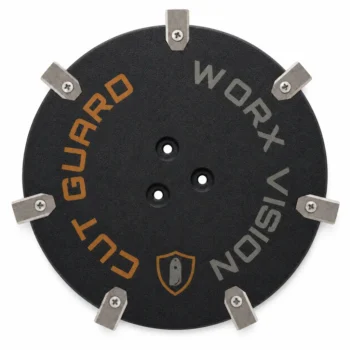
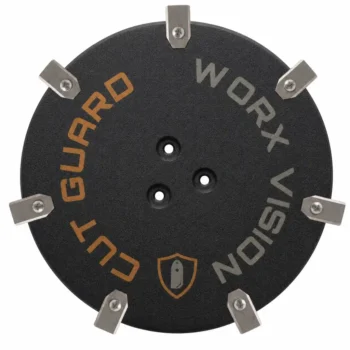
Cutting disc for WORX Landroid Vision Cloud WR312E, WR318E & WR330E
from 42,90 € Ready to ship Choose variant -
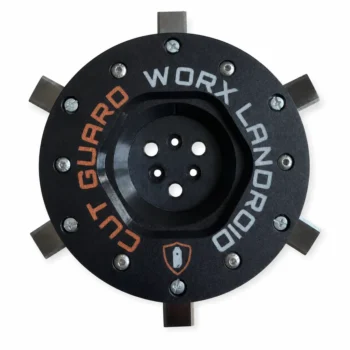
Cutting disc for WORX Landroid M500, M700, WR167E, WR141E & Vision M600
from 39,90 € Ready to ship Choose variant
Blade Discs & Mowing Discs Compatible with Worx Landroid Mowers
Here you will find precisely fitting blade discs compatible with Worx Landroid mowers – tailored to the current Landroid Vision Cloud Series (including WR303E, WR312E, WR330E, WR340E 4WD, and WR365E) as well as the classic Landroid M Series (e.g. WR167E, WR141E, M500, M600, M700). The blade disc – also known as mowing disc or blade plate – carries the blades and ensures a clean, even lawn cut during its rotation. A flawless mowing disc is the foundation for a precise cutting pattern and a smooth operation of your Landroid.
Our replacement blade discs compatible with Worx are available as mowing discs with 6, 7, or 9 blades – precisely manufactured, smoothly balanced, and durable. This way, your Worx Landroid works again with full cutting power.
Compatible Blade Discs for Your Worx Landroid Model
- Landroid Vision Cloud WR303E / WR312E – Precision mowing disc with matching replacement blades
- Landroid Vision Cloud WR330E / WR340E 4WD / WR365E – robust blade disc for larger areas and slopes
- Landroid M WR167E, WR141E, M500 / M600 / M700 – blade plate for the classic Landroid M Series
When Should You Replace the Worx Blade Disc?
A replacement is advisable if the mowing disc is damaged, bent, or worn, if blades are missing or becoming dull, or if grass residues are permanently stuck in the cutting area. Stronger vibrations and an uneven cutting pattern are also clear signs. A new blade disc quickly restores the clean mowing performance of your Landroid.
How to Change the Blade Disc on the Worx Landroid?
The change can be done in a few steps: turn off the Landroid, flip it over, loosen the old blade disc, and mount the new precisely fitting disc. Ensure that all blades can move freely afterward. Usually, no special tools are required for the Landroid models.
6, 7, or 9 Blades – Which Worx Blade Disc Fits?
The number of blades depends on your lawn: 6 blades are the proven standard, 7 blades provide more cutting power in dense grass, and 9 blades ensure the finest, most even cutting pattern – ideal for demanding or large lawn areas.
Does the Same Blade Disc Fit Both Landroid Vision and Landroid M?
Not necessarily – the new Vision Cloud Series and the classic Landroid M Series may differ in the construction of the mowing disc. Therefore, always choose the blade disc that matches your specific Worx model or WR number to ensure a secure fit and full cutting power, including matching blades.
Why is a Precisely Fitting Worx Blade Disc Important?
A precisely manufactured and well-balanced blade disc runs smoothly, reduces vibrations, and protects the drive of your Worx Landroid. This ensures even cutting performance, a consistently well-maintained lawn, and a longer lifespan for your device.
Frequently asked questions
How quickly can I expect the delivery of my CUT GUARD blade disc for my Worx Landroid WR167E?
The delivery of your CUT GUARD blade disc for the Worx Landroid WR167E usually takes place within 3-5 working days. If you are not satisfied with the product, you can return it within 30 days, provided it is in an unused condition.
What impact does using a CUT GUARD blade disc have on the battery life of my Worx Landroid WR312E?
Using a CUT GUARD blade disc ensures a clean and even cut, which increases the efficiency of your Worx Landroid WR312E. This can extend the battery life, as the mower needs to expend less energy to cut the grass.
What is the difference between the CUT GUARD blade discs with 6, 7, and 9 blades for my Worx robotic mower?
The CUT GUARD blade discs with 6 blades are suitable for smaller gardens with normal grass growth, while the 7 blades provide better cutting quality in medium lawns. The 9 blades are optimal for large gardens or dense lawns, such as in heavy growth or high grass height.
What common problems occur when using the CUT GUARD blade discs for Worx Landroid M700?
Users often report uneven cutting patterns when the CUT GUARD cutting discs are not regularly maintained. Additionally, there may be difficulties with the proper fit of the disc if the attachment is not done correctly, which can lead to vibrations.
How do I change the CUT GUARD cutting disc on my Worx Landroid WR340E?
Changing the CUT GUARD cutting disc on the Worx Landroid WR340E is done in three simple steps: First, you need to turn off the lawn mower and clean the underside. Then, loosen the old cutting disc with a suitable wrench and place the new disc on before tightening it. The entire change should take no longer than 10 minutes.