ECOVACS Cutting Discs – GOAT O500, O800, O1200, G1 & A-Serie RTK
Ecovacs Blades & Mowing Discs for Robotic Lawn Mowers In this category, you will find precisely fitting blades compatible with Ecovacs Goat robotic lawn mowers – tailored to the models…
-
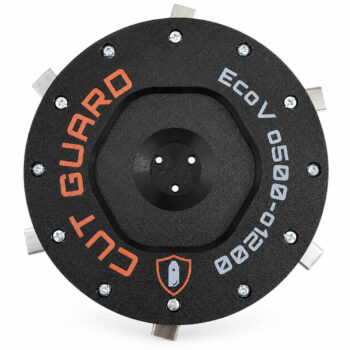
Cutting disc for ECOVACS GOAT O500, O800, O1200, G1-800 & G1-2000
from 39,90 € Ready to ship Choose variant -
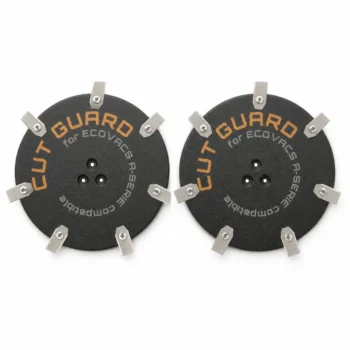
Ecovacs Blades & Mowing Discs for Robotic Lawn Mowers
In this category, you will find precisely fitting blades compatible with Ecovacs Goat robotic lawn mowers – tailored to the models of the Ecovacs Goat Series such as Goat G1, Goat GX-600, and the Goat O-Series (O500 / O1000). The blade – also known as mowing disc or knife disc – is the heart of the cutting system: The blades are attached to it, which cut the grass cleanly and evenly during rotation.
Our replacement blades for Ecovacs are available as mowing discs with 6, 7, or 9 blades – precisely manufactured, smoothly balanced, and durable. This allows your Ecovacs Goat to operate at full cutting power and with a smooth running pattern.
Compatible Blades for Your Ecovacs Goat Model
- Ecovacs Goat G1 – Precision mowing disc with matching replacement blades
- Ecovacs Goat GX-600 – Robust blade for an even cut
- Ecovacs Goat O500 / O1000 – Knife disc with protection against grass blockages
When should you replace the Ecovacs blade?
A replacement is recommended when the mowing disc is damaged, bent, or heavily worn, when blades are missing or becoming dull, or when grass residues are permanently stuck in the cutting area. Stronger vibrations and an irregular cutting pattern are also clear signs. A new blade quickly restores the clean mowing performance of your Ecovacs Goat.
How to change the blade on the Ecovacs Goat?
The change is straightforward: Turn off the Ecovacs Goat, flip it over, remove the old blade, and install the new precisely fitting disc. After that, check if all blades move freely. Generally, no special tools are required for the Goat models.
6, 7, or 9 blades – which Ecovacs blade fits?
The number of blades depends on your lawn: 6 blades are the proven standard, 7 blades provide more cutting power for denser grass, and 9 blades ensure the finest and most even cutting pattern – ideal for large or demanding lawns.
Are the blades compatible with all Ecovacs Goat models?
Our mowing discs are specifically tailored to the Ecovacs Goat Series – from G1 to GX-600 to the O-Series. Simply choose your model to receive a precisely fitting blade including blades that perfectly matches your Ecovacs robotic lawn mower.
Why is a precisely fitting Ecovacs blade important?
A precisely manufactured and well-balanced blade runs smoothly, reduces vibrations, and protects the drive. This ensures even cutting performance, a consistently well-maintained lawn, and a longer lifespan for your Ecovacs Goat robotic lawn mower.
Frequently asked questions
How do I know that the blade disc of my Ecovacs Goat G1 needs to be replaced?
If the blades of the blade disc are dull or damaged, this is indicated by uneven cutting or uncut grass areas. Another warning sign is an increased noise during mowing, which may indicate an imbalance. If there are visible signs of wear on the blade disc, you should also consider a replacement.
What happens if I use an incompatible blade disc on my Ecovacs Goat O1000?
An incompatible blade disc can lead to an imbalance, which not only affects the mowing performance but can also cause damage to the mower itself, such as motor overheating or bearing wear. Additionally, an incorrect cutting system can worsen the mowing result.
How long does shipping of the Ecovacs blade discs take and what should I consider for a return?
Shipping of the blade discs usually takes place within 2-3 business days after order receipt. If you are not satisfied with your purchase, you can return the goods within 14 days. Make sure to return the blade disc in its original condition to receive a full refund.
What is the difference between the blade discs with 6, 7, and 9 blades for my Ecovacs Goat GX-600?
The blade disc with 6 blades is suitable for flatter lawns, while the 7-blade variant offers medium cutting performance and is ideal for regular lawns. The 9-blade disc, on the other hand, is optimal for uneven or heavily overgrown areas, as it provides more intensive cutting performance and creates a more even cut.
How do I change the blade disc on my Ecovacs Goat O500?
Changing the blade disc is straightforward. First, you will need a Phillips screwdriver. Remove the screws of the old blade disc, position the new disc, and reattach it with the screws. The entire process should take no longer than 10 minutes.