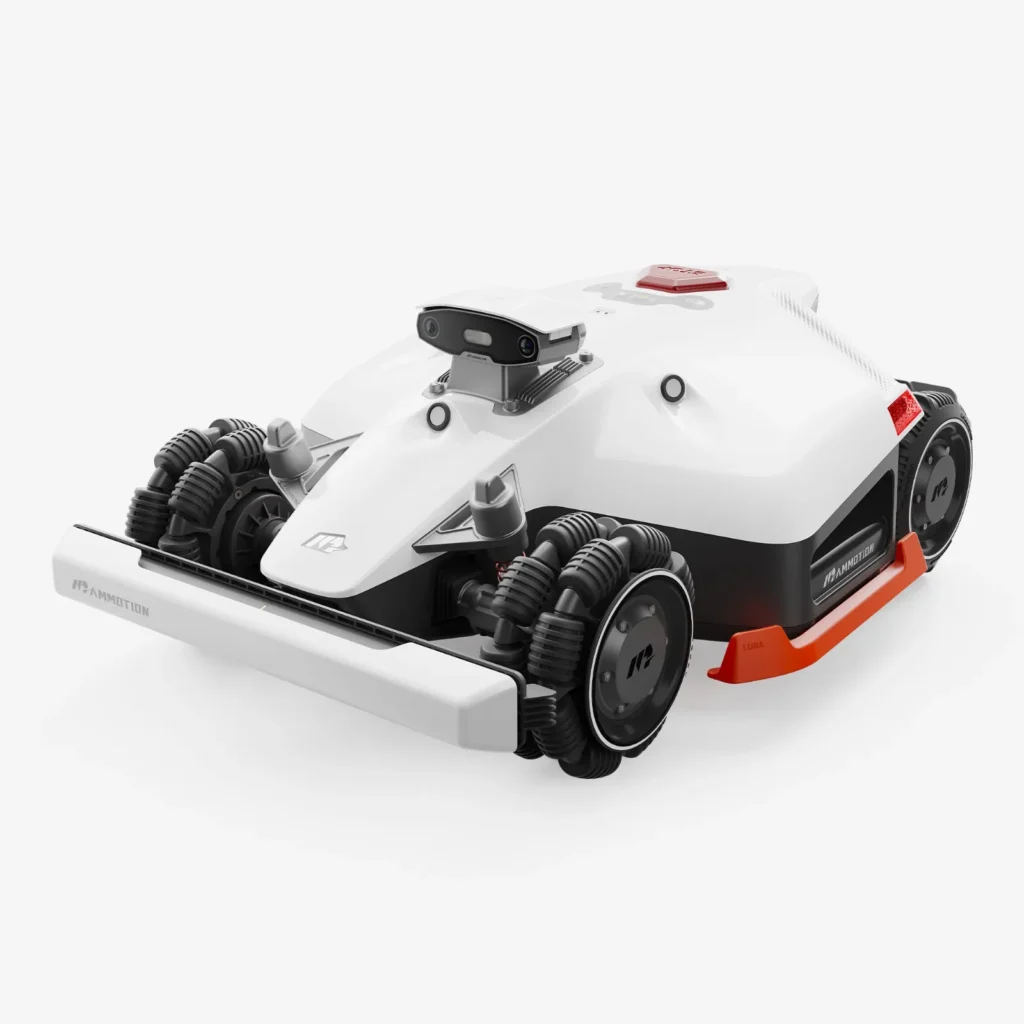
LUBA sets off, the map looks clean enough—and yet it suddenly stops in the middle of the lawn, loses satellite connection, or keeps turning in a No-Go zone on the spot for so long that the grass patch suffers. Exactly these kinds of situations keep coming up again and again in user reports about the LUBA 1 AWD, LUBA 2 AWD, and LUBA 3 AWD. At the same time, there are many owners who say: Once the mower is set up properly, it mows steep, large, and challenging properties with impressive confidence.
From a workshop and accessories perspective, the LUBA series is therefore not a simple “good or bad” case. The devices have real strengths: all-wheel drive, a wide dual-blade cutting disc, wireless navigation, and plenty of power. But they also demand more technical tolerance than a typical wired boundary robot. If you have a sensitive ornamental lawn, many narrow islands, weak Wi-Fi, difficult RTK reception, or no desire to troubleshoot app errors, you should take a closer look.
We don’t sell lawn mowers—we manufacture and test CUT GUARD cutting discs, cutting blades, and replacement blades. That’s why we don’t look through the marketing lens, but at what truly matters in operation: navigation, turning maneuvers, cutting pattern, wear, spare parts, and the question of which generation makes sense for which garden.
LUBA 1, LUBA 2, and LUBA 3 AWD at a glance: What really differentiates the generations?
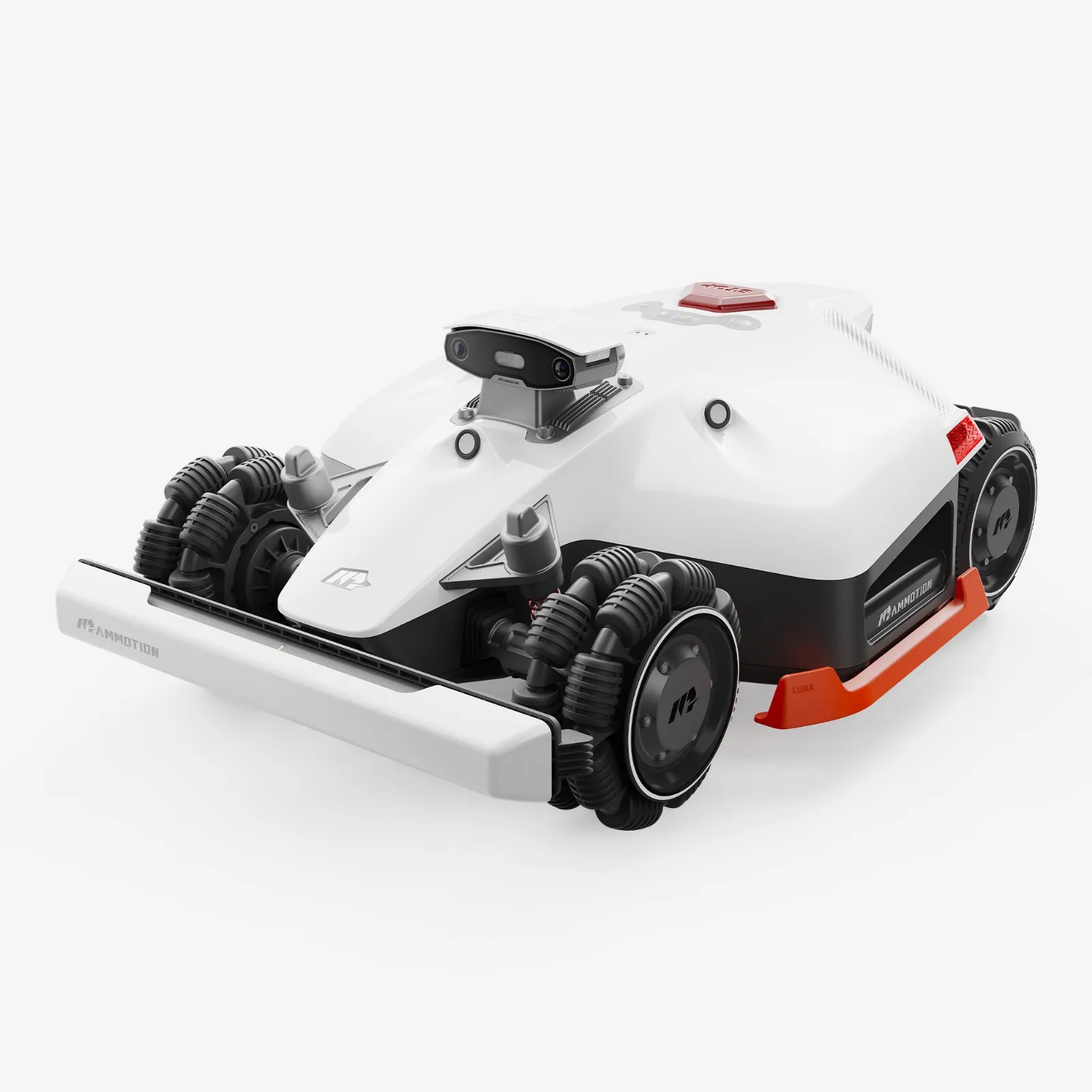
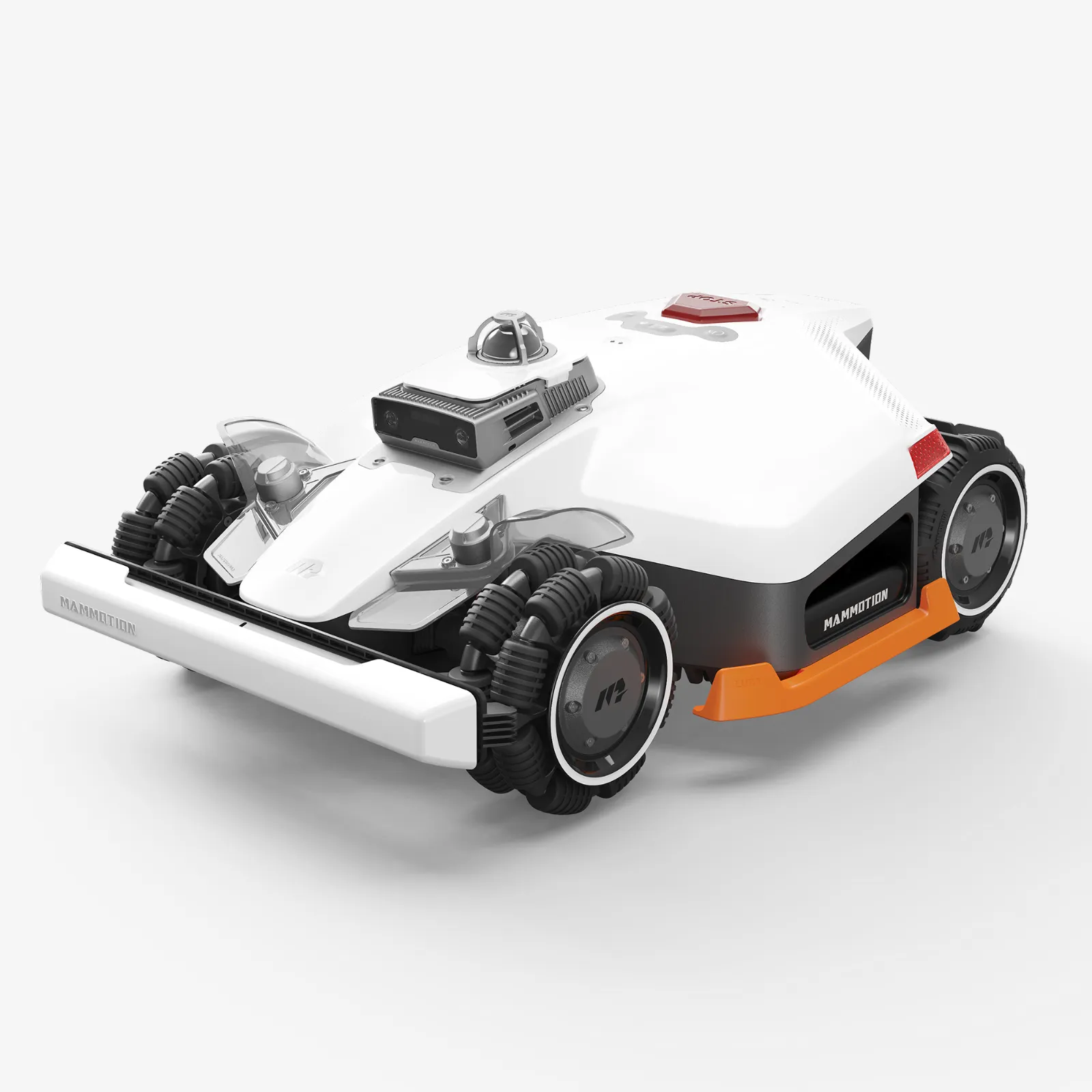
First the most important point: „LUBA AWD“ is not the same as „LUBA AWD“. LUBA 1 is the older generation, LUBA 2 is the widely used further development with stronger camera/vision support, and LUBA 3 brings LiDAR, AI vision, and NetRTK/iNavi logic together more powerfully depending on the variant. That sounds like a clear progression—old, better, best. In practice, it’s more complicated.
Many users report that a well-running LUBA 1 or LUBA 2 causes little trouble for years. Others write exactly the opposite: After firmware updates, app issues, or defects, the mower became a time sink. With LUBA 3, early user reports also come into play, in which mapping, boundary editing, no-go zones, and „tank turns“ are criticized. So new hardware doesn’t automatically mean less effort.
Key details in practice
| Generation / Model | Typical area class | Navigation | Strengths | Weaknesses | Practical assessment |
|---|---|---|---|---|---|
| LUBA 1 AWD | depending on the variant up to several thousand m² | RTK-based, older app/firmware generation | strong traction, wide mowing deck, solid core concept | older software version, used-device risk, check spare parts availability and battery condition | Interesting if the price, condition, and accessories are right – no blind purchase. |
| LUBA 2 AWD | often 3000X and 5000X, depending on the market other variants | RTK plus UltraSense AI vision, sometimes iNavi/NetRTK services | very good suitability for slopes, 400-mm dual-disc system, strong area performance | firmware and app issues, satellite/connection dropouts, support frustration when defects occur | For large, steep gardens often the sensible sweet spot – plan with a technical buffer. |
| LUBA 3 AWD | 1500, 3000 and 5000 m² classes | depending on the variant 360° LiDAR, NetRTK, dual-camera AI vision | latest sensor technology, strong AWD performance, more flexible map logic announced/expanded | early user criticism regarding boundary editing, no-go zones, driving logic, and lawn damage | Exciting for challenging properties – but only buy after checking the current software features. |
When it comes to area specifications, you should always factor in a buffer. A simple, rectangular garden without bottlenecks comes closer to the manufacturer’s figures. A complex garden with multiple zones, narrow passages, shade under trees, long return trips, and inclines consumes the buffer. If you have 800 m² of difficult terrain, you often do better with a 1500 m² class than with a model that’s been calculated just barely enough.
AWD means traction, not automatically perfect navigation. LiDAR, Vision, RTK, and NetRTK are orientation aids—they don’t replace proper setup or sensible mapping.
The biggest user problems: Support, firmware, app, and connection dropouts
In forum posts and Reddit reports, one pattern shows up particularly often: The mower itself is frequently described as powerful, but the problem is described as annoying. Users report repeated tickets, unanswered messages, slow responses, or issues with returns. That doesn’t mean every service case runs badly. But it does mean: If you expect premium support like you’d get from a densely built-out dealer network, you should be cautious.
With LUBA 2 AWD, firmware and app issues stand out. Several users write that a device ran well for a long time and then, after an update, suddenly behaved differently: worse position display, unreliable obstacle detection, starting problems, or the mower no longer works correctly after the update. In such cases, the first instinct is often: “The hardware is broken.” In practice, that’s not always true.
Our recommendation from the workshop perspective: before every major update, take screenshots of maps, zones, no-go zones, schedules, and corridors. If, after an update, many users report similar problems on the same day, the suspicion is more likely to be with the app, cloud, firmware, or server synchronization than with a single defective cutting blade or battery.
Typical order for troubleshooting
- Check the app version and fully close the app.
- Clear the cache or sign in again.
- Restart the mower; for LUBA models, also pull out the orange safety key and reinsert it.
- Check the charging station and RTK/network connections.
- Document the firmware version; don’t update multiple times in quick succession.
- If map errors occur: first check individual sections—don’t delete everything too hastily.
Connection dropouts are also a common issue. Users report Bluetooth problems, a weak app connection, questions about LTE/4G, or a suddenly non-updating position. Especially with wireless robots, this is frustrating because the map is only as good as the positioning logic behind it.
If a LUBA starts acting up after an update, first secure the software, connection, and map—don’t immediately suspect the battery, motor, or cutting system.
What to do if the LUBA loses satellite contact or maps incorrectly?
RTK is the core of orientation in many LUBA setups. The system needs a clean reference, as clear a view as possible, and a stable connection. In real gardens, things look different than in product photos: trees, walls, carports, metal garages, narrow side passages, and house edges can interfere with reception. With the LUBA 2 AWD, there are specific user reports of seemingly inexplicable satellite loss—often followed by a longer search for the cause, the location, and the firmware version.
What’s important: a wireless mowing robot doesn’t work like a wired one. A boundary wire is rough but stable: the signal is there, and the boundary is clear. An RTK/Vision/LiDAR system can drive much more intelligently, but it’s more sensitive to poor reference points, incorrectly set zone connections, and map errors. Particularly critical are paths between zones, the return trip to the charging station, and areas with a poor sky visibility field.
Setup: better slow and clean than fast and chaotic
- RTK location: As free, high up, and not directly next to metal surfaces or under roof eaves as possible.
- Charging station: Don’t cram it into a tight corner. The mower needs a clear entry and exit.
- Corridors: Test narrow passages first before activating the full weekly schedule.
- No-go zones: Don’t place them too close to flower beds, trampolines, or tree roots. A bit of safety distance prevents trouble.
- Mark problem areas: If the mower keeps shifting to the same spot, check reception, shade, obstacles, and the ground there.
If the mower is mapped incorrectly or skips areas, a controlled approach often helps: save the map, test the affected zone individually, create a new path, and only then start the complete mowing plan. A full factory reset is the last step—not the first.
LUBA 3 AWD in practice: LiDAR, no-go zones, and boundary editing
The LUBA 3 AWD is technically the most exciting candidate, because Mammotion combines LiDAR, camera AI, and NetRTK/iNavi more strongly here. The promise: less reliance on a classic RTK installation, better orientation in challenging areas, and more flexible map editing. However, early user reports are precisely where this software logic is critically observed.
A common topic is Boundary Editing. Users want to correct boundaries after the fact, move points, and cleanly adjust zones without having to start everything from scratch. If this feature is missing, implemented unclearly, or only improved later through an update, a seemingly minor map error can quickly turn into major frustration. Especially with the LUBA 3 AWD, you should check before purchasing which app version and which editing functions are currently available for your specific market.
No-Go zones are also rated inconsistently. Some users praise the easy setup, while others report that restricted zones are poorly respected, strange starting points, or many unnecessary turning maneuvers. The problem isn’t just visual. When a heavy AWD mower repeatedly turns in place at the same spot, it quickly creates holes, compacted areas, or torn-up patches of grass.
LiDAR doesn’t automatically mean AWD is error-free
LiDAR improves orientation, but it’s not a magic wand. Dark edges, flat paths, shadows, round flower beds, open property boundaries, and changing obstacles can still cause problems. And there’s more: AWD describes the drive, LiDAR the sensors. A LUBA 3 with LiDAR doesn’t automatically mow more lawn-friendly if the software forces it into tight turns at unfavorable points.
In practice, it’s worth drawing No-Go zones more generously and protecting sensitive areas not only with a digital line. For young flower beds, soft ground, or play equipment, an additional physical buffer is often the better solution.
With LUBA 3, it’s not only the hardware that matters, but also the current app logic. Before purchasing, always check whether limits and no-go zones can be adjusted in the way your garden requires.
Why does a LUBA AWD sometimes damage the lawn due to turning maneuvers?
AWD is the big advantage of the LUBA series—and at the same time the reason why some users report lawn damage. The devices have a lot of traction. On slopes, uneven terrain, and rough grass, it works brilliantly. But on damp, soft, or very short ornamental grass, the same power can leave marks—especially during fast spins on the spot.
In forums, people mainly report “tank turns,” torn-up areas, and dirty wheels with the LUBA 3 AWD. Such damage rarely happens when mowing straight ahead, but at turning points: at no-go zones, in front of narrow passages, along edges, on the way back home, or wherever the robot repeatedly steers to an unfavorable starting point.
How to reduce marks and holes
- Do not start mowing schedules directly after rain.
- Reduce mowing speed on sensitive lawns.
- Create larger no-go zones so the mower doesn’t have to turn millimeter-precisely.
- Soften bottlenecks or work with separate zones.
- Monitor turning points and correct map points if needed.
- Clean the wheels regularly, because wet grass residue makes traction uneven.
The cutting system also plays a role. Dull blades tear grass blades out more than they cut them, the mower has to go over messy areas more often, and the cut pattern becomes less even. If you want to keep the original-style setup with the LUBA 1 AWD or LUBA 2 AWD, but replace worn discs, you’ll find a suitable 6-blade mower disc in a 2-pack as a sensible solution for regular maintenance without switching to a more aggressive cutting pattern.
Our CUT GUARD tests also show: More blades are not automatically better for every garden. A 7-blade configuration can cut more smoothly and handle mowing intervals more cleanly when the grass grows more vigorously. If grass clippings frequently collect on the standard disc or the cut pattern looks frayed after just a few days, it’s worth taking a look at a reinforced mower disc with 7 blades, especially for LUBA 1 and LUBA 2 up to model year 2024.
Who is LUBA AWD worth it for—and who should be careful?
A LUBA AWD is especially worthwhile for large, steep, or uneven properties where weaker robotic mowers constantly lose traction, get stuck, or take too long. Many positive user reports come from exactly such gardens: slopes, rough ground, multiple areas, trees, outbuildings—and still solid mowing performance.
Buyers should be careful if the garden is very small, very sensitive, or extremely winding. Anyone who expects a “unbox it, click once, and never touch it again” experience will probably not be happy with LUBA. The devices can do a lot, but they require setup, observation, and occasional follow-up work. Especially wireless systems depend on the owner keeping an eye on the map, zones, and updates.
Good prerequisites for LUBA AWD
- a large lawn area with real buffer space beyond the model limit
- slopes where AWD is truly needed
- enough space for the charging station and turning points
- willingness to maintain maps and firmware
- regular checks of blades, blade discs, and wheels
Challenging prerequisites
- many narrow islands and sharp edges
- soft ornamental lawn that quickly shows tracks
- weak reception, many walls, metal surfaces, or dense tree cover
- high expectations for immediate support with every problem
- used devices without proof of purchase, accessories, or a clearly verifiable firmware status
Our area recommendation is intentionally conservative: If you have 3000 m² of simple, open space, you can consider a 3000 model. If you have 3000 m² with slopes, multiple zones, narrow paths, and shade, you should think one class higher—or break the area down based on real day-to-day performance, charging times, and return trips.
Common mistakes and quick solution approaches from user reports
Many LUBA problems don’t start at the blade, but with the app, power, connection, or map. Still, in everyday life people often think first about the battery or the motor. A clear order is better.
LUBA doesn’t charge or shows strange battery levels
First, make the charging station powerless, remove the mower, clean the contacts dry, and check the plug for moisture. Then reinsert the mower cleanly and check in the app whether status and firmware are displayed plausibly. Only when contacts, power supply, station, and software have been ruled out should you consider the battery or a service case.
LUBA stops without any apparent reason
If the mower pauses randomly, first check the event log, the app connection, and the map position. If it always happens in the same place, the cause is often reception, a corridor, a No-Go zone, or the ground. If it happens everywhere after an update, software is more likely.
Poor cutting image despite correct driving
Then blades, screws, disc clearance, and grass clippings are the first things to check. With LUBA’s dual-disc system, both sides must run cleanly. A bent blade disc, grass clippings stuck in place, or blades with different sharpness quickly create an uneven image.
For users who want a very fine cutting pattern and have it mowed frequently, a CUT GUARD blade disc with 9 blades may be interesting; however, with tall, wet grass or infrequent mowing, you should check whether more blades fit your mowing interval.
Buying advice: LUBA 1 used, LUBA 2 discounted, or LUBA 3 new?
A used LUBA 1 AWD can be a good deal if the condition, proof of purchase, accessories, RTK components, battery, and firmware version all check out. Without these points, the risk is high. Especially important: Are both cutting discs intact? Are screws not stripped or broken off? Is there any play in the wheels or cutting motors? Was the mower stored dry?
The LUBA 2 AWD is, for many buyers, the most pragmatic candidate if it’s attractive price-wise. It offers strong AWD performance, a wide 400-mm cutting width, and enough modern navigation. At the same time, you shouldn’t gloss over the known issues: updates, app behavior, satellite connection, and support can require work.
The LUBA 3 AWD is the most exciting choice, but also the one that deserves the most careful attention. If you want LiDAR, new map logic, and modern sensing, you get the more advanced concept. If you don’t want trouble with early software versions, you should wait for reports on the current app version and, above all, check boundary editing, no-go zones, and turning logic.
Our honest recommendation
- LUBA 1 AWD: Only buy used if the price and condition truly convince.
- LUBA 2 AWD: Best choice for many large, steep gardens if you’re willing to do some technical upkeep.
- LUBA 3 AWD: For users who want modern sensing and are ready to keep up with software development.
With accessories, you shouldn’t wait until something breaks. Replacement blades, compatible cutting discs, screws, and a cleaning routine are just as much part of operating a LUBA as the map and app. A powerful AWD mower with dull blades won’t deliver good results—no matter how good its navigation is.
Frequently asked questions
How reliable is the LUBA 2 AWD after firmware updates?
The LUBA 2 AWD can run very reliably, but updates are a real risk for changed behavior. Users report issues with the app, position, obstacle detection, or start behavior after firmware changes. Before updates, you should back up maps, zones, and schedules via screenshots.
What should you do if the LUBA suddenly loses satellite connection?
First, check the RTK location, clear line of sight, app connection, and restart. Then test corridors, the charging station, and the affected map areas. A factory reset should only be done after targeted fixes fail.
Can you edit boundaries on the LUBA 3 AWD after the fact?
Yes, map editing is a central topic with the LUBA 3, but the scope and operation depend heavily on the app and firmware version. Boundary Editing was viewed critically by early users. Before purchasing, you should check whether points, boundaries, and no-go zones can currently be edited in the way your garden needs.
Does the LUBA AWD damage the lawn due to turning maneuvers?
Yes, that can happen, especially on wet ground, in narrow no-go zones, and with many spins in place. AWD provides a lot of traction, but it can also stress sensitive grass patches. Larger safety distances, mowing during dry times, and clean map points reduce the risk.
Is upgrading from LUBA 1 or LUBA 2 to LUBA 3 worth it?
An upgrade is especially worth it when navigation, map post-processing, or difficult reception areas with the old device cause real problems. If a LUBA 1 or LUBA 2 runs stably, a switch is not automatically necessary. The LUBA 3 offers more modern sensing, but also new software logic that needs to fit your garden.
Conclusion: LUBA AWD is strong – but not a lawn mower for blind trust
LUBA 1 AWD, LUBA 2 AWD, and LUBA 3 AWD are among the most interesting robotic mowers for challenging properties because traction, cutting width, and wireless navigation enable a lot. They really show their strength on slopes and across large areas. That’s exactly where many smaller or lighter systems struggle.
The price for that is complexity. Support experiences are mixed; firmware updates can change behavior; RTK and the app require attention; and AWD turning maneuvers can damage sensitive turf. If you know this and set everything up properly, you get a highly capable system. If you expect a completely maintenance-free device, you’ll likely be disappointed.
From the CUT GUARD perspective, the rule is: good navigation only produces a good mowing pattern if the blade discs, blades, and screws are also in good condition. That’s why it’s worth taking a regular look under the LUBA—not only when the lawn looks frayed or a screw has torn off.
Tip: You will find all matching replacement blade discs and mowing plates for Mammotion in our overview: Blade discs for Mammotion.
Comments