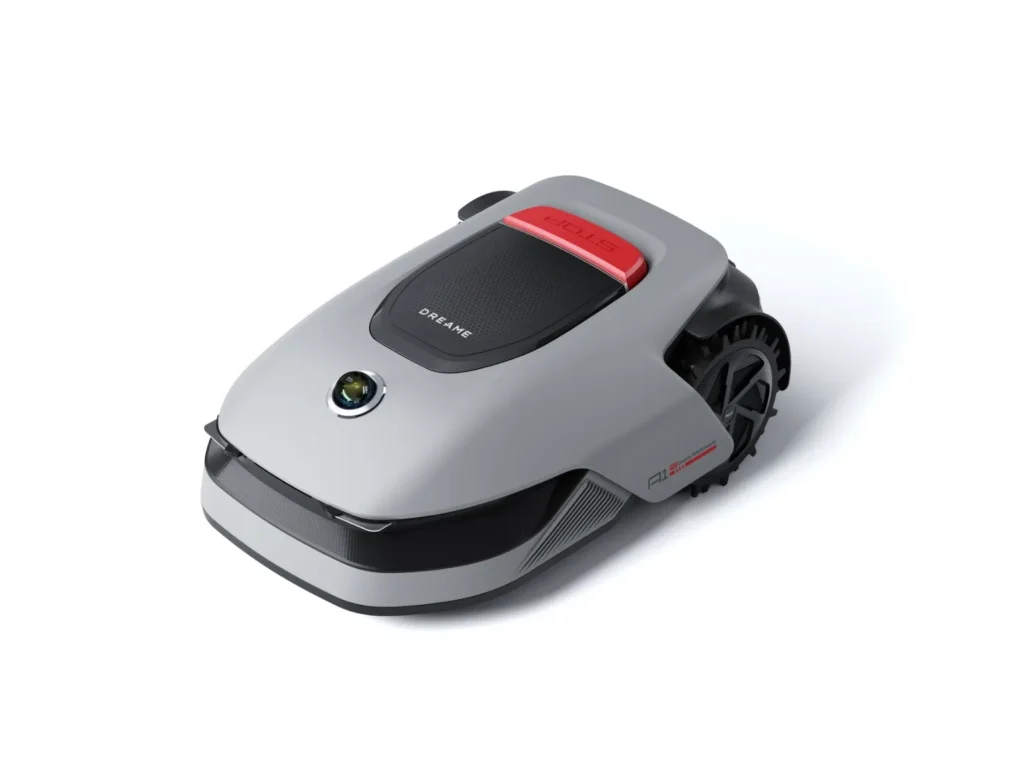
The mower starts off cleanly, draws neat tracks—then gets stuck when turning on a slightly damp ground hump. Or it mows the area reliably, but leaves a visible strip along the wall. Exactly these kinds of experiences keep coming up with the Dreame A1, A1 Pro, A2, and A3 AWD: LiDAR navigation is often praised, but traction, edges, small obstacles, and app logic determine in everyday use whether the robotic mower really fits your garden.
Dreame has stood out in the robotic mower market primarily with wireless models without a traditional boundary wire and without a separate RTK antenna. The A1, A1 Pro, and A2 rely on LiDAR-based orientation, and the A2 additionally uses a camera/AI. The new A3-AWD series goes up a class in 2026: all-wheel drive, a wider cutting width, larger area reserves, and a combination of 3D LiDAR and AI vision. But for owners, it’s not just the spec sheet that matters. Anyone who already uses a Dreame or takes over a used device should think early about wear parts: Suitable Dreame cutting disc and replacement solutions can be found in our overview for Dreame cutting discs for robotic mowers, because dull or poorly running blades unnecessarily intensify many cutting problems.
Important from our workshop perspective: Messerscheibe24 does not sell robotic mowers, but accessories and spare parts. That’s why we pay particular attention to what becomes noticeable after the first few mowing weeks: cutting pattern, blade changes, grass buildup, edge behavior, traction, and the question of whether a model can realistically run with low maintenance in your own garden.
Dreame A1, A1 Pro, A2, and A3 AWD: a quick overview of the models
The Dreame models look similar at first glance, but they belong to different garden profiles. The A1 and A1 Pro are the obvious choice for flat to moderately complex gardens, where wireless setup, quiet operation, and a clean cutting pattern matter more than maximum off-road capability. The A2 expands the concept with a camera/AI and is aimed at users who want better obstacle detection. The A3 AWD, on the other hand, is the more robust all-wheel-drive class for larger, uneven, and steeper areas.
| Model series | Practical profile | Navigation | Cutting system | Typical strength | Typical weakness |
|---|---|---|---|---|---|
| A1 | small to medium-sized, rather level gardens | LiDAR / OmniSense | 22 cm cutting width, 3 cutting discs | easy cordless setup | traction and edge strips |
| A1 Pro | larger, mostly level areas up to about 2,000 m² per manufacturer’s specification | LiDAR / OmniSense, Dual-Map possible | 22 cm cutting width, 3 cutting discs | good navigation without an RTK antenna | prone to wet, uneven lawns |
| A2 1200 / A2 3000 | gardens with more obstacles, but not automatically steep slopes | LiDAR plus 1080p camera/AI | 22 cm cutting width, 3 cutting discs | additional object detection | sometimes overly cautious reactions |
| A3 AWD 2000 / A3 AWD Pro 3500 | large, rougher, steeper and more demanding gardens | 3D LiDAR plus AI vision | approx. 40 cm cutting width, dual mowing deck | all-wheel drive traction and extra capacity | young software—note the return window |
The manufacturer’s coverage area is only a starting point. A rectangular, dry, level lawn can come close to the factory specification. A garden with narrow passages, zones, shadows, damp low spots, long reverse runs, many obstacles, and short permitted mowing windows needs noticeably more reserve. That’s exactly why an A1 Pro can work well on 1,100 m², while on 1,500 m² of more intricate, winding terrain it becomes quite demanding.
Which garden is the Dreame A1 or A1 Pro suitable for?
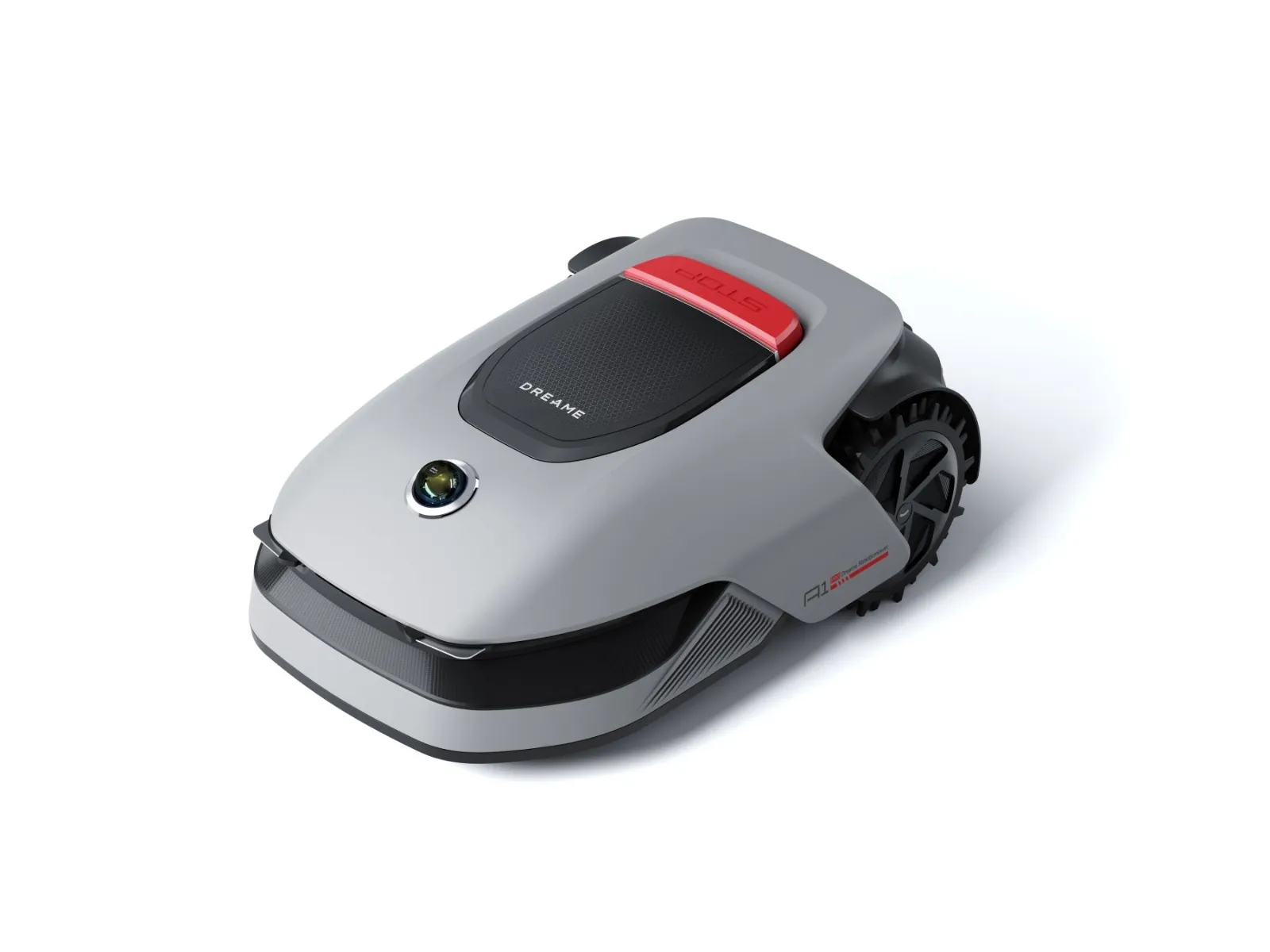
The A1 and A1 Pro are best suited to well-kept, relatively level gardens where the mower doesn’t constantly have to turn on soft ground, drive diagonally up slopes, or climb out of low spots. Many users report that setup is pleasantly quick without a boundary wire, and that the LiDAR positioning is especially convincing in areas where RTK or GPS mowers can struggle—such as under trees, next to house walls, or in narrow corridors.
The biggest real criticism is traction. In reviews and forums, it’s often mentioned that the A1 and A1 Pro can cause wheels to spin on wet, loose, or uneven grass. When turning, the grass can suffer; downhill, the robot can slip; and on rough patches, it can get stuck despite an otherwise flat area. That doesn’t mean the A1 is bad—it just means it isn’t a terrain mower.
In the cross-section, A1 and A1 Pro, on the other hand, are often stronger than you’d expect from their compact design. With sharp blades, they mow cleanly and quietly. However, if the lawn looks gray, frayed, or uneven, this is often not due to navigation, but to dull cutting disc blades, grass stuck on the mowing disc, or damaged blade plates. If you’re looking for more cutting time and a calmer cutting pattern with the A1, A1 Pro, or A2, you can check a 9-blade cutting disc for Dreame A1, A1 Pro and A2 when changing the blade, because additional cutting points can help in practice—especially when mowing frequently and in dense grass.
The second weak point is the edges. Users complain that the A1/A1 Pro is rather cautious near walls, flower beds, plant tubs, or lawn borders. Especially when mowing large areas and mowing the edges don’t connect cleanly, a visible strip remains. If you expect perfect edges, you’ll still need to regularly touch up with a trimmer or edging shears—even with a cordless Dreame.
For a deeper look at the typical A1 issues—setup, app, edge mowing, blades, and user feedback—our in-depth user check of the A1, A1 Pro, and A2 is also worth reading if you’re already deciding between these three models.
Key takeaway: A1 and A1 Pro are strong when the garden is clean, level, and easy to drive on. As soon as moisture, uneven ground, slope pressure, or many hard edges come into play, traction becomes more important than the LiDAR advertising.
A1 Pro or A2: Is the camera and AI really worth it?
The A2 sounds, on paper, like the simple answer: the A1 principle plus a camera, meaning better obstacle detection. In practice, it’s not quite that smooth. The camera can help with larger and clearly recognizable objects, such as garden furniture, pet bowls, or clearly visible toys. Still, you shouldn’t buy the A2 as an “A1 Pro without weaknesses.”
That’s why many users ask exactly this: is the extra cost worth it? The honest answer is: only if the additional sensors match your garden problem. For family gardens with changing objects, the A2 can make sense. But if the main issues are wet low spots, slippery turns, narrow passages, or visible edge strips, the camera doesn’t automatically solve these points.
User reports for the A2 sometimes criticize that obstacle detection reacts too cautiously: the mower avoids obstacles, leaves some areas uncut, drives over them again later, or seems less consistent in its positioning logic than expected. This is exactly where you have to separate manufacturer data from your real garden. AI can interpret small objects better, but it can also treat tall grass, clumps of weeds, or unfavorable shadows as a problem.
When it comes to the blade and maintenance topic, the A2 stays close to the A1 and A1 Pro: compact mowing disc, regular replacement blades, checking for grass clippings, and inspecting damaged screws. With dense spring growth or many damp corners, we see faster buildup in the blade area in practice. Then the mower gets louder, the cut pattern becomes more ragged, and the app issues seem worse—even though mechanically the mowing disc just needs proper care.
When is the Dreame A3 AWD / A3 AWD Pro worth it?
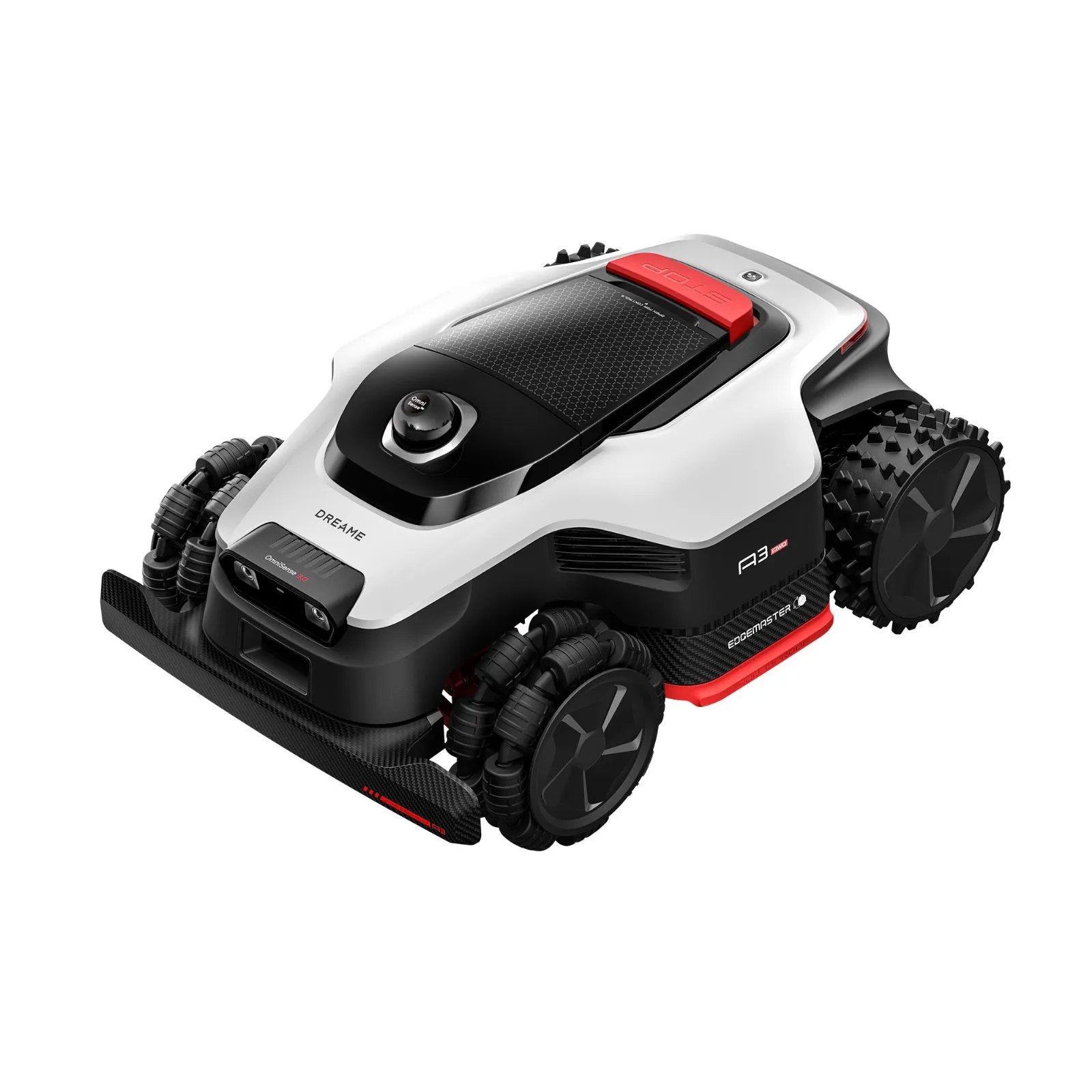
The A3 AWD is the more exciting choice if you already know before buying: the garden isn’t well-behaved. Slopes, rough terrain, longer areas, taller grass, ruts, damp areas, or uneven ground are more likely to call for all-wheel drive. The A3 AWD lineup is new for 2026 and relies on all-wheel-drive hub motors, 3D LiDAR, AI vision, and a wider dual mowing deck. In particular, the A3 AWD 2000 and A3 AWD Pro 3500 are interesting for users who feel the A1 Pro is too tight on performance or too weak in traction.
The big difference isn’t just the square meter capacity. AWD means traction, not automatically better navigation. LiDAR and the camera help with mapping and obstacles, but the all-wheel drive determines whether the robot really goes further on rough ground. Users often praise the A3 for physically getting stuck less, handling inclines better, and feeling more confident on challenging terrain than smaller rear-wheel-drive models.
At the same time, the A3 isn’t a risk-free purchase. Because the lineup is new, there are fewer long-term experiences. In forums, individual devices are reported to have software and start-up issues: tasks aren’t completed properly, “Positioning failed,” return errors, emergency stop messages, or mowing jobs being ended incorrectly. Other users, however, report trouble-free operation. This is typical for young cordless mowers: weaknesses often only become apparent after weeks, when mapping, zones, the station, the app, firmware, edges, and the return trip have to work together.
With the A3, the cutting system also needs to be considered differently. A wider cutting width means higher area performance, but also more moving mass and two cutting areas. If you mow a lot of area, you shouldn’t order replacement parts only once the blades are already dull; for larger A3 gardens, a double pack of 9 cutting disc blades for A3 AWD is practical, because both mowing units can be serviced together and the cutting pattern stays the same on the left and right.
Another point is Edge-Cut. Dreame advertises the A3 series with a cut very close to the edge. In practice, this depends heavily on ground height, curb stones, slope, and the condition of the grass. On healthy, dense lawns, it can look very neat. On sandy, thin, or muddy areas, however, turning, rolling, and cutting very close can leave marks or scalp the edge area.
If you specifically check the A3 AWD 2000, the A3 AWD Pro 3500, or the larger A3 class, you’ll find the deeper practical points on heat, mapping, edges, reverse travel, and blades in our honest practical guide to the Dreame A3 AWD series, before you base your decision only on the area specification.
Key takeaway: The A3 AWD isn’t worth it because of “more technology,” but because of traction and reserve. Buy it especially if the garden would mechanically overwhelm the A1 Pro.
The biggest real-world problems: traction, edges, obstacles, and the app
With Dreame, you should look at four problem areas separately. First, traction: the A1 and A1 Pro can precisely know where they are, and still slip on slopes or on damp ground. Orientation and grip are two different things. If you want to avoid wheel ruts, spinning wheels, or torn-up turf, you should honestly check before buying how often the mower would need to turn on wet or soft ground.
Second, edges: cordless doesn’t mean edge-free. With the A1/A1 Pro, strips often remain along walls, flower beds, plant pots, and solid obstacles. The A3 can get closer thanks to EdgeMaster, but here too the real edge decides: a level paving connection is easier than a flower bed with a height offset, loose soil, or a drop-off edge.
Thirdly, small obstacles: LiDAR detects large things well, but not small objects reliably. Toys, hoses, flat sprinklers, thin branches, or hedgehogs are critical. The A2 and A3 with camera/AI improve the starting situation, but they do not replace checking your garden before mowing. For hedgehogs, the time of day is also important: schedule mowing for the bright hours and don’t let it mow at night in unclear corners.
Fourthly, app and routing: Users praise the mapping, but sometimes complain about routes that are hard to follow. The mower drives over already mowed areas multiple times, skips lines, returns later, or works through zones in an order that seems illogical from the user’s perspective. This is not always a defect, but it can be annoying—especially with short mowing windows or when the battery gets tight because of long return trips.
How well do multiple lawns, paths, and stairs work?
Multiple areas are possible, but not always fully automatically. The key difference is this: Is there a drivable connection or not? If the front garden and back garden are connected by a flat path, you can work with mapping, corridors, and zones. If there are stairs, gravel paths, high edges, or doors in between, the robot must be carried.
Many users ask with the A1 Pro whether separate lawn areas work. The practical answer: Yes, if the areas are mapped and you accept that the mower cannot drive itself back to the station once it is standing on a separate area. It then mows where you place it, but charging, return travel, and start logic remain the sticking points.
With the A3 and its higher weight, this topic becomes even more important. An A1 Pro can be carried more easily once in a while, while an A3 AWD is significantly less handy. If you have three separate garden areas with stairs, buying a heavy all-wheel mower doesn’t automatically provide more comfort. Then the question isn’t “Can it handle multiple maps?”, but “Do I want to lift it regularly?”.
Key takeaway: The multi-zone function doesn’t replace a driveable connection. If the mower has to be carried, the garden isn’t fully automatic—no matter how good the app sounds.
Safety for hedgehogs, toys, ponds, and drop-off edges
LiDAR, camera, and AI are often marketed as safety arguments. In practice, you should be more cautious. Dreame usually detects large obstacles well, but small or flat objects remain critical. These include hedgehogs, flat pet bowls, garden hoses, sprinklers, small children’s toys, and thin branches in the grass.
For ponds, slopes, and drop-off edges, it’s not only navigation that matters, but also traction. A mower can know the boundary correctly and still slide on wet inclines. That’s why dangerous edges should be additionally made safer: safety distance, a physical barrier, a stable lawn edge, or a no-go zone with a buffer. Especially with the A1/A1 Pro, I wouldn’t plan right up to the last centimeter at ponds and steep edge areas.
With the A3 AWD, the same applies: all-wheel drive helps with driving, but with zero-turn mowers on thin, muddy grass it can grip the turf more aggressively. In sensitive areas, it’s better to map more conservatively and tidy up the edge by hand later, rather than ending up with repair spots in the lawn.
Buying recommendation by garden type: Which Dreame is right for whom?
Small, level garden
For small to medium-sized, level and well-maintained areas, A1 or A1 Pro is usually sufficient. The A1 Pro is worth it if you want more area, Dual-Map, or more reserves. What remains important: plan to trim the edges and avoid driving too aggressively on damp ground.
900 to 2,000 m² with a simple shape
The A1 Pro can fit here if the area is relatively contiguous, level, and easy to navigate. With 2,000 m², however, the manufacturer’s specification shouldn’t be forgotten: Many turns, obstacles, narrow passages, shadows, long reverse trips, and short mowing times reduce real performance. If you have limited time windows, it’s better to choose a higher class.
Family garden with toys and changing obstacles
The A2 is worth considering because the camera/AI provides additional information. Still, you should temper expectations: Small things can be overlooked, and sensitive detection may cause the mower to unnecessarily avoid areas. Collecting larger objects before each mowing run remains mandatory.
Slope, damp or uneven lawn
Here, the A3 AWD is the more logical choice. All-wheel drive provides advantages exactly where the A1/A1 Pro are often criticized: turning, inclines, bumps in the ground, and rough terrain. However, because it’s a young model series, you should keep an eye on firmware versions—test intensively during the first few weeks and make sure the dealer offers smooth return processing.
Separate areas without connection
Dreame can manage multiple areas, but without a driveable path it becomes manual work. With the A1/A1 Pro it’s still acceptable, but with the A3 AWD, carrying it regularly quickly becomes annoying. If you want true full automation, you need a driveable connection or you have to think about separate solutions.
Perfect edges are expected
None of the models is ideal if you expect zero rework. The A3 AWD is structurally closer to mowing right up to edges, but difficult walls, garden bed edges, plant tubs, and height offsets remain problematic. A clean garden border often results from the combination of a well-mapped mowing robot and occasional edge trimming.
Frequently asked questions
Is the Dreame A1 Pro enough for 900 to 2,000 m²?
Yes, the A1 Pro can cover 900 to about 2,000 m² if the area is level, contiguous, and not too intricate. With many obstacles, narrow passages, damp low spots, or short mowing windows, you should plan for a buffer or check the A3 AWD.
Do I need AWD for a Dreame mowing robot?
AWD is mainly needed on slopes, uneven ground, wet grass, or recurring traction problems. For flat, well-kept gardens, A1 or A1 Pro is often sufficient; all-wheel drive doesn’t solve app or edge issues, but primarily grip problems.
Is the A2 automatically better than the A1 Pro because of the camera?
No, the A2 isn’t automatically better, just different. Camera/AI can help with obstacles, but it can also react overly cautiously and skip areas. If your main problem is traction or the edge strip, the A2 doesn’t necessarily provide the better solution.
Can Dreame mowing robots mow separate lawn areas?
Yes, separate areas are possible, but without a driveable connection it is not fully automatic. The mower can be placed in a mapped zone and mow there, but it will not automatically drive back over stairs or impassable paths to the charging station.
What is the Liaison Module and do I need it?
The Liaison Module relates to the connection and remote access features of certain Dreame models; whether you need it depends on the model package and your app requirements. Before purchasing, check the exact equipment, the type plate, the scope of delivery, and the app functions, because some users find the communication about it unclear.
Conclusion: Don’t buy by model number—buy based on your garden problem
Dreame has built an interesting family of robotic lawnmowers with the A1, A1 Pro, A2, and A3 AWD, because all models do without a traditional boundary wire and can offer advantages, especially in gardens where GPS is difficult. The A1 and A1 Pro are the clean choice for flat, well-kept areas with manageable complexity. The A2 is worth it if the camera/AI fits your obstacle problem. The A3 AWD is the right direction when traction, slopes, and large areas matter more than having the most compact robot possible.
From a workshop perspective, however, one point remains the same across all models: A good robotic lawnmower only becomes reliable with sharp Klingen, a clean cutting area, the right mowing height, and realistically mapped boundaries. If you want to fix edge strips, ragged cutting results, or constant navigation errors only via the app, you often look in the wrong place. Clarify the garden profile first, then choose the model—and think about blade maintenance from the start.
Comments