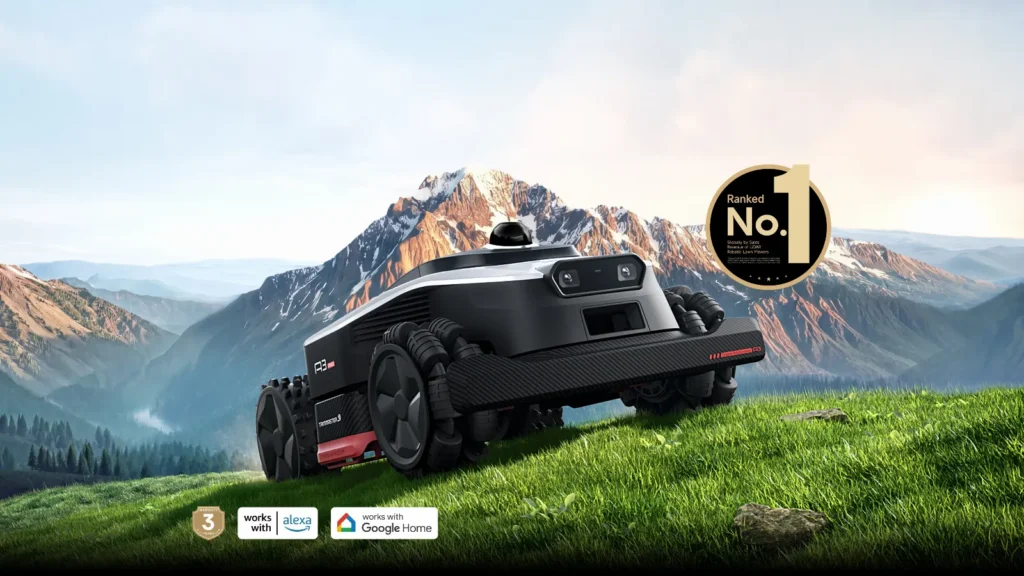
The Dreame A3 starts off smoothly, draws neat tracks—and then suddenly shows “LiDAR overheating,” “Positioning failed,” or “Failed to return to station” in the app. Exactly these kinds of reports keep appearing in user forums: strong hardware, lots of traction, but when it comes to heat, zone logic, the return trip, and sensor performance, it’s not always stress-free yet. Anyone who is planning to buy the A3 AWD 2000, A3 AWD Pro 3500, or A3 AWD Pro 5000—or already has one in their garden—should therefore not only look at square-meter coverage and slope specifications.
From a workshop perspective, the Dreame A3 is especially interesting because it handles many things differently than classic robotic mowers with a boundary wire or an RTK antenna. LiDAR, a camera, all-wheel drive, omni wheels, and in the Pro model a wide dual cutting disc sound like “set it up and you’re done.” In practice, though, the garden decides: shadows, narrow passages, sandy turning points, zones, edges, firmware, and the quality of the cutting discs make the difference between relaxed operation and having to check it every day.
Dreame A3 AWD 2000, A3 AWD Pro 3500 and 5000: Which model is worth it for whom?
The most important split first: the Dreame A3 AWD 2000 is not simply a smaller Pro. It belongs to the A3-AWD series for smaller areas and works with a narrower cutting width. The Pro models A3 AWD Pro 3500 and A3 AWD Pro 5000 are larger, heavier, and designed for more daily performance. If you only look at the manufacturer’s coverage area, it’s easy to miss that intricate gardens, short mowing windows, many zones, and long return trips require more headroom than a rectangular show garden.
| Model | Area according to manufacturer | Cutting system | Navigation | Strengths | Weaknesses in practice | Practical assessment |
|---|---|---|---|---|---|---|
| Dreame A3 AWD 2000 | up to approx. 2,000 m² | narrower cutting width, in the ~20 cm class | LiDAR + camera, without RTK antenna | compact, more maneuverable, less massive in a small garden | less area capacity; non-Pro questions regarding feature set and night operation | better suited for smaller to medium-sized areas with a manageable number of zones |
| Dreame A3 AWD Pro 3500 | up to approx. 3,500 m² | wide dual-disc, approx. 40 cm | OmniSense 3.0 with LiDAR + binocular camera | good area performance, all-wheel drive, wide track, many zones possible | Mapping, corridors, Safe-Edge, and app logic require a clean setup | the most balanced candidate if the garden and station are well planned |
| Dreame A3 AWD Pro 5000 | up to approx. 5,000 m² | wide dual-disc, approx. 40 cm | LiDAR + camera, without RTK | lots of battery and area reserve, strong traction, ideal for large areas | in user reports, especially often a topic regarding LiDAR heat and software errors | only makes sense if large area, long mowing times, and a shaded location all fit together |
Many users compare the A3 AWD Pro 3500 and 5000 with Mammotion, Segway Navimow, or Ecovacs Goat. That’s understandable, but you shouldn’t compare only “RTK vs. LiDAR.” AWD means traction, not automatically better navigation. LiDAR and the camera help with orientation, but they don’t guarantee that the robot will use every corridor logically, hit every edge perfectly, or mow through at high temperatures.
For small, highly intricate gardens, an overly large mower can even be annoying: more weight, more maneuvering needs, larger turning points, and a more demanding station corner. For large gardens with many zones, however, an undersized mower is often stuck in the charging cycle permanently. Our rule of thumb from the workshop: if the garden isn’t rectangular, don’t calculate the manufacturer’s coverage area right up to the limit. A class of reserve is often more sensible than a device that works at its limit every day.
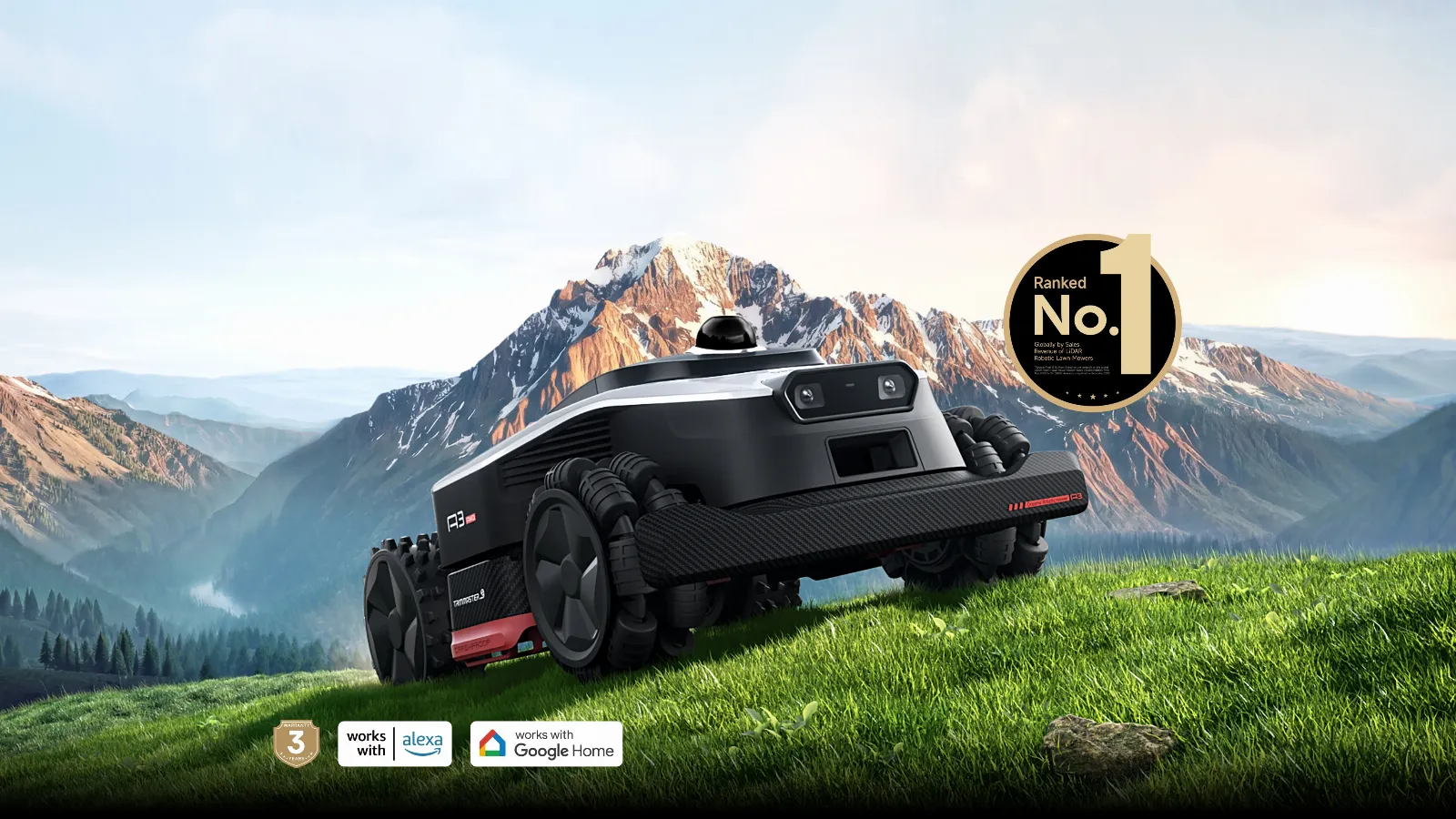
Does the Dreame A3 AWD LiDAR sensor overheat in summer?
Yes, LiDAR overheating is described by several users as a real problem, especially with the A3 AWD Pro 5000. In user reports, the mower pauses in warm weather, drives back to the charging station, or effectively causes mowing windows to fail during midday and afternoon. What stands out is this: some users are not talking about extreme desert heat, but about temperatures that can occur in a normal summer garden.
The difference between the manufacturer’s specifications and real garden conditions is significant here. A sensor on top of the device is in the sun; the black or dark surface of the device heats up; the charging station can additionally build up heat, and freshly mown grass reflects heat differently than shaded areas. When the A3 then works or charges for several hours in direct sunlight, the actual air temperature is only part of the story.
How to plan the location of the charging station
- Prefer shade: North side; tree or building shade is better than a spot on hot paving.
- Don’t create a heat trap: A garage can provide protection, but it must be ventilated. A closed plastic enclosure in the sun can make the problem worse.
- Don’t place the station directly next to narrow edges: There are many turning and calibration movements in front of the station. The ground should be stable there.
- Adjust mowing times: In hot weather, it’s better to mow in the morning and evening rather than between 11 a.m. and 5 p.m.
If the A3 stops in the app due to a heat or LiDAR error, an immediate blade change doesn’t help—first you need location diagnostics: check the station, sunlight exposure, charging behavior, firmware, schedule, and obstacles around the station. Only once the robot is running reliably should you do the fine-tuning on the cutting image.
Practical rule of thumb: LiDAR without RTK is convenient, but it’s not heat-proof. If you want to use the A3 reliably in summer, you plan shade and mowing windows just as carefully as the map.
Setup, mapping, and zones: how to avoid typical mistakes
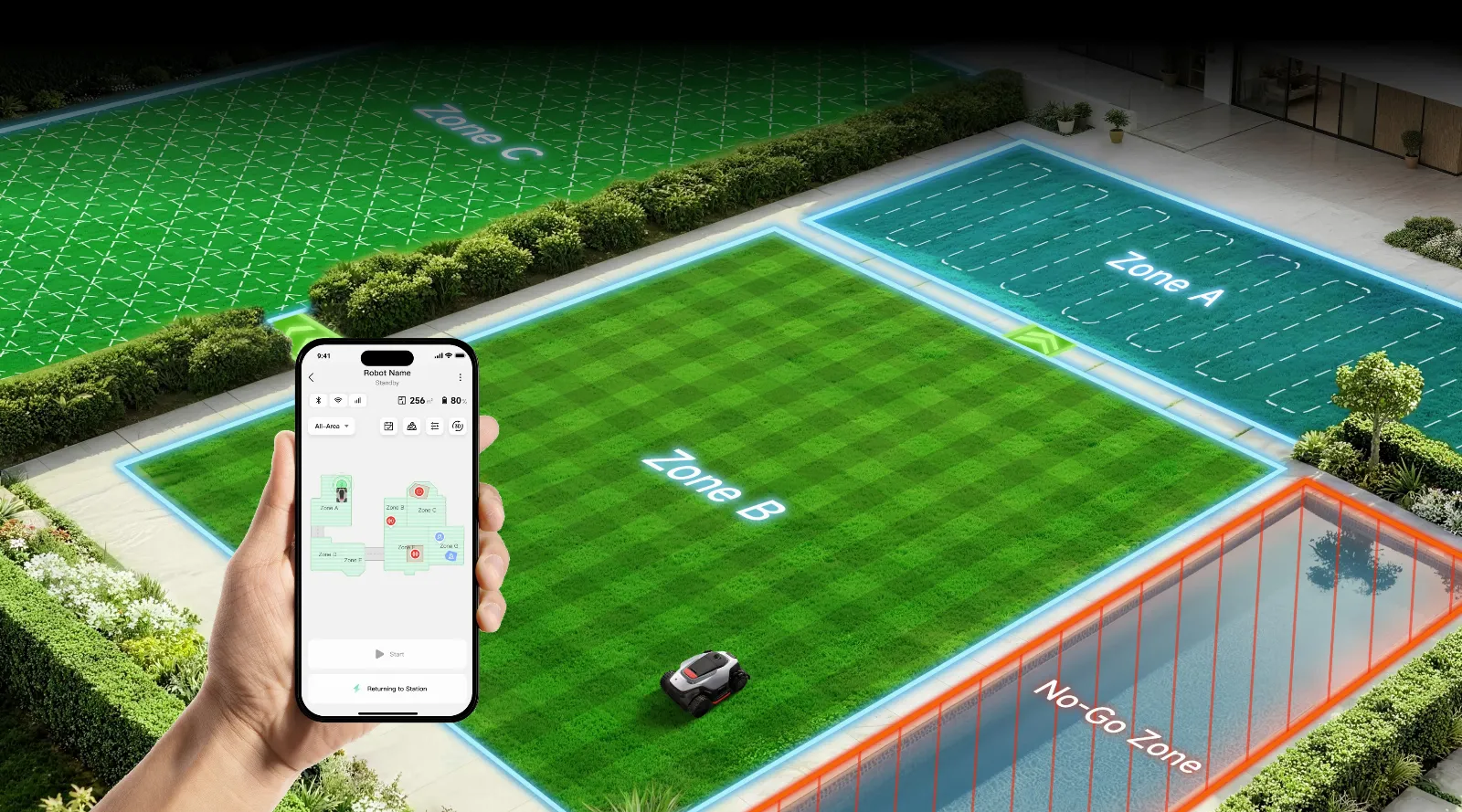
Many users report that the initial installation seems easy at first: unpack, connect the app, teach the area. The problems often show up later when zones, paths, no-go areas, return routes, and the station have to work together. That’s exactly where a properly configured mowing robot differs from a device that may mow, but regularly cuts across flowerbeds or leaves parts of the area out.
A recurring issue is moving the station. If the charging station is moved later, the robot can’t always take over the new location the way you’d expect. Some users report that they had to remap the garden. Others solved it by manually driving back and updating the station position. For practice, that means: don’t place the station somewhere temporarily—plan it as final as possible before the first mapping.
Set the base location before the first mapping
The station needs more than just power. It also needs a free, level environment, a clear exit, as little direct midday sun as possible, and a return route that does not lead through bottlenecks or over loose ground. On complex properties, the station should not be placed in the most problematic corner. The A3 can maneuver a lot, but every unnecessary turn in front of the station increases tracks, calibration errors, and stress when docking.
Don’t plan zones and corridors too cleverly
The typical mistake is a map that looks logical from a human perspective but contains too many special cases for the mower. A user issue from forums: when returning from zone 2 to the base, the A3 drives through flower beds or unwanted areas. Paths through multiple zones don’t always seem to work cleanly. That’s why it’s better to use a few clear corridors rather than a map with many small transitions.
- Train bottlenecks as separate transitions properly.
- Set No-Go zones more generously—don’t push it to the centimeter.
- Test return routes, not just evaluate the first mowing run.
- After each major map update, watch a complete return trip.
- Remove overhanging plants along corridors, because otherwise the camera and edge detection may react unnecessarily.
Especially with the A3 AWD Pro 3500 and 5000 with a wide cutting area, a clean map logic is worth it. The robot can cover a lot of area, but if it enters a zone multiple times, misinterprets return routes, or frequently stops in narrow areas, the area performance is wasted.
How well does the Dreame A3 AWD mow along edges and across the lawn?
On open areas, many users praise the cut quality. That matches our experience with wide cutting systems: when the blades are sharp, the speed and mowing paths are right, and the grass isn’t too wet, the lawn quickly looks neat. The criticism is more about edges, raised beds, recessed boundary lines, No-Go zones, and spots where the sensors respond cautiously.
In forums, people complain that Ultra-Edge or Edge functions don’t always work the way the advertising suggests. Some users report leftover strips, while others report areas around raised beds or recessed edges that need to be touched up with the trimmer. This isn’t an issue exclusive to Dreame, but with the A3 it stands out because the expectations for camera, LiDAR, and extendable edge functions are high.
If the cutting pattern looks gray or frayed
Frayed tips, gray veils, and uneven cutting edges usually don’t come from navigation, but from dull or dirty blades. With the A3 and its wide mowing disc, you notice it quickly: the area is hit, but the stems are more likely to be snagged than cleanly cut. That’s why, in our CUT-GUARD tests, we don’t just check whether a cutting disc fits—we also verify whether grass clippings are properly discharged and whether the blades can swing freely.
If you want a calmer cutting pattern with the A3 AWD 2000 or A3 AWD Pro 3500 without immediately adjusting the mapping, you should first check the condition of the blades and the mowing disc; for normal areas and regular mowing, a compatible 6-blade cutting disc for Dreame A3 is often the sensible starting point, because it preserves the original cutting character and replaces worn components.
Classifying edge problems correctly
If edges remain unclean, an even more aggressive edge setting doesn’t always help. With walls, raised beds, play equipment, or garden beds, the safety distance is what matters. A robotic mower must not drive blindly right up to every obstacle. In many cases, a narrow strip of rework remains realistic along the edges. The key question is whether this strip is consistent or whether the A3 leaves random islands and patches. Random patches are more likely to indicate sensor issues, phantom obstacles, or map logic.
Practical rule of thumb: Good coverage and a perfect edge are two different disciplines. With the Dreame A3, first check the blade condition and cutting pattern, then fine-tune edge functions and no-go distances.
AWD, omni wheels, and ground conditions: When the A3 leaves tracks
All-wheel drive is one of the biggest strengths of the Dreame A3. Users praise that the robot rarely gets physically stuck on slopes, uneven terrain, and in taller grass. At the same time, several users report tracks, holes, or torn-up ground on sand, mud, thin lawn, and at tight turning points. Both can be true at the same time: high traction helps on a slope, but on soft ground it can cause more damage.
Particularly critical are the areas where the mower frequently turns in place: in front of the charging station, in narrow corridors, at dead ends, along tight no-go zones, and during start calibration. The front omni wheels allow for tight maneuvers, but with sparse grass or sandy ground, these turning movements can become visible.
Which gardens are sensitive?
- Sandy soils: When turning, the robot can push material aside and create small depressions.
- Thin lawn: Where there is no dense turf to protect the ground, the wheels sink in faster.
- Sloppy corners: After rain, it’s better to plan mowing breaks, even if the robot is generally water-resistant.
- Station on soft ground: Many identical driving movements occur there. A stable, level corner of the station helps.
With taller, more robust grass, turning tracks are usually less noticeable. With very short ornamental grass directly in front of the terrace, the same maneuvers can be disruptive. When setting up the A3 again, you should not only watch the app during the first ten drives, but also look for real ground tracks: station, corridors, pinch points, turning areas.
If material collects under the mowing disc in dense grass or if the blades don’t run freely, a more open geometry can help. If you want more clearance between the blades while still achieving a higher cutting frequency, you should take a look at a robust 7-blade disc for the A3, especially if you regularly cut somewhat taller grass.
App, Bluetooth, and Firmware: What “childhood illnesses” users report
With the Dreame A3, you can tell that the platform is still young. In reviews and forums, you’ll find reports of Bluetooth dropouts during mapping, confusing app menus, greyed-out maintenance points, firmware questions, unclear Wi-Fi indicators, and manual controls that are hard to find. These aren’t classic defects in wheels or blades, but issues with operating logic and software maturity.
With young models, real weaknesses often only become apparent after weeks: after the third map update, after moving the charging station, after the first hot period, after rain, during long reverse movements, or when zones and no-go areas become more complex. That’s why you shouldn’t judge the A3 based on the first successful test run. More meaningful are complete mowing cycles, including reversing, charging, resuming, and edge mowing.
Order of checks for software problems
- Check the app version and firmware.
- Check Wi-Fi, Bluetooth, and if necessary the 4G connection.
- Check the station and the surrounding free area.
- Undo or simplify the latest map changes.
- Have the problem zone mowed separately.
- Only then check the sensors, bumper, and blades mechanically.
When the A3 reports tasks as completed even though only part of the area has been mowed, it’s especially frustrating. In that case, it helps to divide the area into smaller zones and test each area separately. If a zone is mowed reliably, the problem often isn’t with the cutting technique, but with transitions, the return path, or mapping logic.
Practical rule of thumb: With the A3, first check setup, station, connection, firmware, and the map—only then think about hardware errors. Many dropouts arise from the interaction of these points.
Common error messages and solutions for the Dreame A3 AWD
“LiDAR overheating”
With this message, the A3 should first cool down and, going forward, be moved to cooler mowing time windows. Check whether the station and waiting area are in direct sunlight. A shaded, ventilated canopy can help; a closed heat box does not.
“Positioning failed”
This message points to orientation problems, not dull blades. Check whether the map has been changed, whether the robot is in a narrow or visually difficult zone, and whether the sensors are dirty. Then start a short test run in an easy zone.
“Failed to return to station”
If the return fails, the station, the return path, and mapping logic are the first suspects. The area in front of the station should be clear, level, and unambiguous. If the station was moved, a new mapping—or at least a clean update of the station position—may be necessary.
Phantom obstacles on open lawn
Blue symbols or evasive maneuvers on open areas are repeatedly reported by users. The cause could be shadows, wet grass, sensor contamination, wheel slip, or obstacle detection that is too sensitive. Test the affected area under different lighting conditions and, as a trial, reduce the cautious Edge or Obstacle settings.
Water detection or an overly sensitive bumper
If the A3 detects water even though there is no real problem, the sensor setting should be checked and the area observed. After contact with fences or hard obstacles, it’s also worth taking a look at the bumper. A sticking bumper can make the robot significantly more cautious or more prone to errors.
Blades, cutting disc, and maintenance on the Dreame A3: What really matters
With many lawn mower robot problems, people turn to the app too quickly. But if the robot drives cleanly and still cuts in a frayed way, leaves islands with bent blades, or runs noticeably rougher, then the focus should be under the device. Grass clippings, resin, bent Klingen, stiff screws, or a damaged Messerteller worsen the cut more than one percent more or less in edge mode.
In the workshop, we check three things on the CUT GUARD: Do the Klingen run freely? Is there enough clearance so that wet grass doesn’t immediately clog? Is the disc stable enough that it doesn’t flutter under normal vibrations? Especially with wide mowing systems, balance is important. More Klingen can increase the cutting frequency, but only if the mower doesn’t have to work constantly in wet, too-tall grass.
For users who run very fine cutting intervals with the A3 AWD 2000 or A3 AWD Pro 3500 and want a denser cutting pattern, a precise 9-blade cutting disc as an upgrade can be a sensible choice, as long as the lawn is mowed regularly and no thick mats of grass are sticking under the disc.
Maintenance schedule from real practice
- Weekly: Check the underside for grass buildup, especially after mowing in damp conditions.
- Every 2 to 4 weeks: Visually inspect the blades and replace them if there are burrs, rust, or a dull cutting edge.
- After collisions: Check the cutting disc, blade holder, and bumper.
- Before the main season: Clean the entire cutting unit, check the screws, and verify the app and firmware version.
- If the cutting pattern is poor: First replace the blades, then adjust the cutting height and mowing frequency.
Important: Always choose accessories that match the specific model. With the Dreame A3, there are differences between non-Pro and Pro as well as between markets and equipment versions. Please check the nameplate, model designation, the mowing disc you have, and the information in the shop before purchasing.
Frequently asked questions
Does the Dreame A3 charging station absolutely have to be in the shade?
Yes, a shady spot—or at least a location protected from the midday sun—is clearly recommended. User reports on LiDAR and charging heat show that direct sunlight can significantly interfere with operation. However, ventilation is important: a hot, closed garage does not automatically solve the problem.
Do the Omni wheels of the Dreame A3 damage the lawn?
On healthy, dense grass, usually very little; on sand, mud, and thin turf, visible marks can occur. The most critical areas are especially turning points, narrow passages, and the area in front of the station. Monitor these spots specifically during the first weeks of operation.
Can you move the charging station without re-mapping?
Sometimes yes, but you shouldn’t rely on it. Some users were able to update the position by manually backing up, while others had to re-map completely. That’s why the station should ideally be finalized before the first mapping.
What to do if the Dreame A3 detects obstacles on open lawn?
First check the sensors, lighting conditions, wet grass, and the sensitivity of obstacle detection. If the problem only occurs with certain shadows or times of day, it’s likely not a mechanical defect. Then test by reducing Safe-Edge or Obstacle settings.
Is the Dreame A3 AWD Pro 5000 better than the 3500?
Only if the additional area and battery reserve is truly needed. The 5000 is interesting for large areas, but in user reports it’s also frequently mentioned in connection with heat and software issues. For many gardens, the 3500 Pro is the more sensible reserve class.
User takeaway: Buy or wait?
The Dreame A3 AWD is not a miracle worker, but it’s also not a worry-free self-starter. The hardware looks strong: all-wheel drive, good traction, a wide pro cutting area, solid area cutting performance, and the decision to do without an RTK antenna are real advantages. Many users praise exactly these points, especially when the garden is steep, large, or RTK-unfriendly.
The weaknesses are less in pure driving, and more in heat, software logic, sensor interpretation, zones, reversing routes, and app operation. If you have a simple garden with good shade and a stable station, you can enjoy the A3 a lot. If you expect sandy ground, many narrow corridors, flower beds, strong midday sun, and perfect edges, you should plan very carefully—or wait for a few more firmware generations.
From the perspective of Messerscheibe24: first the robot must navigate reliably, then optimizing the cutting unit is worth it. If mapping, the station, and mowing times fit, sharp blades and a suitable CUT-GUARD cutting disc can significantly improve the cut appearance. But if the A3 stops due to LiDAR heat or reversing errors, no blade plate in the world solves the underlying problem. This honest order saves time, money, and nerves.
Tip: You will find all matching replacement blade discs and mowing plates for Dreame in our overview: Blade discs for Dreame.
Comments