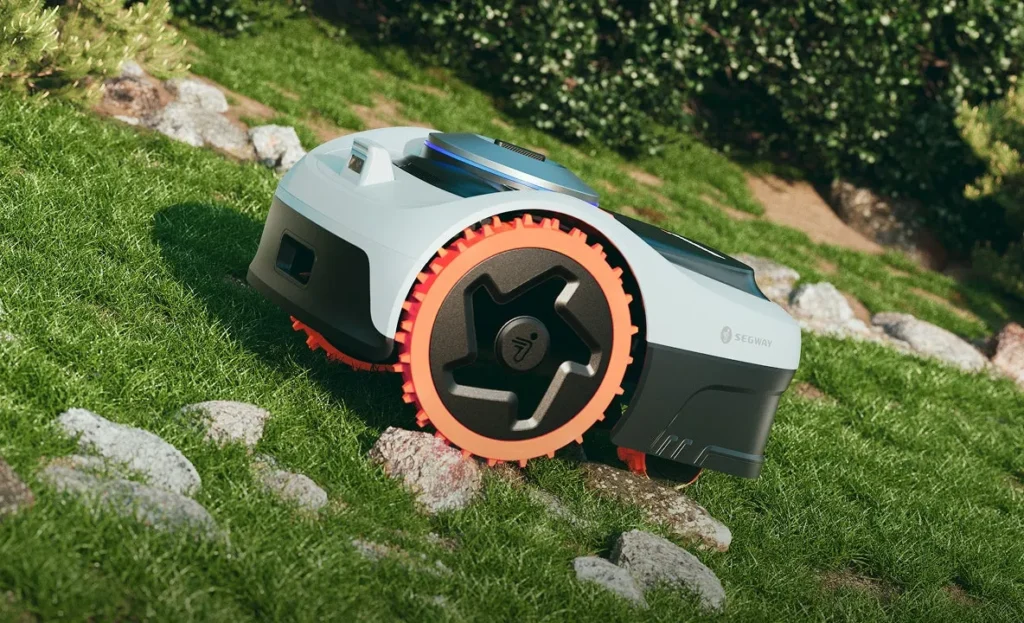
The garage is already in the garden, but the mower hasn’t arrived yet. Or the box has arrived, the app is installed—and suddenly it turns out: the supposed “i215 LiDAR with AWD” doesn’t actually have all-wheel drive. Exactly these kinds of situations keep coming up in user reports about the new Navimow-i2 series. Not because the devices are fundamentally bad, but because Segway places many terms close together when it comes to AWD, LiDAR, LiDAR Pro, NRTK, and Vision.
From a workshop perspective, the most important question is therefore not: “Which is the best Navimow?” Instead: Does the technology fit your garden? An i208 AWD can be the better choice on uneven terrain, even though an i215 LiDAR sounds more modern. An i220 LiDAR can navigate more cleanly around trees and walls, even though it doesn’t automatically provide more traction in very steep spots. And anyone reading the manufacturer’s 2,000 m² specification should still check whether their own garden consists of a simple, open area—or of narrow passages, shadows, zones, and long reversing routes.
At Messerscheibe24, we don’t sell robotic mowers—we manufacture and test accessories such as CUT GUARD mower blades and replacement parts. That’s why we take a deliberately down-to-earth look: What does the i2 series do well in the garden, where do users report problems, and what should you know before buying—or before changing the blade?
Segway Navimow i208 AWD, i215 LiDAR & i220 LiDAR: The most important differences
The most common thinking mistake: AWD and LiDAR get mixed up. With the i208 AWD, the all-wheel drive is the focus. With the i215 LiDAR and i220 LiDAR, LiDAR-based navigation is the focus. These are two different strengths. LiDAR does not automatically mean all-wheel drive. AWD does not automatically mean LiDAR.
Especially with the i215 LiDAR, it’s worth taking a second look: In user questions, the assumption keeps coming up that it is an AWD model. Based on the publicly visible comparison data and the discussions in user groups, however, the i215 LiDAR is not a classic all-wheel-drive mower, but a LiDAR/Vision model with driven rear wheels. The i220 LiDAR looks similar. Only the LiDAR Pro models are, in many discussions, understood as the combination of LiDAR, NRTK, and more powerful drive technology.
| Model | Manufacturer area | Navigation | Drive | Strengths in practice | What to watch out for? |
|---|---|---|---|---|---|
| Navimow i208 AWD | up to approx. 800 m² | NRTK/Vision, wireless | AWD / all-wheel drive | Slopes, uneven areas, transitions, traction | Check signal conditions; not a LiDAR model |
| Navimow i215 LiDAR | up to approx. 1,500 m² | LiDAR + Vision | Rear-wheel drive | Trees, walls, more complex orientation, antenna-light setup | Don’t confuse with AWD; plan a reserve for hillside locations |
| Navimow i220 LiDAR | up to approx. 2,000 m² | LiDAR + Vision | Rear-wheel drive | Larger areas, systematic mowing pattern, good orientation | Don’t calculate on the edge for intricate 2,000 m² |
| Navimow i220 LiDAR Pro | up to approx. 2,000 m² | LiDAR / NRTK depending on market version | AWD is relevant for Pro discussions | Combination of orientation and traction | Check the model name exactly: “LiDAR” is not “LiDAR Pro” |
You should read the area specifications with a margin of safety, as with all lawn mowing robots. A simple rectangular lawn without play equipment, narrow passages, and heavy shadow zones comes closer to the manufacturer’s stated figures. A garden with three zones, a narrow path behind the garage, a slope, raised beds, and high walls needs one more class. With the i208 AWD, 600 to 700 m² in a difficult garden is more realistic than a tight 800 m² plan. With the i220 LiDAR, I would only seriously target 2,000 m² if the area is well connected and not overly convoluted.
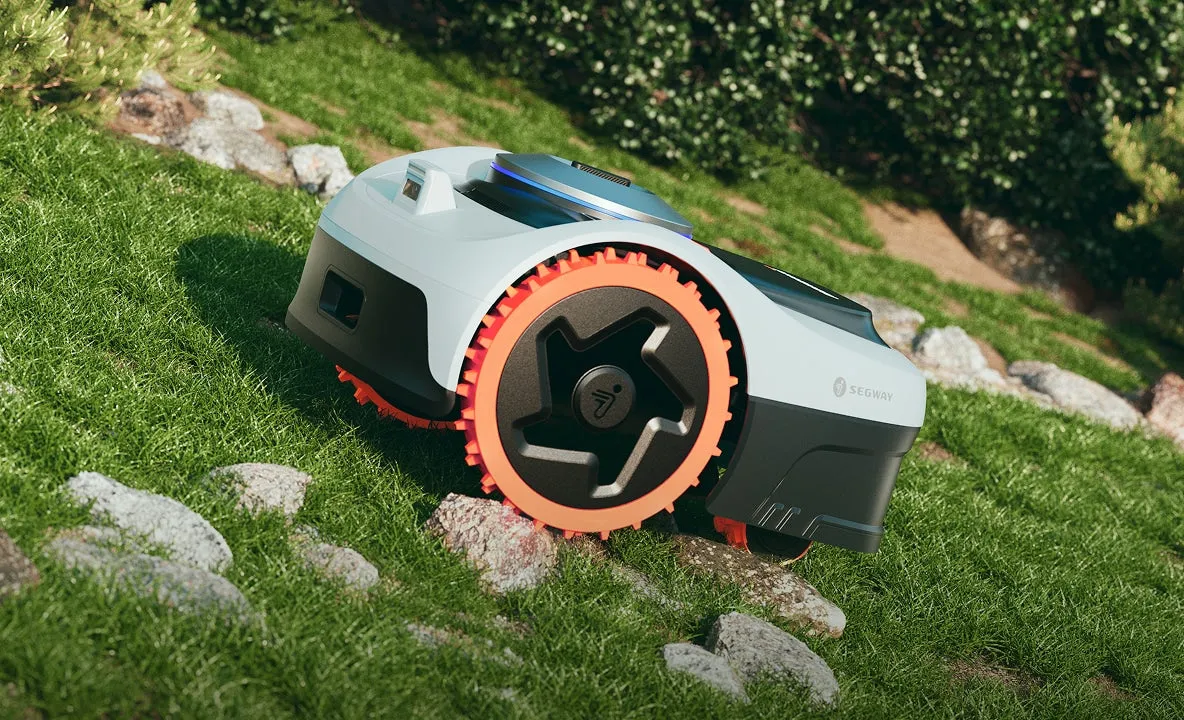
Practical rule of thumb: Don’t buy based on the most modern term, but based on the biggest problem in your garden: traction favors AWD, difficult navigation favors LiDAR.
i208 AWD or i215/i220 LiDAR – what’s more sensible?
The clear workshop rule of thumb is: If your garden has slippery slopes, bumps in the ground, roots, mowing edges, paving transitions, or small steps, the i208 AWD is often the more logical choice. Many users praise AWD models specifically for these kinds of areas, because they get stuck less often and come out of difficult situations more cleanly.
If your garden is less steep, but shaped by trees, tall hedges, walls, buildings, and narrow sight lines, then i215 LiDAR or i220 LiDAR is more likely the better choice. In Reddit discussions, LiDAR is often mentioned as the safer option when classic satellite-based systems start to struggle in “canyons” between house walls or under tree canopies.
The misconception of many buyers: they also expect the LiDAR model to automatically deliver better terrain handling. That’s not the case. LiDAR helps the robot understand where it is and what’s happening around it. However, it doesn’t replace additional driven wheels. An i220 LiDAR can be very strong in navigation and still reach its limits sooner on a very steep, damp spot than an AWD model.
When the i208 AWD fits better
- noticeable inclines or side-hill driving
- uneven lawn areas with roots or small depressions
- transitions over solid paths or slightly bumpy zone connections
- gardens where mowers have previously often slipped or gotten stuck
- areas up to about 600 to 700 m², if the garden isn’t ideally simple
When i215 LiDAR or i220 LiDAR fits better
- many trees, walls, visual barriers, or shadowed areas
- complex boundary shapes and multiple mowing zones
- preference for navigation with fewer antennas
- larger areas where orientation matters more than maximum traction
- gardens where satellite signal and station position would be critical
Anyone who needs both—steep inclines and difficult navigation—should not try to decide between the i208 AWD and i220 LiDAR by force. Then it’s worth taking a look at the Pro variants or at a different device category. Choosing a mower that’s too narrowly matched will cost more nerves later than the price difference at the time of purchase.
Real user problems: delivery, support, edges, Wi-Fi, and signal
The i2 series is praised in many reviews for quiet operation, an easy app, and a clean mowing pattern. Especially the i208 LiDAR, i215 LiDAR, and i220 LiDAR are often described as pleasantly quiet. Users report straight tracks, systematic mowing, and an app that works better in everyday use than many older wire robots. Still, there are several points that should be addressed before buying.
Delivery and shop communication
With the i208 LiDAR, there were multiple reports of long delivery delays. Especially frustrating: sometimes the garage arrived, but the mower itself did not. Some users mentioned waiting times of around 40 days or almost six weeks. Even with the i220 LiDAR, a staggered delivery of the garage and the robot was described as chaotic.
This says nothing about mowing performance in the garden, but it is relevant for buyers. If you order at the start of the season, you shouldn’t blindly assume that the accessories, garage, and mower will arrive at the same time. Check the shipping status, number of parcels, and seller communication directly after placing the order. If only the garage is delivered, document immediately: photos, package labels, order overview, chat history.
Setup: usually easy, but not idiot-proof
Many users rate the setup positively. At the same time, some owners write in essence: great device, but technical understanding helps. With wireless robots, that’s normal. They don’t lay a boundary wire; instead, they define digital boundaries, zones, corridors, and no-go areas. With manual mapping, you scan the area with your smartphone like a joystick. That’s doable, but it’s not a “unpack, place it, and forget it.”
Error case Error 3407 / Motor phase loss
A single but serious user report about the i208 AWD describes, after about 37 operating hours, the error 3407—specifically “Motor phase loss.” Reboots didn’t help permanently there; the message kept coming back. This isn’t a reliable series statistic, but it’s a good indicator for emergencies: save the error code, operating hours, app screenshots, and short videos before contacting support.
Practical rule of thumb: Most problems don’t start with the mower, but with delivery, the app, the map, the signal, and the zone logic. Only once this foundation is correct does fine-tuning the cutting image make sense.
Does LiDAR work with trees, walls, and narrow areas?
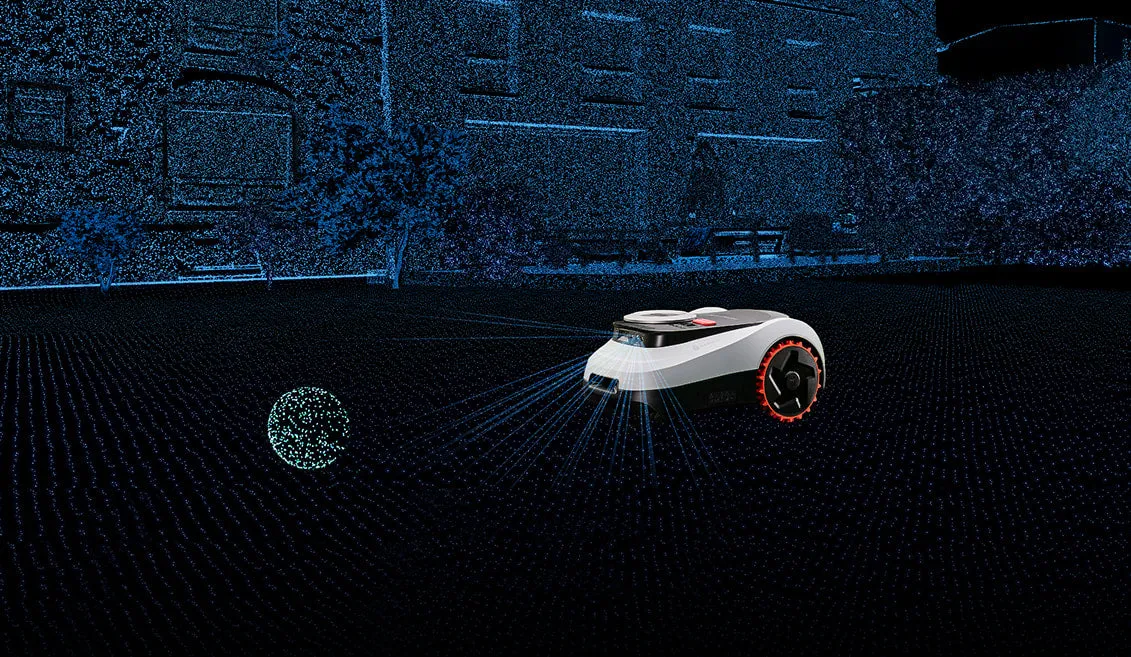
LiDAR isn’t a magic wand, but in certain gardens it’s a real advantage. With NRTK/RTK systems, a lot depends on how accurately the mower can determine its position. Tall buildings, dense tree canopies, walls, and narrow passages can reduce accuracy. That’s why users often ask: Is NRTK/Vision enough for the AWD model, or should I go with LiDAR instead?
The practical answer: On an open lawn with few trees, the i208 AWD is often sufficient when traction is required. In a garden with a high wall on one side, trees along the edges, and complex, narrow areas, i215 LiDAR or i220 LiDAR is usually the safer guidance solution. The robot sees its surroundings differently than a pure satellite robot. As a result, it can work more reliably in areas where an NRTK system is more likely to show signal loss, track deviation, or interrupted runs.
That said, you should prepare for the limitations. Flat transitions to paths, dark lawn edges, open property boundaries, round flower beds, and shaded areas are challenging for camera-based systems. Before the first mapping, No-Go zones, bed edges, and critical open edges should be clearly recognizable. If there’s no fence and no clear height difference on one side, you shouldn’t count on the robot to “figure out” where it ends.
Multiple zones and separate areas
Multi-zone operation is generally an important reason to buy with the i2 models. Users also report that multi-zone operation works. It gets more difficult with truly separate parts of the property—for example, a front garden and a back garden without a driveable connection. There are also fewer reliable experience reports. Our recommendation: before purchasing, clarify whether the areas can be connected via a corridor and whether the robot is allowed to drive the route itself. If you have to carry it, the solution quickly becomes less comfortable in everyday use.
How well do i208 AWD, i215 LiDAR, and i220 LiDAR mow the edges?
Edges are the point where marketing and real garden conditions often diverge. Many users expect that with a cordless premium mower, the fence, the border of the flower bed, and the raised bed edge will be mowed cleanly down to the very last centimeter. In practice, almost always a strip is left behind—sometimes narrow, sometimes clearly visible.
A user of the i220-LiDAR complained that quite a lot of space remains at the edges and that the mower did not drive through an approximately 1 m wide passage between raised beds. Other users put it into perspective: even if a mower drives closer to walls or fences, with fixed obstacles it is often still necessary to do some trimming. This is not a pure Navimow weakness, but a fundamental issue with round mowing decks, safety distances, and obstacle detection.
In our CUT GUARD tests, we keep seeing the same thing: the cutting pattern depends not only on the robot, but also on the condition of the blades, the clearance under the cutting deck, and how well grass clippings are transported away. If the original deck clogs quickly in damp grass or if the blades don’t run cleanly and freely, then for the i208 AWD, i215 LiDAR, and i220 LiDAR it’s worth taking a look at a reinforced 7-blade cutting disc, because it addresses exactly that: more stable operation, more cutting points, and greater reserves in denser growth.
What’s realistic in narrow passages
A 1-meter corridor sounds wide enough on paper. In practice, safety clearances, curve radius, boundary logic, raised beds, edge growth, and possible obstacles all come into play. If the mower keeps a “respect distance” on both sides, 100 cm quickly becomes a critical passage. Before mapping, such areas should be trimmed back, clearly defined, and free of loose objects. Only then can you see whether the passage works reliably.
Practical rule of thumb: Edge mowing isn’t a simple yes-or-no issue. What matters are the edge shape, safety clearance, blade condition, and whether the robot can find and repeat the passage without hesitation.
App, setup, and 4G: What should be clear before you buy
Wi-Fi isn’t a side issue with the i2 series. Multiple users mention that good reception at the garage and in the garden is helpful. If the Wi-Fi is only strong on the terrace, but the charging station is behind the garage, update, app, and connection problems often start already during setup.
4G can help cushion the impact, but it isn’t always permanently free. In user reports, a paid period after the free trial is mentioned for the i220 LiDAR—sometimes around €30 per year. This isn’t a deal-breaker, but it’s a factor in the total cost. If you want to monitor the mower remotely, use multiple zones, or don’t want to use a repeater when your garden Wi-Fi signal is weak, you should factor in 4G.
Before firmware updates: save the map
For cloud- and app-dependent robots, updates are both a blessing and a curse. They can improve navigation and fix errors, but they can also change maps, schedules, or zone logic. We recommend taking screenshots of the map, mowing zones, no-go zones, schedules, and corridors before major updates. If multiple users report similar app problems on the same day, the cause isn’t always in your own garden—there could also be a server or app issue behind it.
For charging or battery indicator issues, keep in mind: don’t immediately blame the battery. First, power off the charging station, remove the mower, clean the contacts dry, check the plug for moisture, reinsert the mower properly, and then check the app/firmware. Only if this basic diagnosis doesn’t help will it become a matter for support or a workshop.
Blades, cutting pattern, and maintenance for the Navimow-i2 series
A robot that navigates cleanly can still cut poorly if the blades are dull. Typical signs include frayed grass blades, a gray film on the lawn surface, uneven mowing paths, or visible blades at turning points. With the i2 series, this is especially noticeable because the robots drive systematically: dull blades repeat the same mistake in clean lines.
Many users praise the mowing pattern of the LiDAR models as long as the blades and the underside are kept clean. In the workshop, however, we also see this: damp grass clippings, pollen, soil, and sticky blades build up around the cutting disc. Then the blades no longer spin freely, the robot uses more energy, and the cutting quality gets worse. If you want to use more cutting points for larger areas or more frequent mowing, you should check a more precise CUT GUARD 9-blade cutting disc, especially if the robot regularly has to handle dense spring growth or rapidly growing zones.
Blade replacement depends not only on operating hours. Sandy ground, fallen fruit, small branches, molehills, and stone-edged lawn borders dull blades faster. As a rough rule of thumb: during the main season, inspect every two to four weeks; for large properties or lots of dirt, more often. Blades should swing freely, not be bent, and show no deep chips.
Frequently Asked Questions
Does the Segway Navimow i215 LiDAR really have AWD?
No, the i215 LiDAR should not be purchased as an AWD model. In the known comparison data and user reviews, it is a LiDAR/Vision model with rear-wheel drive. If you want all-wheel drive, you need to specifically look for AWD or LiDAR Pro and check the exact model designation.
Does the i208 AWD need an RTK antenna?
The i208 AWD is understood by many users as an antenna-free NRTK/Vision solution. In discussions, however, it comes up that antenna accessories may still play a role depending on the set, the market, or the level of coverage/assurance. Before purchasing, you should check the contents of the specific offer—not just a video or a product graphic.
Which model is better for trees and walls?
For many trees, walls, and narrow sight lines, the i215 LiDAR or i220 LiDAR are usually more sensible than the i208 AWD. LiDAR helps especially where classic positioning systems are thrown off by shading and buildings. In an open garden with a slope, however, the i208 AWD can still be the better choice.
Is Wi-Fi enough, or should you plan for 4G?
Wi-Fi at the charging station is often sufficient if the reception is stable. With weak garden Wi-Fi, remote access, or larger properties, 4G is practical, but after a free phase it can lead to ongoing costs. Check before buying whether there is actually reception at the planned station.
Can the Navimow i208 AWD, i215 LiDAR, or i220 LiDAR mow separate areas?
Multiple zones are generally possible, but truly separate properties are much more demanding. The key factor is whether the robot itself can drive through a defined corridor. If carrying is necessary, a lot of convenience is lost, and everyday usability should be assessed critically.
Conclusion: Which model is worth it for whom?
The Segway Navimow i208 AWD is worth it for smaller to medium-sized gardens where traction is the main problem: slopes, uneven surfaces, paths, roots, and transitions. It is not automatically the best choice for heavily shaded, wall-lined gardens—there, navigation can be more important than all-wheel drive.
The i215 LiDAR is a good fit for users who want more coverage and a stronger guidance solution, but don’t necessarily need AWD. For intricate gardens with trees, hedges, and walls, it’s often more interesting than a pure NRTK-/Vision model. But if you’re buying it because of “AWD,” you’re mistaken.
The i220 LiDAR is the larger LiDAR variant for more expansive lawns. It makes sense when the area is truly large but well-structured. For very steep areas, narrow 1-m passages, or many zones, you should plan for buffer space and not blindly rely on the 2,000-m² figure.
For buyers who don’t feel like tinkering with technology: the i2 series can be convenient, but wireless doesn’t mean worry-free. Mapping, app, Wi-Fi, 4G, zones, and updates are part of the system. If you set these points up properly and regularly check the blades and cutting discs, you’ll get significantly more out of the i208 AWD, i215 LiDAR, and i220 LiDAR—and you’ll avoid many of the problems that keep showing up in reviews and forums.
Tip: You will find all matching replacement blade discs and mowing plates for Segway Navimow in our overview: Blade discs for Segway Navimow.
Comments