The GOAT O600 drives along the fence, turns off before the corner—and leaves behind a frayed strip. Or, on the way back to the charging station, it crosses the terrace, corrects itself multiple times against a wall, and finally stops with an error message. Exactly these situations show up for new O600-RTK users: not in the middle of the open lawn area, but at edges, during turning maneuvers, through passages, and on the way back to the station.
The ECOVACS GOAT O600 RTK is a young system, and its results depend heavily on the map, the station location, the ground, the reception conditions, and the software version. It is not a guarantee that track offset, edge problems, or errors during the return trip are fundamentally ruled out. Long-term experience with the 2026 model year is still limited and not yet reliable enough to dismiss every property issue across the board.
ECOVACS GOAT O600 RTK quick check: Which gardens does it really suit?
The O600 is not a lawn mower robot for every garden up to the specified area size, but above all a candidate for clear lawn areas with understandable routes. Many users report that setup and mapping for simple areas feel pleasantly easy to understand. But a positive mowing pattern and an uncomplicated first map are something different from consistently reliable navigation in a complex property.
In practice, the O600 fits better when the lawn area is open, the station can be reached without detours, and the boundaries are clearly recognizable. It becomes critical with multiple zones, separate lawn islands without a sensible connection, long return routes, high walls, dense tree stands, or a narrow passage between the house and the fence. What matters is not only the square meter count, but also the number of zones plus the real connection logic between them.
| Garden situation | Practical assessment for the O600 RTK |
|---|---|
| An open lawn area with a clear station entrance | Good starting conditions for mapping, mowing, and the return trip. |
| Two areas with an open, wide transition | Possible if the route to the station is tested multiple times. |
| Island without a connection to the main area | Critical: The robot cannot switch between the areas in a sensible, independent way. |
| Narrow passage between the house wall, fence, or trees | Check before purchasing: reception, turning movement, and return trip matter more than the pure width. |
| Terrace, gate, or fence is located on the direct route home | Increased risk of incorrect return logic—test the path in the battery return run without fail. |
That’s why our practical selection criterion is as follows: Don’t just count square meters, but also zones, sensible connections, and the longest return trip to the charging station. In addition, check whether trees, walls, or a narrow passage entrance could interfere with orientation, and whether the robot has enough space to enter and exit at both ends of a corridor.
Installation without boundary wire: plan the map, RTK and station cleanly
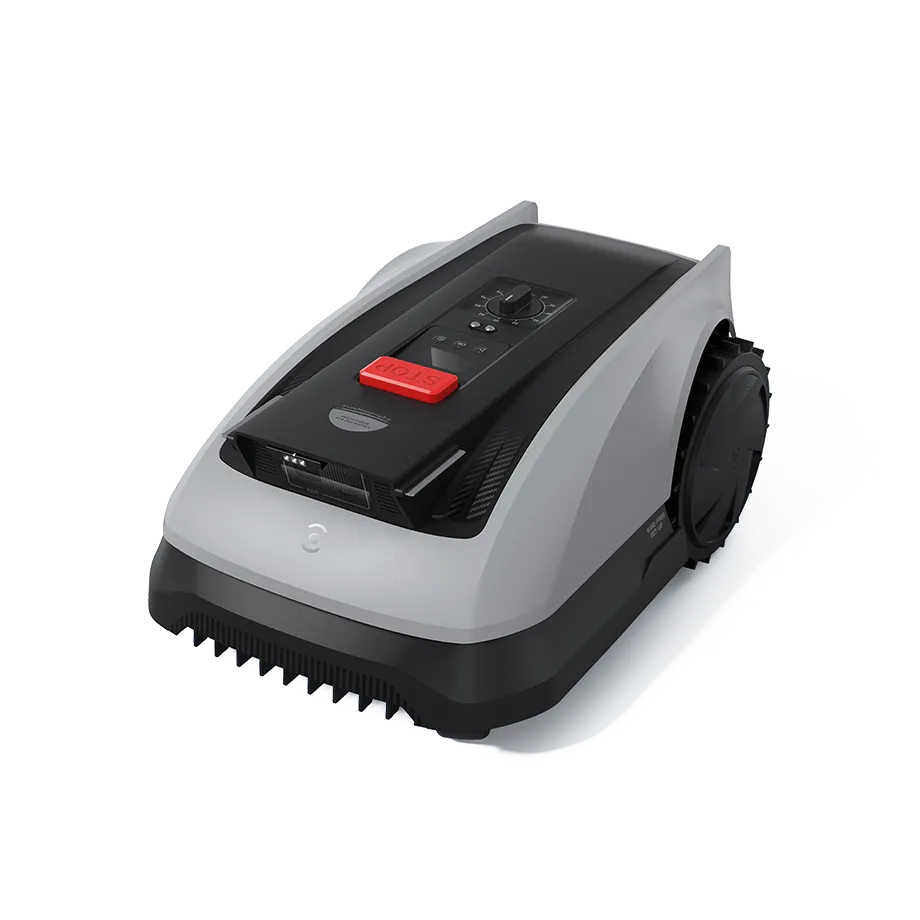
The O600 works without a classic boundary wire. This saves you from having to lay and repair cable—but it shifts the work to mapping, RTK positioning, and setting up the driving paths properly. In practice, the digital boundary must be where the robot encounters a visible and drivable lawn edge—not where a theoretical line on the plan looks particularly nice.
Set virtual boundaries along a real edge: lawn edge, paving finish, flowerbed boundary, or a clearly recognizable area. Along a fence, a wall, or an edge with loosely overhanging grass, the line should not be stitched to the collision point. The robot drives through curves and while turning differently than on a straight path. What barely fits on a straight test run can already be too close when the rear wheels are steered.
The garden and the map are not the same
The garden consists of real obstacles, transitions, and differences in height. The map creates a driving logic from this. Especially with short mowing windows, many reverse movements, or multiple zones, it is therefore not enough to equate the area information on the data sheet with the entire lawn area. Transfer the area size to your zones, map logic, and reverse routes: If the O600 has to pass through a passage frequently, the importance of that one section increases with every pass.
The charging station should be left open and receive a straight, unobstructed approach. In forums, it is criticized that a very tight canopy or a garage can impair the station search. A garage is not automatically wrong, but it must not turn into a narrow entrance with lateral correction. First place the robot without a tight enclosure, observe several reverse movements, and only then build a cover around it.
WLAN or LTE do not replace navigation. They are relevant for app communication, map management, updates, and the system’s accessibility; in contrast, RTK, the map, and the respective position stability determine whether the robot cleanly implements its zones, reverse logic, and safe driving movements.
Practical rule of thumb: The map must not end at the desired line, but at the visible, safely drivable edge of the lawn. Plan the station together with the way home.
Does the O600’s AI reliably recognize children, animals, and low obstacles?
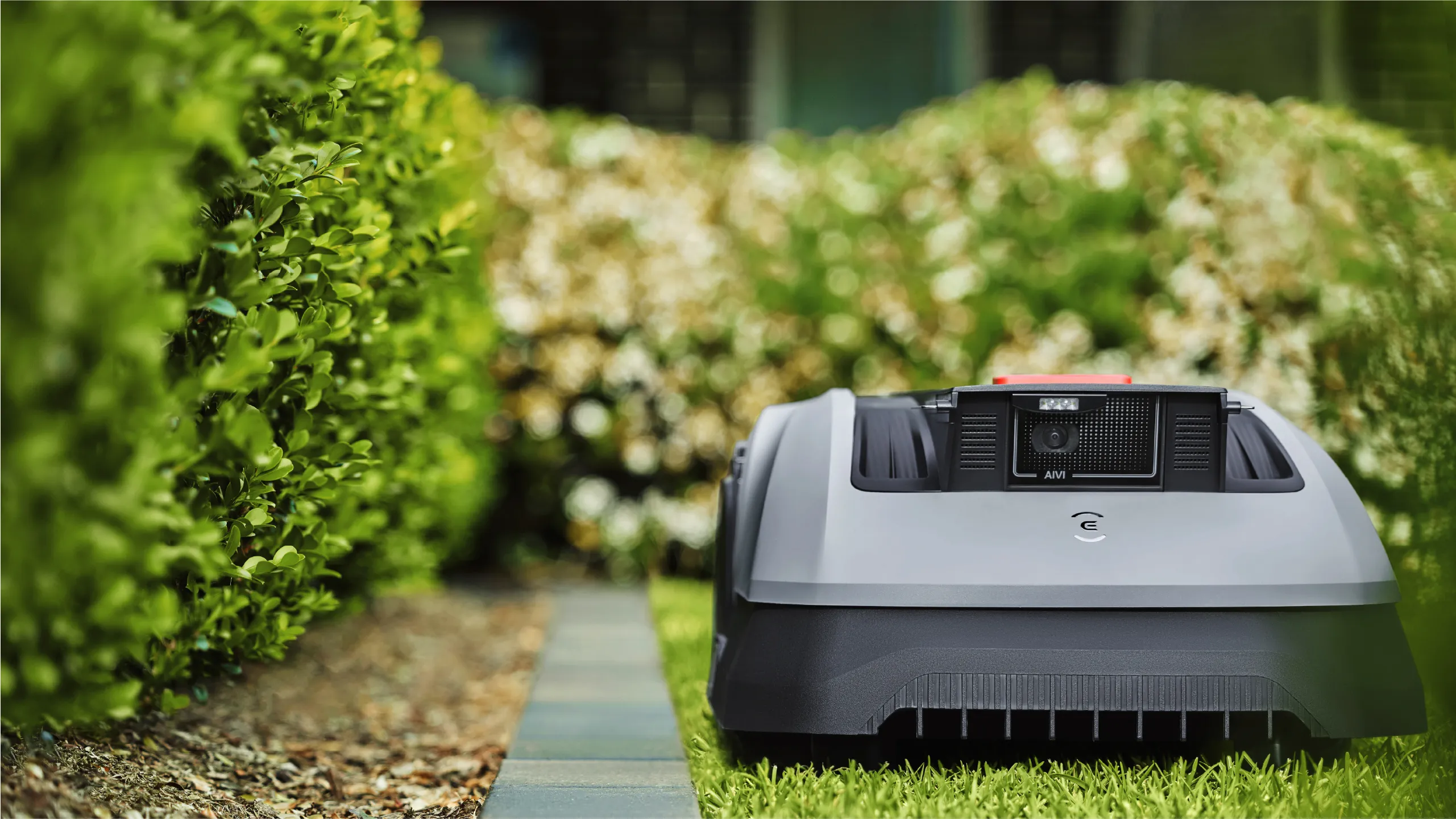
No, don’t rely blindly on AI obstacle avoidance. The camera can recognize many typical garden objects, but a specific user report describes a situation in which the O600 started again after a collision instead of clearly steering around the obstacle. This isn’t proof that every O600 works unsafely—but it’s a sufficient reason to test obstacle detection in your own garden first under supervision.
Vision and RTK perform different tasks. The Vision camera helps with object detection and avoidance in the near range; Vision obstacle avoidance works mainly during the day. RTK, the map, and the available WLAN/LTE connection, on the other hand, relate to position logic, zone planning, return travel, and communication with the system. A camera can’t replace a properly set up map—and a good RTK position doesn’t replace the ability to see a low object.
Be especially cautious with flat, dark, irregular, or higher-placed items: loose branches, irrigation parts, small tools, toys, thin metal feet, low decorations, or objects that partially disappear in the grass. Run the first mowing cycles in daylight with line of sight. Set up no-go zones around critical areas instead of hoping the camera will correctly assess every situation.
Schedule mowing windows for bright daytime hours. Don’t rely on obstacle avoidance at dusk or at night, even if the area worked without problems during the day. This is especially relevant if pets, hedgehogs, children’s toys, or unexpectedly placed objects could end up in the mowing area.
How does the O600 get back to the station from a second half of the garden?
For the O600, the return trip is not a minor detail, but a separate real-world test. Several users report that as the battery level drops, the robot wanted to choose a direct but unsuitable connection to the station—such as across a terrace, against a wall, or straight toward a gate or fence. The mowing area may be mapped cleanly, and yet the automation can fail if the return route doesn’t really work.
Therefore, don’t just check the route from the station to the second area, but explicitly the drive back. Test with intentionally low battery levels or via a return command to see whether the O600 uses the actual passage. A gate, a terrace step, a narrow passage, or an optically open but not drivable area must not be on its most plausible route.
Checklist for separate lawn areas
- Is the passage permanently open, or is a gate temporarily closed?
- Can the robot approach the passage cleanly even when turning?
- Is there enough lateral clearance next to the wheels and housing?
- Is there a terrace, wall, or fence area along the direct line of sight to the station?
- Is the RTK position stable in the passage, or are there position jumps there?
- After several test runs, does the O600 reliably return to the station?
During long mowing seasons, the condition of the mowing unit also matters more. If the driving logic is right, but the cutting pattern becomes stringy after frequent turns, it’s worth taking a look at a robust mowing disc with six blades for compatible GOAT models, because a cutting system that works cleanly doesn’t additionally pull up or rearrange grass clippings. However, for the O600 applies: before purchasing, always check compatibility based on the mounting, dimensions, and model approval.
Practical rule of thumb: A second lawn area can only be automated if the O600 not only reaches it, but also reliably finds its way back to the station from there.
Edge mowing in practice: How much clearance is left at fences, walls, and flower beds?
“Edge mowing” doesn’t automatically mean “no trimmer anymore.” An O600 user reports a clearly unmown edge along fence and path edges, even though the map boundary was set tightly. Especially vertical boundaries such as fences, walls, raised beds, or fixed garden edging force the robot to keep its distance—and this safety gap can remain visible.
Traversable lawn edge stones help when the robot is allowed to roll onto the edge with part of its chassis and the mowing disc reaches the lawn edge. However, they don’t solve the problem with a vertical barrier. If a fence is directly at the lawn edge, the robot can’t simply drive further to the side just so the last blades fall. Plan for occasional touch-up work there as well.
The cut itself also deserves attention. Dull blades tear blades of grass more easily, and debris stuck under the disc can worsen the result. If you want to test a denser blade pattern for even areas with a compatible GOAT model, you’ll find an accessory solution with a cutting disc with seven freely rotating blades for the appropriate mount. This doesn’t eliminate the gap to the fence, but in areas along the edge that can be driven on, it can contribute to a calmer, more even cut pattern.
Getting stuck, no-go zones, and map maintenance with the O600
In a user thread, several affected people report a particularly annoying behavior: after getting stuck near a restricted zone, an area was later permanently avoided. Manual crossing can mow the spot temporarily, but it does not necessarily resolve the mapping logic. In the worst case, a new mapping is required.
Therefore, do not treat the map as a one-time setup. After getting stuck, first check why the robot got hung up there: loose edge, ground depression, branch, root, an overly tight virtual boundary, or an unfavorable turning maneuver. Correct the real cause and then check the zone in the app. Only if the area continues to be missing should you plan for map adjustments, creating the zones again, or a complete map as the effort involved.
If the O600 avoids the edge and leaves a frayed strip behind
- Check the app map and virtual boundaries: Is the boundary on a visible edge or too close to a fence, flower bed, depression, or obstacles?
- Check the station position and WLAN connection: Is the station in an open area, is the approach straight, and does the app connection remain reliably available in the relevant area?
- Check position stability: Watch for RTK/satellite or nRTK jumps at edges and transitions. Also check whether WLAN or LTE is stably available in the zone.
- Only then check the mowing unit: Inspect blades, cutting disc, cutting height, grass clippings under the mowing disc, and possible settings such as mowing pattern or edge mode.
For a meaningful repeat test, remove three to five random objects or twigs in the affected area as a trial. If the robot then mows the strip differently, the object placement was likely involved. If the deviation remains in exactly the same spot, that points more to the map, a position jump, turning logic, or an unsuitable boundary guidance than to a single clump of grass.
If, with another compatible GOAT model, cuttings more frequently collect under the mowing disc in spring, an open cutting disc with nine blades may also be worth considering. It is not a remedy for map errors, but a properly maintained mowing deck prevents a navigation problem from being mistaken for a poor cutting pattern.
Practical rule of thumb: If an unmown strip always appears in the same place, first check the map and position—don’t immediately suspect blades or the mowing disc.
RTK reception in a small garden: house walls, trees, and narrow passages
A small garden is not automatically easy for RTK. Between house walls, under dense foliage, next to tall fences, or in narrow passages, the clear view to the sky can be limited. Under favorable conditions, the O600 can handle tight paths, but a nominal minimum width says nothing about whether, at exactly this location, reception, map, turning movement, and return travel will work together reliably over time.
Before purchasing, mentally check the critical meters: Where does the robot stand directly next to a wall? Where is the transition in the shadow of trees? At which point does it need to turn when reversing? During installation, pay special attention to these areas—not just the open main surface. Position shifts at the edge or in the passage area can lead to insufficient safety clearance, missed strips, or a drive that gets cut off.
Frequently Asked Questions
Does the ECOVACS GOAT O600 need a boundary wire?
No, the O600 RTK is set up without a traditional boundary wire. Instead, it uses RTK navigation, digital maps, and virtual boundaries; however, the proper placement of these boundaries determines whether edges and transitions work reliably.
Can the O600 reliably avoid obstacles at night?
No, critical mowing runs should take place in bright daylight. The camera-based vision obstacle avoidance works primarily during the day, so you should not rely on the same detection performance at night or in twilight.
How much clearance remains at a fence or wall?
At vertical barriers, a visible gap of several centimeters up to well beyond that can remain. Traversable curb stones can help, but depending on the map, safety clearance, and terrain, trimming work may still be possible at the fence, wall, or raised bed.
What should you do if the O600 avoids an area after getting stuck?
First, check the cause, the restricted zone, and the map boundary; if an area is permanently avoided, a map adjustment or re-mapping may be necessary. Do not only drive the robot manually into the area—afterwards, test whether the zone is also approached again during normal automatic operation.
Is the O600 suitable for two separate lawn areas?
Yes, but only if there is a permanently open and reliably accessible connection to the main area and the station. If a gate, a terrace, a fence, or a narrow corridor is in the way, the return trip must be tested in practice multiple times.
Conclusion: A good choice for simple lawns – with clear boundaries on complex properties
The ECOVACS GOAT O600 RTK can be a convenient solution without boundary wire on open, clearly structured areas. Users praise the generally good mowing performance and the understandable mapping of simple areas. However, if you have many zones, long return trips, narrow passages, high walls, difficult RTK visibility, or sensitive obstacles in the garden, you should take the planning much more seriously than just the area specification.
The most important points are a map that reflects reality, an open station, a tested route home, and supervised first runs in daylight. Edges, the return trip, map maintenance, and obstacle detection are not minor issues with the O600—they determine whether a good mowing result becomes a truly functioning automation.
Comments