The GOAT drives toward the charging station, stops just before it, and reports “Station not found.” Or it mows diligently in lanes, but leaves stripes behind. Or even worse: the map looks perfect in the app, yet the robotic mower still drives into a no-go zone—over gravel or into the flower bed. Exactly these kinds of experiences keep coming up for ECOVACS GOAT users— not with every device, but often enough that you should take a closer look before buying.
ECOVACS is well known to many from the world of robot vacuum cleaners, and with the GOAT series it offers cordless robotic mowers for different garden sizes. The Messerscheibe24 shop does not sell robotic mowers, but accessories and spare parts for cutting discs, mowing discs, and blades. That’s exactly why we look at the GOAT models from a workshop perspective: Which series fits which garden, where do users report real problems, and when is it worth taking a look at the right replacement cutting discs for ECOVACS when the cut pattern becomes frayed or the original blades are worn out?
Important up front: manufacturer data is only the starting point. A rectangular, flat garden with clear visibility is not the same as a complex property with narrow passages, trees, a trampoline, a gravel edge, multiple zones, and a station in the corner. Many GOAT problems arise exactly in the gap between the brochure garden and the real one.
ECOVACS GOAT series at a glance: O500, O600, O800/O1200 RTK and G1/G1-2000
With ECOVACS GOAT, you first need to separate the navigation families. The GOAT O500 Panorama relies on camera, a panorama approach, and LiDAR-assisted visual navigation. The O600, O800, and O1200 models, depending on the version, are more strongly to be classified toward RTK/GNSS systems. The G1 series, on the other hand, works with navigation beacons—meaning additional orientation points in the garden.
In practice, this distinction is more important than the pure square-meter figure. An O500 can be attractive for small, simple areas if you want to start wirelessly. An O800 or O1200 can look cleaner in open areas with a good antenna position, but it is more dependent on satellite visibility, the reference station, and firmware. A G1-800 or G1-2000 can help with beacons in certain gardens, but it brings its own considerations regarding placement, map, and return trip.
| Model series | Navigation | Typical garden | Strengths from a user perspective | What buyers should pay attention to |
|---|---|---|---|---|
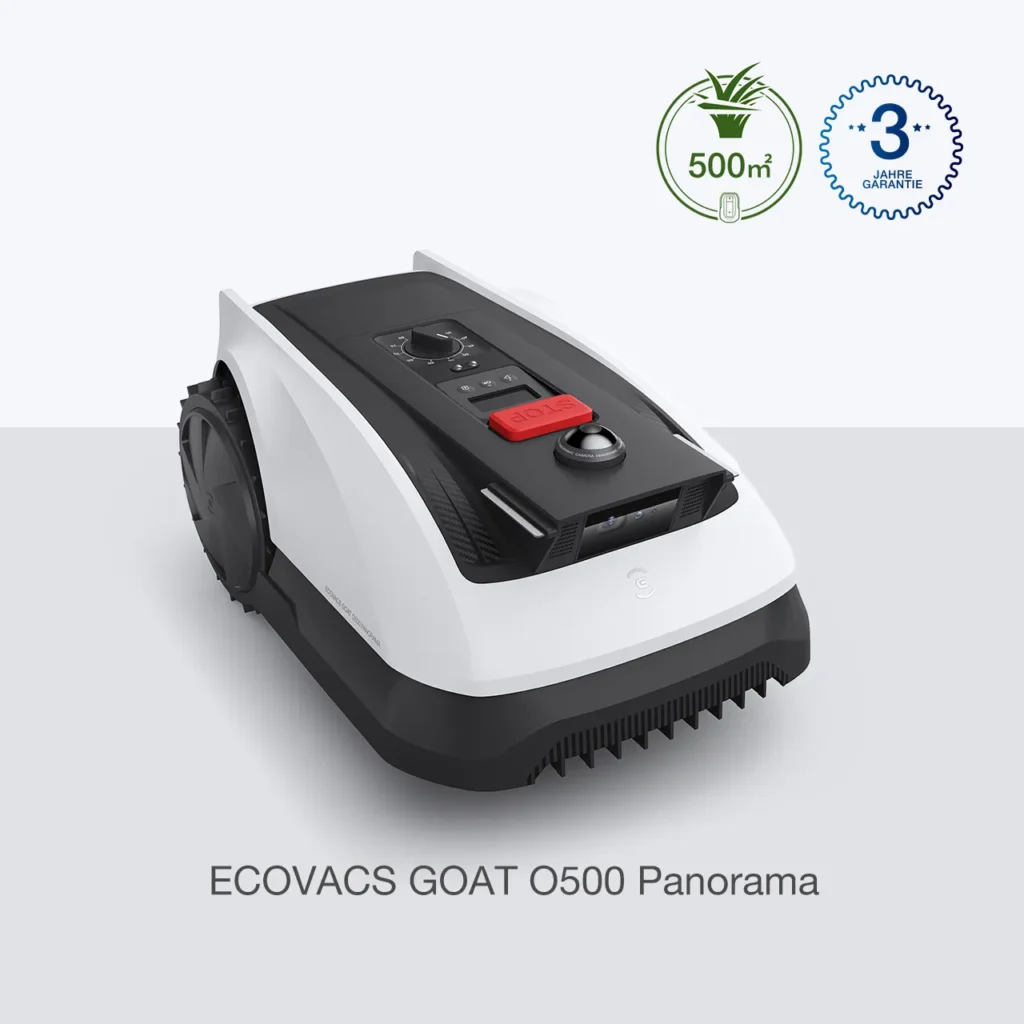
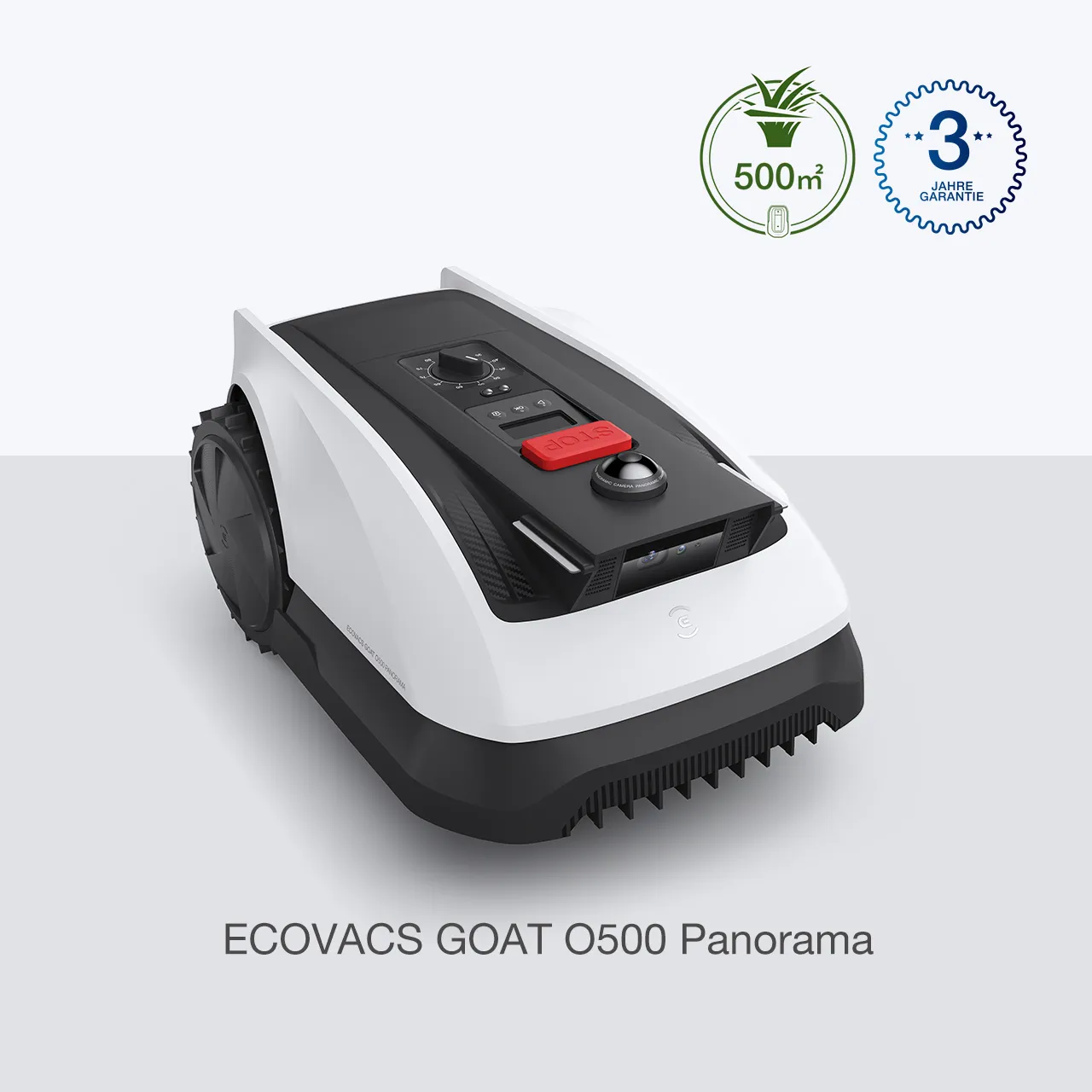
| GOAT O500 Panorama | Panorama/Camera/LiDAR | Small to medium, rather simple areas | Compact, wireless entry, quick setup possible | No-go zones, getting stuck, reverse travel and edge work should be tested critically |
| GOAT O600 | O series, depending on the market RTK-oriented | Small to medium areas with a bit of extra capacity | Interesting as a more modern O variant | Check the nameplate, equipment, app features, and firmware |
| GOAT O800/O1200 RTK | RTK/GNSS with reference station | Open areas, multiple zones with a good antenna position | Quiet, line patterns, can work very neatly with the right setup | Monitor RTK dropouts, docking, striping, Wi-Fi/Bluetooth, and updates |
| GOAT G1-800/G1-2000 | Beacons/TrueMapping-Multifusion | Larger areas, if beacons can be placed meaningfully | Can work very well on simple, flat areas | Map offset, station, factory reset, and complex garden layouts remain a risk |
If you want to go deeper into the differences between the models, you’ll find an additional classification of the O and G1 models from a maintenance and buyer perspective in our detailed GOAT practical assessment.
Key takeaway: Don’t decide first based on “500, 800 or 2000 m²”, but based on the shape of your garden, the station, the type of navigation, and the question of how often you can manually intervene when errors occur.
What’s better: Panorama, RTK, or Beacons with the ECOVACS GOAT?
Panorama, RTK, and Beacons solve the same basic problem in different ways: the robotic mower needs to know where it is, where it is allowed to mow, and how to get back to the station. None of these techniques is automatically perfect. Cameras and LiDAR require a recognizable environment and stable viewing conditions. RTK needs a well-positioned reference station and workable satellite conditions. Beacons need sensible locations and must not be poorly shielded or blocked.
Panorama/Camera/LiDAR: interesting for small areas, but sensitive at boundaries
With the O500 Panorama, the approach sounds particularly convenient: no RTK station, no navigation posts, no boundary wire. For a small, open garden, that can be exactly the appeal. But user reports also mention tough cases: robots drive into no-go zones, get stuck in certain areas, trample over flower beds, or don’t reliably return after being lifted. That’s not only annoying, but it can also be expensive on gravel areas, pond edges, or sensitive beds.
RTK: a more precise approach, but not without location work
With O800 and O1200 RTK, a lot depends on the antenna’s location. Clear, high up, and with as little shading as possible from the house wall, trees, metal, or narrow inner courtyards—this sounds trivial, but it determines whether everyday use is smooth or a constant source of frustration. In forums, people often complain that the RTK connection or communication with the reference station breaks off. Other users, however, report that the O800 RTK runs calmly on a suitable surface, works quietly, and can handle multiple zones including transitions.
Beacons: helpful, but not a free pass for complex gardens
The G1 series uses navigation beacons. This can be useful in gardens around the house or when RTK visibility is unfavorable, because multiple orientation points can be distributed. Still, users also report issues here with maps, docking errors, and discrepancies between the app map and the actual area. A G1-2000 can work very well on a flat, simple 800 m² property, but on a more complex area it may suddenly require significantly more attention.
Key takeaway: RTK is not a guarantee against track misalignment, beacons are not a guarantee against map errors, and the camera/LiDAR does not reliably detect every real garden edge.
Real user problems: docking, no-go zones, map errors, and getting stuck
The most common complaints are not about the last percent of comfort, but about core functions. If a robotic mower can’t find the charging station, loses the map, or drives into a prohibited zone, that’s not a minor aesthetic flaw for owners. Then you’re out in the garden in the evening, carrying the robot back, or trying to rescue it manually via a Bluetooth connection.

Docking: when the last few centimeters are missing
With the G1 and G1-800, users report that the robot stops in front of the station or displays “Station not found.” In some reports, restarts, sensor cleaning, or a better open area in front of the station helped. In other cases, a factory reset was necessary—with the risk that maps may need to be created again. For buyers, this is important: A station can’t just be placed somewhere; it needs a clean entry and exit path.
No-go zones and map errors
With the O500 Panorama, reports are particularly critical when the robot still doesn’t make it reliably on a small area, drives into no-go zones, or doesn’t continue in a sensible way after being lifted. This shows: A small area doesn’t automatically mean easier operation. A complex 250 m² garden with flowerbeds, narrow passages, and a tight edge can be more difficult than a 700 m² open rectangular area.
Bluetooth, Wi-Fi, and app sync
Several users report weak Bluetooth connections, app dropouts, or robots that apparently no longer sync properly with the app. This is especially frustrating with cordless lawn mowing robots, because setup, map correction, manual return-to-base, and error diagnosis often run through the app. If you have poor Wi-Fi reception in the garden, you shouldn’t find out only after the return period has expired.
Firmware: An update can help, but it can also introduce new errors
Firmware is almost a separate maintenance item for modern mowing robots. Users report update interruptions, new docking problems after updates, or behavior that only becomes noticeable after weeks. Especially with newer model lines, long-term experience is often only gathered in everyday use: mapping, return-to-base, the station, damp corners, edges, and narrow passages often don’t reveal their weaknesses on the first weekend.
GOAT O500 Panorama: Interesting for small areas – but check navigation critically
The O500 Panorama is primarily of interest to buyers who want to mow a small to medium-sized area without cable installation. In buying consultations, it is often discussed for 60 to 300 m², because it looks compact, can be attractive in terms of price, and does not require an RTK antenna. For a simple front yard or a clearly laid-out lawn area, that can fit.
Use caution if your garden has many raised bed edges, gravel strips, low borders, or narrow passages. In particular, users report incorrect positioning, getting stuck, and problems with no-go zones in these areas. With camera- and LiDAR-based navigation, you should also not underestimate the sun position, shadows, reflective surfaces, and high temperatures on the housing. A station in harsh midday sun can put more strain on the sensors and plastic than a shaded, well-ventilated location.
Blade change on the O500
The O500 works like the other GOAT models with small replacement blades on the mowing disc. In our CUT-GUARD tests, one thing keeps coming up: dull blades are not only noticeable by the noise, but also by the frayed, gray cutting pattern. If you want to use more cutting points per revolution on the O500, you can check a 9-blade cutting disc for GOAT models when changing the blade, especially if frequent touch-ups on small areas are annoying.
The blade change should not be done only when the lawn visibly starts to tear. On sandy ground, molehills, lots of small twigs, or damp corners, blades wear out faster. A quick visual inspection every two to four weeks during the main season is practical.
GOAT O600, O800 and O1200 RTK: A precise approach, but dependent on the antenna and firmware
The O Series with an RTK approach is aimed at buyers who want to mow wirelessly, but expect more positional stability than with purely visual navigation. O600, O800, and O1200 differ depending on the market and equipment in terms of area class, app features, and hardware details. That’s why you should carefully check the type label, dealer description, scope of delivery, antenna, app limits, and firmware version before purchasing.
With the O800 RTK, there are mixed experiences. Some users praise the quiet operation, clean lines, and working zones. Others report RTK communication dropouts, uncut strips, Bluetooth issues, WLAN outages, or a message stating that the charging station can no longer be found after an update. That’s exactly the difference between “good technology” and “works for my garden.”
Which gardens are O800 and O1200 suitable for?
They are best suited for more open gardens with a clear view of the sky, a well-plannable antenna position, and enough space in front of the station. Multiple zones can work if the transitions are wide enough and the reverse paths aren’t unnecessarily complicated. It gets more difficult with garden areas around the house, tall walls, dense tree stands, courtyards, narrow passages, and station corners where the robot has to maneuver a lot.
You shouldn’t calculate the square-meter buffer too tightly. An O800 on 780 m² of a convoluted area with a short mowing window, long reverse trips, and multiple zones operates significantly closer to the limit than the same robot on 500 m² of rectangular area. Buffer helps with tall grass, rain pauses, second passes to prevent striping, and short time windows.
Cutting disc and cutting pattern in the O Series
If users report stripes between the lanes, that doesn’t automatically mean the blades are dull. It can also be due to the track spacing, navigation, mowing mode, grass length, or a mowing window that’s too short. Still, it’s worth taking a look underneath the robot: if the blades are worn unevenly, are stuck, or if the mowing disc is dirty, the cutting pattern gets worse as well. For the O500, O800, O1200 and G1 models, a robust 6-blade cutting disc for GOAT is a sensible option if, during servicing, you want to keep an eye not only on individual blades, but on the entire mowing disc.
Key takeaway: For RTK models, first ensure the antenna, station, and app reception are stable—only then assess the mowing pattern, blades, and lane settings.
GOAT G1-800 and G1-2000: Beacons help— but complex gardens remain a risk
The G1 series is especially interesting when a single RTK location is difficult or when the garden has multiple areas. The G1-800 is aimed at smaller to medium-sized areas, while the G1-2000 is for significantly larger properties. In practice, users report that the G1 models can mow convincingly on simple, flat surfaces. For example, an owner of a 2,000 m² version describes that it worked well on a flat 800 m² property—the problems only started on more complex areas.
This is an important point for buyers: a G1-2000 is not automatically the better choice for every complex garden. More mowing capacity helps with time windows and reserves, but it does not automatically solve bottlenecks, map misalignment, docking problems, or poorly placed Beacons. Also, being too large can interfere with a small garden if turning space, the station corner, and maneuvering areas are tight.
Typical weaknesses from a user’s perspective
For G1 users, issues mainly come up with docking, app sync, factory resets, and map stability. If, after a reset, the map cannot be restored properly, you lose time and trust. Rain sensor and scheduling logic are also criticized in some cases: if a planned run is canceled due to a rain alert, but later in the day it isn’t rescheduled in a sensible way, the area remains unmowed.
Blade changes on the G1-800 and G1-2000
With larger areas, blade wear adds up faster. A G1-2000 that regularly covers several hundred square meters puts more strain on the Klinge(s) than an O500 on 80 m². In the workshop, we often see the same pattern with used blades: first a dull tip, then a frayed cut, followed by more noise and higher energy demand. If you mow large areas, you should not wait to order replacement blades and cutting disc until the lawn already looks gray.
What should you check before buying an ECOVACS GOAT?
Before making a purchase, you should walk through the garden once like a service technician—not like a brochure reader. Where is the station located? Is there a 1 to 2 meter straight driveway? Is WLAN or Bluetooth stable at the installation site? Can the RTK antenna stand freely? Where would beacons need to be placed? Are there bottlenecks under 1 meter, low garden bed edges, gravel areas, toys, fallen fruit, or permanently damp corners?
- Station: free, level, not in a tight corner, ideally with a clean approach area.
- RTK antenna: high, open, with as little shading as possible from the house, trees, or metal.
- Beacons: plan them so that the robot gets orientation in all zones.
- App reception: test WLAN and Bluetooth at the garden location before the return window expires.
- Zones: don’t just create separate areas—have the robot automatically visit them multiple times.
- Edges: realistically factor in follow-up work, especially along walls, edges, and raised beds.
- Updates: don’t install firmware in the middle of a critical mowing phase if there won’t be time to check afterward.
- Returns: a retailer with an easy return process can be more relaxed in case of problems than a tedious manufacturer procedure.
Many user issues don’t show up on the first day. At the beginning, setup often seems quick, the first map looks fine, and the robot mows the visible main area. It becomes critical after several charging cycles, during rain breaks, after updates, on long return trips, across multiple zones, and exactly at the corners that you’re happy to overlook during demonstrations.
Which GOAT is worth it—and who should better wait?
The GOAT O500 Panorama is most worthwhile for small, easy-to-manage areas, as long as no risky flowerbed or gravel boundaries are connected directly to the mowing zone. Buyers should send it to problem spots intentionally during the first few days: no-go zones, edge strips, narrow passages, and returning to the station.
The GOAT O600 may be interesting if you’re looking for a more modern O variant in a smaller area class. Since equipment can vary depending on the market, you shouldn’t buy blindly based on comparison tables. What matters most is navigation, included items, app limits, availability of spare parts, and the specific retailer.
O800 and O1200 RTK fit better for open areas where the antenna position can be planned. If you have many trees, areas shaded by the house, or garden sections around the building, you should test especially critically. The upside: when the setup fits, users report quiet operation and neat line work. The downside: RTK dropouts, striping, and docking issues can significantly disrupt everyday use.
G1-800 and G1-2000 are candidates for users who can place beacons meaningfully and have enough patience for mapping and fine-tuning. For simple, flat areas, this can work very well. But if you have a highly intricate garden and are often away, be cautious: if the robot gets stuck or can’t find the station, the largest area specification won’t help much.
Remember this: The more complex the garden and the less often someone is on-site, the more important return policies, error tolerance, and a thoroughly tested station and navigation setup are.
Frequently asked questions
O500 Panorama or O800 RTK – which is better?
For small, simple areas, the O500 Panorama is often the more obvious choice, while for more open and larger areas with a good antenna location, the O800 RTK is usually better. The O800 can feel more precise, but it requires more care with the RTK station, satellite visibility, and firmware. The O500 is more convenient to set up, but it must be checked critically for No-Go zones and edge guidance.
Does the ECOVACS GOAT reliably find its charging station?
Not always; docking issues are regularly reported for G1 and O-series models. A free, level station with a clean approach significantly reduces the risk. If the robot stops shortly before the station, you should first check obstacles, sensors, app status, and location before doing a factory reset.
How critical is the RTK antenna for the O800 and O1200?
Very critical: the antenna often determines whether RTK runs stably in everyday use. It should be as free, high, and unobstructed as possible, without strong signal shading. Gardens around the house, narrow inner courtyards, and dense tree stands are significantly riskier than open lawn areas.
Why does the GOAT leave stripes when mowing?
Stripes are often caused by mowing paths, track spacing, tall grass, navigation, or too few passes—not only by dull blades. Still, you should check the blades and cutting disc if the cut pattern looks frayed or gray. A second pass can help, but in practice it halves the daily performance.
How often should you change the blades on the ECOVACS GOAT?
During the main season, it makes sense to check every two to four weeks; on sandy soil or with lots of twigs, even earlier. You should replace them as soon as the blades are dull, worn unevenly, or difficult to move. Large areas like those of the G1-2000 wear out blades faster than small O500 areas.
Conclusion: Buy a GOAT, but don’t blindly go by square meters
ECOVACS GOAT can work well in suitable gardens: simple areas, a free station, clean navigation, a stable app connection, and regular blade replacement are the best prerequisites. Praised especially are quieter operation, quick setup for individual users, and solid performance on flat, easy-to-overview areas.
However, the problematic user reports should be taken seriously. Docking errors, RTK dropouts, No-Go zone issues, map misalignment, app dropouts, and striping during mowing are not minor problems if the robot is meant to run unattended. Anyone with a complex garden with multiple zones, narrow passages, flower beds, gravel, and little time for troubleshooting should only buy a GOAT model with a good return policy and a thorough test phase.
From a workshop perspective, the rule is: first, the robot must navigate reliably and be able to return to the station. Then come fine-tuning, mowing times, edging, and blades. If this order is right and the blades are replaced regularly, O500, O600, O800, O1200, and G1 models get significantly more out of their area—without having to stand next to the lawn mower robot with your phone every other evening.
Update (July 2026): Matching CUT GUARD cutting discs (double pack) with 7 blades each are now available for the GOAT A3000 LiDAR & LiDAR PRO (as well as A1600 RTK, A2500 RTK and A1600 LiDAR PRO).
Comments