The robotic mower is in the station, the smartphone shows good WLAN—and yet the app reports “offline,” the firmware update won’t start, or the ANTHBOT drives past the carefully trained lawn edge at a distance of 30 cm during its first mowing. Exactly these kinds of cases keep showing up again and again in forums and user reports. ANTHBOT can mow very cleanly and quietly on suitable areas, but the Genie 600, Genie 1000, Genie 3000, M5, M9, and M5 LiDAR are not magical garden helpers without limits.
ANTHBOT is best known for cordless robotic mowers with RTK, a camera, LiDAR, and app control. For buyers, it sounds convenient at first: no boundary wire, automatic mapping, multiple zones, obstacle detection. In workshop practice, however, we first look at the wear parts: blades, cutting disc, charging contacts, and the question of how the robot really mows after a few weeks. If you already use an ANTHBOT or want to know before buying which replacement parts make sense, you’ll find an early overview of suitable ANTHBOT cutting discs and blades—before a good mowing result turns into a frayed, gray cut.
This guide honestly categorizes the model lines: Which area fits which model? When does LiDAR help? Where do edges get left behind? And why are WLAN, Bluetooth, 4G, firmware, and the station often more important than the pure number of square meters?
ANTHBOT Genie vs. M series: a quick classification
The Genie series is the larger, better-known model family. Genie 600, Genie 1000, and Genie 3000 work with RTK and cameras, are designed to automatically map, and are intended for significantly different areas depending on the version. Many users report good mowing quality, straight tracks, and a solid result on open areas. At the same time, the most common complaints come from exactly the areas that are critical for cordless robots: connection, app, firmware, edges, and positioning accuracy.
The M series feels more compact and younger. The M5 and M9 rely on RTK plus Dual Vision, while the M5 LiDAR uses 360° LiDAR plus Dual Vision and does not require a classic RTK antenna. That makes it interesting for small, enclosed, or shady gardens. But: the M series is not automatically “better.” For the M5 LiDAR, early user reports mention connection loss, a 0%-battery display, blocked updates, uneven mowing patterns, and LiDAR noises. This may improve with updates, but it should be factored in before purchasing.
| Model | Key details in practice | Suitable for | Typical weaknesses from a user perspective |
|---|---|---|---|
| Genie 600 | up to approx. 600 to 900 m² depending on the information/market, 20 cm cutting width, RTK + cameras | small to medium open gardens with a good docking position | WLAN, edges, battery reserve, positioning at complex borders |
| Genie 1000 | more battery reserve than Genie 600, 4G depending on the version, multiple zones | medium-sized areas with time windows and clear boundaries | app/update issues, trimming near walls, dependence on the network |
| Genie 3000 | largest Genie variant, more runtime, intended for large properties | large, open lawn areas with a clear RTK view | cleaning/moisture, charging contacts, support and spare parts topics |
| M5 | compact M series, RTK + Dual Vision, rather smaller areas | small gardens, simple zones, limited budget | connection, early software maturity, turning space in narrow passages |
| M9 | larger than M5, RTK + Dual Vision, positioned for about 1000 m² | medium-sized areas with more reserve than with the M5 | edge strips, object contrast, zone logic, app questions |
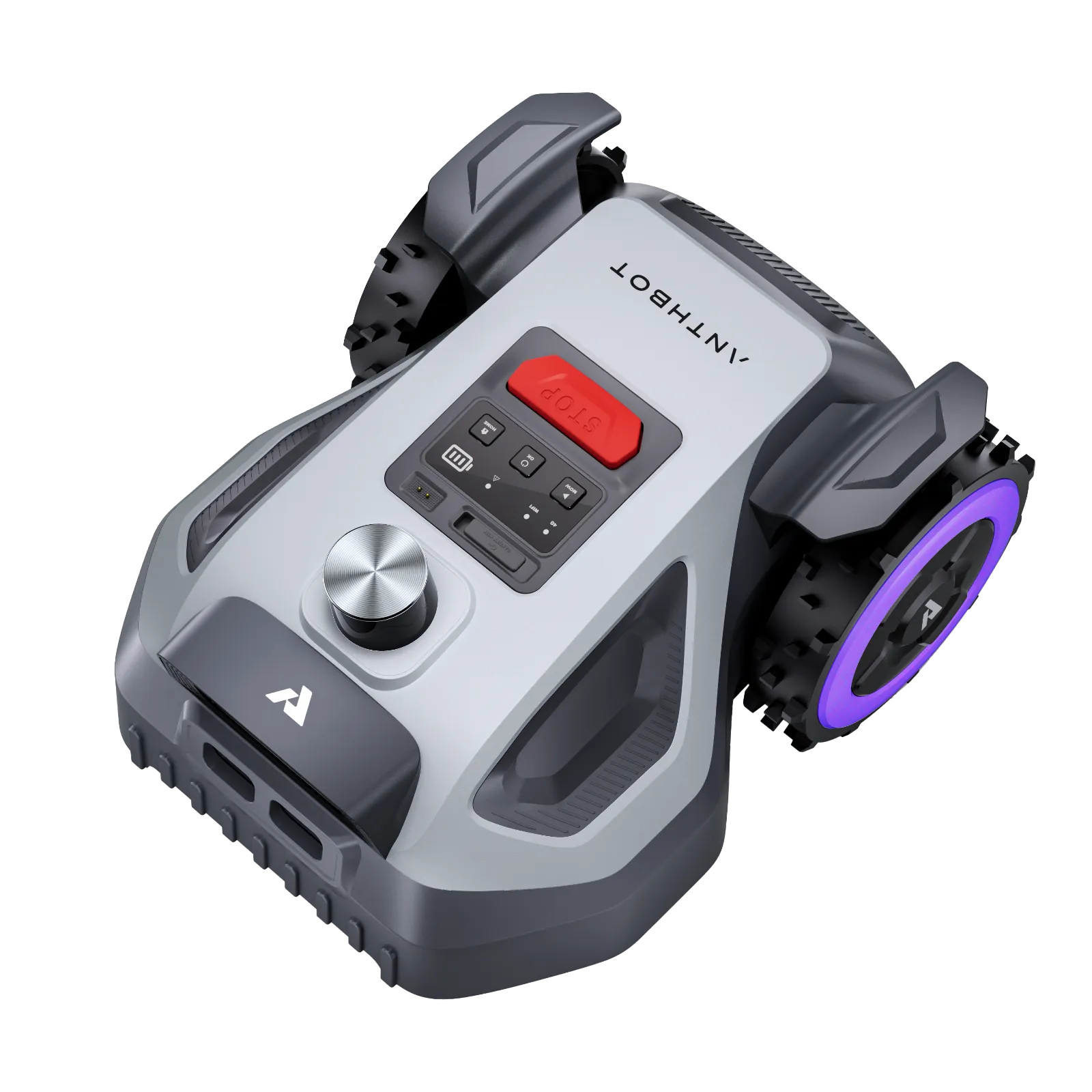
| M5 LiDAR | 360° LiDAR + Dual Vision, about 500 m², without an RTK station | enclosed, shady, smaller and more complex gardens | small battery, 0%-display, connection loss, LiDAR heat/noise |
Practical takeaway: Genie is the safer choice when the area is open and RTK-friendly; M5 LiDAR becomes interesting when trees, shadows, and enclosed garden areas matter more than maximum area performance.
Which ANTHBOT fits which garden?
Small areas up to about 500–600 m²: M5, M5 LiDAR or Genie 600
For small, manageable lawn areas, reaching for the smallest model makes sense. With the ANTHBOT, however, it’s not just a square-meter question. A simple rectangular garden with clear sightlines, a well-defined lawn edge, and a charging station at the house can work well with a Genie 600. Many users praise, under the right conditions, straight mowing paths, automatic continuation after charging, and quiet operation.
The M5 or M5 LiDAR is a better fit when the area is small but the layout is structurally complicated: trees, shadows, a narrow passage, a trampoline, flower beds, or a closed inner courtyard. With the M5 LiDAR, the RTK antenna is no longer needed; instead, a sensor on top of the device comes into play. In practice, that means: don’t place the station in direct midday sun, monitor heat buildup in the housing, and plan mowing times for the morning or late afternoon.
Medium-sized areas: Genie 1000 or M9
For medium areas, buffer capacity matters more than the brochure numbers. A robot that, according to the manufacturer, can handle 1000 m² feels comfortable on 700 m². But if the garden consists of three zones, the return trip is long, mowing is only allowed in the evening, and the grass grows tall after rain, the real performance quickly shrinks. Genie 1000 and M9 are therefore interesting for users who don’t have a perfect time window every day.
The M9 offers more reserve than the M5 and is often discussed as an M-series option for larger gardens. Still, it remains a compact mower with a centrally positioned cutting area. Against walls, fences, and garden bed edges, it does not fully replace the lawn trimmer. If you’re unsure between the two lines, the detailed ANTHBOT practical guide provides additional context on the models, typical problem patterns, and maintenance points.
Large open areas: Genie 3000
The Genie 3000 is the obvious choice when large areas need to be mowed regularly. Its strength isn’t in perfectly trimming every corner, but in offering more battery reserve and longer working windows. User reports describe that, on suitable areas, a Genie 3000 can cleanly handle several hundred square meters within a few hours. That’s exactly where the advantage over smaller models becomes clear.
It gets more difficult when the large area isn’t open: many trees, narrow corridors, tall hedges, walls, changes in slope, curb stones with radii, and multiple separate zones. Then it’s not just the battery that matters, but the quality of the map, RTK visibility, dock position, and the return route. With newer cordless systems, weaknesses often don’t show up on the first day, but after two to four weeks: the map gets changed, firmware is updated, the WLAN connection drops, and edge runs behave differently.
How well do WLAN, the app, and firmware work with ANTHBOT?
WLAN, Bluetooth, and 4G are not a side issue with the ANTHBOT. In forums, it is often criticized that the mower appears offline despite good smartphone reception, reports a weak network, or does not reliably accept firmware and schedule changes. One user even described an access point only a few meters from the station—yet recurring weak-signal and offline messages still occurred.
The problem: A smartphone at the dock is not a complete network test. The robotic mower sits lower, is often next to metal, a house wall, a garage, or wet ground, and uses WLAN, Bluetooth, or mobile connectivity differently depending on the function. Updates can be tied to WLAN, Bluetooth may require patience, and 4G is not a free pass if the app, server, or device pairing has issues.
Before purchasing, you should therefore check three things: First, whether stable 2.4 GHz WLAN reaches the planned dock. Second, whether the station is not located in a shielded corner. Third, whether you are willing to involve support, the serial number, and an app restart when it comes to firmware questions. Many users report that updates improve functions—such as edge trimming or stability. Others experience the update process itself as a “beta feeling.”
Workshop mantra: First test the radio link, then evaluate the robot. Many supposed navigation problems start with the dock position, WLAN, app connection, or an update that didn’t run properly.
Edges and corners: What ANTHBOT can do – and what it can’t
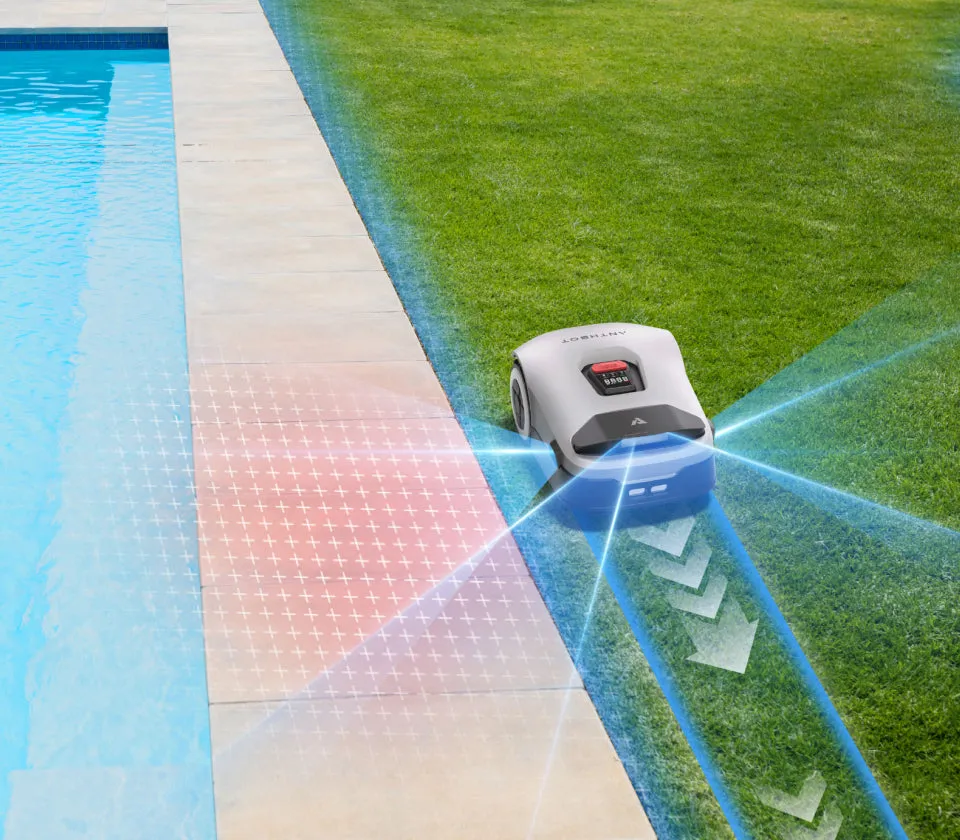
“Wireless” doesn’t mean “no touch-up trimming.” This is especially important with ANTHBOT, because many purchase decisions fail due to exactly this expectation. Users report unmown 90° corners, interrupted edge-mowing jobs, leftover strips along walls and fences, and trips where the mower stays outside or too far inside the defined area.
The reason is easy to understand mechanically: The blades are not located on the outside edge of the housing, but underneath the device. There is a design gap between the wall and the blade. Depending on the edge, obstacles, safety logic, and driving angle, leftover strips of 15 to 20 cm along fixed boundaries can be realistic. Curb stones at lawn level are easier than walls, fence posts, raised beds, or L-stones.
Blade sharpness also plays a role. A dull blade set tears the grass blades out instead of cutting them cleanly; this becomes noticeable faster at edges, because there are fewer passes there. In our CUT GUARD tests, we regularly see: if the robot drives correctly but the mowing pattern turns gray, ragged, or patchy, it’s worth first taking a look underneath the disc. If you want more cutting points per revolution and run your ANTHBOT more often on denser grass, you can check a 9-blade cutting disc for ANTHBOT Genie and the M-Series when changing the blade, instead of only adjusting the app settings.
What remains important: A better cutting disc doesn’t turn a mid-cutting lawn mower robot into an edge trimmer. It can improve the mowing pattern, increase cutting frequency, and distribute wear more evenly. The last few centimeters along walls, fences, and the edge of flower beds still need to be touched up manually by many owners.
Genie 600, Genie 1000, and Genie 3000: which Genie version makes sense?
ANTHBOT Genie 600
The Genie 600 is a good choice for smaller to medium areas if the garden is open, well cartographable, and not too heavily convoluted. Many users report clean mapping, straight paths, and reliable continuation after charging. At the same time, reports for the Genie 600 tend to accumulate about Wi-Fi issues, edge distances, and occasional leaving of the area—especially with radii, curb stones, and gardens that aren’t “shoebox-like.”
With the Genie 600, you should not only ask whether the specified area fits, but also how much buffer remains. 600 m² with long return routes, a high initial grass length, and multiple zones is something different than 600 m² of open area. If the grass is too tall before the first use, it should be cut down once in the classic way. The robot is a maintenance device, not a brushcutter.
ANTHBOT Genie 1000
The Genie 1000 is the middle compromise: more buffer than the 600, without immediately going up to the large 3000 class. It suits users who need multiple zones, somewhat longer mowing windows, and more buffer for damp or more densely overgrown areas. If the station is set up cleanly and the network is stable, it can work very pleasantly in everyday use.
Its weaknesses are not fundamentally different from those of the Genie 600: the app, updates, edges, and positioning remain critical. The difference lies in the buffer. With short permitted mowing times, many no-go zones, or a garden with separate areas, buffer is often more valuable than a few euros saved.
ANTHBOT Genie 3000
The Genie 3000 is designed for large areas and users who need longer runtime. Positively mentioned are good mowing performance, stable maps in tree-rich gardens, and proper navigation when the conditions are right. On the other hand, cleaning, moisture on the charging contacts, and support questions come up critically. One user reported camera-area issues after rinsing with water and charging problems; another solved docking issues by drying the charging contacts.
When changing the blade, the following applies to all Genie models: don’t wait until the lawn visibly suffers. Depending on operating time, sand, pegs, small branches, and contact with edges, blades can become dull significantly earlier than expected. With our cutting discs, we pay special attention to ensuring that grass clippings do not unnecessarily remain between the mowing disc and the blade area, because that is exactly where imbalance, noise, and an untidy cutting pattern are caused.
M5, M9 and M5 LiDAR: When is LiDAR useful?
LiDAR is useful when RTK/GNSS visibility is difficult: enclosed gardens, many trees, shadow areas, walls, narrow passages, or an inner courtyard without clear antenna visibility. The M5 LiDAR maps using a rotating sensor and combines this with cameras. This can be an advantage in complex small gardens. However, it is not a cure-all for edge striping, app problems, a small battery reserve, or object detection in poor contrast conditions.
With the M5 LiDAR, early user reports are accumulating about connection loss, Bluetooth problems, inability to re-add it in the app, a 0% battery display despite docking, and blocked firmware updates. In addition, there are indications of LiDAR noises, heat, and uneven mowing patterns when the grass is too tall or when overlap is suboptimal. This doesn’t mean the model is bad. It means: buyers should be tech-savvy and consider the first few weeks as a setup phase.
The M5 without LiDAR is better suited to smaller, simpler areas when RTK and camera conditions are met. The M9 is the stronger option in the M series for more area and extra capacity. Even with the M9, users report good obstacle avoidance—for example around the legs of garden furniture—but edges and walls remain limited. Color contrast is important: what clearly stands out visually from the lawn is usually recognized better than flat, green, dark, or partially covered objects.
When it comes to the mowing deck, the M series and Genie differ less from a maintenance perspective than many people think: the key factors are cutting width, blade mounting, grass clumping, and wear. If your M5, M9, or M5 LiDAR clogs faster in wet grass, or if you intentionally want more clearance between the blades, an upgraded cutting disc with 7 blades is a practical option because it’s designed not only for more blades, but also for maintenance-friendliness and smooth, even operation.
Practical takeaway: LiDAR helps with orientation, not physics. A sensor on top doesn’t solve a centrally seated cutting disc, dirty charging contacts, or a weak battery.
How well does ANTHBOT recognize toys, flowers, animals, and flat obstacles?
ANTHBOT advertises strong obstacle detection, and many users confirm it: large, high-contrast objects are often recognized well. Garden furniture, chairs, clear toys, or visible tree trunks are easier for the camera and sensor system than flat lids, valve boxes, dark edges of flowerbeds, or flowers that protrude halfway into the mowing area.
In reviews and forums, exactly these edge cases come up. A Genie user describes that vent boxes were recognized as obstacles and that the area could only be mowed better with zone adjustments and reduced visual monitoring. Others report damaged flowers, occasional collisions with objects, or problems in shaded areas. For the M9, it is mentioned that objects are quickly detected in normal mode, but that color contrast makes a difference.
In practice, that means: don’t just “hope” for critical spots—map them cleanly in the plan. Flower beds, pond edges, low covers, and play areas should be set up as no-go zones or as deliberately managed partial areas. If children or pets are in the garden, a short inspection walk before starting is sensible. No robotic mower should be sent over leftover cat toys, thin cables, or small plastic parts.
Battery, area, and mowing time: Why m² figures alone aren’t enough
The area specification is a lab or ideal value—not a guarantee for your garden. In reality, grass length, moisture, slope, number of zones, return routes, turning space, restricted areas, and permitted mowing times all matter. A rectangular 500 m² lawn can be finished faster than 300 m² split into four narrow sections with pinch points and a long return trip to the station.
Many users take it in stride if the robot doesn’t manage everything in a single charge, as long as it reliably recharges and continues. The problem starts when the battery level drops unexpectedly, the mower is left empty on the lawn, or the app shows an incorrect battery notification. Especially with the M5 LiDAR, the small battery capacity is viewed critically in user discussions when the area is already near the upper limit.
Our recommendation: Don’t choose the model that just barely makes it for your area, but one with a buffer. A 20 to 40 percent reserve is quickly used up in complex, winding gardens. After a vacation or a pause due to rain, don’t send the robot to the maximum area right away—let it work section by section and don’t lower the cutting height too aggressively.
Cleaning, rain, and charging: What users really need to pay attention to
ANTHBOT models are marketed with water protection, but that doesn’t mean cleaning is a free pass for pressure washers or rough spraying. In user reports, there were cases where, after water got into the camera area, charging problems, malfunctions, or wheels spinning without normal function occurred. Moist charging contacts were also described as a cause of poor docking.
From a workshop perspective, the safe routine is simple: switch the device off, clean the blade area with a brush, remove damp grass sludge, wipe the charging contacts dry, and clean cameras/objectives only gently with a suitable cloth. No pressure washing, no direct jet onto sensor windows, camera covers, or charging ports. With a hose, only be careful and preferably on the underside area—not on electronics and sensors.
The station also deserves attention. It should be level, not lying in a puddle, and offer enough approach space. A shady location helps models with top sensors, because the housing can heat up significantly in direct sunlight. If the mower suddenly won’t charge, first check the contacts, the station level, dirt buildup, and the app’s battery status before assuming a defect.
Buying recommendation by user type
“I want to do as little tinkering as possible”
Then buy ANTHBOT only if your garden is simple: open area, a clear boundary, a stable dock position, good WLAN, and few narrow passages. A Genie 600 or Genie 1000 can be a good choice then. But if you don’t want to deal with the app, firmware, support contact, or readjustments, you should be cautious with newer cordless systems.
“I have lots of trees, shade, and complex zones”
Then M5 LiDAR is worth a look, but mainly for smaller areas. For larger areas, a Genie 1000, Genie 3000, or M9 with a good RTK position may fit better. What matters isn’t just the sensor type, but whether the robot reliably finds its way back to the station and whether the map remains stable after several weeks.
“I want perfect edges”
Then plan on including a lawn trimmer as well. ANTHBOT can improve edge runs and work properly on flat curb stones, but walls, fences, and 90° corners remain difficult. This isn’t due to the brand name, but to the housing shape, safety clearance, and blade position.
“I’m tech-savvy and accept updates”
Then ANTHBOT can offer a strong value for money. Many users praise the mowing performance, quiet operation, automatic mapping, and improvements through updates. If you’re willing to actively manage WLAN, firmware, zones, and maintenance, you’ll get significantly more out of the Genie and M series than someone who just unboxes it and never checks again.
Frequently Asked Questions
Does an ANTHBOT really need a good WLAN at the dock?
Yes, a stable 2.4 GHz WLAN at the dock is strongly recommended. 4G and Bluetooth help depending on the model and features, but they don’t reliably replace every app, firmware, and connection task. Test the signal reception directly at the station, not just on the terrace.
How close does ANTHBOT mow to walls and fences?
With fixed obstacles, expect a remaining strip of about 15 to 20 cm. Flat edge stones at lawn level work significantly better than walls, posts, or raised beds. A lawn trimmer is still a realistic option for perfect edges.
Is the M5 LiDAR better than the Genie 600 or Genie 1000?
No, the M5 LiDAR isn’t generally better—it’s designed for different gardens. It’s especially interesting for small, enclosed, shady areas or areas that are difficult for RTK. For open areas with more mowing power and buffer, Genie 600, Genie 1000, or M9 may be a better choice.
What should you do if the ANTHBOT shows 0% battery or won’t charge?
First, check the charging contacts, the station level, moisture, dirt, and the app connection. Dry contacts and a clean, secure fit in the station can resolve many charging issues right away. If the display is still incorrect, the next steps are restarting the app, reconnecting, and contacting support with the serial number.
How often should you change the blades on the ANTHBOT?
Under normal operation, the blades should be checked every four to eight weeks and replaced immediately if the cut edge becomes frayed. Sand, pegs, branches, wet grass, and frequent contact with edges significantly shorten the service life. A grayish lawn sheen is often a blade problem, not a navigation problem.
Conclusion: The right ANTHBOT depends more on your garden than on the model name
ANTHBOT Genie and M-Series can be very good robotic lawnmowers if the model, the garden, and your expectations match. Genie 600 is suited to smaller open areas, Genie 1000 provides a sensible reserve, and Genie 3000 is aimed at large properties. M5 and M9 are compact M-Series options, while M5 LiDAR is particularly interesting for small, complex gardens and gardens where RTK is difficult.
The biggest stumbling blocks remain Wi-Fi, the app, firmware, edges, object detection, battery reserve, and cleaning. Anyone who honestly checks these points before buying will avoid frustration. And anyone who already uses an ANTHBOT should not treat the blades and cutting disc as an afterthought: A clean cut doesn’t start in the app—it starts under the mower.
Comments