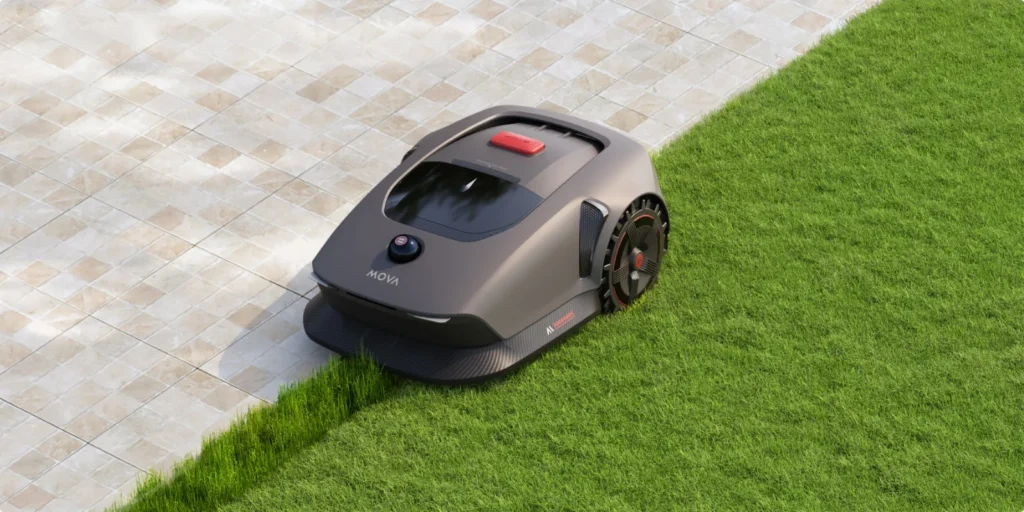
The typical frustration doesn’t start with mowing, but in the app: the map is set up, the zones are neatly marked—and suddenly the MOVA 600 reports an area limit or, after a station change, behaves as if the lawn were a bit off from the actual area. Reports like these keep showing up again and again in forums and user groups. That’s why you shouldn’t just buy the MOVA 600 and MOVA 1000 based on “600 m²” or “1000 m²,” but based on garden layout, buffer capacity, charging cycles, app stability, and the condition of the cutting technology.
First, the honest assessment: The MOVA 600 works well for smaller to medium-sized, fairly clearly structured gardens where the actual mowing area doesn’t constantly push up against the limit. The MOVA 1000 is the more sensible choice when the garden is larger, more intricate, wetter, uneven, or divided into multiple zones. If, on the other hand, you expect a cordless LiDAR mowing robot to effortlessly handle every open property boundary, every molehill, and every app error without any preparation, you should plan carefully.
MOVA 600 vs. MOVA 1000: The most important difference isn’t just the square meter count
On paper, the MOVA 600 and MOVA 1000 look closely related: both work without boundary wire, use LiDAR-based navigation, drive along systematic paths, and are set up via the app. In practice, the differences are more about buffer capacity, charging behavior, wheels, and stress at the edge of the operating range. That’s exactly where many purchase disappointments are decided.
| Model | Manufacturer area | Cutting width / cutting height | Navigation | Strengths | Weaknesses in practice | Practical assessment |
|---|---|---|---|---|---|---|
| MOVA 600 | up to 600 m² | approx. 20 cm / 20–60 mm | LiDAR / UltraView, without wire and without RTK antenna | affordable entry-level, quiet, systematic lanes, good app if stable | area limit, longer charging pauses, standard wheels, less reserve | Good for real 350–550 m²; for 600 m² only in a simple garden |
| MOVA 1000 | up to 1000 m² | approx. 20 cm / 20–60 mm | LiDAR / UltraView, without wire and without RTK antenna | more area capacity, faster charging, off-road wheels, better choice for zones | not unlimited either; app and mapping issues may still occur | Worth considering from about 550–800 m² of real area or for a more complex garden |
Many users compare the MOVA 600 and MOVA 1000 first by price. That’s understandable, but it’s also too short-sighted. A rectangular 580 m² lawn is something different than 580 m² with a narrow passage, two separate areas, play equipment, flower beds, a driveway edge, shaded zones, and a longer trip back home to the station. In such gardens, the robot doesn’t only spend time mowing, but also when turning, searching, navigating around obstacles, reversing, and charging.
From a workshop perspective, it’s also important: the more often a lawn mower robot drives and charges, the more noticeable dull blades, imbalance on the cutting disc, and grass clippings become. If the original cutting disc still works, but with regular use you want a quieter cutting pattern and more blade reserve, a custom 6-blade cutting disc for MOVA 600 and 1000 is a sensible option, because it doesn’t replace the existing mower robot, but specifically improves the cutting technique.
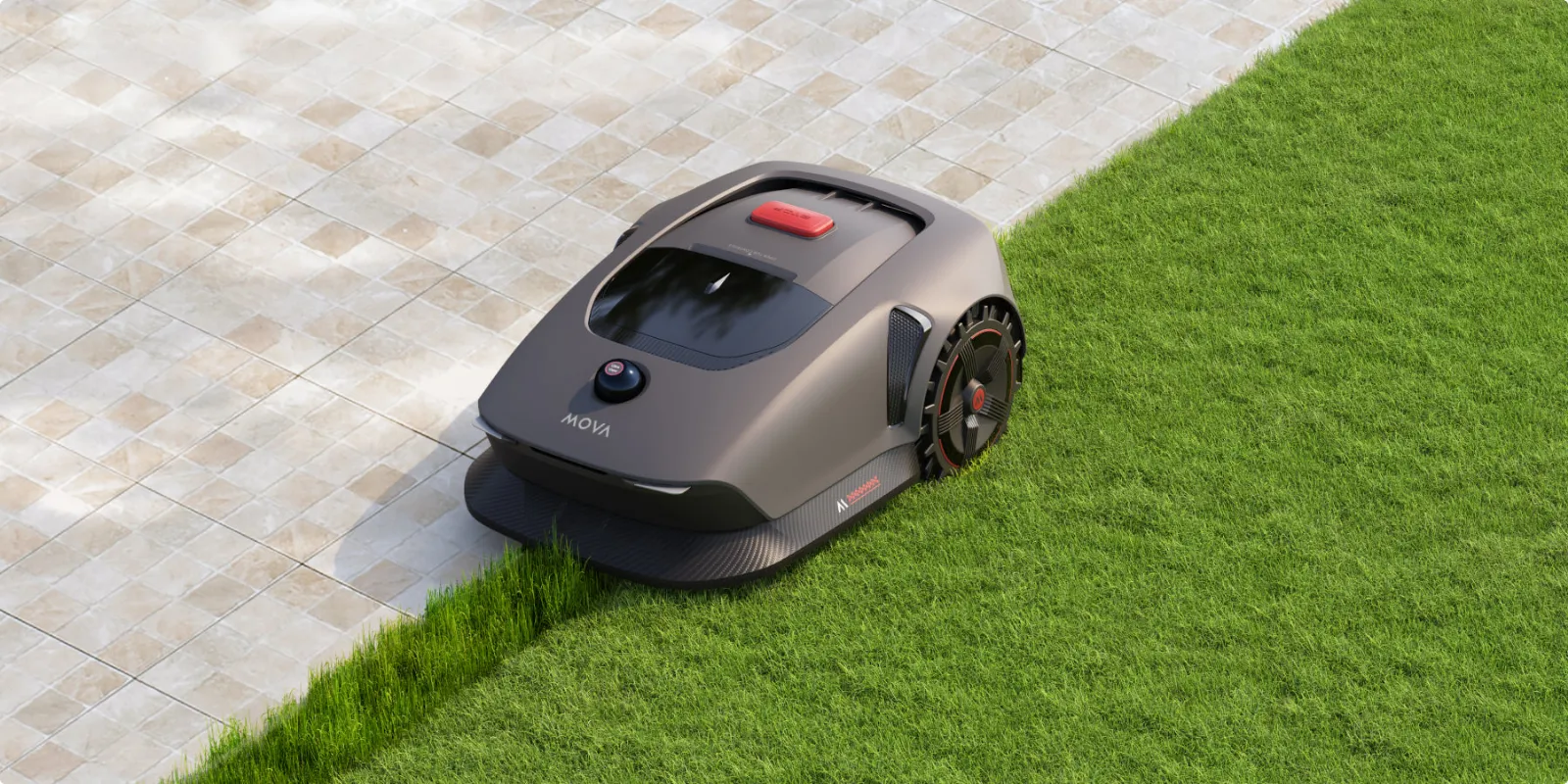
Remember this: Don’t buy the MOVA for the edge. If you have 600 m² of real, intricate space, the MOVA 1000 is usually the more relaxed choice compared to a MOVA 600 at its limit.
Is the MOVA 600 really enough for 600 m²—or can it handle more?
The short answer: For a real 600 m², the MOVA 600 can fit, but only with a simple garden, good paths, and low need for buffer. User reports most often discuss software and app limitations. Some users report that the MOVA 600 hard-limited the total area, even when multiple zones were set up. Others mention later firmware versions where the limit or daily performance seemed to work differently. That’s exactly why, before buying, you shouldn’t just look at the box—check the model name, market version, and firmware version.
The efficiency mode is often misunderstood. It can help process more area per day, but it doesn’t automatically mean: “I buy the smaller robot and mow permanently well above the model class.” Efficiency has limits. If the app doesn’t allow a total area, additional zones don’t necessarily help. If, on the other hand, the robot accepts the area, it may still run during charging pauses or resume tasks later if the time window is too tight.
For real-world use, we calculate conservatively:
- up to 400 m²: MOVA 600 is usually sufficient, as long as the area isn’t extremely convoluted.
- 400–550 m²: MOVA 600 is still a good idea, but keep blades, charging times, and zones closely in view.
- 550–700 m²: Check the MOVA 1000, especially with multiple sub-areas or many obstacles.
- 700–1000 m²: MOVA 1000 is the more sensible choice; still don’t blindly rely on maximum values.
- just over 1000 m²: don’t plan on “it’ll probably work”—check a larger model class or splitting the area.
What matters is the actual mowing area, not the property size. A terrace, house, flower beds, pool, gravel areas, and the driveway do not count as lawn. But narrow transitions, long reverse trips, and no-go zones cost time. This exact difference between manufacturer data and the real garden explains many disappointed comments.
Setup, app, and Wi-Fi: typical pitfalls during the first installation
With wireless mowing robots, the app is not an add-on—it’s part of the system. Many users report that the MOVA app is generally easy to use when it’s running. At the same time, there are specific reports of crashing mowing-robot plugins, issues during initial pairing, Wi-Fi firmware problems, and messages like “Robot has already been connected.” This isn’t a reason to dismiss MOVA altogether—but it is a reason not to do the setup on the fly.
Our recommendation for first-time commissioning: charge your smartphone, make sure there is a stable 2.4 GHz Wi-Fi network near the station, enable Bluetooth, update the app, and don’t send the robot right away to the most complicated corner of the garden. If the plugin crashes, first check whether many users are reporting similar problems on the same day. In cases of app or server issues, repeatedly resetting it ten times often helps less than an app update or a bit of patience.
Checklist for app and pairing problems
- Fully close the app and restart it.
- Check for app updates in the store.
- Clear the cache or reinstall the app.
- Enable Bluetooth and location permission.
- Check the Wi-Fi signal at the charging station—not just in the living room.
- Remove the robot from the account if it appears to be already connected.
- Before firmware updates, save screenshots of the map, zones, paths, and schedules.
Bluetooth is especially relevant during setup and for manual actions. Some users complain that a rescue from afar doesn’t always work the way you’d expect from a “smart” device. If the robot gets stuck, you may need to go there physically or get within Bluetooth range, depending on the situation. This is something to keep in mind if the charging station is located far from the house.
How does mapping work in practice with the MOVA 600 and MOVA 1000?
Mapping is the point where cordless lawn mowers can shine—or be frustrating. The MOVA 600 and MOVA 1000 do not require a boundary wire or an RTK antenna. That’s convenient, but it’s not a free pass. LiDAR detects the environment, but open boundaries, flat transitions, dark lawn edges, walls, glass surfaces, shadow areas, and changes in the station’s position can all affect the map.
In forums, among other things, reports are made about maps that have been shifted sideways: the robot wanted to drive onto the sidewalk instead of the lawn. In such cases, the question often comes up whether the base station was moved after mapping or whether the boundary was driven manually with insufficient care. Our advice: place the station for real, permanently, before the final mapping. Not “just put it somewhere first,” build the map, and then correct it later by 20 centimeters.
When doing manual mapping, you should walk calmly and evenly. Don’t constantly go backward, don’t make frantic corrections, and don’t stand too close to the robot. If strange lines appear when driving along the boundary, it’s better to stop and map again cleanly rather than later trying to fight a poor base map with No-Go zones and edge corrections.
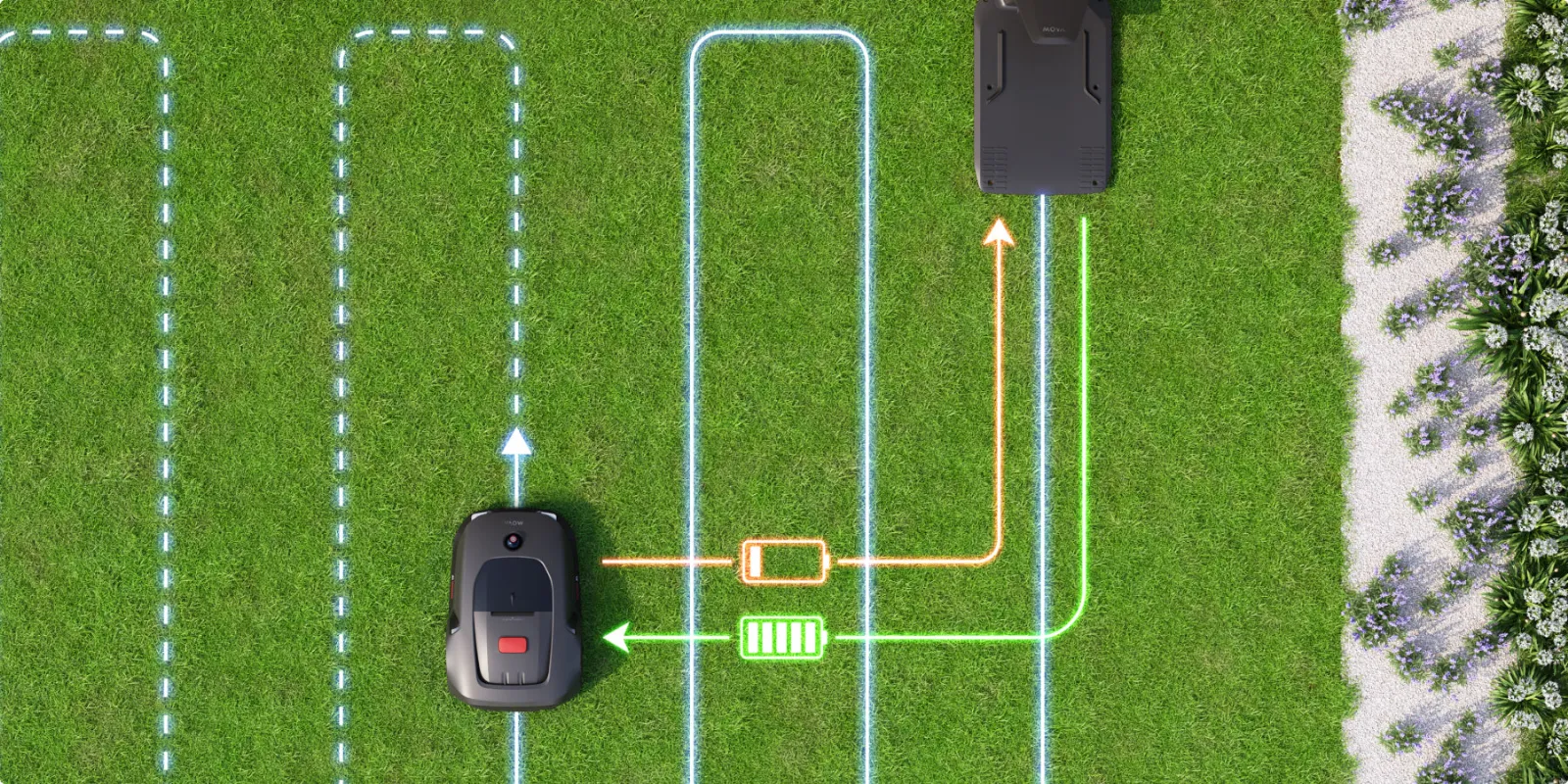
Remember this: With LiDAR lawn-mowing robots, the station is part of the map. If you move it after mapping, you risk misalignment, incorrect return trips home, and unnecessary remapping.
How well do MOVA 600 and MOVA 1000 really mow? Cut pattern, edges, and tall grass
In the cutting test, many users are pleasantly surprised: Straight tracks, quiet operation, and solid edge-cutting logic are frequently praised. Especially with the MOVA 1000, the edge-mowing performance with a side-working mowing deck is often described as strong. Still, a robotic mower remains a mulching device with small blades. It does not replace a one-time rough cut with a classic mower when the lawn in spring is already clearly too tall.
A practical issue: LiDAR and obstacle detection can initially interpret tall grass or individual tall weeds as obstacles. Users report that the MOVA then avoids them and later, possibly on other tracks, still cuts through. This is not necessarily a defect. It only shows that the first use on unmaintained lawn performs worse than continuous operation on regularly trimmed areas.
That’s why, with our CUT GUARD mower blade discs, we don’t just focus on the number of blades, but also on clearance, stability, and grass discharge. If, with the MOVA, material keeps collecting on the disc in damp, dense grass, it’s worth looking instead of constantly cleaning at an optimized 7-blade mower blade disc against grass blockages, because larger gaps and a more robust design can help exactly with this problem.
First spring cut: don’t stress the robot right away
If the lawn is tall, wet, or uneven, the MOVA should not have to do all the catch-up work. First bring it to a reasonable starting height, remove branches, smooth out molehills, and only then let the mowing robot run regularly. This reduces detours, clippings on the disc, and uneven stripes.
Uneven spots, molehills, mud, and slopes: Where the MOVA gets stuck
The MOVA 1000 has an advantage over the MOVA 600 thanks to its off-road wheels, but it is still not a tracked vehicle. User reports sound quite realistic here: not getting stuck permanently, but typical problem areas such as holes, soft ground, mud, gaps between the lawn and the driveway, molehills, roots, stones, or branches in the wheel spikes.
The best “hack” is boring but effective: smooth out problem areas. A 3 cm deep edge at the driveway can cause more trouble than a slight slope. A soft area in front of the station can ruin return trips. A hole that a wheel keeps dropping into won’t disappear with a firmware update.
Slopes shouldn’t be judged only by the percentage rating. What matters is whether the robot has to turn on the slope, whether the ground is wet, and whether there is an edge, a flower bed, or an open boundary on the slope. Especially for wireless models, you need clean reserves there, because even a small track offset on a slope becomes noticeable faster.
Rain, wet grass, and LiDAR: What happens in bad weather?
Rain logic is one of the points that users perceive inconsistently with MOVA. Some expect a classic rain sensor that stops immediately at the first drops. However, reports describe that the robot sometimes continued mowing even in heavy rain and only later returned due to wet LiDAR or disrupted detection. That’s why you shouldn’t think of rain behavior as a rigid matter of seconds.
Practically speaking: mowing on wet grass is possible, but rarely ideal. The cut becomes less clean, fine clippings stick more strongly to the mowing deck, the wheels get smeared on soft ground, and the sensors can be affected. If you have a dense, fast-growing lawn, it’s better to mow more often in dry weather rather than forcing long sessions when it’s wet.
Especially with damp grass, you can see how clean the blades work. Dull or clogged blades tear more, the motor has more resistance, and the deck collects more material. If you prioritize a very fine, even cutting pattern and run the MOVA regularly on well-maintained areas, you can check a precise 9-blade cutting disc for a finer cutting pattern, but you should still improve mowing conditions first when the grass is wet and long.
Remember: Rain is not just a sensor issue. Moisture affects the cutting pattern, grass buildup, traction, and LiDAR detection at the same time.
Troubleshooting: Charging, charging station, 90% battery, Bluetooth rescue, and no-go zones
If there are charging problems, you shouldn’t immediately suspect the battery. In German forums, there are threads about cases where the MOVA 600 does not charge irregularly or, according to the app, does not get beyond about 90%. This can be due to contacts, the charging station, moisture, the power supply, the app display, firmware, or a charging limit. Only after these points have been checked does it make sense to diagnose the battery.
What to do if the MOVA won’t charge?
- Unplug the station from power and reconnect it after a short wait.
- Remove the mower from the station and wipe the contacts dry and clean.
- Check the plug, power supply, and cable for moisture or a loose connection.
- Place the robot straight and fully into the station.
- Check the app display again after a few minutes.
- Check firmware and app updates.
- Only then should you contact support or address a battery issue.
No-go zones and open boundaries
No-go zones work only as well as the map, positioning, and safety distance. If users complain that rectangular restricted areas can’t rotate freely or that you have to manually redraw areas, that’s not a minor detail issue. Especially around ponds, flower beds, flat paths, and open boundary lines with neighbors, you should draw conservatively. It’s better to plan for 10–20 cm more distance than to have to correct it every weekend later.
With open property boundary lines, extra caution is needed. A boundary wire creates a physical logic, LiDAR works with environmental recognition and the map. If the lawn visually blends seamlessly into the neighbor’s area, the MOVA needs a clearly defined virtual boundary and, ideally, stable environmental features.
Frequently asked questions
When should I choose the MOVA 1000 instead of the MOVA 600?
Choose the MOVA 1000 from about 550–700 m² of actual mowing area, or as soon as multiple zones, longer routes, slopes, or many obstacles are added. The larger buffer significantly reduces charging and time pressure. The off-road wheels also speak in favor of the MOVA 1000 if the ground is not perfectly level.
What happens if the MOVA isn’t finished in a day?
After charging, the MOVA can generally continue working if the task, map, and schedule allow it. In practice, however, it depends on app settings, battery level, charging breaks, rain logic, and the available mowing time. For large areas, you should therefore check not only daily performance, but also time windows and zone planning.
Does the MOVA need Wi-Fi, or is Bluetooth enough?
For setup, updates, app functions, and convenient use, Wi-Fi is practically a must; Bluetooth alone is only sufficient for certain near-range actions. Especially in case of interference or manual control, you often need to be within range. That’s why you should check the Wi-Fi directly at the charging station, not just inside the house.
Does the MOVA keep mowing in the rain?
Yes, users report that the MOVA sometimes continues mowing despite rain and doesn’t always return immediately. The response can depend on rain or moisture detection and the LiDAR status. For a clean cut and cleanliness, it’s better to avoid wet mowing areas.
Can the MOVA handle molehills and holes?
MOVA often creates small bumps, but holes, loose mounds, and muddy spots should be smoothed out beforehand. Many driveability problems are not a model weakness, but recurring individual spots in the garden. By removing these areas, you improve navigation, the cutting pattern, and the return trip at the same time.
Conclusion: MOVA 600 or MOVA 1000?
The MOVA 600 is an interesting mowing robot for users who are looking for a wireless entry with LiDAR and whose actual lawn area is not permanently right at the model limit. It works well for manageable gardens, clear zones, and owners who are willing to set up mapping, the app, and the first problem areas properly. If you’re just over 600 m² or you’re relying on efficiency mode and firmware hope, you should check very carefully whether the app’s area logic matches your own property.
The MOVA 1000 is the more robust choice when buffer space matters more than the last difference in price. Faster charging, better wheels, and more area headroom make it easier to live with in many real gardens. Still, app stability, the station location, mapping, open boundaries, wet conditions, and blade condition remain decisive.
From a CUT-GUARD perspective, the rule is: a good mowing robot only cuts as well as its cutting technology. Clean blades, a stable cutting deck, and less grass buildup often make more of a difference in everyday use than another app gimmick. That’s why anyone already using the MOVA 600 or MOVA 1000 shouldn’t just maintain firmware and the map, but also check under the robot regularly—because that’s where you find out whether LiDAR navigation also results in a truly clean cutting pattern.
Tip: You will find all matching replacement blade discs and mowing plates for MOVA in our overview: Blade discs for MOVA.
Comments