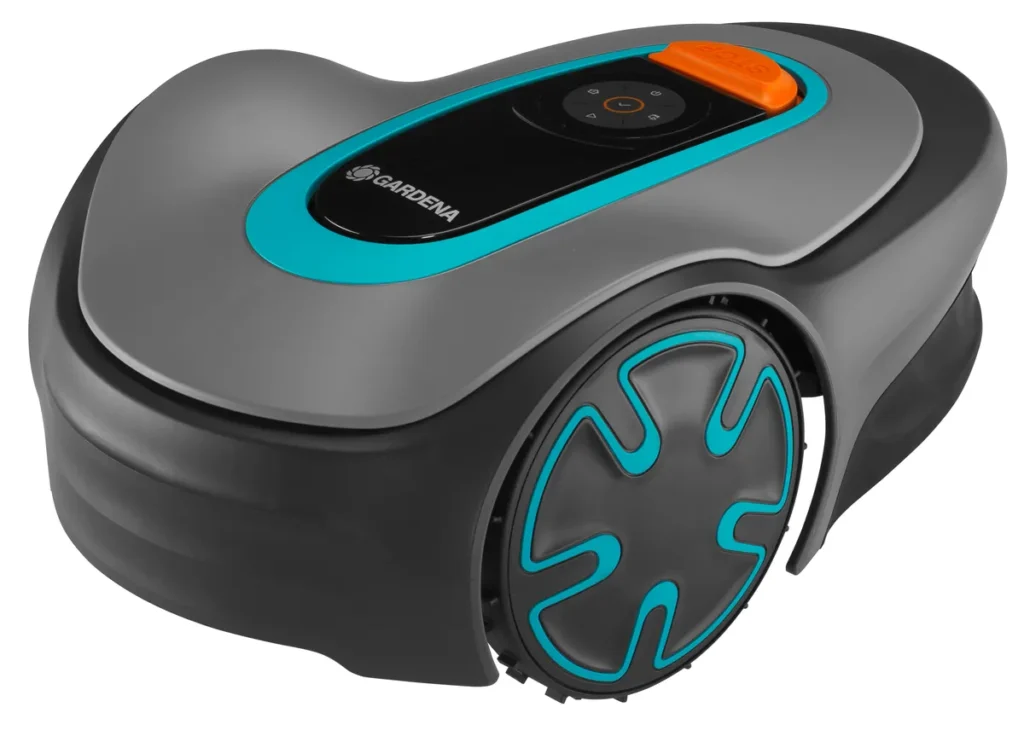
The mower is still in the charging station in the morning, even though the schedule is active. Or it drives out five centimeters, stops, reports “no loop signal,” doesn’t continue after repositioning, or docks at an angle and doesn’t charge. It’s exactly these little things that determine in everyday use whether a Gardena Sileno truly relieves you—or whether you regularly have to walk to the device with wet shoes.
Gardena is a well-known brand for robotic mowers, but Minimo, Life, and Sileno+ are not identical devices in three sizes. They are classic boundary-wire robots, so not wireless RTK, camera, or LiDAR mowers. That’s not automatically a disadvantage: A neatly laid boundary and guide wire system can run very reliably. The weak points are more likely to be cable breaks, docking, app integration, sensor errors, and the question of how well the robot gets back into operation on its own after a disruption.
Messerscheibe24 doesn’t sell robotic mowers, but accessories and spare parts around cutting: cutting discs, mowing discs, and replacement blades. Anyone who already uses Gardena or takes over a used one will find a useful overview early on in the comparison of suitable Gardena cutting discs and spare parts, because dull blades and worn Messerteller are often mistakenly perceived as a “bad mower.”
Gardena Sileno at a glance: What distinguishes Minimo, Life, and Sileno+?
The Sileno series is designed for different garden sizes: Minimo for small, simple areas, Life for medium-sized gardens, and Sileno+ for larger areas or older, larger installations. In practice, however, the square-meter figure alone isn’t enough. A rectangular 500 m² garden is much easier for a robotic mower than 250 m² with three narrow passages, a playhouse, a trampoline, a narrow side strip, and a charging station placed in an unfavorable location.
Many users report that, after good cable installation, the Sileno devices mow properly and provide an even cutting pattern. Complaints are less often about pure mowing performance, and more about app frustration, manual restarts, docking, loop signals, sensors, and problems after winter breaks. That’s exactly why we don’t evaluate here only “up to 500 m²” or “up to 1,000 m²”, but reliability in the real garden.
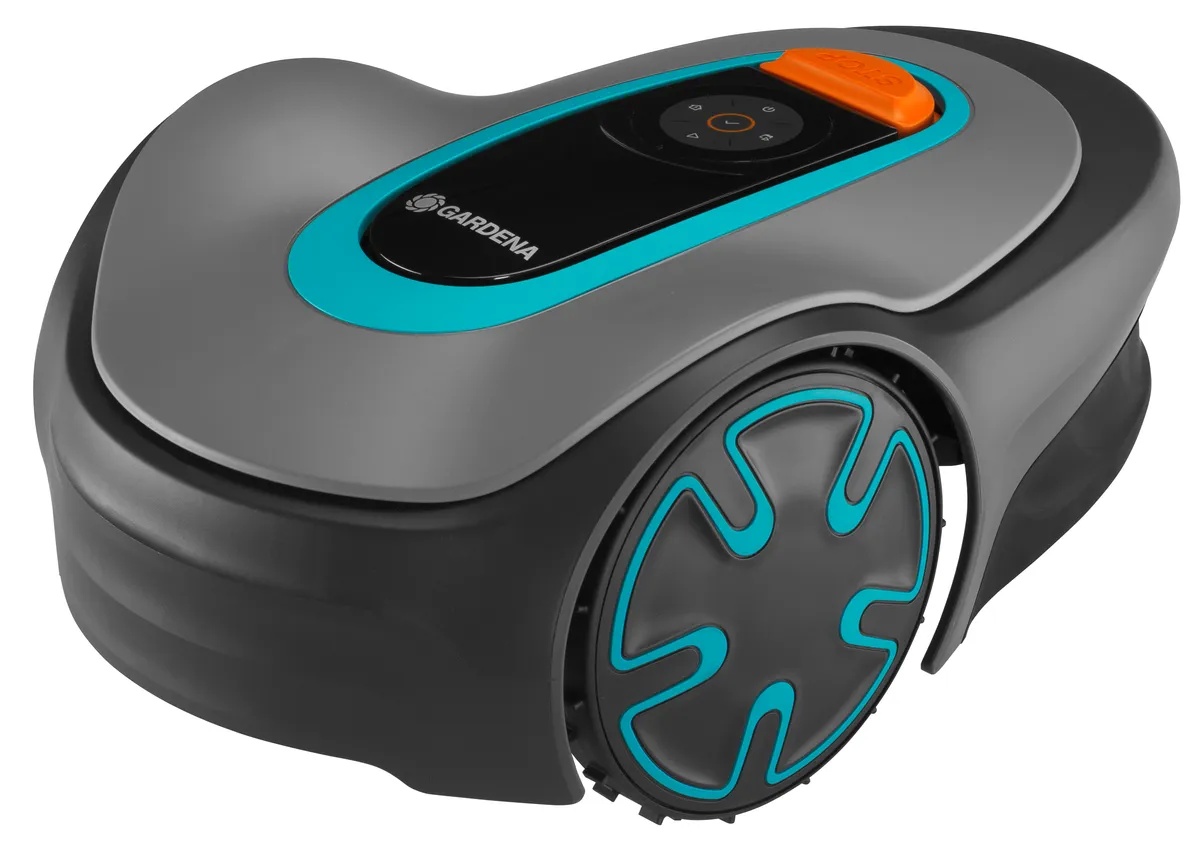
Sileno Minimo, Life and Sileno+: Which model is intended for which garden?
The Sileno Minimo fits best for small, well-organized gardens with only a few narrow passages. It is lightweight, compact, and appealing to users who want an easy entry. If the garden consists of a main area that can be approached directly by the charging station and the guide wire is laid neatly, the Minimo can run reliably for multiple seasons. Users praise exactly this combination: once installed cleanly, problem areas are addressed, and then the lawn is mowed regularly and stays fresh.
Be careful with the Minimo if side areas need to be approached manually, if narrow corridors must be hit regularly, or if the station is positioned tightly between a wall, a garage, and a flower bed. In forums, people often complain that after stops, repositioning, or errors, confirmation must be made directly on the device. It may look minor in the brochure, but it’s annoying when the mower doesn’t continue on its own on Monday morning.
The Sileno Life is the most balanced lineup in comparison. It is designed for medium-sized areas and somewhat more complex gardens, offers more reserves depending on the variant, and is perceived in user reports less often as “too small for the garden.” Still, it remains a cable robot with random navigation: the guide wire, loop signal, and station position influence reliability more than a single manufacturer specification.
The Sileno+ is the older, larger platform. It can still be a sensible choice for existing installations, especially if the cable, station, and spare parts are already available. However, when buying used, you should take a closer look: update history, app connectivity, docking behavior, the condition of the charging contacts, and the overall service condition are more important here than a nice m² figure in the listing.
| Model series | Garden in practice | Typical strengths | Typical weaknesses | Our assessment |
|---|---|---|---|---|
| Sileno Minimo | Small, simple gardens with a station that’s easy to reach | Compact, affordable entry-level, usable with clean cabling | Limited app/Bluetooth, manual restarts, narrow passages, docking | Good for simple areas; critical for secondary areas |
| Sileno Life | Medium-sized gardens, including some complexity | Well-balanced, more reserves, sensible main choice | Smart app, gateway, loop signal, ECO mode | Compared to the others, the most reliable choice with good installation |
| Sileno+ | Larger or existing older installations | Designed for larger areas; often still in use | Updates, app integration, docking, condition due to aging | More for continued operation or a checked pre-owned purchase |
Practical rule of thumb: Don’t buy based on the maximum square meter rating. A Sileno with some reserve is more reliable if the garden has narrow passages, zones, long return trips, or short mowing windows.
Who really mows in everyday life without any intervention?
For pure mowing reliability, the Sileno Life is the most balanced option. It has more reserves than the Minimo and is usable in the mid-range variants more modernly, without immediately sliding into the typical old-device issues of the Sileno+. The requirement remains: the boundary wire and guide wire must be planned carefully, the station needs enough space, and the app and/or smart integration must run reliably.
With the Minimo, reports are increasingly coming in about situations where the robot does not continue working on its own. Users describe that errors cannot always be acknowledged comfortably via the app, and after carrying it to another zone, stopping, starting, or getting it to hook directly onto the device is needed. This is not a cutting problem, but an operating problem: the lawn does not stop not because the blades are poor, but because the mower is waiting for confirmation after an incident.
With the Sileno+, the risk is more strongly tied to the age of the platform. In forums, reports appear about failed updates, blocked devices, app issues, and docking problems. That doesn’t mean every Sileno+ is problematic. But if you buy a used device today, you shouldn’t just ask whether it can handle “up to 1,300 m²,” but whether it can reliably start, charge, dock, process updates, and still be integrated cleanly into the app.
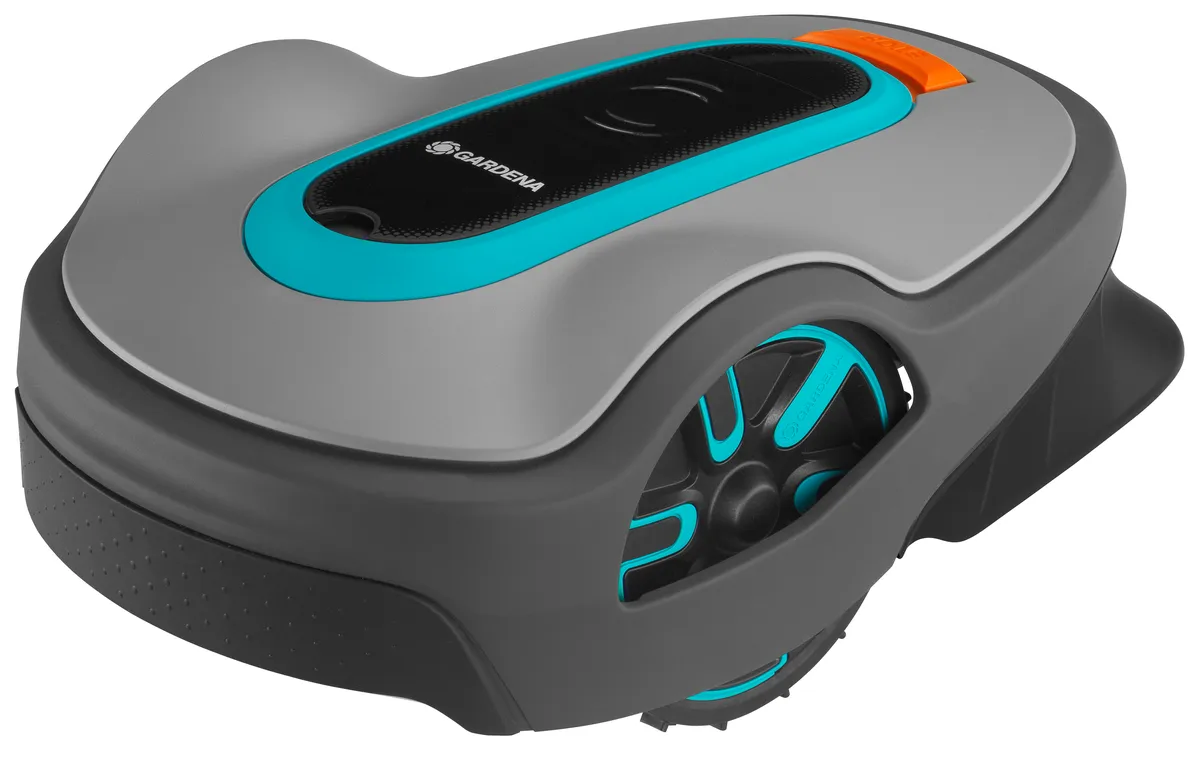
Sileno Minimo: reliable in small gardens – but not maintenance-free
The Minimo is a good choice when the garden is small, flat, and logically laid out. One main area, few obstacles, no complicated secondary areas, and a charging station that can be approached straight on: in such an environment, the small Gardena can reliably do its job. Many users report that after the initial cable work, a consistently neat cutting pattern is created.
The weaknesses start in situations where the mower would need to “think,” but can only react to a limited extent: narrow passages, manual repositioning, stopping due to an obstacle, a lost station, blocked charging. With the Minimo, it is especially often criticized that the user has to walk to the machine. Bluetooth is practical for setup, but it does not replace full remote maintenance over longer distances.
When changing the blade, the Minimo is straightforward, but it’s still worth taking a look underneath the device. If blades are heavily soiled, the mowing disc collects grass, or the cut turns gray and ragged, it shouldn’t be just the battery that’s blamed. In our CUT-GUARD tests, one thing keeps showing up again and again: sharp blades and a mowing disc that runs cleanly reduce running resistance and improve the cut quality. If you want more cutting reserve, you can check the 9-blade cutting disc compatible with the Sileno Minimo for the Minimo—especially if the original mowing disc is frequently soiled or the cut quality doesn’t look clean even with new blades.
If you’d like to go deeper into typical Minimo issues such as app behavior, docking, sensors, and manual restarts, our practical check of the Gardena Sileno Minimo complements this comparison with specific error diagnosis from a workshop and user perspective.
Sileno Life: the best choice for medium-sized gardens?
Yes, in direct comparison, the Sileno Life is the best choice for many medium-sized gardens—especially when the installation is done properly. It has more reserves than the Minimo, fits better for multiple garden areas, and is less dependent on perfect “set it up and forget it” simplicity. The reserve helps particularly with short mowing windows, taller grass after rainy phases, longer return trips to the station, and zones that aren’t always reached right away.
The weaknesses don’t just lie in the device, but in the system. Users report problems with the smart app, products not being found, gateway failures, and confusion with LONA or smart variants. One practical point from the reports: if the wrong device variant is selected in the app, the integration can fail. That’s why you should always check the type label, model name, smart/Bluetooth variant, gateway status, and firmware before performing a reset.
Even with the Sileno Life, the cutting unit determines everyday performance. Dull blades lead to frayed blades of grass, more runtime, and heavier contamination underneath the mowing disc. That’s why, with our CUT-GUARD cutting discs, we focus on clean blade seating, a stable screw connection, and enough clearance to prevent grass clogging. If you run the Life for longer and mow more often under damp conditions, you can consider a suitable 9-blade cutting disc for the Sileno Life as a sensible maintenance option.
For Life and Sileno+ owners who want to do more than just buy—namely to understand and classify errors—our practical guide to Sileno Life and Sileno+ is also worthwhile, because it brings app, update, cable, and maintenance topics together in a model-specific way.
Practical rule of thumb: The Sileno Life isn’t more reliable because it sounds “smarter,” but because it offers more reserve for medium-sized gardens. Without a clean guide wire and a stable app integration, it gives up that advantage.
Sileno+: older large series with careful inspection before purchase
The Sileno+ is especially interesting for users who already have an existing installation or who want to take over a used device. On paper, the larger area specifications look attractive. In practice, however, you need to check the condition of the entire system: charging station, power supply unit, cables, contacts, battery, software version, update capability, app connection, and blade mounting.
In user reports and forums, update and docking issues come up unusually often with the Sileno+. A failed update can practically block a device. A mower that doesn’t drive into the station properly charges unreliably and then fails to follow the schedule. That’s why, especially with older devices, a test run is more important than any seller’s claim.
If you buy a Sileno+ used, check four things on site: starting from the station, returning via the guide wires, proper docking with the charging contact, and the error log and/or app connection. Only then does it make sense to look at blades, mowing disc and accessories. A good blade plate can’t save an old device if the battery or control system is unstable—but it can help a technically healthy Sileno+ cut significantly more cleanly.
Why does the Gardena app not find my Sileno?
For many Sileno users, the app is both a convenience feature and a source of problems. With the Minimo, it often comes down to Bluetooth range and limited remote control. With the Smart Sileno Life and Sileno+, there are additional factors such as the gateway, account, product variant, server status, and firmware. Users report that the app can’t find the product even though the robot is standing right next to it.
Before trying wild reset attempts, you should check in a structured way: Is it a Bluetooth, smart, or LONA model? Was exactly this variant selected in the app? Is the gateway online? Did a power outage throw the gateway off track? Is the mower already registered to another account? Especially with used Sileno+, an old pairing can cause more trouble than a technical defect.
Important for reliability: an app message does not automatically replace an app solution. Many users want to confirm errors remotely, but in fact, for certain stops you must confirm directly on the device. If you want to use the robot for a holiday home, a property that is difficult to access, or separate garden areas, you should take this point seriously before purchasing.
Boundary wire, guide wire, and loop signal: the most common cause of failures
“No loop signal” is one of the classics with Gardena Sileno. This can be a cable break, a defective connector, a problem at the charging station, an issue with the power supply, or an ECO mode situation after the winter break. Especially after frost, ground work, or the first spring use, these errors become more frequent.
The boundary wire defines the area, the guide wire helps with returning home and corridors. If the guide wire is laid poorly, the mower may theoretically find the station, but in practice it finds it too late, too rarely, or not at all. With the Minimo, users report that the mower does not find the station despite the guide wire. With the Life, signal data and ECO mode are more often the issue. With the Sileno+, the age of the installation also plays a role.
A good cable installation isn’t recognized by the fact that the mower starts up once. It’s recognized by the fact that after rain, after a week of growth, after bumping into an obstacle, and after returning from the farthest corner, it docks cleanly again. In complex gardens, the guide wire should not be laid as a leftover piece, but as the main thoroughfare.
Short cable checklist from practice
- Check the boundary wire for breaks, corrosion, and loose connectors.
- Lay the guide wire so that the mower can reliably find its way to the station from side areas.
- Don’t place the station in too tight a corner; allow for a straight driveway.
- After the winter break, check ECO mode, the power supply unit, the station, and the loop signal.
- For frost damage that recurs every year, re-lay cable sections and route them in a protected way.
Practical rule of thumb: A Sileno is only as reliable as its loop. Planning the cable 30 minutes longer saves many trips to the stationary mower later.
Why won’t my Sileno charge or find the charging station?
Docking problems are particularly frustrating in user reports because the robot seems to work, but misses the next schedule. Typical scenarios: The Minimo drives at an angle onto the station, doesn’t charge, and reports a blocked station. Another device leaves the station by only a few centimeters and stops. For the Sileno+, it’s reported that the robot no longer docks cleanly.
The cause is not always the battery. First, check the mechanical docking: Is the station level? Does the mower have enough space to align properly? Is a garage installed that makes maneuvering difficult? Are the charging contacts clean? Does the guide wire arrive centered and without tension? A mower that docks only slightly off-angle can appear to work unnoticed for weeks and then suddenly not charge regularly.
If the mower only drives out of the station briefly and then shuts off, it becomes more technical: battery, power supply, charging contacts, station electronics, or moisture could be involved. For newer devices, warranty and/or service is more sensible than tinkering. For older Sileno+ models, it’s worth doing a sober cost calculation: the battery, the station, and service can quickly wipe out the used advantage.
Sensor errors, lift errors, and collisions: What users really find annoying
Sensor errors are particularly unpleasant because they’re harder to pinpoint than a visible cable break. Users report persistent errors on the front collision sensor with the Minimo, even though it has been cleaned and obstacles removed. With the Sileno Life and related Sileno models, lift errors or start interruptions can occur even though the mower appears to be sitting level.
The first step is always mechanical: switch the device off, clean the underside, check the wheels and housing for smooth movement, clear the blade area of grass residues, and make sure the bumper moves freely. For lift errors, it’s worth looking at uneven ground at the station or at typical turning points. A mower that briefly bumps while maneuvering can report an error even though no sensor is “broken.”
If a sensor error remains after cleaning, restarting, and changing the location, you shouldn’t keep trying endlessly. In that case, service is more likely than user error. Important: Before sending it in, document photos, the error message, the time, app status, and the work you last performed. This saves follow-up questions.
Narrow passages, edges, and side areas: Where random navigation reaches its limits
Minimo, Life, and Sileno+ don’t work like modern map-based robots with systematic routes. They mow randomly within the boundary set by the cables. This can work very well when the area is open and the mower has enough time. In narrow passages, however, the same strategy can feel impatient: the mower doesn’t enter the corridor often enough, revisits areas multiple times, or takes a long time until every corner has been reached.
Many users also underestimate the edge areas. A Sileno, due to its design, can’t cut directly right up to every wall because the blade position, housing, and overlap distance set limits. As a result, there’s often a strip left along walls, raised beds, and fences. If you expect zero rework, you’ll be disappointed. If you plan the edge finish with a mowing edge, you’ll be much happier.
Side areas are another sticking point. If the mower has to be carried there, the question isn’t only: “Does it mow there?” but also: “Does it start automatically again afterward? Do I have to confirm something on the device? What happens to the schedule?” Especially with the Minimo, users report that moving it and continuing operation require more manual handling than they expected.
Buying recommendation by garden type: Minimo vs. Life vs. Sileno+
Sileno Minimo: Buy it for small, simple gardens with a station that’s easy to reach, few narrow passages, and realistic expectations for occasional intervention. It makes sense if you can reach the mower quickly and you don’t expect a complex multi-zone solution. Check blades and mowing discs regularly, because a small mower loses efficiency faster when the cut is dull.
Sileno Life: Choose the Life if your garden is medium-sized, has side areas, or you want more buffer. In this comparison, it’s the best choice for most users, as long as the cables, boundary wire, and smart app are set up properly. The buffer helps not only with area coverage, but also with short mowing windows, wetter phases, and longer return trips.
Sileno+: Take the Sileno+ especially if you want to keep an existing system running or buy a well-tested used device. Before purchasing, docking, update capability, app, battery, and station must work. Without a test run, the Sileno+ is a risk, even if the large area specification sounds tempting.
Frequently asked questions
Which Gardena Sileno is the most reliable in this comparison?
The Sileno Life is the most reliable choice for most gardens in this comparison. It offers more buffer than the Minimo and seems less dependent on perfect simplicity, but it does require a clean cable and app installation.
Do I need to reset errors on the Sileno Minimo directly on the device?
For many stops, users have to confirm directly on the Minimo after reports from experience. The Bluetooth app helps with setup and operation, but it doesn’t replace going to the mower in every error situation.
Why does my Gardena Sileno show “no cutting signal”?
Most often, it’s due to a broken cable, connector problem, station, power supply, or ECO mode after the winter break. First check the station and power supply, then the boundary wire, guide wire, and all connectors.
How often should I change the blades on the Gardena Sileno?
In practice, the blades should be checked every 4 to 8 weeks and replaced immediately if the cut pattern becomes frayed. Sand, stubs, damp grass clippings, and frequent contact with edges significantly shorten service life.
Is a used Sileno+ still worth it?
A used Sileno+ is only worth it after a complete test run. Start, return trip, docking, charging, app connection, and update status must all work—otherwise the cheaper purchase quickly becomes expensive.
Conclusion: The most reliable Sileno is the one that fits your garden
The Sileno Minimo isn’t a bad mower, but it needs simple conditions and an owner who accepts occasional manual intervention. The Sileno Life is the most balanced choice if the garden is medium-sized or somewhat more complex and the installation is planned carefully. The Sileno+ remains interesting for existing installations, but should be critically checked if bought used.
From a workshop perspective, we keep seeing this: Many supposed robotic mower problems are system problems. Cables, guide wire, station, app, sensors, battery, and blade condition all interact. Anyone who keeps these points in good order and regularly checks the blades and cutting disc gets significantly more reliable mowing time out of a Gardena Sileno.
Comments