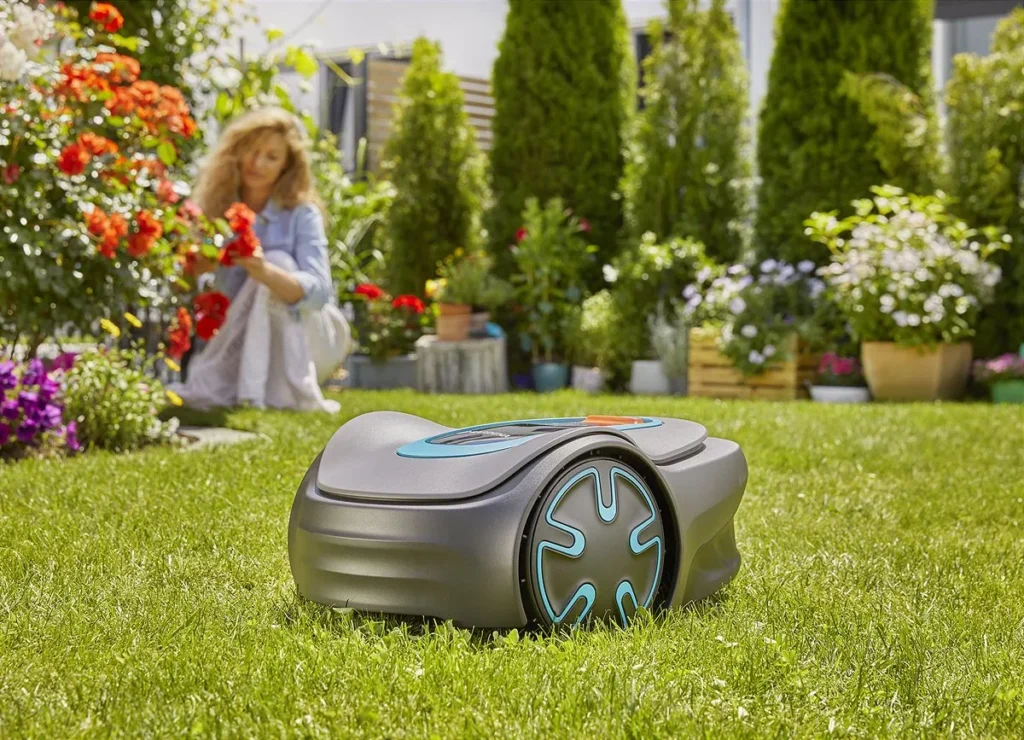
The Gardena Sileno Minimo sits right in the middle of the area, the charging station lights up green—and yet the mower robot seems like it’s dead. No Bluetooth connection, no response to buttons, sometimes only a white blinking power LED. This exact contradiction keeps showing up in user reports and is especially frustrating for owners: The station signals “everything is fine,” but the mower itself does nothing anymore.
In principle, the Sileno Minimo is a small, boundary-wire guided mower robot for manageable gardens. When installation, battery, loop signal, and the app work together properly, it can quietly do its job in small areas. But if you have complex, narrow passages, wet ground, multiple zones, or long periods of downtime in winter, you should know the typical weak points before you start looking for the fault in the blade or the wrong cutting height.
Gardena Sileno Minimo in the user check: Who is the small mower robot suitable for?
The Gardena Sileno Minimo is not an RTK, camera, or LiDAR mower, but a classic mower robot with a boundary wire and a guide/search wire. That’s important: it doesn’t navigate freely via GPS, but through the wired system that has been laid. Many problems therefore don’t come from “poor navigation,” but from installation, signal, the charging station, the cable routing, or an unfavorable garden layout.
Officially, the Minimo is intended mainly for small areas. Typical variants are up to 250 m² and up to 500 m²; depending on the market and model year, user reports also mention names like 400 or 450. That’s why you should always check the exact model designation on the nameplate before buying replacement parts, a battery, choosing an app, or updating firmware.
| Model / Variant | Area | Cutting system | Navigation | Strengths in practice | Weaknesses in practice |
|---|---|---|---|---|---|
| Sileno Minimo 250 | up to approx. 250 m² | 16 cm cutting width, cutter disc with 3 blades | boundary wire, guide wire, Bluetooth app | small, simple gardens, short mowing windows, little space required | sensitive with a weak battery, faulty charging, poor cable installation |
| Sileno Minimo 500 | up to approx. 500 m² | 20 to 45 mm cutting height, 3 freely oscillating blades | boundary wire, guide wire, Bluetooth app | small to medium lawn areas, narrow passages with clean wire routing | in complex layouts, slopes, multiple side areas, and long return paths, it reaches its limit faster |
From a workshop perspective, the Minimo isn’t a bad mower, but a device with little tolerance for errors. A simple rectangular garden with a clear route to the charging station is something different than a garden with narrow sections, roots, edging stones, slopes, and multiple separated lawn areas. Especially with small mowing robots, installation matters more for everyday use than the pure square-meter specification.
With the cutting system, the Minimo comes standard with a small blade disc with three blades. For well-maintained areas that are mowed frequently, this is often enough. However, if you want a bit more buffer for damp grass, denser growth, or an uneven cutting pattern, you can take a look after troubleshooting at a CUT GUARD blade disc with 6 blades, because more cutting points can distribute the stem cut more evenly.
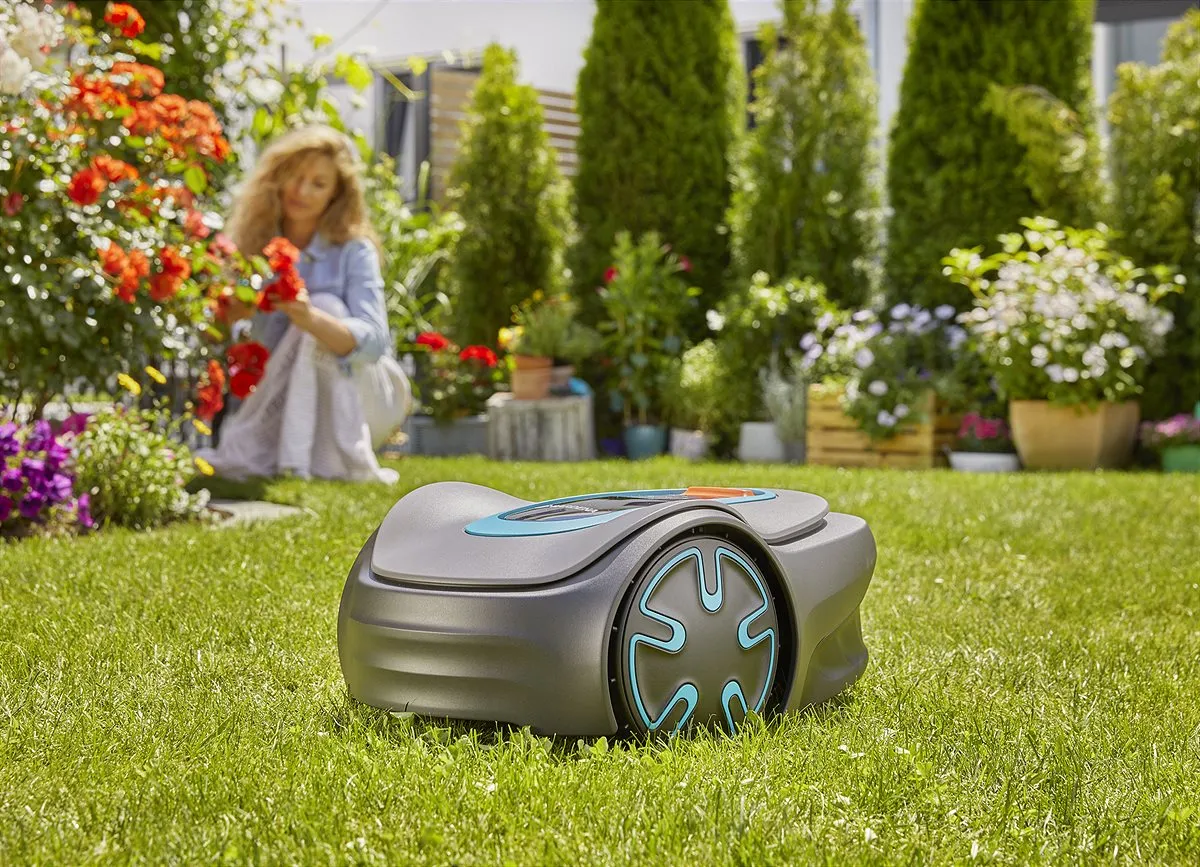
Why won’t my Gardena Sileno Minimo start anymore, even though the charging station is showing green?
If the Sileno Minimo doesn’t start even though the charging station is showing green, you should first check the station, contacts, battery, and electronics—not the blades. Many users report exactly this issue: the mower ran perfectly before, then suddenly stops or doesn’t wake up after winter, while the station continues to display a seemingly reassuring signal.
The green LED on the charging station does not automatically mean in practice that the mower itself is charging correctly or is ready for operation. It may indicate that the station basically has power or a loop signal. Whether the battery is being charged properly, whether the contact tabs are truly making contact, whether the small connector between the station components is seated correctly, or whether the electronics in the mower are responding—this is not proven by the LED alone.
Checklist for a “dead” Sileno Minimo
- Remove the mower from the station: Check the housing, underside, and wheels for blockages.
- Clean the charging contacts: Make the contacts on the mower and on the station dry and clean down to the metal.
- Check the power supply: Try a different wall outlet, and inspect the power supply cable and the low-voltage cable for kinks or moisture.
- Check the station connector: Especially the very small plug connections on the dock can be overlooked.
- Don’t blindly trust the battery indicator: A reported battery level of 60 or 70% helps little if the device is stuck internally.
- Test Bluetooth only later: If the mower doesn’t boot up properly, missing pairing is only a symptom.
In reviews and forums, the question of a “real reset” comes up frequently. Pressing and holding the button doesn’t help in every case. If the mower doesn’t respond to any input, can’t be found via Bluetooth, and even a firmware tool can’t access it, the suspicion is more likely to be with the battery, charging electronics, mainboard, or a software hang than with an incorrect app setting.
Rule of thumb from real life: A green station LED is not a free pass. Only when the mower is charging, starting, pairing, and the loop signal is detected is the system truly working properly.
Charging problems and battery dropouts: What users really report
Charging problems with the Gardena Sileno Minimo usually show up in three ways: the mower doesn’t charge at all, the battery level seems implausible, or the device won’t start again after a longer winter break. Users also report cases where the contacts were cleaned and even the batteries were replaced, but the problem persisted.
This is where you need to separate things properly: a defective battery is possible, but not automatically the cause. If a new or seemingly intact battery doesn’t charge, the charging station, power supply unit, contact springs, plug connections, charging electronics, or damage from moisture may also be to blame. Especially after winter storage, it’s worth taking a clear-eyed look at corrosion, verdigris, tarnished contacts, and signs of moisture in the area of the charging contacts.
Many owners store the robotic mower indoors, but leave the station, cable, and power supply unit outside—or only partially put everything back. After winter, you shouldn’t therefore only check the mower itself, but the entire chain: wall outlet, power supply unit, low-voltage cable, charging station, connection terminals, boundary wire, guide wire—and only then the battery.
When does it point more to the battery, and when more to the electronics?
- Battery suspicion: The mower is several years old, runs only briefly anymore, shuts down under load, or no longer reaches its normal runtime.
- Charging suspicion: The station lights up, but the mower does not accept any charge or does not show a stable charging status.
- Electronics suspicion: The mower does not respond, flashes white, does not connect, and is not found even via software.
- Moisture suspicion: Errors occur after rainy periods, winter storage, or cleaning, and contacts or screw areas appear damaged.
When cleaning the underside, you should also not be overly aggressive. The Minimo is designed for cleaning with water, but “hold it with pressure into every opening” is not a good service idea. In our tests on cutting systems, we repeatedly see: damp clumps of grass around the blade disc and blade mounting area more often cause imbalance, noises, and a poorer cut—however, it does not explain a completely dead mower.
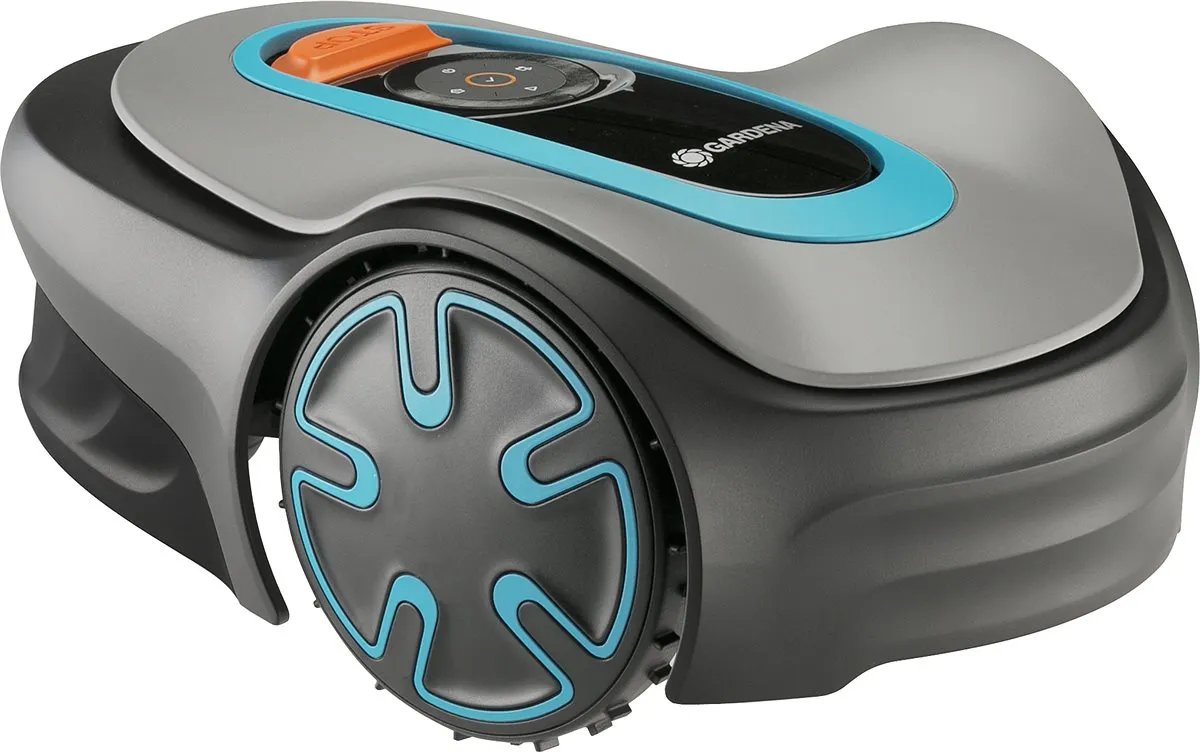
Why doesn’t the Gardena app find the Sileno Minimo?
If the Gardena app can’t find the Sileno Minimo, it’s often due to the wrong app, the wrong model variant, a missing pairing mode, or a mower that hasn’t been properly powered up. Several users report that they searched for a long time until they selected the correct device variant in the app.
With the Sileno, you need to clearly distinguish between Bluetooth, Smart, and LONA variants. The Minimo with Bluetooth is operated in the near range via the Gardena Bluetooth app. Smart models work differently and, depending on the system, require a gateway. LONA belongs to other Gardena Sileno configurations and must not be blindly transferred to every Minimo.
Common pitfalls are:
- Bluetooth on the smartphone is active, but the app has no location or device permission.
- The mower is still paired with an old smartphone.
- After a repair or electronic component replacement, it must be paired again.
- The app has selected a similar but incorrect Sileno variant.
- The mower is too far away; Bluetooth is intended only for short distances.
- The mower isn’t really switched on, but is stuck in an error state.
Important: App problems and mowing problems are not the same. If the robot mows, charges, and returns home properly, but the app is acting up, it’s a pairing or permission issue. If it neither starts nor charges, even the best app selection won’t help. Then go back to the order: power supply, charging station, battery, firmware—only then the app.
Practical takeaway: First, the mower must be electrically working properly; then app diagnostics are worth it. Bluetooth problems are often a symptom, not the cause.
What to do if there’s “no loop signal” or if the Minimo drives over the boundary wire?
If there’s “no loop signal,” you should first check the boundary wire, connection terminals, charging station, and guide wire. In the robot forum, several Minimo cases come up involving missing loop signal, the charging tower, and boundary detection. Reports are especially critical where the mower drives over the boundary wire or crashes at sensitive spots.
A boundary-wire mower is only as reliable as its cable system. Too-tight corners, poorly placed hooks, damp connectors, damaged insulation, chewed-up sections, or incorrectly routed guide wires may only show up after weeks. The mower then doesn’t “act dumb,” but receives a signal that no longer matches the real garden edge properly.
Practical check of the cable system
- Check the LED on the station: Interpret the color and blinking pattern according to the manual—not just “it’s on somehow.”
- Re-seat the cable at the station: Oxidized or loose connection terminals cause many seemingly mysterious errors.
- Check connectors: Straight repair points and branches are typical weak spots.
- Check narrow sections: In tight passages, the distance from wire to wire matters—not the visual width of the lawn.
- Make edges and crash-prone areas safer: Route the wire more conservatively near ponds, walls, slopes, and stairs.
When the Minimo drives over the boundary wire, you shouldn’t immediately think about sensor or blade replacement. First, check whether the cable is too close to an edge at this point, whether the overrun distance has been changed in the app, whether the ground is sloped or slippery, and whether the device slips sideways when turning. Wet ground, bare patches, roots, or a hard lawn edge are traction problems—not blade problems.
For mowing in problem areas, the rule is: only once the mower reliably stays within the area does it make sense to optimize the cutting system. If you want to use more cutting points around edges and in frequently driven passages without unnecessarily filling up the disc, an open 7-blade mower disc offers a practical middle solution between a standard setup and the maximum number of blades.
Sensor errors on the Sileno Minimo: collision sensor, lift sensor, steep-slope sensor
Sensor errors on the Gardena Sileno Minimo should first be checked mechanically: the housing moves freely, the wheels are clean, the underside isn’t clogged, and no branches or clumps of grass are jammed. Users report, among other things, errors with the front collision sensor, lift/lifting issues, and questions about the tilt or steep-slope sensor.
The front collision sensor is hard for users to grasp because you don’t always immediately see which microswitch or which housing movement triggers the fault. If cleaning and obstacle detection don’t help, the fault could be caused by a jammed cover, a damaged sensor, a cable issue, or electronics. Here, it helps to carefully check the housing for even play without bending any components.
The lift sensor is a safety component. If the mower constantly reports that it is “lifted,” even though it is standing normally on the ground, jammed wheels, uneven terrain, stuck housing parts, or sensor errors could be the cause. Bypassing the sensor is not a serious solution, because the blades must stop when the mower is lifted.
The same applies to the steep-slope sensor. Many users want the mower to drive “a bit more boldly.” But if the Minimo breaks down on an incline, it’s about safety, traction, and device design. The mower is not intended to force it to handle steeper areas by switching off safety sensors. Better options include a changed wire layout, shallower approach angles, softened turning points, or the honest decision that this corner simply doesn’t suit the device.
When are the blades and blade disc really to blame for a poor cutting pattern?
With the Sileno Minimo, blades and the blade disc are suspicious when the mower generally drives, charges, detects the area, and doesn’t throw any sensor errors—but the cutting pattern is frayed, uneven, or loud. Dull blades tear stems more often than they cut them cleanly. You can often see this in bright, frayed tips of the grass.
In our CUT GUARD tests, we don’t just check mower blades for “fit with the mount,” but also for clearance, dirt behavior, and blade position. Especially with the Minimo, the space underneath the device is limited. A blade disc must not be too closed, otherwise damp grass clippings collect faster. But it also must not be so delicate that it runs unevenly when small foreign objects are present.
For dense small gardens with frequent mowing, a higher number of blades can make sense if the mower is technically in good condition and the user wants a finer cutting pattern. If you want to get the maximum out of the small cutting area, you should consider the blade disc with 9 blades especially when mowing is done regularly and there are no thick branches, cones, or coarse foreign objects on the area.
What remains important is the sequence: A mower that doesn’t charge, doesn’t recognize the loop signal, or drives over the boundary wire cannot be fixed with new blades. Blades improve the cut, not the power supply, app pairing, or cable detection.
Practical takeaway: Blades are responsible for the cutting pattern. Starting problems, white LED, charging errors, and loop signal issues should be diagnosed first in terms of electrical and installation checks.
Reset, firmware, and sending it in: What to do when nothing helps anymore?
If the Sileno Minimo neither responds to buttons nor is reachable via Bluetooth, you shouldn’t keep starting endless new pairing attempts. Then you need a clear escalation: simple checks, documented error, contact with support, and if necessary, sending it in.
How to prepare a service case sensibly
- Write down the model name and the item number from the type label.
- Have the purchase date, serial number, and firmware version ready, if possible.
- Describe the symptoms of the problem precisely: „Power LED flashes white“, „no button response“, „does not charge“, „no Bluetooth“.
- Take photos of the charging station, contacts, LED display, and cable connections.
- Note what has already been checked: contacts, power supply unit, wall outlet, battery, app, cables.
Many users complain that the diagnosis after a repair does not always seem transparent. That’s frustrating, but for the owner it remains important to describe the fault in a way that can be reproduced. „Doesn’t work“ helps less than „stopped in the middle of mowing after two months, battery indicator was 70% beforehand, then no Bluetooth connection, Power LED flashes white“.
Firmware updates can help with app and control issues, but only if the mower is still reachable. If the device can’t be found by the tool, it’s no longer a normal convenience problem. Then you shouldn’t experiment with the cutting system or the boundary wire, but instead take the service route.
Conclusion from real user reports: Buy or choose a different model instead?
The Gardena Sileno Minimo is a good fit for small, rather simple gardens, if you’re looking for a compact cable robot with Bluetooth control and don’t expect free app remote control over long distances. Its strengths are small areas, short routes, and neatly laid boundary and guide wires.
Buyers should be careful if the garden has many zones, narrow passages, steep slopes, drop-off points, wet problem areas, or long reverse trips back to the charging station. In such gardens, the square-meter figure on the box is likely overly optimistic. In these cases, you either need a very precise installation, more buffer capacity, or a different lawn mower robot concept.
User issues show a clear pattern: Start-up failures, a white power LED, charging problems, app pairing issues, loop signal problems, and sensor errors are especially common causes of frustration. These aren’t minor issues, but they can be narrowed down systematically. If you check the power supply, station, cable, battery, and app first, you can avoid many unnecessary replacement-part purchases.
When it comes to accessories, it’s worth looking only once the basics are working. A suitable blade disc and sharp replacement blades can improve cutting performance, change how the mower handles dirt, and make everyday maintenance easier. However, they do not replace a correctly functioning charging station, a clean loop signal, or an intact battery.
Frequently asked questions
What does a white blinking power LED mean on the Gardena Sileno Minimo?
A white blinking power LED together with no response to button presses and no Bluetooth access points more to a system, battery, or electronics fault than to a blade problem. First check the charging contacts, power supply unit, station, and battery; if the mower is still not reachable, a service case is likely.
Why doesn’t the Sileno Minimo charge even though the station is green?
The green station LED does not necessarily mean that the mower is charging correctly. Check the contacts on the mower, the contact springs on the station, the low-voltage cable, plug connections, and the power supply before replacing the battery.
Which app is right for the Gardena Sileno Minimo?
For the standard Sileno Minimo with Bluetooth, the Gardena Bluetooth app is intended for use within close range. Smart, Gateway, and LONA variants must be considered separately; in the app, always select exactly the model variant that is listed on the type label.
What to do if the Minimo reports “no loop signal”?
First, check the boundary wire, guide wire, connection terminals, connectors, and the charging station. In particular, repair points, damp terminals, and damaged cable insulation often cause signal errors.
Can you disable the slope sensor on the Sileno Minimo?
No, disabling or bypassing safety sensors is not a recommended solution. Instead, adjust the wire routing, start angle, or mowing area if the mower regularly stops on slopes.
Tip: You will find all matching replacement blade discs and mowing plates for Gardena in our overview: Blade discs for Gardena.
Comments