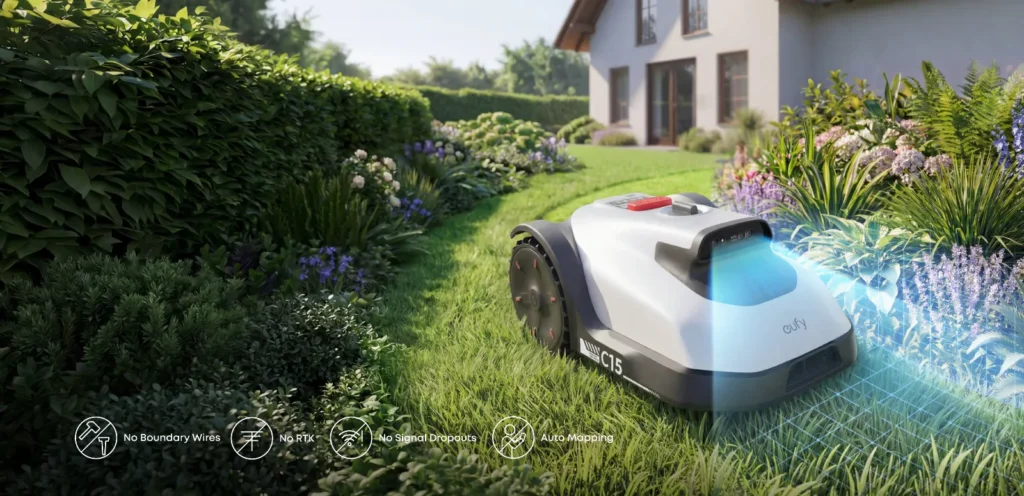
The garden is hardly 100 square meters, the charging station is supposed to fit into a narrow niche, and a strip of space remains along the wall—yet the lawn mower robot should still work without boundary wire, without an RTK antenna, and without a DIY project. This is exactly where the Eufy C15 comes up in many buying considerations. It looks like the simple solution for small townhouse gardens. Only: because the C15 is still a young model, there are currently far more questions than reliable long-term experiences.
From a workshop perspective, this is an important point. With new robotic mowers, you rarely see the real weaknesses in the datasheet; you only notice them after a few weeks: mapping, edges, returning to the station, blade condition, damp corners, narrow passages, and app settings. This guide therefore clearly separates manufacturer information, straightforward real-world practice, and the problems that users already report from the C15 environment and the Eufy E15 family.
Eufy C15 at a glance: Who is the small Vision mower intended for?
The Eufy C15 is aimed primarily at owners of small to medium-sized lawns who don’t want to lay boundary wire and don’t want to place an RTK antenna in the garden. That’s the main reason the model is of interest in forums and buying advice in the first place: little space, a simple area, and the fastest possible start.
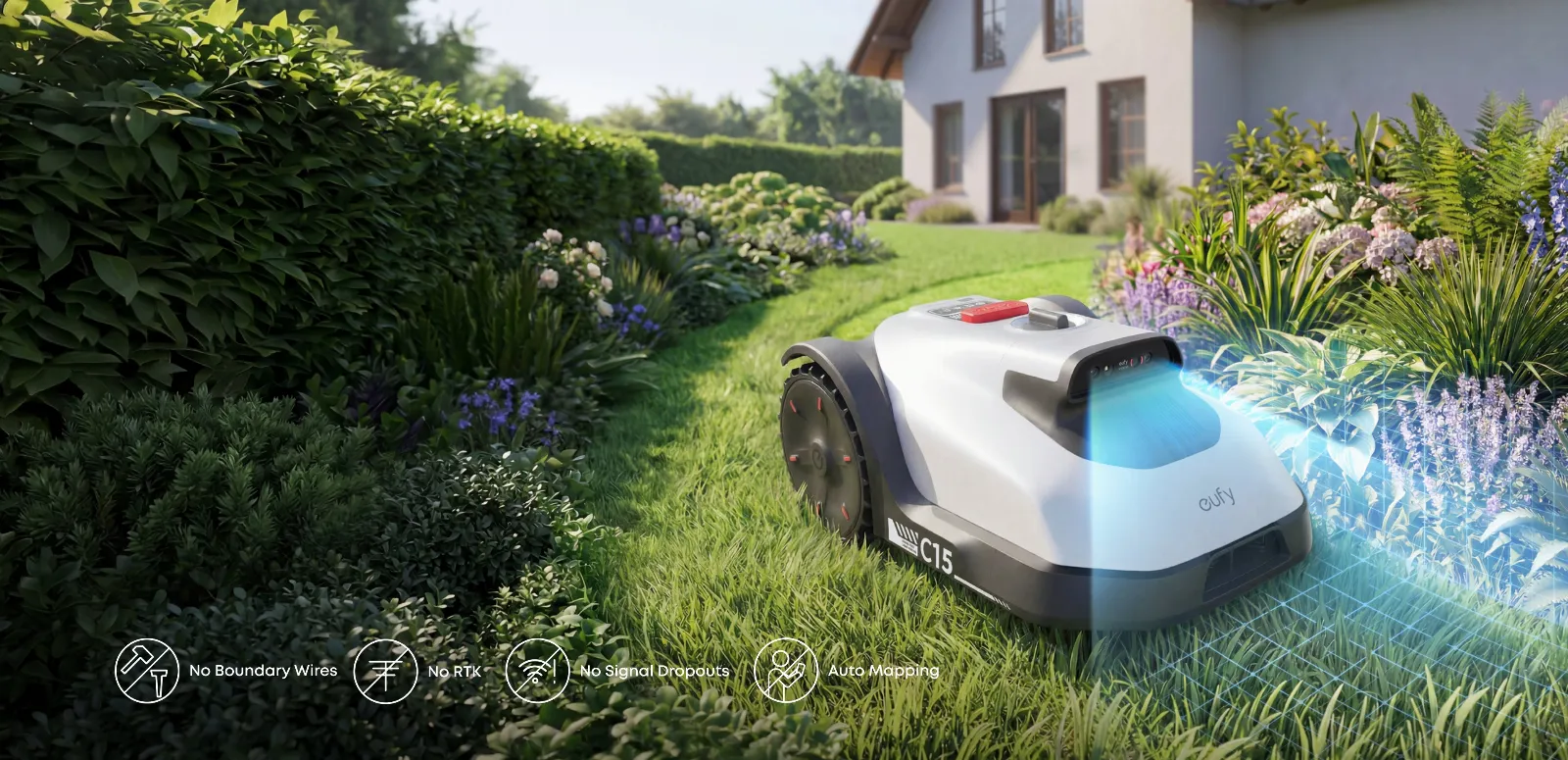
The C15 works as a vision mower. It therefore navigates based on cameras and is designed to visually recognize lawn areas, boundaries, and obstacles. This is especially useful when the area is clearly structured: a lawn edge to paving, a neatly separated flower bed, a distinct transition to the terrace, and no wild mixed zones. It becomes more difficult with yellow patches of grass, bare areas, shallow bed edges, changing shadows, leaves, or very irregular transitions.
Many users consider the C15 a possible entry-level mower for small gardens. At the same time, the question often comes up whether, at a similar offer price, you shouldn’t go straight for the E15 instead. This isn’t a theoretical question: if the garden seems small today but has multiple zones, many edges, a long return trip, or short permitted mowing windows, a larger model can be more relaxed in practice.
Key details in practice
| Model | Typical area according to classification | Cutting width / cutting height | Navigation | Strengths | Weaknesses in practice | Practical assessment |
|---|---|---|---|---|---|---|
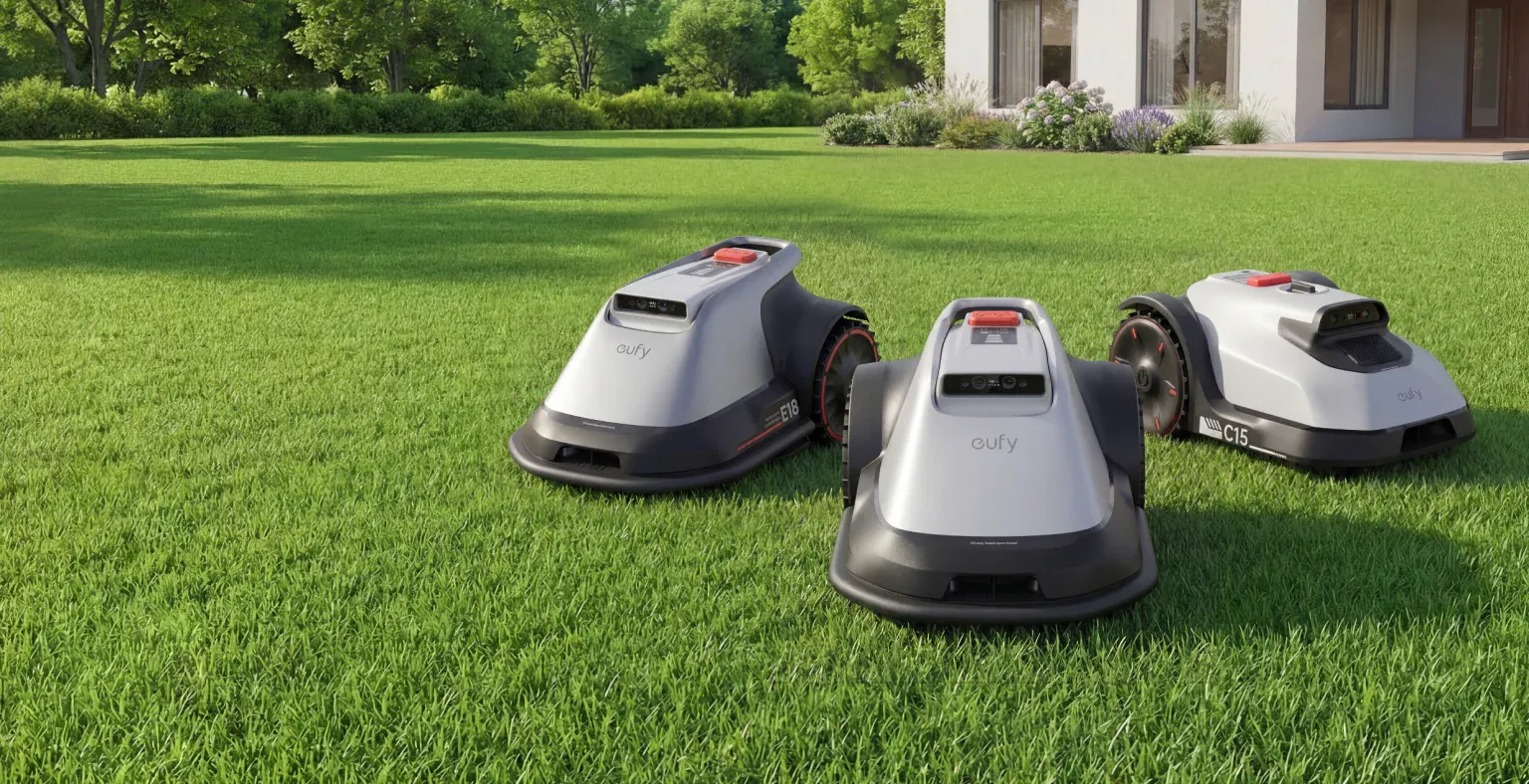
| Eufy C15 | smaller gardens, roughly 200–500 m² | 180 mm / approx. 20–60 mm | TrueVision, camera-based | compact, wireless, no RTK antenna needed | limited long-term experience, vision-dependent on clear boundaries | good for simple areas; be careful with narrow, winding gardens |
| Eufy E15 | medium-sized home gardens, roughly 500–800 m² | 203 mm / depending on the version, comparable range | TrueVision, camera-based | more capacity, wider mowing deck | individual reports of battery/continuation and mowing deck issues | worth considering if the price difference to the C15 is small |
| Eufy E18 | larger gardens, roughly 800–1200 m² | 203 mm / depending on the version, comparable range | TrueVision, camera-based | more area capacity | often unnecessarily large and expensive for small gardens | only makes sense if the area and zones truly require it |
Key takeaway: The C15 is not a “smaller E15 for every garden,” but above all a candidate for clear, small, and well-visible lawn areas.
C15 vs. E15: When is the smaller C15 worth it—and when isn’t it?
The C15 is especially worth it when the garden is truly small, clear, and without long travel distances. A rectangular lawn behind the house, a well-recognizable terrace, few obstacles, and a station with a clean, easy approach—this concept makes sense for that. Then you can do without boundary wire, RTK setup, and a larger device that would be barely utilized on the area.
The decision gets more difficult if the E15 is on offer close to the C15 price. In reviews and forums, exactly this price-to-performance doubt comes up: Why buy the smaller model when the bigger sibling is sometimes only slightly more expensive? Practically speaking, the larger area reserve is not only relevant for square meters. It also helps with short mowing windows, multiple zones, taller grass after rain breaks, and longer return trips to the charging station.
Still, the C15 can be the better choice if space is the main problem. In small gardens, large devices get in the way faster: they need more turning room, feel more cumbersome in narrow passages, and may require more maneuvering when the station corners are tight. If you only want to maintain 80 to 150 m², a larger model often comes with capacity that you’ll never need.
From the perspective of replacement parts and blade practice, choosing the model is only half the job. A small robotic mower often runs more frequently in the same tight areas, turns more often, and pushes more clippings under the mowing deck. If the cut pattern becomes frayed after a few weeks, you shouldn’t suspect the navigation first, but rather check the blades, screws, and the pivoting clearance. If you want more cutting area per round with the C15, you can consider a C15 cutting disc with five blades for the right version, if the original cut pattern remains too uneven even with fresh blades.
Does the Eufy C15 really work reliably without a boundary wire?
Yes, the C15 can work without a boundary wire—but “reliable” with vision mowers doesn’t mean “set it up once and ignore everything.” The camera has to be able to recognize boundaries. That sounds trivial, but in everyday use it’s the difference between clean mapping and constant corrections.
In sales consultations, vision-only is often seen as a good solution for small, clearly defined areas. At the same time, there are doubts for gardens with mixed flowerbeds, loose lawn edges, or areas that are visually hard to distinguish from the lawn. A wire tells the robot very clearly: Up to here and no further. A camera has to interpret. This interpretation can be disrupted by shadows, leaves, dry patches, bare soil, or low edge stones.
That’s why with the C15, app features such as No-Go Zones, virtual boundaries, Must-Mow areas, and edge optimizations come into play more strongly. This isn’t a disadvantage as long as you’re willing to do some reworking after the initial mapping. If, on the other hand, you expect the mower to automatically understand an unclear area perfectly, you’ll likely be disappointed.
The correct diagnostic order is important here: first check the station, WLAN/Bluetooth, app version, and firmware; then mapping, boundaries, paths, and zones; only after that should you talk about traction, edges, and blades. Many apparent cutting issues don’t actually come from the blade, but because the robot either doesn’t approach certain corners at all or only does so cautiously.
Remember this: Vision saves wire work, but it doesn’t replace properly set boundaries. The more unclear the garden looks, the more app reworking you should plan for.
How much space does the charging station need for the Eufy C15?
In small gardens, the first problem is not the number of square meters, but the parking space. In forums, users ask specifically whether a station will fit into a very narrow niche—such as between a wall, a flower bed, and the edge of a terrace. Such questions are justified, because a robotic mower needs not only space to park, but also a smooth, quiet approach and enough room to correct its path.
A narrow niche can work if the robot can drive in and out straight, the camera does not look directly at a dark wall, and there is sufficient open space in front of the station. Critical factors include hard 90-degree departures directly after docking, high edges next to the station, loose ground, and strongly changing shadows. If the C15 has to maneuver first before it can recognize the area properly, unnecessary sources of error are created.
In practice, you should not choose the station only based on where it visually bothers the least. Better is a spot with stable ground, a good app connection, a clear view of the first lawn area, and no bottleneck directly in front of the robot’s nose. Especially vision mowers benefit from a “boring” start area: flat, bright, unambiguous, and repeatable.
Edge cutting in practice: Where rework is likely to remain
The most important statement about edge cutting is this: even a good robotic mower does not replace the trimmer everywhere. With the C15, this is especially true near walls, raised beds, curb stones with height offsets, and irregular flower bed edges. Many users ask about this because small gardens often have many fixed borders. The smaller the area, the more noticeable every strip left behind becomes.
A robotic lawnmower cannot, by design, cut directly up to a wall with its blade plate. There is a gap between the housing, wheelbase, safety distance, and the blade position. Vision navigation cannot simply make this gap disappear. It can only help you approach the edge more cleanly and refine areas afterward, provided the app functions are set correctly.
If the C15 skips corners or edge areas, you shouldn’t immediately think of a defect. More common causes include grass that is too tall at the edge, leaves, visually unclear transitions, overly cautious mapping, or edge options that haven’t been activated. Only when the mower approaches the edge but the cutting pattern there is still gray, ragged, or uneven does the blade inspection become interesting.
With our CUT-GUARD cutting discs, we pay close attention to free blade pivoting, a clean screw seating, and sufficient clearance, because especially wet, short clippings otherwise remain stuck under the disc. If you often need to touch up edge strips with the C15 and at the same time want a denser cutting pattern, you should only use a suitable 6-blade cutting disc for the Eufy C15 if the model, bore, screws, and free movement clearly match.
Multiple zones, gates, paving paths, and separate areas
Multiple zones are one of the most common real-world use cases for wireless robotic lawnmowers. The questions always sound similar: Can the robot drive from the back garden to the front yard? Is it allowed to cross paving stones? What about a gate? Can I carry it over steps and have it mow there?
With the C15, you should distinguish between driveable connecting paths and truly separate areas. A flat, sufficiently wide paved path can work as a path if the robot recognizes it cleanly and the app allows it. A gate is only practical if it reliably stays open during the mowing schedule and the passage does not become a trap. Steps, high thresholds, and narrow passages, on the other hand, are not a normal driving connection.
When it comes to manually relocated areas, you need to stay realistic. Many users want to simply carry the robot to a second zone. Depending on the app features and mode, this may be possible, but it is less convenient than a garden that can be driven through continuously. There’s also the question: How does the robot get back to the charging station? If it has to be carried, you lose part of the advantage of automation.
For the purchase decision, this means: A C15 for a simple main area makes more sense than a C15 that is supposed to solve three separate mini-areas, a gate, a step, and a narrow paved corridor. Additional zones do not automatically bypass area limits, battery limits, or navigation problems.
Remember: Multi-zone setups work best when the robot can drive itself. As soon as carrying, gates, or steps are needed, automation quickly turns into manual work.
Battery, recharging, and resuming: What buyers should look out for
With the C15, there are currently few reliable long-term experiences regarding battery performance. Still, it’s worth looking at Eufy E15 reports, because individual users there describe specific problems: One device stopped during mowing after about an hour instead of returning to the charging station, charging, and then continuing. After a replacement device, this exact behavior apparently worked correctly.
This doesn’t mean the C15 has to have the same problem. But it shows which checks are useful after purchase. Don’t just let the mower mow a small test area—observe a complete job with a low battery level: Does it return in time? Does it dock properly? Does it charge? And does it resume later at the correct location?
If the C15 stops too early, the order again becomes crucial. First check the app, firmware, charge status, station position, contacts, and schedule. Then look at mapping and zone length. Only if these points fit and the error remains reproducible should you consider contacting support or requesting a replacement.
Known Eufy mower risks: Remapping, defects, and support
A young model always brings a source problem: There are still few real long-term experiences. With the C15, you can currently see many buying guides, price comparisons, and questions, but hardly any reliable series of problems. That’s neither good nor bad—it just means buyers should take a closer look during the first season.
From the E15 environment, individual cases of defects have been reported that you should know about. This includes a case where the mower, despite a high setting, cut too deep, scalped the lawn, overheated, and wore out the blades quickly. The cause was described as a faulty adjustable mowing deck; after replacement, the replacement unit performed significantly better.
Another topic is remapping. When a device is replaced, it can happen that the map is not simply transferred and the garden has to be mapped again. This is especially annoying when there are difficult areas: holes in the lawn, narrow passages, low obstacles, or areas where the robot gets stuck during mapping.
Our advice: After setup, take screenshots of zones, no-go areas, paths, and important settings. Also note the firmware version and any unusual observations. This helps if support, replacement, or reinstallation is needed.
Check the cutting image, blades, and cutting disc on the Eufy C15
A frayed or gray cutting image is often blamed on navigation too quickly. In the workshop, however, we regularly see that the real cause is much more often: dull blades, blades that are stuck, incorrect screws, or grass under the blade plate. This applies to the C15 just as it does to other mowing robots.
First, check whether each blade can swivel freely. A blade that is blocked by dirt does not cut cleanly; instead, it tears. Then check screws, the bore, the plate seating, and the clearance to the housing. Replacement parts must match the model exactly; “fits for Eufy” is not enough. What matters are the nameplate, the original blade shape, the screw diameter, the blade swivel space, and free movement.
On small, dense areas, a modified blade plate can improve the cutting pattern if the fit is correct and the robot isn’t already skipping areas due to mapping problems. If you want, with the C15, more blade surface area and finer cutting distribution on purpose, then an upgraded cutting disc with seven blades is especially interesting if you mow regularly and the blades can run freely.
Frequently Asked Questions
Is the Eufy C15 a good idea if the E15 is similarly priced on sale?
Yes, the C15 makes sense if the garden is small, narrow, and easy to keep track of; with a similar price and a larger or more complex area, the E15 is often the more sensible choice. The additional capacity helps not only with square meters, but also with zones, reverse trips, and short mowing windows.
Does the C15 work reliably without a boundary wire?
Yes, on clearly defined areas, the C15 can work reliably without a boundary wire. However, with unclear boundary edges, yellow grass, bare patches, leaves, or tricky transitions, you have to expect app corrections, Must-Mow zones, or No-Go areas.
How well does the Eufy C15 mow along walls and lawn edges?
Due to its design, a strip along the edge remains at walls, which the C15 also cannot fully avoid. App features for edges and corners can help, but they don’t replace occasional trimmer cutting at fixed obstacles.
What happens if the battery runs out while mowing?
The robot should drive to the station in good time, charge, and then continue the job. After purchase, you should consciously test this exact sequence once, because in the Eufy E15 environment there are individual cases known in which a device initially did not complete the task correctly.
Do you need to remap after a device change?
Yes, you should expect that, even if it can seem different depending on the app version. That’s why it’s worth documenting zones, paths, no-go areas, and settings with screenshots.
Conclusion: The Eufy C15 is exciting, but not a blind buy
The Eufy C15 fits best in small, clear gardens with well-visible boundaries, a sensible station position, and few special cases. If you have exactly such an area, you get a wireless concept without boundary wire and without an RTK setup. That’s the big appeal of the model.
Be cautious with multiple separate areas, narrow nooks, unclear lawn edges, many shadow areas, and high expectations for the edge-cutting result. In those cases, it’s not the datasheet that decides, but the setup: station, app, mapping, paths, no-go zones, firmware—and only then the blades and cutting disc.
Our workshop verdict: The C15 isn’t a marketing miracle, but an interesting small Vision mower for the right garden. Anyone who buys it should understand the first week as a setup phase, check the cutting pattern regularly, and when it comes to replacement parts, be uncompromising about true fit.
Tip: You will find all matching replacement blade discs and mowing plates for EUFY in our overview: Blade discs for EUFY.
Comments