With Segway Navimow models such as the i105E, i108E, i110, i210, or i215, the same questions keep coming up in forums: How often do you really need to replace the small replacement blades? Is cleaning enough? Should they be sharpened? And do 60 replacement blades fit properly with a CUT GUARD cutting disc? From a workshop perspective, the answer is rarely a simple “yes” or “no.” What matters are fit, free movement, the screws, mowing conditions, and the actual cutting pattern in the garden.
1. Which Segway Navimow models do the 60 replacement blades fit?
The most important rule before buying: Don’t just search for “Navimow,” but check the model, blade shape, and mowing disc. Many Navimow models use small, pivoting replacement blades. Still, details can change depending on the series, market version, cutting disc, or accessory configuration. If you’re unsure about a device, look at the type label, the app model name, the user manual, and the cutting disc that is actually installed.
The 60 replacement blades are intended for regular maintenance: If you replace all three blades at the same time, you effectively get 20 complete blade-change sets from the 60 pieces. This is especially useful if the mower runs frequently, works on damp lawn, or if your garden has many narrow passages, edge mowing, and turning and maneuvering. That’s exactly where blades get dirty and wear out faster than on a dry, rectangular area.
| Navimow model / series | Practical assessment of fit | What you should pay attention to |
|---|---|---|
| Navimow i105E / i108E | Typical target models for small replacement blades | Check the bore, screw head, free pivoting movement, and blade length |
| Navimow i110E / i110N | Often compatible if the same blade mount is used | Compare EU/US version, cutting height range, and mowing disc |
| Navimow i210 / i215, i2 AWD / LiDAR | Only use if the set explicitly covers your model | For newer series, check the type label and app model name in particular |
| Navimow H series | Depending on year of manufacture and blade mount, possible—but don’t assume blindly | Place the original blade as a reference alongside it and compare the hole pattern |
| Navimow X series | Only if compatibility is explicitly stated | X models may use different cutting discs or accessory configurations |
| CUT GUARD cutting discs for Navimow | Suitable if the bore, screw, and pivoting space match the disc | The blade must not bind anywhere, grind, or sit permanently rigid |
With our CUT GUARD cutting discs, we pay special attention to the blade’s swing clearance. A suitable replacement blade is not just “about the same length.” It must be able to swing cleanly on the screw, must not rub against the disc when starting up, and must reliably fold outward during operation. If you want to stock up on blades for a Navimow right away, you’ll find a solution with the 60 mm set for Navimow and CUT GUARD—provided that the model and blade mounting have been matched beforehand.
Workshop reminder: A Navimow blade is only a good fit when it can swing freely once mounted—not just when the screw hole somehow lines up.
2. How do you know that Navimow blades are dull?
Many users don’t notice it first through an error message, but through the lawn appearance. The mower runs, but the blades of grass look frayed at the top. Some describe a gray haze over the lawn, others see individual blades standing still, or notice that the grass is more often pushed over than cut cleanly.
Typical signs of dull or blocked blades are:
- frayed, light or gray blade tips after mowing,
- uneven cutting surfaces despite the correct mowing height,
- more grass left lying or blades that have been pushed over,
- significantly more rework on small islands and transitions,
- blades that do not swing loosely back and forth after switching off.
Important: Not every poor cut pattern is automatically a blade problem. If the Navimow keeps too much distance from the edges, a zone was mapped awkwardly, or the RTK/GNSS/Vision is currently weakening, strips will also remain. New blades then help with a clean cut of the area that has been reached, but they do not fix an incorrectly set boundary, a poor antenna location, or a passage that is too narrow.
In practice, we therefore check in this order: first setup, station, antenna, WLAN/LTE, firmware and app; then mapping, zones, edge mode and driving paths; then traction, getting stuck, and turning points; only afterward blades, cutting disc and battery. With a frayed cut pattern, however, the blades are actually one of the fastest and most cost-effective checkpoints to inspect.
3. How often do you need to replace the blades on the Navimow?
A fixed weekly interval is of little use for Navimow blades. User reports show very different intervals: some switch after about 80 operating hours, others after around 160 to 200 hours, and others once per season. All three statements can be true—depending on the area, type of grass, moisture, mowing frequency, and how often the robot has to work on edges, narrow passages, or slopes.
A practical rule of thumb has proven effective: take the app’s maintenance reminder seriously, but don’t follow it blindly. The app knows operating time, but not always the condition of the blade. A dry, level 250 m² garden puts different strain on the blades than 500 m² with damp shaded grass, fallen fruit, moss, sand, toys left behind, and many turning points.
Our workshop recommendation for Navimow and CUT GUARD cutting disc:
- Every 2 to 4 weeks: Check the underside, remove grass clippings, and test that the blades move freely.
- After 80 to 120 operating hours: Inspect the blade closely, especially with damp grass or poor cutting performance.
- After 160 to 200 operating hours: In many gardens, a complete replacement is realistic, even if individual blades still look usable.
- Replace immediately: if blades are bent, cracked, heavily rusted, or jammed.
Anyone who doesn’t want to look for individual packs every time should build up a small stock; especially with multiple mowing zones, short mowing windows, and frequently damp grass, it’s worth taking a look at suitable replacement blades for robotic mowers so that the swap doesn’t fail on Sunday evening with three dull blades.
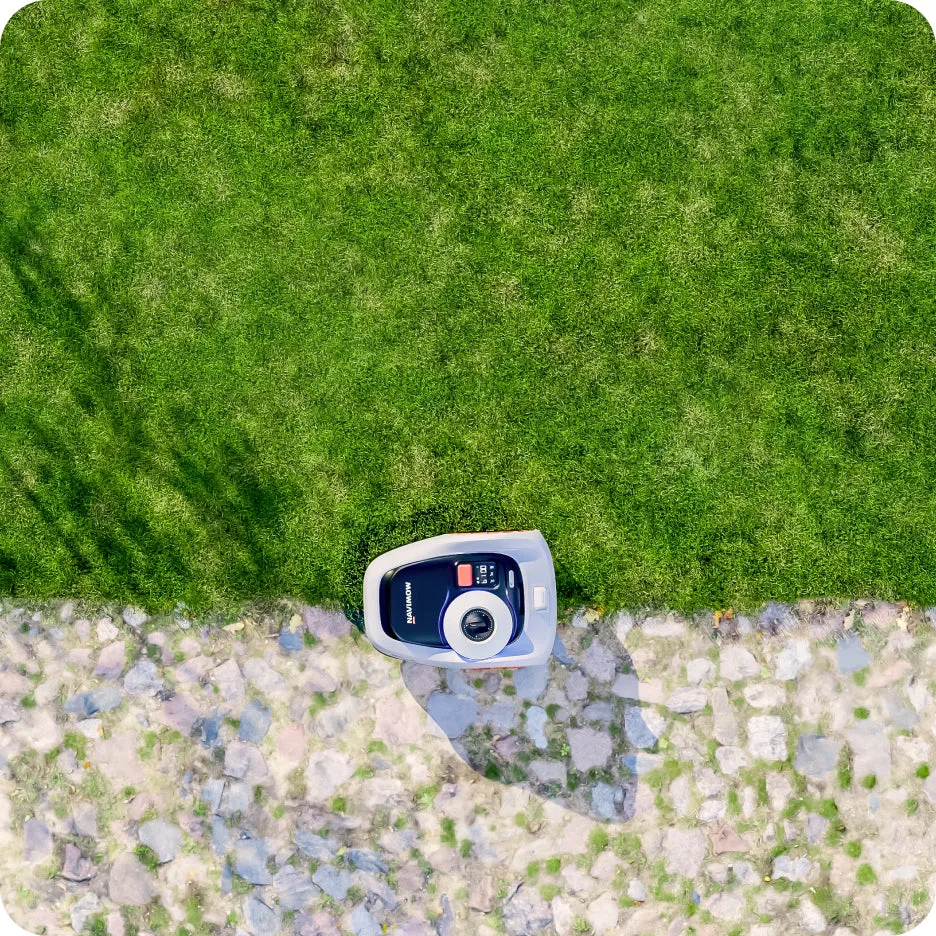
Practical rule of thumb: Don’t replace by calendar—replace based on operating hours plus a visual inspection; the cutting pattern matters more than the app alone.
4. Why do the blades need to swing freely?
Navimow blades are not rigidly screwed bar blades like on a classic lawn mower. The small blades should remain movable on the screw. When the cutting disc rotates, they swing outward by centrifugal force and can slightly evade when they come into contact with small obstacles. This flexibility is part of the safety and cutting principle.
In forums, it is often criticized that blades no longer pendulum freely after some runtime. Users report grass clippings, sticky cuttings, and damp dirt around the screw and the blade hole. Then the blade becomes sluggish, stays at an angle, or lies almost stuck. The result: the Navimow may still drive on, but the blade no longer cuts with the full working edge. It pushes blades of grass away more, or cuts unevenly.
Especially critical is slightly damp grass. It looks harmless, but it sticks under the mower much more than dry blades. When the robot drives in the morning in dew, after rain, or in shaded areas, a tough residue can build up on the cutting disc. Then a blade change alone only helps briefly if the disc is not also cleaned.
How to check free blade movement
- Switch the mower off completely and secure it against accidental starting.
- Put on protective gloves; the blades are small but sharp.
- Carefully turn the robot onto a soft surface.
- Remove grass clippings from the cutting disc, screws, and the blade mount.
- Tap each blade individually: it must pendulum freely and must not get stuck.
- If a blade is jammed, loosen the screw, clean the mount, and replace the blade together with the screw if worn.
When new blades run freely again, the cause is usually a mix of dirt and a worn blade hole. If even new blades get stuck, you should check the cutting disc, screw length, and the screw head shape.
5. Sharpen or replace – what do Navimow users say?
The clear practical answer is: With these small robotic mower blades, replacing is usually more worthwhile than sharpening. Many users see it the same way. The blades are thin, razor-blade-like, and cheap enough to swap out regularly. Sharpening also carries the risk that material is removed unevenly or that the blade bends slightly.
Another point: Small replacement blades often use multiple cutting edges or are loaded more evenly due to changes in rotation direction. If a blade is visibly dull, rusty, or bent, re-sharpening rarely restores the condition of a new blade. In our tests on cutting discs, we also found that: A freshly installed, cleanly moving blade improves the cut pattern more reliably than an old blade that was only roughly worked on.
Sharpening can at most be an emergency solution if no replacement is available right now. For normal seasonal operation, a 60-pack is exactly why it makes sense: you swap all three blades at once without much hesitation and avoid mixed conditions with one new blade, one half-dull blade, and one that’s getting stuck.
Key takeaway: With Navimow replacement blades, time is often more expensive than the material—replacing is cleaner, safer, and more reproducible than DIY sharpening.
6. Installation: check the blade, screws, and cutting disc properly
The blade change is simple, but not trivial. Most problems don’t arise because users don’t change the blades at all, but because blades are tightened too firmly, old screws are reused, or dirt gets trapped under the blade. Then the new blade may look correct, but it can’t swing cleanly.
Step-by-step assembly
- Switch off the robot: Don’t just pause it—secure it completely. Follow the user manual.
- Wear gloves: New blades cut immediately; old ones may have jagged edges.
- Clean the underside: First remove grass, dirt, and any damp residue, then remove the screws.
- Compare old blades: Match length, bore, thickness, and shape with the new replacement blades.
- Check the screws: Do not reuse damaged, rusty, or rounded-off screws.
- Mount the blade: Tighten the screw firmly enough, but not so much that the blade is clamped.
- Do a pivot test: Each blade must swing freely. This isn’t a mounting error—it’s intentional.
- Watch the test run: After the first mowing operation, check the underside again.
At CUT GUARD mowing disc parts, we make sure that the blade mounting is properly deburred and that the blade has enough space. Still, the combination of blade, screw, and degree of contamination determines the result. A screw that’s too long, the wrong screw head, or grass that has become stuck can also slow down an otherwise suitable blade.
Do not use bent blades. Even if they can still be mounted, they run more unevenly and can rub against the mowing disc. For a robotic lawnmower with several thousand revolutions at the mowing disc, “just barely works” is not a good workshop strategy.
7. Common problems after changing the blade
The blades do not spin freely
Then it’s usually dirt under the blade, the screw is tightened too much, or the screw does not fit the blade mounting. Loosen the screw, clean the contact surface, and check whether the blade swings freely without any grass residue. If not, compare the blade, screw, and mowing disc individually.
A screw is stuck or spins freely
This happens especially when screws haven’t been loosened for a long time or were mounted with too much force. Work with the right tool, not one with a worn-out bit. An electric screwdriver is often too rough for small robotic lawnmower blades, because it can quickly damage the screw head and the plastic mounting.
The cutting pattern remains poor despite new blades
Then the problem is probably not only with the blades. Check mowing height, driving pattern, zones, edge mode, firmware, RTK/GNSS signal, vision conditions, and traction. Shadows, bare patches, wet ground, soil, leaves, and sprinkler heads are layout and driving conditions—no automatic proof of poor blades.
Edges keep getting left standing
New blades cut the reached area more cleanly, but they do not change the robot’s safety distance. Wide edge strips are often related to mapping, edge mode, obstacles, garden bed boundaries, or the physical lawn edge. In this case, it’s better to re-map, adjust the edge layout, or use a suitable physical lawn edge rather than switching to another blade.
The blades get dirty again after just a few hours
Then Navimow is probably mowing too often on damp grass or in very dense, wet clippings. Reduce mowing times when there is dew, move the start later in the day, and clean the underside more frequently. For permanently damp shaded areas, a shorter cleaning interval is normal.
Frequently asked questions
How often should I change Navimow blades?
In many gardens, a replacement after about 80 to 200 operating hours is realistic. Also check the cutting pattern and free movement every few weeks, because damp grass, sand, edge driving, and slopes can significantly speed up wear.
Do the 60 replacement blades also fit CUT GUARD cutting discs?
Yes, if the bore, blade length, screw, and pivot clearance match the respective CUT GUARD cutting disc. After installation, each blade must be able to swing freely; if it gets stuck, something is off with the screw, contamination, or fit.
Should I replace the screws when changing the blade?
Yes—if the screws are damaged, rusty, rounded, or difficult to turn, you should replace them. Good screws are important because the blade must be held securely while still remaining movable.
Can I mow with new blades on wet grass?
Better not permanently, even if new blades are sharp. Wet grass sticks to the cutting disc and screws, blocks the blades faster, and worsens the cutting pattern again after a short time.
Do new blades help against blades getting stuck on lawn edges?
Only partially: New blades improve the cut where the Navimow actually drives. If the edge stays put due to a safety distance, mapping, edge mode, or obstacles, you need to check the area or boundary.
Conclusion: 60 replacement blades are worth it if you don’t just swap them, but check properly
A 60-piece set of replacement blades for Segway Navimow and CUT GUARD cutting discs is not a tuning miracle, but a sensible maintenance stock. The biggest benefit comes when you replace all three blades regularly together, clean the underside, and then perform the pivot test after installation. That’s exactly where many real user problems lie: dull blades, clogged mounts, wet clippings, and uncertainty about whether the poor cutting pattern really comes from the blade.
If the Navimow cuts frayed, pushes grass aside, or the blades no longer swing freely, changing the blades is one of the first sensible steps. If strips, edges, or driving problems still persist afterwards, don’t keep looking at the blade: Then mapping, edge mode, signal, traction, and mowing windows need to be put to the test. From a workshop perspective, this separation is exactly what matters—sharp blades for a clean cut, clean setup for clean area coverage.
Comments