The WORX Vision Cloud models WR303E, WR304E, WR305E, WR306E, and WR308E sound like a very convenient solution on paper: no boundary wire, RTK via the cloud, camera navigation, automatic mapping, and structured paths instead of random driving. That’s why many owners of small and medium gardens are looking at this series.
In practice, the picture is mixed. Many users report that normal mowing operation works well on the main area, the setup is sometimes completed quickly, and the cut looks clean in the core area. At the same time, the same criticisms appear frequently in forums: edges are not reached cleanly, Smart Trimming seems underdeveloped, the Cut-to-Zero module can cause new problems, and shadows or low objects confuse the camera detection.
This article is therefore not a promotional brochure. It is a sober assessment for owners and interested parties of the Vision Cloud models – focusing on typical problems, blades, blade discs, batteries, setup, and useful accessories.
WORX Vision Cloud WR303E to WR308E: Who are the models really suitable for?
The Vision Cloud series is particularly interesting for users who do not want to lay a boundary wire and have a rather small to medium garden. The WR303E is designed for smaller areas, while the WR308E covers the larger class within these models. In between are the WR304E, WR305E, and WR306E with progressively higher area specifications.
It is important to note: The manufacturer’s area is not automatically the area that works perfectly in everyday life without charging breaks, interruptions, and rework. The more complex the garden is, the more narrow passages, shadows, beds, walls, lawn edges, Wi-Fi at the station, and battery size have an impact.
Key data in practice
| Model | Typical area class | Cutting width | Cutting height | Practical assessment |
|---|---|---|---|---|
| WR303E | up to approx. 300 m² | 18 cm | approx. 30–60 mm | Interesting for small gardens, but particularly often mentioned in discussions about edges, Cut-to-Zero, and battery upgrades. |
| WR304E / WR304E.1 | up to approx. 400 m² | 18 cm | approx. 30–60 mm | Solid main area possible, but users report missed spots and several charging cycles in real areas. |
| WR305E | up to approx. 500 m² | 18 cm | approx. 30–60 mm | Many positive voices about normal line mowing, but clear criticism of Smart Trimming, camera sensitivity, and Cut-to-Zero. |
| WR306E | up to approx. 600 m² | 18 cm | approx. 30–60 mm | Fewer concrete individual reports, so evaluate cautiously and monitor firmware status. |
| WR308E | up to approx. 800 m² | 18 cm | approx. 30–60 mm | More exciting for larger areas, but here too, edge cutting and setup remain the decisive points. |
For simple, clearly defined lawn areas with few obstacles, the series can make sense. However, those expecting perfect edges at walls, wooden decks, beds, flat paths, and angular border zones should take user reports seriously.
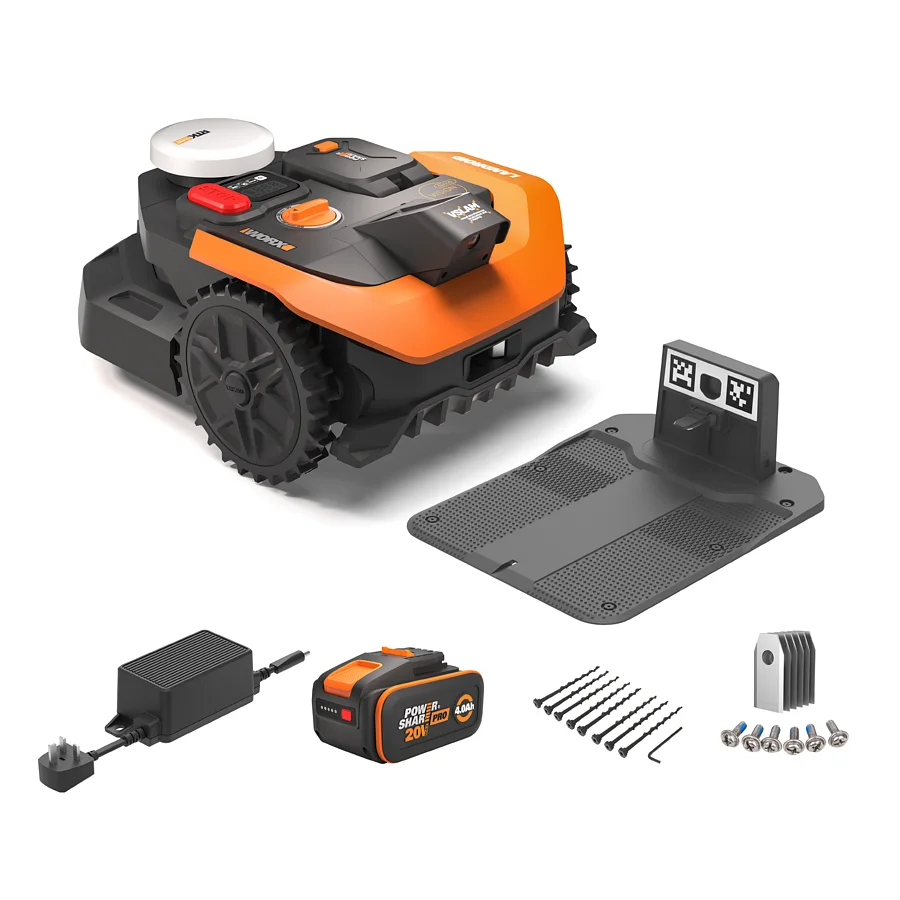
The biggest user problem: Why the Vision Cloud often does not mow cleanly to the edge
The most frequently mentioned problem does not concern mowing in the middle of the area, but the edge. Many users report that the Vision Cloud leaves 10 to 20 cm before the edge, despite clean mapping. In some cases, even larger distances are described at flat paths, walls, round beds, or dark edge areas.
This is particularly frustrating because the models are advertised with wireless navigation and precise mapping. A typical pattern: The owner drives very close to the edge during mapping, saves the boundary, starts the mower – and in actual mowing operation, the robot still significantly veers inward.
From a workshop and accessory perspective, it is important: A lawn mower can only cut cleanly where its blade disc actually reaches. If the software leads the robot 15 cm away from a wall for safety or detection reasons, even the sharpest blade cannot help against the unmowed strip. Good blades improve the cut, but do not replace a clean edge run.
Typical edge situations that cause problems
- Walls or fences directly at the lawn edge
- Wooden decks, palisades, or bed borders
- Flat paths that appear visually similar or too contrasting
- Round beds and curved lawn edges
- Shadow zones under trees or next to buildings
- Dark soil, mulch, or wet spots at the edge
Those who already own the Vision Cloud should first check whether the boundary in the mapping was really driven calmly and evenly. After that, a test run without Smart Trimming and without additional edge modules is worthwhile to see the robot’s basic behavior. Only when the mower operates stably in normal operation should accessories like Cut-to-Zero be evaluated.
Cut-to-Zero module: Meaningful extension or current frustration factor?
The Cut-to-Zero module is a beacon of hope for many buyers when the Vision Cloud leaves too much at the edge. The idea is simple: A laterally offset cutting unit should allow the robot to cut closer to edges. In practice, however, users report very differently.
Some owners see improvements at the edge. Others write that the module hardly gets closer to the wall or even worsens the behavior. Collisions, looping at fences, scratching at wooden decks, and a disoriented edge trimming mode are described particularly frequently.
A recurring suspicion from user reports: The robot seems not to always consider its own width or the lateral overhang appropriately according to certain firmware versions. Then, when mowing the edge, it drives too aggressively into boundaries or tries to turn from an unfavorable position. This can leave marks at the edge and unnecessarily dig in the wheels.
When Cut-to-Zero makes more sense
- when the garden has clear, robust edges
- when no sensitive wooden or metal surfaces are directly adjacent
- when firmware and app run stably
- when one is willing to make several test runs and adjustments
When to be cautious with Cut-to-Zero
- in narrow passages directly at walls
- with sensitive decks or painted boundaries
- when the mower already frequently gets stuck without the module
- when Smart Trimming already appears erratic
The noise level is also frequently mentioned. Some users describe the Vision Cloud without Cut-to-Zero as pleasantly quiet, while the edge module sounds significantly more noticeable. Those who run the robot in the morning, evening, or in densely populated residential areas should not underestimate this point.
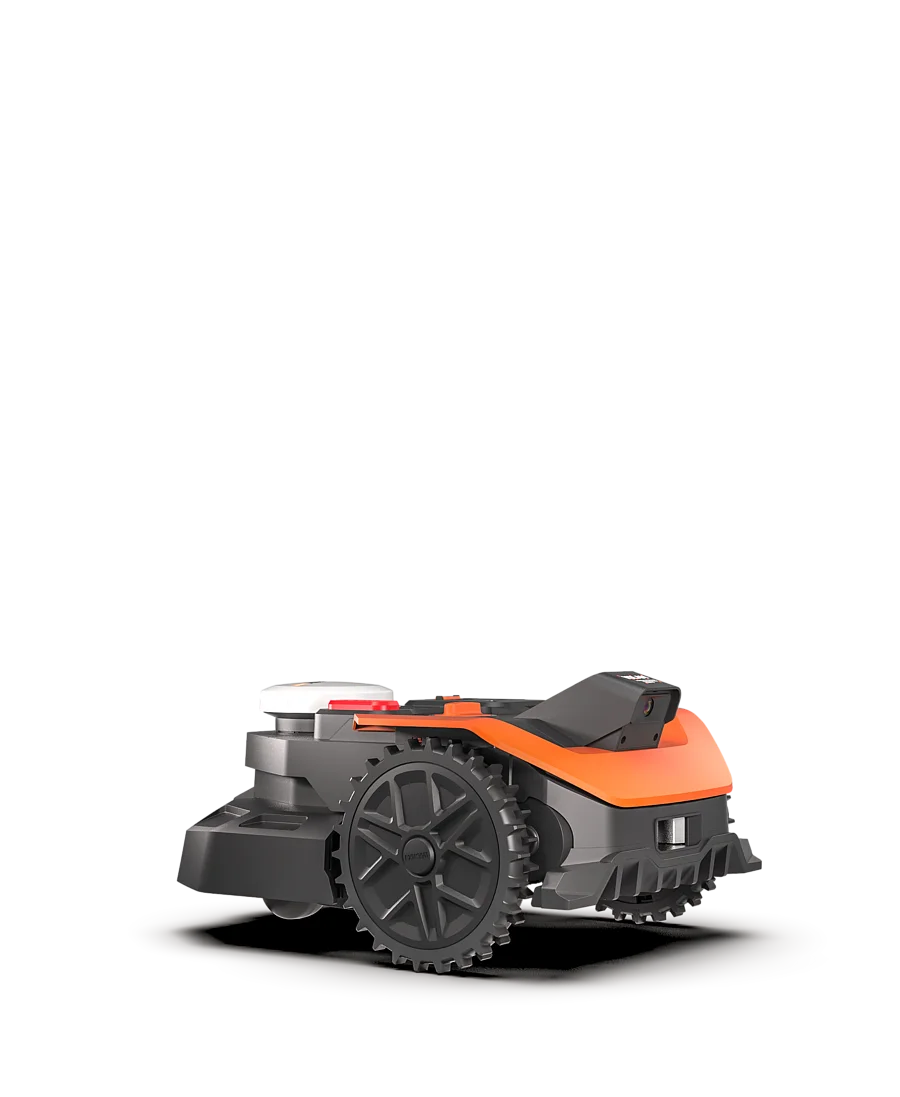
Smart Trimming in practice: Why many users prefer to deactivate it
Smart Trimming is supposed to make edge and border processing smarter. However, this is currently one of the biggest points of contention. Many users report that normal mowing operation in parallel paths works better than the special Smart Trimming mode.
An erratic behavior is described: The mower makes incomprehensible arcs, leaves small islands uncut, reacts strongly to shadows, or appears uncertain at the edge. Some owners write that they get a more stable result with Smart Trimming deactivated.
This fits with a fundamental problem of camera-based systems: The robot must decide based on image data what is grass, edge, obstacle, shadow, or surface. This works better in uniform light and clear boundaries. With changing sun positions, dark areas, tall grass, or low objects, the error rate increases.
My practical advice: After setup, do not activate all additional functions immediately. First, observe three to five normal mowing cycles. If the main area is processed cleanly and repeatedly, Smart Trimming can be activated for testing. If the result worsens, it is better to deactivate it again and wait for firmware improvements.
Camera navigation: Problems with shadows, dark areas, and low obstacles
The camera navigation is the core of the Vision Cloud series. It is both a strength and a weakness. Many owners praise that the robot operates without a boundary wire and drives structured paths on the main area. At the same time, users report that shadows, dark spots, and very low objects lead to incorrect decisions.
A typical example is flat obstacles that are lower than the grass. Older random mowers would have driven over them. The Vision Cloud, on the other hand, recognizes an object or an unclear area, makes a detour, and leaves grass standing all around. This is safety-oriented, but not always aesthetically pleasing in the cut.
Shadows are also frequently mentioned in user reports. On sunny days, shadow edges can act like obstacles. Bright or dark spots then arise that the mower avoids. With round beds and walls, owners also report excessively large safety distances, sometimes 30 to 40 cm.
What owners can practically test
- Avoid mowing times with very hard shadows and test on more uniform light.
- Trim high or wet edge areas before the first mapping so that the camera sees clear contours.
- Mark, remove, or consciously plan low objects as problem areas.
- After firmware updates, observe a small test zone before re-evaluating the entire garden.
Important: Not every missed spot is a blade problem. Dull blades tear stems, create bright tips, and produce an unclean cut. Missed spots or entire patches usually arise from navigation, obstacle detection, or mapping. Confusing the two means that while the blades are replaced, the actual error is not resolved.
Setup, Wi-Fi, and app: Typical stumbling blocks at the start
The setup can go very smoothly. Some users report that mapping, zone setup, and the first mowing cycle were surprisingly straightforward. Others get stuck at pairing the charging station, Bluetooth, Wi-Fi, or map uploads.
Weak Wi-Fi at the station’s location, Bluetooth issues with certain smartphones, unaccepted networks, or interrupted map uploads are mentioned particularly often. Forums also indicate that very long SSIDs or unfavorable special characters can cause problems.
Practical checklist before the first mapping
- Check Wi-Fi signal directly at the charging station, not just on the terrace.
- If possible, test a 2.4 GHz network with a simple SSID.
- Restart Bluetooth on the smartphone and check app permissions.
- Set up the charging station straight, stable, and without wobbling.
- Remove coarse obstacles and loose items before mapping.
- After a failed pairing, completely restart the robot and station.
For error messages like E5, “stuck,” or “action required on mower,” users report that the app instructions do not always help clearly. If Start + OK on the device does not respond, a manual restart via the charging station is often described: Remove the mower from the problem area, place it in the station, let it wake up completely, and only then try the next start.
This is not an elegant process, but it is important in everyday life. Those who want to run a lawn mower unattended for several days need a system that reliably continues after small hang-ups. This is where WORX still needs to build trust through firmware.
Battery and area performance: Is the standard battery sufficient for WR303E, WR304E & Co.?
The area specification of a lawn mower is always an ideal value. In user reports about the WR304E.1, for example, it is described that a first cut on about 171 m² required several charging cycles. After switching to a larger battery, the runtime per charge was rated significantly better.
Owners of the WR303E also discuss 4-Ah or 5-Ah batteries. A larger battery can help, especially with multiple zones, edge routines, and longer paths to the charging station. However, it does not automatically make the robot more precise. Edge problems, shadow errors, or Smart Trimming dropouts remain software and navigation issues.
For small, simple areas, the standard battery is usually sufficient. In complex gardens, with many edges, slopes, or frequent charging interruptions, it is worth looking at a stronger PowerShare battery. It is important to use only compatible batteries and keep the weight change in mind.
Blades, blade disc, and cut quality
The Vision Cloud operates with small interchangeable blades on a blade disc. In normal mowing operation, the condition of the blades becomes apparent very quickly: Clean, sharp blades cut the stems smoothly. Dull or damaged blades fray the tips, the lawn appears grayer, and the robot requires more energy.
Those who want to improve the cut quality in the core area should regularly check the blades and disc. In case of uneven running, visible notches, or uneven cuts, a more robust solution may be sensible. For the models WR303E, WR304E, WR305E, WR306E, and WR308E, for example, a 7-blade disc for WORX Vision Cloud is suitable if owners desire more cutting points and a more uniform cut quality.
However, it remains important to make an honest distinction: A better blade disc improves the cut where the robot drives. It does not fix the fact that the mower turns 20 cm before an edge or avoids shadow areas.
Firmware and software: Updates can help but also open new issues
User reports discuss firmware versions like 2.5.4+1 and 3.46.0+22. Some owners write that updates have improved edge mowing or object detection. Others report new problems with Cut-to-Zero, manual control, edge behavior, or interruptions after updates.
This is not unusual with new lawn mower series, but it is still relevant for buyers. The hardware can be good, but if the software cannot yet handle all garden situations cleanly, everyday life remains variable. Especially vision systems often learn and improve through updates, but they require patience from the user.
My advice: Before a firmware update, briefly document how the mower is currently operating. Two photos of typical problem edges, a screenshot of the firmware version, and a note on charging cycles are sufficient. After the update, one can objectively compare whether something has really improved.
Frequently asked questions
Why does my WORX Vision Cloud not mow to the edge, even though I mapped it accurately?
Because the robot not only follows the saved boundary during operation but also evaluates camera, safety, and position data. If the software classifies a wall, shadow, dark area, or unclear edge as a risk, the mower keeps its distance. Many users describe 10 to 20 cm leftover strips in exactly such situations.
Should I activate or deactivate Smart Trimming?
If the mower operates cleanly in normal mode, you can test Smart Trimming. However, reports indicate that the result is often more stable when Smart Trimming remains deactivated. In cases of erratic movements, missed spots, or poor edge cutting, it should initially be turned off.
Does the Cut-to-Zero module really help?
It can help, but it is not a guaranteed problem solver. In simple gardens with clear edges, it can be meaningful. However, with walls, wooden decks, narrow passages, or already erratic edge behavior, it can lead to collisions, looping, or more noise.
Why do spots remain uncut after a complete run?
If entire patches or strips remain uncut, it is usually due to navigation, camera detection, shadows, or obstacles. Dull blades tend to cause frayed stems and a gray cut quality, but not systematically missed islands.
Is a larger battery worth it for the WR303E or WR304E?
For small, simple areas, the standard battery is often sufficient. For multiple zones, many edges, slopes, or long return paths to the station, a 4-Ah or 5-Ah battery can significantly ease everyday life. However, it does not improve edge navigation.
Conclusion from user reports: Good mower at its core, but edge and firmware issues decide
The WORX Vision Cloud models WR303E, WR304E, WR305E, WR306E, and WR308E are not bad lawn mowers. Many users report good line mowing, easy setup, and clean cut quality on the main area. Those with a tidy garden and no expectations for perfect edges can be satisfied with the series.
The critical points are clearly at the edges: edge mowing, Smart Trimming, Cut-to-Zero, camera sensitivity, and firmware maturity. Those expecting very clean finishes at walls, paths, and beds should carefully check whether their own garden fits these models before purchasing.
For owners: First, stabilize basic operation, then test Smart Trimming and Cut-to-Zero. Regularly check blades, screws, and blade disc to ensure the robot cuts cleanly where it drives. The Vision Cloud series has potential – but in everyday life, it is not the data sheet that decides, but the combination of garden shape, lighting conditions, firmware status, and well-maintained cutting unit.
Tip: You will find all matching replacement blade discs and mowing plates for WORX in our overview: Blade discs for WORX.
Comments