The Terramow sets off, maps the garden, mows neatly first—and then, of all places, gets stuck exactly where the ground is soft, sandy, or slightly yielding after rain. User reports show this exact frustration: the front wheel digs in, the mower tries to free itself, but sometimes only makes the spot worse. This isn’t a reason to generally badmouth the Terramow V600 or V1000. However, it very clearly shows what cordless mowing robots are really about: it’s not the brochure specs that decide, but the ground, edges, radio coverage, mapping, and a well-maintained blade system.
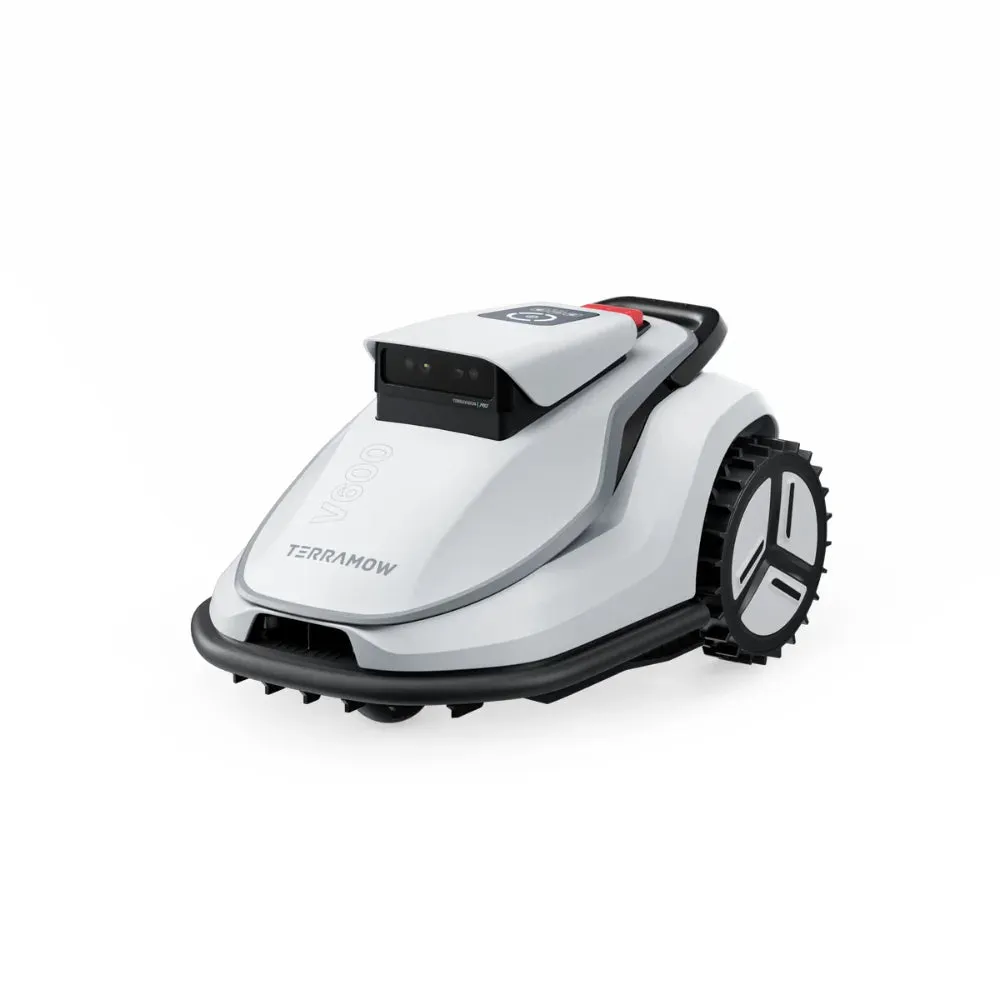
The Terramow V600 and the Terramow V1000 are interesting for users who don’t want to lay boundary wire and are looking for camera navigation instead of an RTK antenna. They fit best with fairly level, firm, easy-to-manage gardens with clearly defined lawn areas. Be cautious with very soft sandy soil, many solid wall edges, narrow passages, multiple widely spaced WLAN areas, or lawn areas with sprinkler heads that barely protrude from the ground.
Terramow V600 or V1000: Which model fits which area?
The most common question in forums is essentially this: Is the V600 enough, or does it have to be the V1000? Especially with 200 to 300 m² of lawn, the V1000 can quickly feel oversized. From a workshop perspective, though, the answer isn’t just a square-meter calculation. A simple, level rectangular lawn with good radio coverage is something completely different from a garden with a front yard, back yard, a narrow section, shade, a trampoline, tree islands, and a long return trip to the station.
The manufacturer data specifies a smaller area category for the V600 and more reserve for the V1000. In practice, you should always plan for some extra capacity. If the mower doesn’t cover the entire area on a single battery charge, that’s not a defect—then it drives back, charges, and continues later. With multiple zones, many turning maneuvers, or slower driving through obstacles, daily performance drops noticeably.
Key details in practice
| Model | Area class | Cutting width / cutting height | Navigation | Strengths | Weaknesses | Practical assessment |
|---|---|---|---|---|---|---|
| Terramow V600 | for smaller to medium areas, often discussed for 200–600 m² | approx. 203 mm cutting width, 25–75 mm cutting height | TerraVision camera, without boundary wire, without RTK antenna | compact, often sufficient for simple gardens, positive user feedback at around 250 m² in two zones | less battery reserve; consider WLAN/app setup for multiple areas | a good choice for fixed, level areas with clear structure and moderate complexity |
| Terramow V1000 | larger area class; depending on market information, can be classified up to about 1000–1200 m² | approx. 203 mm cutting width, 25–75 mm cutting height | TerraVision camera, without boundary wire, without RTK antenna | more battery reserve; interesting for larger areas and multiple zones | not automatically better on soft ground or with fixed edges | makes sense when you need not only area coverage, but also reserve and longer mowing windows |
For 200 m² of flat lawn area, the V600 is sufficient in many cases. However, if the garden consists of several separate areas, the return trip is long, or many obstacles slow down the mower, the V1000 can still be a sensible choice despite the smaller area. With wireless robots, it’s not only about whether the area can be managed in theory, but also how comfortably the mower handles it within the weekly schedule.
Practical rule of thumb: Don’t buy on the edge with Terramow. A complex 400 m² garden can demand more from the mower than a simple 600 m² rectangular lawn.
How well does navigation work without a boundary wire?
The Terramow V600 and V1000 don’t work like classic wire robots. There is no boundary wire along which the mower drives, and there is also no separate RTK antenna like with many GNSS models. The V series relies on camera-based or vision navigation. That’s convenient because installation can be faster. But it doesn’t mean the robot understands every garden just as reliably right away as a properly calibrated wire robot.
Many users praise that automatic mapping and later zone editing generally work well. In user reports, it’s described that the V1000 recognizes trees, approaches them closely, and apparently doesn’t simply bump into them. After mapping, No-Go zones can also be set in the app. That’s useful for play equipment, flower islands, sprinklers, root areas, or places where the mower regularly gets stuck.
It’s important to distinguish this: camera navigation provides orientation, but it does not guarantee perfect edges, does not guarantee against track misalignment, and does not guarantee that every flat object is classified correctly. Sprinkler heads that protrude from the lawn are a good example. If they are not allowed to be overmown or are only safe from 50 mm, they should be marked, kept clear, or consistently protected as a no-go zone.
When setting it up, it’s worth taking a calm first day. Let the mower map the area, observe typical turning points, and don’t wait to correct things until after three weeks, when bare patches have already appeared. Screenshots of maps, zones, schedules, and no-go zones are useful before major app or firmware updates. With cloud- and app-controlled robotic mowers, not every disruption is immediately a defect in the device; if many users report app problems on a given day, the issue may also be on the server or software side.
The real weaknesses: Soft ground, sand, and getting stuck
The clearest negative report from the user community concerns a V1000 on soft, sandy ground. There, the mower often got stuck, especially because the front wheel would sink in. The robot’s attempts to free itself didn’t always help and sometimes even made the situation worse. The user had to mark areas as no-go zones or free the mower manually.
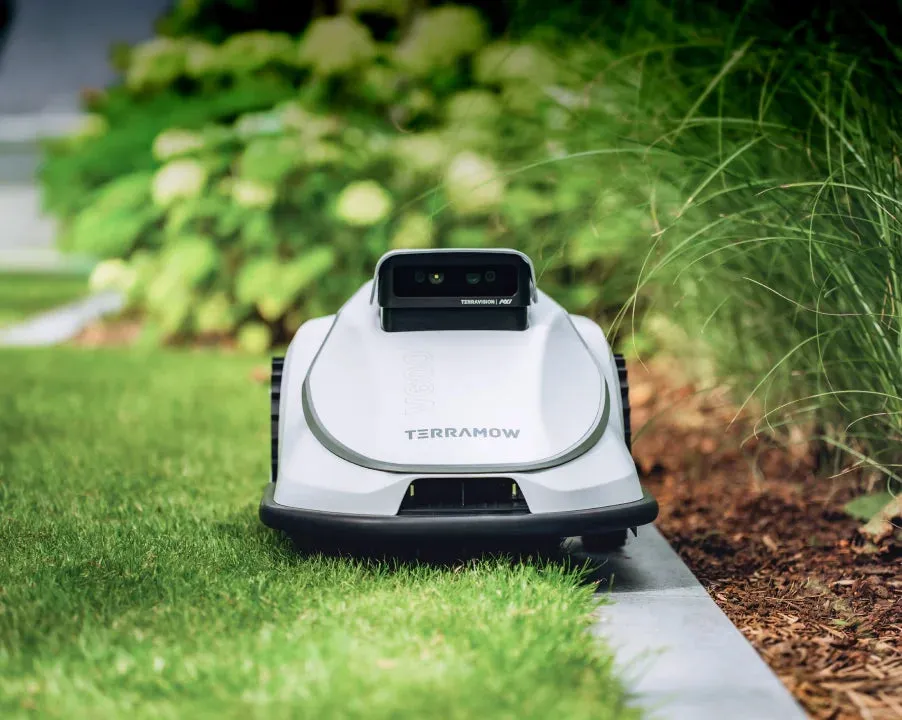
Based on the material available, this is not a mass problem, but it is very specific and crucial for certain gardens. Sandy ground, loose soil, newly laid lawns, mole areas, wet depressions, or spots under trees can make any robotic mower struggle. With the Terramow, there’s an additional factor: if the camera navigation tries to correct itself independently, tracks can form in soft areas.
Before purchasing, check the critical zones in your garden. Does your shoe visibly sink into the ground? Do wheelbarrow wheels get stuck? Are there lawn areas that stay soft for days after rain? Then the first problem is not the blade quality, but traction and the ground conditions. In such gardens, no-go zones, lawn grids, a modified mowing plan during dry periods, or a different robotic system can sometimes help more than a stronger model.
You should also not underestimate roots, curb stones, sunken paving slabs, and narrow passages. A cordless mower can work without a wire, but it still needs clear, driveable spaces. If it gets stuck three times in the same spot, the spot should be changed or excluded—not simply by extending the schedule.
Practical rule of thumb: If the Terramow is digging instead of mowing, it’s usually not the blade that’s to blame. First check the ground, traction, mowing paths, and no-go zones—then think about accessories.
How close does the Terramow V1000 mow to walls and curb stones?
With fixed edges, user reports typically say that the Terramow V1000 leaves an uncut strip of about 10 cm when the mower can’t drive over the edge. This applies to walls, tall curb stones, raised beds, retaining edges, fences with a base, or paths with a noticeable height difference. Flat, drive-over edges work better because the mower can partially drive over the edge with its housing.
This is not an unusual issue with mowing robots. For safety and design reasons, the blades are not positioned all the way at the very outer edge of the housing. So if you have many fixed boundary areas, you should expect some rework. A clean edge cut usually only happens where the garden has been built accordingly: a level mowing edge, sufficient drive-over width, no stones sticking up, and no hard obstacles directly next to the grass.
In our CUT GUARD blade disc tests, we found: A different cutting disc can’t make a solid wall disappear, but a smoother blade run and blades that spin freely improve the cutting result where the robot actually reaches the blades of grass. If you regularly see unclean edges with the Terramow and also want to replace the original disc, you should take a look at a robust 7-blade cutting disc, because more cutting points per revolution can offer visible advantages—especially with denser edge grass.
However, if 10 cm are left standing against a wall, even the best blade only helps on the reachable path. For such gardens, a built-in mowing edge is often the more honest solution. Alternatively, there’s the lawn trimmer. You should know this before buying—not only after the first week.
Battery, charging pauses, and mowing capacity: What users should know before purchasing
The battery and charging logic raises questions for many users. A practical value mentioned in the forum for the V1000 is about 220 m² in 120 to 130 minutes with one charge. This is an experience-based figure, not a lab promise. Depending on grass length, turning maneuvers, obstacles, moisture, and driving strategy, performance may vary.
It’s also important to consider resuming after a charging pause. In user responses, a typical value of around 80% battery level is mentioned, from which the V1000 starts moving again after charging. So if you want to mow larger areas, you shouldn’t expect the robot to be back outside after five minutes. Charging time, the return trip, restarting, and any waiting times are part of the day’s performance.
The V600 is usually more relaxed for smaller areas, as long as the area isn’t unnecessarily complicated. With the V1000, you’re buying more of a buffer. However, this buffer only helps if the station, map, WLAN or 4G connection, and zone logic work properly. A larger battery doesn’t fix a poor station position or a problem spot in the ground.
If the area is close to the model limit, calculate practically: How many square meters really need to be mowed per day? How many zones are there? Does the mower have to pass through narrow passages? Are there fixed no-go times due to children, pets, or irrigation? The tighter the schedule, the sooner the larger model pays off.
Practical rule of thumb: Area performance is not just about the battery. A Terramow loses time due to turning, obstacles, reversing, charging pauses, and incorrectly set zones.
App, Wi-Fi, and maps: setup, multiple SSIDs, and accidental deletion
With wireless mowing robots, the app is not just an accessory—it’s part of the system. For the Terramow V600 and V1000, this affects mapping, zones, no-go areas, schedules, updates, and partly also diagnostics. That’s why you shouldn’t set everything up in a rush.
A typical user question concerns multiple Wi-Fi SSIDs. That’s very realistic: Many properties have Wi-Fi at the front, a repeater in the back with a different name, or a separate network in the garden shed. Before buying, you should check whether there is a stable connection in all relevant areas or whether 4G should be used. Poor wireless coverage often doesn’t show up during the first mapping, but later with schedules, map changes, or when the mower seems to be offline.
Another real-life case: A V600 was accidentally deleted in the app while the device was not directly reachable. The result is a simple piece of advice: Before repairs, storage, handover, or switching apps, take screenshots of the map, zones, mowing times, and no-go areas. Anyone who removes a mower from the app should first know whether maps are stored locally, in the account, or on the cloud—and how the re-pairing process works.
For updates, the rule is: Take screenshots first, then update. If, after a firmware update, paths, zones, or edge mowing behave differently, saved documentation can prevent a lot of trouble. Especially with wireless devices, manufacturers can change functions via OTA updates—such as zone order, No-Go stability, map management, or edge care. This can bring improvements, but it may also require some getting used to.
Blades, cutting pattern, and maintenance: Clean, replace, and recognize wear
In forums, people don’t just talk about navigation, but also about blades, the cutting pattern, and wear. One user reported that original blades were worn out after about 3000 m². Another described with the V600 that after a week of daily mowing, grass collected in the area around the screw hole and the blades could no longer rotate freely. We see exactly these kinds of details with other mowing robots in the workshop as well: It’s not always that the blade is dull—sometimes it simply can’t move cleanly anymore.
Freely rotating blades are crucial for a lawn mower robot. If grass clippings, resin, damp blades, or dirt get under the screw, the blade can no longer unfold cleanly. Then it tears rather than cuts properly, the cut pattern becomes frayed, and the motor has to work harder. That’s why the first maintenance step isn’t immediately a complete overhaul, but: switch the mower off safely, check the underside, move the blades, clean the screw points, and replace any damaged blades.
With our CUT GUARD blade discs for Terramow, we pay special attention to clean clearances around the blades and a stable running performance. If you mow very frequently, have dense grass, or are not satisfied with the original cutting pattern, you can use a CUT GUARD blade disc with 9 blades to get more cutting contacts per revolution; this is especially interesting when the lawn is kept regularly short and the mower doesn’t have to process tall grass first.
But more blades don’t automatically mean less maintenance. If you let the mower run on wet grass, produce very fine clippings, or have lots of sticky grass residue on the underside, you still need to clean. During the season, we recommend a visual inspection about every one to two weeks; with moist growth, even more often. Maintenance is due at the latest when blades look frayed, the mower seems louder, or grass clippings block the blades.
Quick maintenance routine for V600 and V1000
- Switch off the mower and secure it against accidental starting.
- Brush the underside dry; do not clean aggressively with high-pressure cleaning.
- Move each blade individually: it must be able to swing freely.
- Clear screw holes and clearance areas of grass residue.
- Replace dull, bent, or one-sided damaged blades.
- After changing blades, briefly check that there is no imbalance or grinding noise.
Which blade disc fits if the original deck is to be replaced?
The original mowing deck is designed for normal use. Still, there are reasons to replace it: damaged mounts, uneven running, clogged blade areas, a desire for different cutting behavior, or simply the need for a robust replacement part. This is where you need to make a clear distinction: a new deck improves the blade system, but it does not solve app problems, no radio dead spots, and no stuck front axle in sand.
For users who want to stay as close as possible to the familiar system and, above all, are looking for a solid replacement for the worn deck, a compatible Terramow blade disc with 6 blades is the obvious starting point, because it does not unnecessarily complicate the cutting system and is still intended as a precisely manufactured replacement part.
When choosing, the rule of thumb is: more blades are especially useful if the mower runs frequently, the lawn doesn’t get too tall, and you want a denser mowing pattern. A blade upgrade is less worthwhile if the robot only drives on rare occasions and every time has to cut tall, wet grass. In that case, the better lever is usually an adjusted mowing schedule.
Frequently Asked Questions
Is the Terramow V600 enough for 200 to 300 m²?
Yes, for 200 to 300 m² of flat, firm, and easy-to-navigate lawn, the V600 is often sufficient. However, if the area consists of multiple zones, has many obstacles, or the return trip is long, the V1000 can be a more relaxed option thanks to the battery reserve.
How much grass is left along walls and fixed edges?
For edges that can’t be driven over, plan on about 10 cm of follow-up work. Flat mowing edges that the Terramow can cross deliver significantly better results than walls, high curb stones, or raised beds directly next to the grass.
Does the Terramow automatically continue after charging?
Yes, the Terramow can automatically continue working after a charging break; in user responses, around 80% battery level is typically mentioned as the point of resumption for the V1000. The actual pause depends on the battery status, charging time, and software logic.
Can the V600 and V1000 work with multiple WLANs?
This should be checked carefully before purchase and during setup if the front and back gardens have different SSIDs. It’s not only important whether the device supports Wi-Fi, but also whether the map, app, and mowing operation remain reliably reachable in all relevant areas.
How often do the blades need to be cleaned or replaced?
Check the blades in the season about every one to two weeks; in damp grass, more often. You should replace them if they are dull, bent, damaged, or no longer move freely due to grass clippings.
Conclusion: Who Terramow V600 and V1000 are a good fit for—and who should be careful
The Terramow V600 is a good match for smaller to medium-sized, fairly level and solid areas, especially when the garden is clearly structured and no complicated wire installation is desired. The V1000 is the better choice when you need more capacity for area, runtime, or multiple zones. Both models benefit from well-defined No-Go zones, good radio coverage, a sensibly placed charging station, and regular blade care.
Be cautious with soft sandy soil, wet depressions, many fixed wall edges, raised sprinkler heads, and gardens with multiple radio dead spots. The Terramow can work there, but you shouldn’t blindly trust the brochure figures. Anyone who honestly checks before buying where the robot needs to drive, turn, charge, and cut will avoid most disappointments.
From an accessories perspective, the following applies: a well-maintained blade system improves the cutting pattern and can make everyday use significantly more pleasant. However, it does not replace proper setup. First get the map, ground, edges, and zones in order—then it’s worth looking at better blades, blade discs, and a consistent maintenance routine.
Tip: You will find all matching replacement blade discs and mowing plates for TerraMow in our overview: Blade discs for TerraMow.
Comments