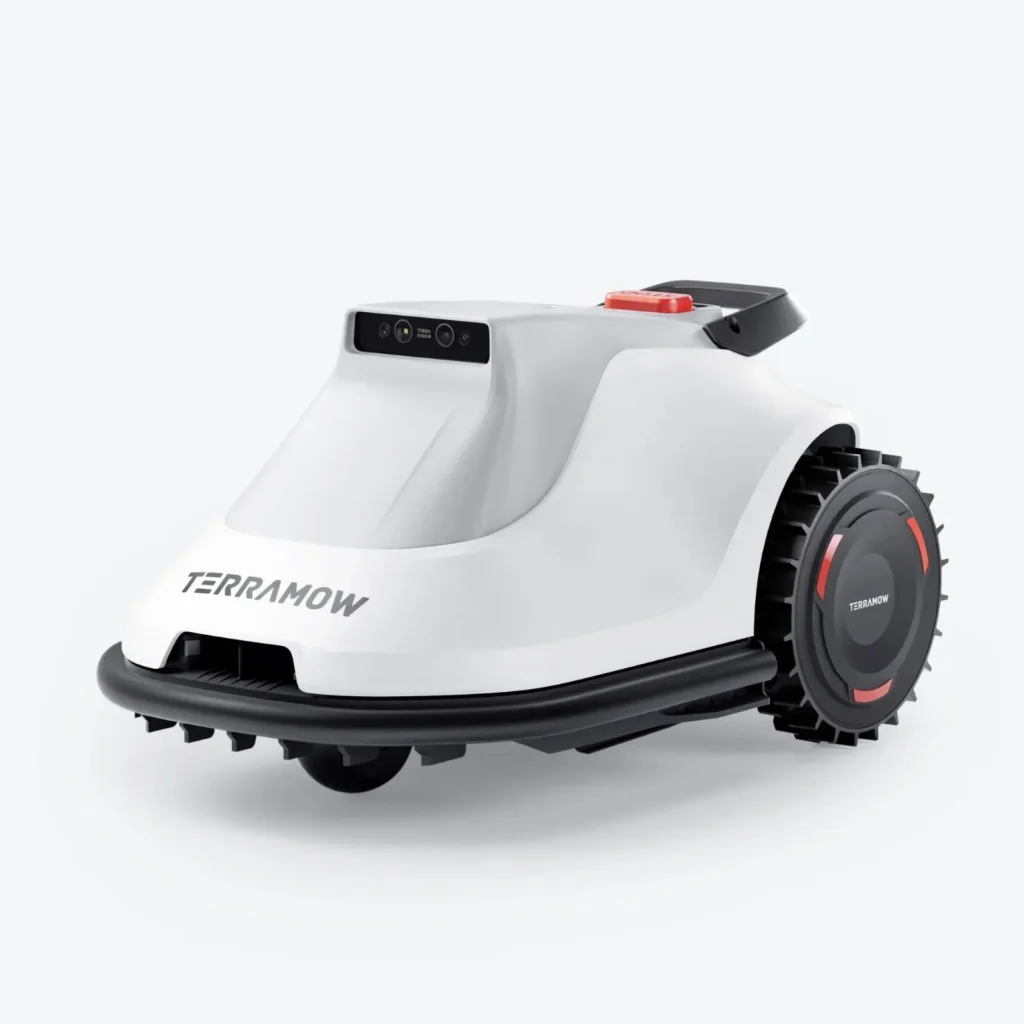
The TerraMow starts up smoothly, the map looks good—and then it gets stuck right at the sloped edge with thicker grass, searches for its charging station forever, or leaves the strip under the trampoline uncut. Exactly these kinds of situations keep showing up in user reports. Not as a total failure, but as typical real-world problem spots where a cordless vision lawn mower shows whether it truly fits your garden.
TerraMow is exciting because the models work without boundary wire, without an RTK antenna, and without the classic dependence on GPS. The S Series with the S800 and S1200, as well as the V Series with the V600 and V1000, place a strong focus on camera-based or vision navigation. This often makes setup easier than with wire systems, but it doesn’t automatically solve every garden issue. If you have narrow passages, multiple zones, slopes, thicker grass, fence lines, or many obstacles, you should take a closer look.
As an accessories specialist, at CUT GUARD we look at TerraMow devices primarily from the maintenance and cutting perspective: How clean does the cutting pattern stay? When do the blades become dull? How well does the mowing disc handle damp clippings? If you already use a TerraMow and want to address the cutting pattern or blade wear, you’ll find, early on in the comparison, suitable replacement cutting discs for TerraMow models—before the individual series are categorized in more detail later.
TerraMow at a glance: S Series and V Series without boundary wire
TerraMow roughly divides its current models into two lines: the S Series with S800 and S1200, and the V Series with V600 and V1000. Both lines are aimed at users who don’t want to lay boundary wires. Instead of wire, TerraMow uses visual recognition, mapping, and app zones. This is especially appealing for gardens where it would be difficult to retrofit a wire or where changes are made frequently.
The S Series is the more established line, with S800 for smaller to medium areas and S1200 for larger areas. The V Series feels more modern in its functional logic: V600 and V1000 bring TerraVision 2.0 with a triple camera, electric cutting height adjustment, zone management, edge functions, and—depending on the firmware—additional app features such as a Wi-Fi coverage map or adaptive speed. Important: Such features can change through updates. With newer models, long-term experience is limited, and many weaknesses only become apparent after weeks—such as during reverse travel, narrow passages, the docking station, firmware, app logic, and edge behavior.
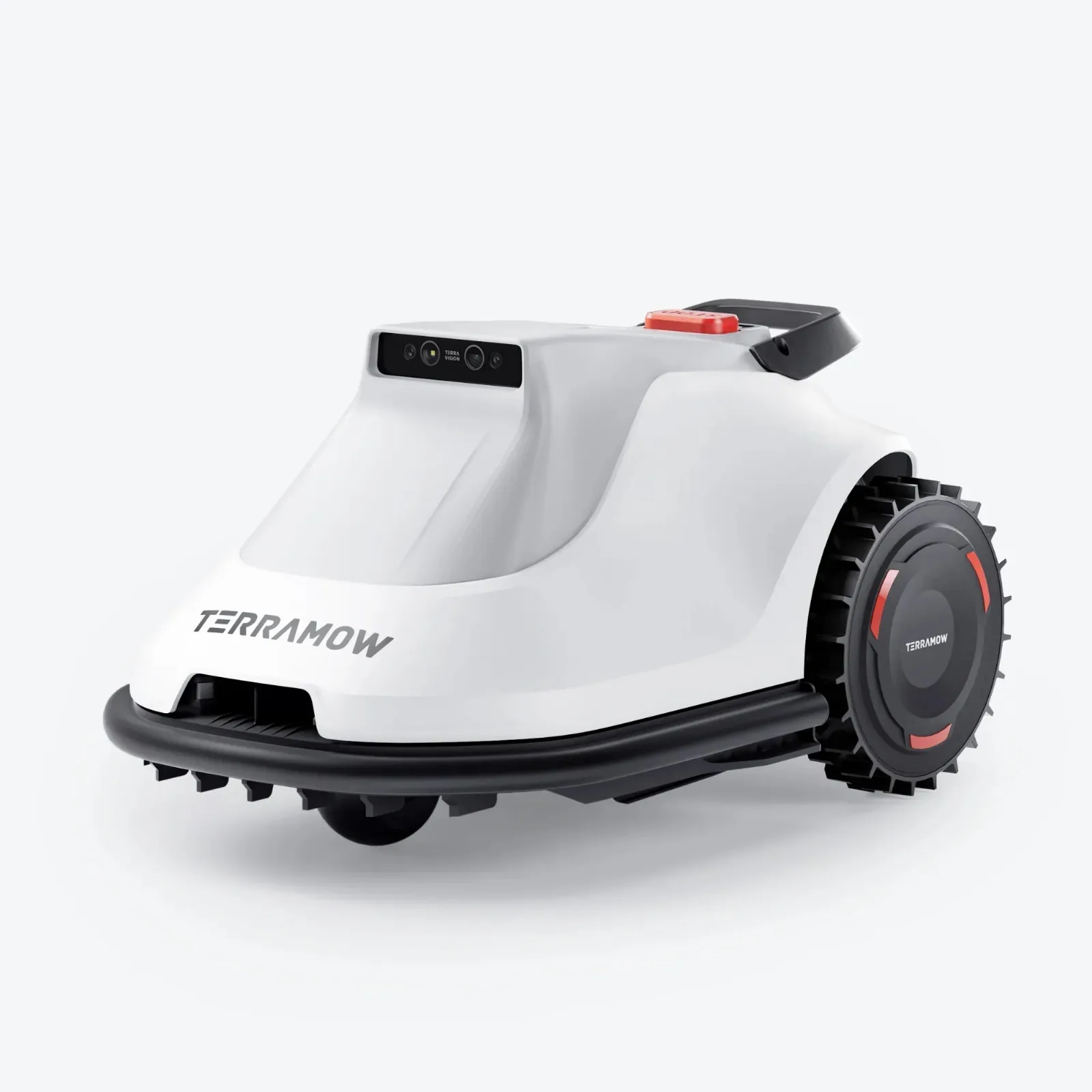
In reviews and forums, it is often praised that setup and mapping are easy to get right. At the same time, users report a learning curve when it comes to no-go zones, passage-only areas, edge distances, and special surfaces. If you’re coming from a classic wire robot, you have to rethink things: it’s not the wire that defines the world, but the map, the camera, the app rules, and the robot’s behavior on every drive.
TerraMow model overview: S800, S1200, V600 and V1000 in a practical comparison
The manufacturer’s coverage area is only the beginning. A rectangular, level garden with short paths may be close to the stated specifications. A complex garden with narrow passages, shadows, fence lines, multiple zones, long reverse drives, and short mowing windows needs some buffer. That’s exactly why the question “Which model fits?” can’t be answered by 600, 800, 1000, or 1200 square meters alone.
| Model | Manufacturer area | Cutting width / cutting height | Navigation | Strengths in practice | Weaknesses / caution |
|---|---|---|---|---|---|
| TerraMow S800 | up to approx. 800 m² | 203 mm / 25–75 mm | TerraVision AI Vision | simpler areas, solid app base, no cable | for complex zones and new features, pay close attention to the firmware |
| TerraMow S1200 | up to approx. 1200 m² | 203 mm / 25–75 mm | TerraVision AI Vision | more headroom for larger maps and more complex tasks | feature parity with the V series is not always a given |
| TerraMow V600 | up to approx. 600 m² | 203 mm / 25–75 mm | TerraVision 2.0 Triple-Camera AI Vision | smaller to medium-sized gardens, quick setup, good app options | for 300 m² and up with obstacles, don’t size it too tightly |
| TerraMow V1000 | up to approx. 1200 m² | 203 mm / 25–75 mm | TerraVision 2.0 Triple-Camera AI Vision | more runtime reserve, more complex gardens, stronger V-series equipment | slopes, dense edges, trampoline and narrow strips remain points to check |
In our cutting disc and blade tests, one thing keeps showing up again and again: navigation determines where the robot gets to—the blades determine how clean the result looks there. A TerraMow that frequently goes back to work on edge areas or drives over dense spots multiple times puts more strain on the blades than a device used on an open, dry area.
Practical rule of thumb: Don’t buy TerraMow based on the highest number on the box, but based on reserve. Zones, narrow passages, dense lawns, and long return routes consume more time and battery than pure square meters.
V600 or V1000: Which TerraMow is enough for 200, 300, 600 or 1000 m²?
The most common buying-advice question is: Is the V600 enough, or should you take the V1000 right away? For 200 m² of flat, simple lawn, the V600 can fit well. But if those 200 m² are made up of multiple zones, narrow transitions, edges along paving, a trampoline, trees, and denser edge grass, reserve suddenly becomes more valuable than the lower entry price.
In forums, people report in concrete terms that a V1000 needs about 120 to 130 minutes for roughly 220 m² and returns with a noticeable amount of remaining capacity. That sounds relaxed at first, but it also shows: actual mowing time depends heavily on mowing logic, overlap, edge mode, direction changes, firmware, and the shape of the garden. A robot doesn’t just mow area—it also drives turning maneuvers, return routes, edge rounds, and search movements.
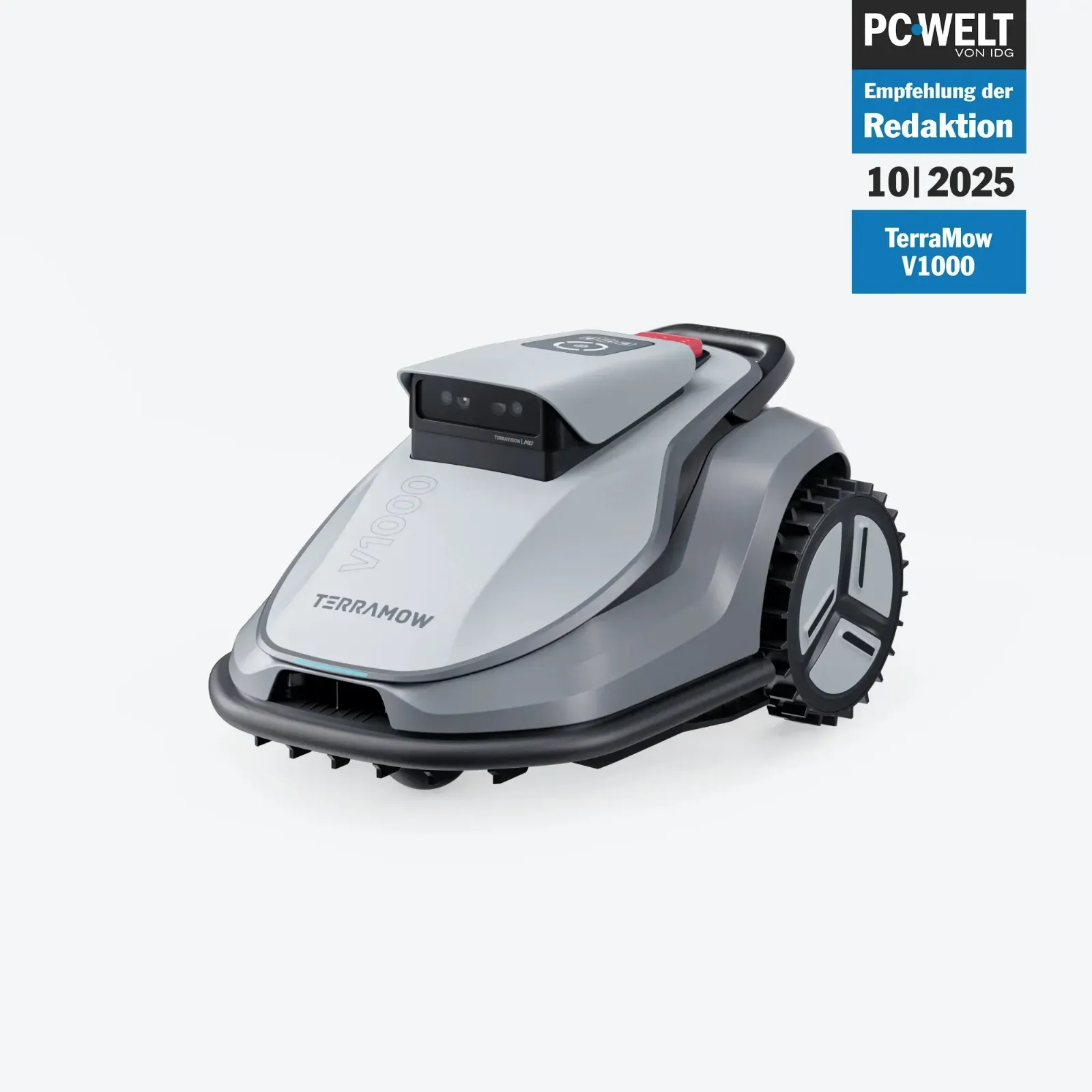
For 200 to 300 m², from a workshop perspective: check the V600, but don’t buy it too tightly if the garden is challenging. For 300 to 600 m² with multiple zones or a short mowing window, the V1000 makes a strong case. For areas in the range of about 800 to 1,000 m², you should only view the V1000 with confidence if the area is easy to manage and the mower gets enough daylight time. Since vision-only navigation at night can be problematic, the available daylight window matters more than with some wire or RTK systems.
The V Series is especially interesting when app features such as edge adjustment, zone management, electric cutting height, and later firmware expansions are important. If you want to go deeper into the V600 and V1000, you’ll find additional details on area, app, edges, and blades in the detailed practical guide to the TerraMow V Series.
S800 and S1200: Is the TerraMow S Series still worth it?
Yes, the S Series can still make sense—especially if the price is right, the garden isn’t extremely convoluted, and you don’t necessarily need a specific V Series feature. The S800 and S1200 also work without a boundary wire and are designed for 800 and 1200 m², respectively. Compared to the S800, the S1200 offers more reserves for larger and more complex mapping tasks.
However, in user discussions, the question keeps coming up whether the S800 and S1200 will receive the same functions in the long run as the V Series. Specifically, features such as a Wi-Fi coverage map, adaptive movement speed, or new edge options have been discussed. The good news is: there are reports that certain Edging functions later also made their way to the S800 and S1200. Still, you shouldn’t blindly bet on future updates when buying.
The S Series speaks to a certain level of maturity. Users praise easy installation, automatic mapping, and reliable performance in suitable gardens. Against the S Series is the fact that the V Series is more visible in app and navigation development. If your garden has many problem areas, check the firmware version, the scope of app functions, the type label, the market version, and the available equipment before purchasing. With unclear offers from different markets, it’s worth doing a double check.
Anyone who is specifically torn between the S800 and the S1200 should not only compare the area. An S1200 can also make sense for 600 to 800 m² if the garden has multiple zones, long corridors, narrow passages, or steeper edge areas. For a simple, flat area, the S800 is often the more sensible choice. More context on mapping, the app, edges, and blade changes is provided by the detailed guide to the S800 and S1200.
Navigation without boundary wire: What Vision-only does well – and where it falls short
Vision-only sounds convenient: no RTK antenna, no wire, no cable breaks. In practice, that’s a real advantage when the lighting and visibility conditions are right. Many users report that TerraMow gardens are mapped surprisingly well and obstacles are detected cleanly. Especially for anyone who doesn’t want to deal with laying cables, the appeal becomes clear quickly after the first automatic mapping.
The catch: camera navigation needs visible information. Mowing at night is therefore not a typical use case. At least one user explicitly states that the V1000 does not mow at night. For some, that’s irrelevant because mowing is done during the day anyway. For others, it’s a deal-breaker—for example, if children, pets, or garden use make mowing during the day difficult.
Even difficult lighting conditions can become relevant. Strong sun, harsh shadows, wet areas, low branches, dark corners, and reflective paving areas can challenge vision systems more than a clean, bright lawn. That doesn’t mean TerraMow has to fail there. But it does mean: don’t place the station in the scorching heat, watch problematic corners, and don’t treat the first trips unattended as final proof.
Slopes with dense grass, edge areas along fences, narrow strips, and trampoline legs are especially critical. For example, a V1000 user reports an inclined edge with thicker grass where the mower got stuck multiple times. In the end, the solution wasn’t “freeing it even more aggressively,” but marking the spot as a No-Mow zone. That’s a typical practical point: sometimes the right setting isn’t more power, but a better map.
Practical rule of thumb: Cordless doesn’t mean carefree. Vision navigation saves wire work, but it requires clean zones, good visibility, and realistic expectations for night operation, shadows, and problem edges.
Setup, mapping, and zones: the most common pitfalls
The TerraMow app is often praised in user reports. Many settings—such as cutting overlap, daily direction changes, boundary distance, and edge modes—are relevant in practice. At the same time, this very variety is a learning curve for beginners. If someone just presses “Start” and expects the robot to understand every special case on its own, they’ll have to do adjustments in difficult gardens.
Mowing zones, No-Go zones, and passage areas
Mowing zones are intended for areas that the TerraMow should actively cut. No-go zones mark problem areas: flower beds, roots, steep edges, deep depressions, trampoline feet, or areas with loose toys. Passage-only areas are especially important when the robot only needs to drive through a narrow corridor, but should not mow there. Many users report that they only understood this exact logic through trial and error.
Typical mistake: A bottleneck is set up as a normal mowing area, even though the robot should only pass through it. Then it tries turning maneuvers, drives overlapping tracks, or searches for mowing logic where, in reality, only passage makes sense. It’s better to intentionally plan such spots as connections and clearly separate the actual mowing areas.
Manual repositioning and returning to the station
A specific user report describes that a V600, after being manually repositioned, did in principle search for the way, but near the charging station on paving stones it drove around for a long time and eventually gave up. This is purchase-relevant because mowing robots are always being lifted in real gardens: because of toys, getting stuck, cleaning work, or a problem zone.
Our recommendation: After the first mapping, test specifically how the TerraMow reacts after a stop, after repositioning, and after being freed. Pay special attention to the last meters to the station. Paving stones, terrace edges, shadows, and tight station corners are not a minor detail—they determine whether it’s practical for everyday use.
Edge cutting, edge distance, and follow-up work: How cleanly does TerraMow really mow?
The edge mode is often mentioned positively in user reports. Especially along sidewalk-lawn edges, TerraMow can work cleanly because the robot drives along the border in a targeted way. Still, this does not replace perfect manual trimming. If you expect a deep, hard cutting edge like with a lawn trimmer, you may occasionally need to do some touch-up work.
The edge distance is always a compromise. Too close to the edge increases the risk that the robot will hit the ground, drive into dense edge thatch, or slip off the edges with its wheels. Too far away leaves a visible strip. In reviews, exactly this adjustment practice comes up: edging is praised, but there are limitations along fence lines, curbs, and uneven edges.
From a blade perspective, the edge is particularly stressful. There, the grass is often denser, wetter, and longer. The robot drives more slowly, corrects more often, and cuts more uneven material. If the cutting pattern at the edges turns gray or looks frayed, navigation or the app isn’t always to blame. Very often, dull blades, dirty blade screws, or a mowing disc clogged with grass are involved.
Blade replacement with TerraMow: When do blades and the cutting disc become important?
TerraMow uses a mowing disc with small, replaceable Klingen. In dry, short grass, the Klingen last longer. In wet grass, on sandy ground, with many edge passes, fallen fruit, small branches, or frequent mowing of dense areas, they wear out faster. A poor cutting result usually shows up first as gray grass tips, frayed blades, and more mowing noise.
With our CUT GUARD parts, we pay special attention to clean blade mounting, a stable screw connection, enough clearance against grass clumping, and smooth, even operation. If you want to upgrade not just individual blades, but the entire cutting area for the S800, S1200, V600, or V1000, you can check with the service for a compatible 9-blade cutting disc for TerraMow—if more cutting points and a more robust build better match your intended use profile.
What remains important: More blades are not a magic trick against incorrect mapping. If the robot doesn’t reach a zone, stops under the trampoline, or hits a dip, a new cutting disc won’t solve the navigation problem. It helps where the robot drives correctly, but you want to improve the cutting pattern, cutting lifespan, or mechanical stability.
Typical problems from user reports: Getting stuck, hitting the ground, Wi-Fi, and returning
The most important TerraMow problems are not rare one-off cases, but typical garden reality. In forums, people report getting stuck on sloped edges with denser grass. For the V600, there are reports of hitting the ground in certain zones. Under a trampoline or in narrow strips, mowing doesn’t always work right away. Mechanical issues—such as a mowing deck that hits awkwardly when moving backward—were also mentioned as individual cases.
WLAN is also a factor. One user describes the reception of a V1000 as weaker than with another RTK model. That doesn’t mean the TerraMow constantly needs WLAN to mow every meter. But app control, updates, map functions, remote access, and diagnostics benefit from good coverage. If you have a long garden, thick walls, or a station far away from the router, you should plan for a repeater or an outdoor access point.
Risk check before buying
- Slope at the edge: critical if there is denser grass or softer ground there.
- Trampoline: plan the legs, shade, and low clearance in advance as a problem area.
- Narrow passages: check whether they should be mowed there or only driven through.
- Paving stones near the station: test return travel and localization after moving it.
- Many zones: choose a larger model instead, because return routes and edge runs cost time.
- Short mowing windows: consider vision-only at night, so plan the time of day accordingly.
- Moist corners: check blade wear and grass clumping more often.
Practical rule of thumb: The first seven days don’t decide everything. Many TerraMow weaknesses only become apparent after several mowing cycles, when zones, return travel, edges, and firmware come together in real everyday use.
Buying recommendation by garden type
Small, level garden up to about 200 m²: Check the V600 or S800. If the area is open, has little shade, and the station is well positioned, you usually don’t need a larger model. Still, pay attention to edges and mowing windows.
200 to 300 m² with obstacles: The V600 can work, while the V1000 offers more reserve. If there’s a trampoline, narrow corridors, multiple zones, or dense edge grass, I wouldn’t buy too narrowly sized.
Medium area up to 600 m²: The V1000 is the safer choice, especially for a complex shape. The S800 can fit if the V-series app features aren’t important and the garden remains manageable.
Large area toward 800 to 1200 m²: Check the S1200 or V1000. The key factor is whether the garden is rectangular and calm, or consists of many separate areas. Long reverse trips and short daily mowing windows point to needing more reserve.
Garden with slope, trampoline, and fence line boundaries: TerraMow can work, but only with clean zone planning. Expect no-go zones, fine-tuning of the boundary distance, and occasional follow-up work.
Frequently asked questions
Is the TerraMow V600 enough for 200 to 300 m²?
Yes, for 200 to 300 m² the V600 can be sufficient if the area is fairly level, open, and easy to access. With multiple zones, narrow passages, dense edge grass, or a short mowing window, the V1000 is the more relaxed choice.
Can TerraMow mow at night?
No, TerraMow is strongly designed for Vision navigation and shouldn’t be planned like a classic night mower. If you only want to mow at night, you should critically evaluate this system, because camera recognition needs light and visible structure.
What is the difference between S800/S1200 and V600/V1000?
The S series is the older and more established line, while the V series brings TerraVision 2.0, modern app features, and—depending on the firmware—additional convenience options. S800 and S1200 can still make sense if the garden fits and you don’t need a specific V feature.
How good is the edge cutting with TerraMow?
The edge cutting is often rated positively, but it doesn’t replace a lawn trimmer in every spot. It works well on sidewalk edges, but along fence lines, uneven edges, and dense edge strips, occasional touch-up work is still realistic.
When should you change the TerraMow blades?
Replace the blades at the latest when you see gray, frayed grass tips or when the cutting noise becomes noticeably louder. In damp, sandy, or edge-rich terrain, shorter replacement intervals are sensible compared to dry, open lawns.
Conclusion: TerraMow is strong—if the garden fits the system
TerraMow S800, S1200, V600, and V1000 are interesting robotic lawnmowers for users who want to operate without boundary wire. The devices score with easy mapping, app control, zone logic, and a decent edge cut. Many users report positive experiences, especially when the garden is open, well-structured, and not too dark or maze-like.
The honest side also belongs here: vision-only is not a free pass for every problem area. Slopes with dense grass, a trampoline, narrow strips, fence edges, bumping, returning to the station, and WLAN coverage should be considered before purchase. If you plan for buffer, set up the zones cleanly, and maintain the blades and cutting disc regularly, you can get significantly more out of a TerraMow than with the pure factory setting.
Our practical recommendation: V600 or S800 for simple small to medium areas, V1000 or S1200 for more buffer, multiple zones, and more demanding gardens. And once the cutting pattern starts to decline, don’t first despair at the app—often the solution begins at the bottom of the mowing deck, with blades, screws, grass clogs, and a cutting disc that runs cleanly.
Comments