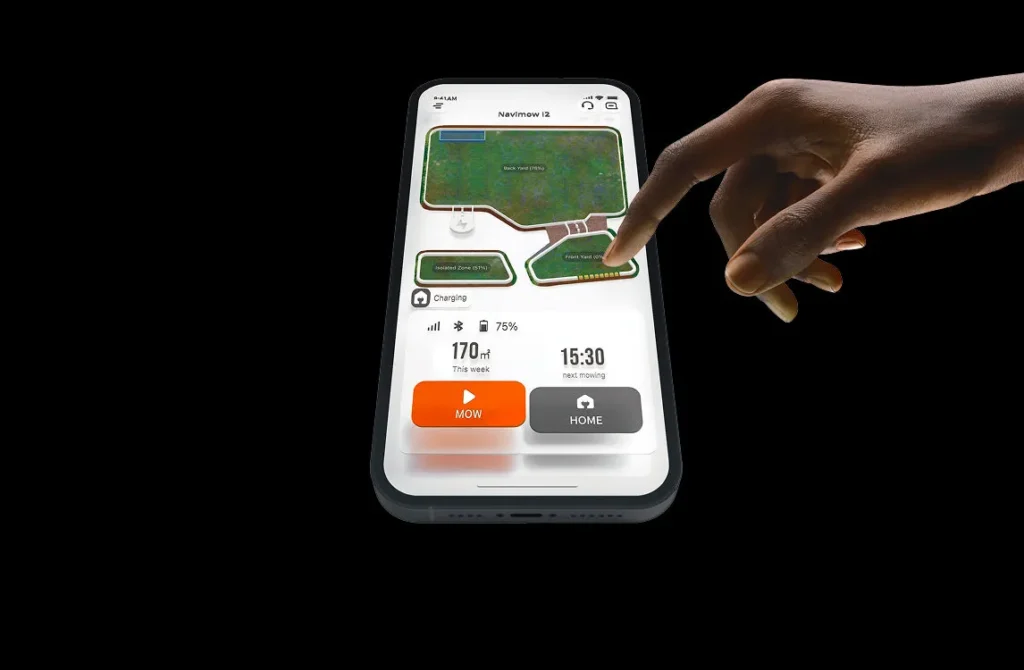
The Navimow drives along the paving path, turns briefly just before the edge of the flower bed—and with the next glance, a frayed line of grass is left behind. Under the robot, you may already notice a noticeable nick on a blade. In exactly these kinds of gardens, a 9-blade setup can provide more cutting surfaces. But it is a young system that strongly depends on settings and garden geometry: there is no guarantee against track misalignment, edge contact, or reverse-drive problems.
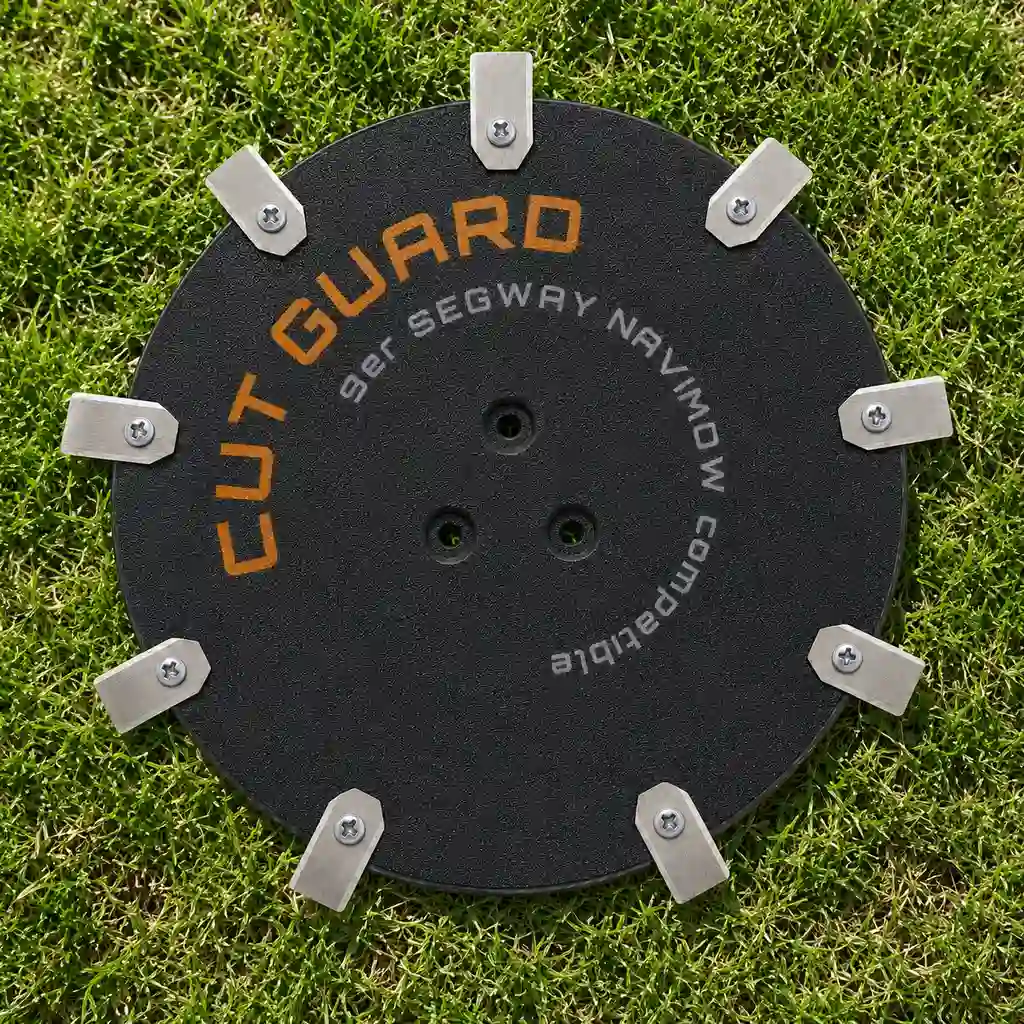
Our CUT GUARD 9-blade cutting disc for Segway Navimow i208 AWD, i215 LiDAR and i220 LiDAR is intended for users who want to achieve a more even mowing pattern in dense or fibrous grass. The accessory novelty for 2026 should still be assessed objectively: long-term experience is still limited. More blades can improve cutting performance within the track actually traveled—however, they do not change the boundary map or the mowing robot’s safety distance.
9-blade cutting disc for Navimow i208 AWD, i215 LiDAR and i220 LiDAR: Who is the upgrade worth it for?
In the workshop, we see the difference above all where the original mowing disc is still running, but the cut becomes more unsteady when dealing with tough, dense, or fibrous grass. Many users report in forums that blades are frayed, even though the robot is regularly in operation. A specific user experience report about the i208 AWD even describes difficulties with grass that is around 35 mm high and particularly demanding. This shows: not every lawn behaves like a short, dry test area.
Nine blades mean more cutting impulses per revolution. This can help the blades pick up stems more often in the area being mowed and contribute to a calmer overall look when mowing intervals are short. If you want to upgrade your Navimow specifically with a complete, model-specific set, you’ll find the matching CUT GUARD 9-blade solution for Navimow i2 directly for i208 AWD, i215 LiDAR, and i220 LiDAR.
The upgrade fits particularly well when these points come together:
- The robot runs frequently and cuts rather small amounts instead of rarely mowing very long grass.
- The grass is dense, fibrous, or grows with different intensity in different areas.
- The existing mowing disc is worn, damaged, or the blades no longer move freely cleanly.
- The user accepts that blades must be checked earlier and possibly replaced after contact with stones, paving, or roots.
- The exact Navimow model designation is clear: i208 AWD, i215 LiDAR, or i220 LiDAR.
It is not sensible to expect that nine blades will automatically bring a robot closer to walls, hedges, or fences. The mowing disc only cuts where the Navimow actually drives. If the driving path remains several centimeters in front of a fixed edge, the edge will also remain uncut.
Practical rule of thumb: Nine blades improve cutting within the driving path. They do not replace regular mowing intervals or a properly created map.
Why don’t nine blades automatically cut better right up to walls and paving?
Many users still complain about the same issue with mowing robots: at hedges, walls, fences, or garden border edging, a visible strip remains. This is usually not just a blade problem. The robot keeps its distance, recognizes an edge as an obstacle, or follows an edge-following route that has been intentionally set up to be cautious. More blades do not automatically increase the cutting disc’s reach beyond the driving path.
Especially with Navimow models, you should separate two tasks clearly. Camera or Vision is primarily used for orientation and obstacle avoidance in the immediate surroundings. RTK/GNSS, map, position data, as well as the WLAN or LTE connection are relevant for planning, driving safety, returning to the station, and zone logic. WLAN is not a blanket “backup” for missing positioning, but a component of the connection and system logic.
In practice, there is an important limitation with vision-based obstacle avoidance: it works reliably mainly in daylight. That’s why the main mowing windows should be scheduled for bright hours. Don’t rely on the robot reacting to a night drive along unclear edges, branches, or objects in the same way as it does during mowing in good visibility.
Garden geometry should also be checked before purchasing accessories. Don’t plan virtual boundaries and no-go zones only up to the visually visible lawn edge. When turning and swerving, the robot needs room to move. Narrow passages, short time windows between multiple zones, and long reverse trips make the decision clearly more important than the simple area information on the box: what matters are the map, the zones, and the transfer routes.
A clean digital map also doesn’t replace the actual shape of the garden. A paving strip, a vertical wall edge, or a raised bed border can be closer to the blades than the map view suggests. That’s why the edge travel must be observed—especially after a map change.
What happens with “Edge Touching” on curb stones, paving, and hard borders?
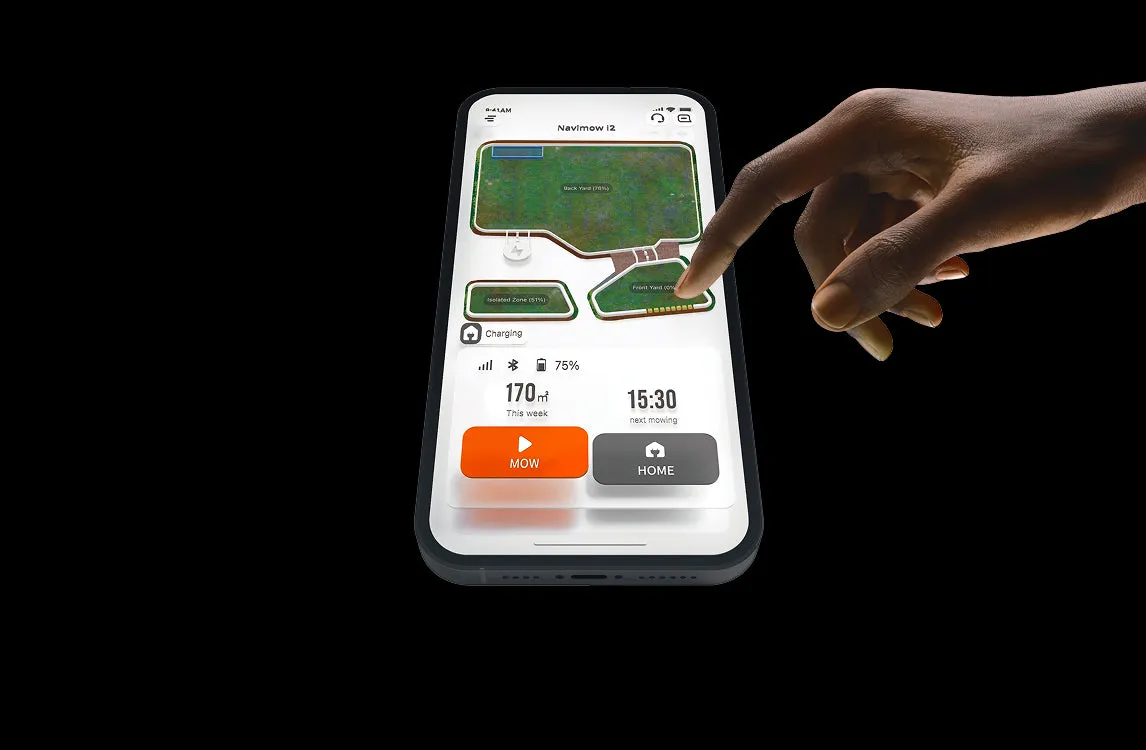
In forums, repeated contact with the edge is discussed again and again. Users describe edge runs that go wrong in certain places, change their direction after map updates, or lead to prolonged maneuvering on slopes. This is a real indication that mapping, driving behavior, and garden geometry during wear may play a bigger role than the sheer number of blades.
The mechanical consequence is obvious: if blades repeatedly work on paving stones, curb stones, metal edges, or hard borders, they can become dull faster or get damaged. Then the cut looks uneven despite a new mowing disc, until the affected blades are replaced. However, it has not been proven that a specific adapter variant reliably prevents or reduces edge contact. The correct disc and adapter variant is a prerequisite for smooth operation—it does not replace a properly set up edge map.
If your Navimow drives away from the edge and leaves behind a frayed line, do not start immediately with the mowing disc. Our service sequence is:
- Check the app map and virtual boundaries: Is the boundary realistic, or was it set too far inside?
- Check the station and connection environment: Is the charging station positioned sensibly, and is the WLAN coverage there as well as along the important transfer routes stable?
- Check position stability: Are there position jumps in the area of an edge, passage, or transition? Depending on the model, satellites, WLAN, and LTE as well as map-based localization should be checked.
- Only then check the cutting system: Inspect blades, Messerteller, mowing height, free mobility, and any clinging grass residues.
For a meaningful test on a strip of grass after a branch, twig, or edge, remove three to five random objects or small twigs as a test. Mow the area again and compare the track and the position of the strip. If the gate and the strip remain reproducibly in the same place, first check the map and WLAN coverage in this zone. Only then is it sensible to draw a conclusion about the vision behavior.
Practical rule of thumb: If an edge problem repeats exactly at the same spot, the map or position is usually the first point to check—not automatically the cutting disc.
Fit before blade count: Which cutting disc really fits?
When it comes to accessories for current Navimow models, the model and mounting assignment matters more than a general “fits i2.” Before ordering, check the nameplate, the model name in the app, and the shape of the existing disc. i208 AWD, i215 LiDAR, and i220 LiDAR must be matched exactly to the intended variant.
If you want to compare all available disc solutions first and clearly identify your own series, you can use the model-specific Segway cutting discs in the overview. This reduces the risk of ordering an externally similar but structurally incompatible mounting.
| Inspection point | Why it matters | Workshop note |
|---|---|---|
| Exact model designation | The mount and fastening must match the robot. | Don’t just read “Navimow i-series”—compare i208 AWD, i215 LiDAR, or i220 LiDAR. |
| Adapters and fastening | Incorrect parts can lead to play, misalignment, or blade rubbing. | Check for a secure fit before the first mowing without running the motor. |
| Free movement of the blades | Blocked blades tear grass more often instead of cutting it cleanly. | Move each blade individually carefully and remove any grass residue. |
| Clearance to the housing and the ground | A disc must neither rub nor hit any components. | After installation, rotate by hand and listen for any contact noises. |
A 9-blade plate is not a universal plate for every Navimow variant. An incorrect fit cannot reliably reduce edge contact nor produce an even cutting pattern. In practice, the correct fit matters more than the maximum number of blades.
9 blades in thick, fibrous grass: What realistically improves?
With dense, fibrous grass, a 9-blade setup can make sense because more cutting points work per revolution. This is especially interesting when the robot mows frequently and the blades don’t have a chance to get too long first. A visibly cleaner cut is possible, but there’s no guarantee for every type of grass, every level of moisture, and every mowing height.
More blades are not a substitute for the three basic rules: start at not-too-low a cutting height, choose regular mowing intervals, and replace damaged blades promptly. If very long grass is cut back significantly in a single pass, nine blades can also seem overwhelming. The better approach is to start with a higher cutting height and then adjust gradually.
For users with an uncomplicated area, less dense sections, and a desire for a more reduced blade setup, a suitable 7-blade alternative for the same Navimow can also be the sensible choice. The decision shouldn’t be based on “more is always better,” but on the appearance of the grass, the mowing interval, the wear pattern, and the actual load at the edges.
When does the cut indicate dull or damaged blades?
- Stems look more torn than clearly cut.
- Despite the same mowing plan, the area shows restless, light-colored, or frayed sections.
- One side of the disc cuts visibly worse than the other.
- After contact with paving, stone, roots, or a branch, nicks on individual blades can be seen.
- The mowing disc runs unevenly or collects wet clippings at the blade mounting points.
Practical rule of thumb: More cutting surfaces help with demanding grass only if all blades move freely, are sharp, and work without edge damage.
How do I safely install the 9-blade cutting disc on Navimow?
Always install with the robot switched off and with no mowing operation running. First, clean the underside: old grass, soil, and stuck-on fibers often conceal damage to the mounting area, screws, or blades. A clean surface is the foundation so the new disc sits flat.
- Switch off Navimow and secure it against accidental starting.
- Carefully place the robot so that the housing and sensors are not under load.
- Remove the old disc and clean the mounting surface completely.
- Install the new cutting disc only with the appropriate model variant and the intended fastening.
- Check each blade for free movement.
- Rotate the disc by hand: no grinding, no hitting, no noticeable play.
- Watch the first mowing pass on an open area—do not start directly on paving, at the edge of a flower bed, or in a tight spot.
After the first pass, it’s worth taking a quick look underneath the robot. Check whether fresh grass gets caught unusually in one spot, whether a blade is sitting at an angle, or whether any grinding marks are visible. If you notice noises, vibrations, or uneven operation, stop the operation and check the installation again.
Frequently asked questions
Does the 9-blade cutting disc fit my Navimow i208 AWD, i215 LiDAR, or i220 LiDAR?
Yes, if the cutting disc is explicitly intended for the exact i208 AWD, i215 LiDAR, or i220 LiDAR and the existing mounting matches. Always compare the model designation, mounting, and design of the existing disc before installation. A blanket assignment based only on the “i-series” is not sufficient.
Does the Navimow automatically cut all the way to walls and hedges with nine blades?
No, nine blades only shorten the grass within the traveled path and do not eliminate an excessively large driving distance. If the robot stops in front of a wall, fence, or hedge, check the map, the virtual boundary, the turning area, and obstacle detection. Manual edge finishing may still be necessary on fixed edges.
Why is the cut frayed despite new blades?
The most common causes are grass that is too tall or fibrous, damaged blades, blocked blade plate mounts, or a driving path that is too far away. First check free movement and sharpness, then mowing height and mowing interval. If the problem only repeats on one edge, put the map through its paces before the blade plate.
Does the right adapter prevent contact with paving stones or curb stones?
No, a suitable adapter ensures a proper fit and free movement, but it does not prevent edge contact caused by the driving route. Whether the Navimow reaches hard borders depends primarily on the map, edge design, turning movement, and the robot’s behavior at that spot.
Do I need to change blades more often with fibrous grass?
Yes, check the blades more often in fibrous grass and after contact with edges, instead of switching on a fixed calendar schedule. What matters are visible nicks, a poorer cut, and reduced mobility. As soon as the blades of grass are torn rather than cleanly separated, it’s time to inspect.
Conclusion: 9 blades are a cutting upgrade – not a solution for map and edge problems
The CUT GUARD 9-blade cutting disc for Segway Navimow i208 AWD, i215 LiDAR and i220 LiDAR can provide more cutting surfaces in dense, fibrous grass and regular mowing operation. However, the potential only shows up with an exact fit, clean free movement, sharp blades, and a realistically set-up mowing map.
If you discover frayed areas or severe blade nicks, you shouldn’t blame the mowing disc too quickly. First check the map, edge travel, the station, position stability, and the garden edge—then check the cutting disc, blades, and mowing height. This way, a change of accessory doesn’t become a hope for miracles, but a clearly understandable improvement to the cutting system.
Comments