Segway Navimow i205 AWD in Practice Check: Setting Up, Edges, and Blades Properly Evaluated
The Segway Navimow i205 AWD is one of those lawn mowers where the manufacturer’s specifications sound very good at first: wireless, all-wheel drive, automatic mapping, app control, and designed for about 500 m² of lawn area. In practice, however, it is not the data sheet that decides, but whether the robot comes out of the station cleanly, hits the edges properly, and delivers a consistent cutting pattern with its blades over time.
User reports generally rate the i205 AWD well. The easy setup, systematic mowing in lanes, quiet operation, and good traction on uneven terrain are particularly praised. At the same time, recurring criticisms arise: edge strips are left uncut, automapping is not perfect in every garden, NRTK and antenna cause confusion, and some users report positioning problems.
This article is therefore not an advertising brochure. I will look at the typical practical questions surrounding the Segway Navimow i205: How do you set it up sensibly? Where are the limits of edge cutting? When is manual mapping worthwhile? And what role do the blade disc, blades, and accessories play in achieving a clean result?
Segway Navimow i205 AWD in User Check: Who Really Benefits from the All-Wheel Mower?
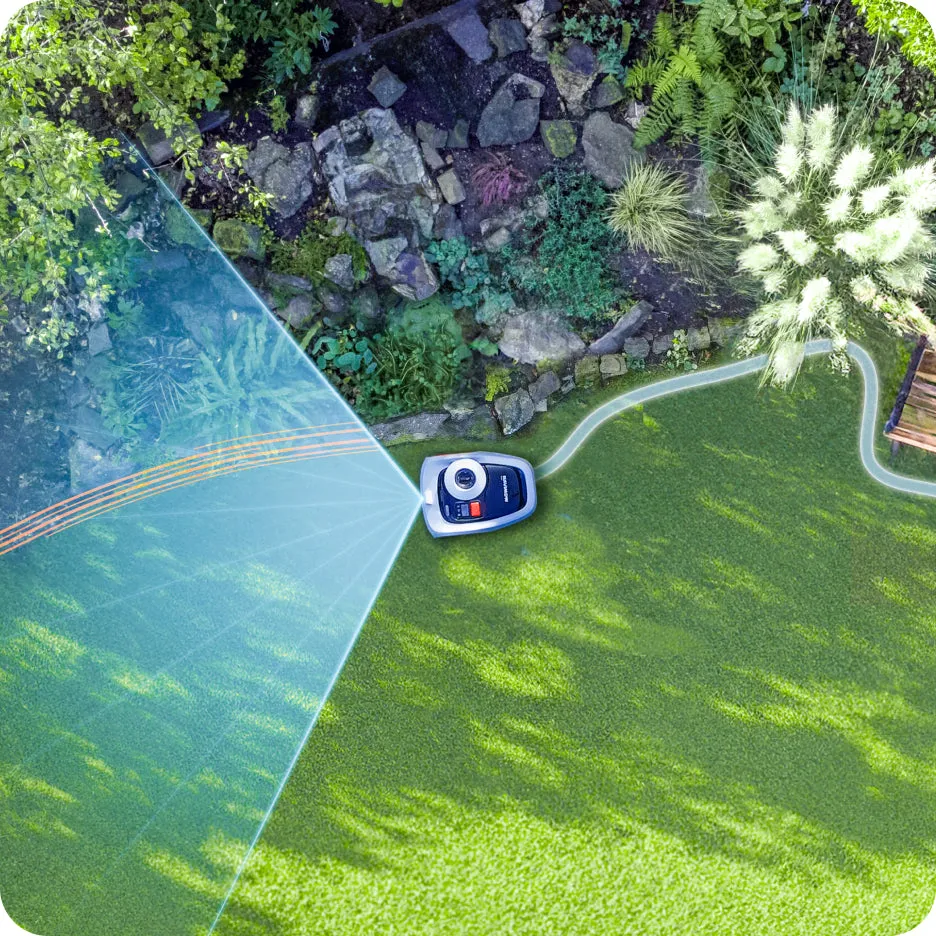
The i205 AWD is best suited for gardens that are not huge but require a bit more traction. So small to medium areas with unevenness, slight slopes, edge stones, narrow transitions, or areas where a lightweight mower with two driven wheels tends to slip.
Many users report that the all-wheel drive helps particularly at edge stones and on uneven ground. If one wheel briefly loses traction, the robot tends to free itself rather than getting stuck. This is the significant practical difference compared to many simpler models.
For very simple, flat rectangular gardens, the AWD advantage is less critical. There, navigation, edge cutting, and blade condition are more important. If you have a very straight, neatly bordered lawn without slopes, you should soberly weigh the extra cost for all-wheel drive against alternatives like LiDAR models.
The Most Important Key Data in Practice
- Recommended Area: about 500 m² for the i205 AWD
- Cutting Width: about 18 cm
- Cutting Height: typically adjustable from 20 to 60 mm
- Mowing Principle: systematic lanes instead of random driving
- Navigation: virtual boundary with NRTK/Vision support
- Strength: traction, app comfort, wireless setup
- Weak Point: edge mowing and complicated mapping areas
Important: The i205 AWD is not a lawn mower that magically trims every garden edge perfectly. The centrally located mowing unit and safety distances ensure that a narrow strip may remain at walls, flower beds, or non-navigable edges. This point is regularly mentioned in user reports.
The Biggest Practical Problems: Edge Strips, Mapping, Positioning, and App Setup
If you only look at the positive reviews, you quickly get the impression with the Segway Navimow i205: unpack, open the app, create a map, done. For simple areas, it can indeed go that way. However, forums and reviews also show where the issues arise.
The most common topic is the edge. Many users report that the i205 AWD mows the area cleanly in lanes, but a visible strip remains at the edge. This is particularly noticeable along walls, raised beds, fences, solid lawn edges, and narrow paving strips that the robot cannot safely cross.
The second topic is mapping. Automapping is often praised, but not every garden is ideal for it. If one side runs along a hedge, recessed paving stones are in between, or a flower bed is very close to the mowing area, the automatic map can become too cautious or simply inaccurate in certain places.
There are also individual cases with positioning errors. Users report, for example, that the mower leaves the charging station, reports “poor positioning,” and immediately returns. This does not seem to be a widespread problem, but it is a scenario that should be taken seriously – especially if the station, garage, or antenna position is unfavorable.
What Really Matters Before the First Mowing
I would not simply place the i205 AWD in the first corner I find. The charging station needs a clear environment, the mower must be able to drive out straight, and the map should not be accepted “somehow” on the first attempt. A poor initial map will haunt you later with every edge cut.
The app registration is also a point. Some users report problems with confirmation codes via email. This is rare, but without the app, the lawn mower is practically unusable. Therefore: do not start the setup on Sunday evening if mowing is scheduled for the next morning.
Mowing Edges with the i205 AWD: Why a Strip Often Remains
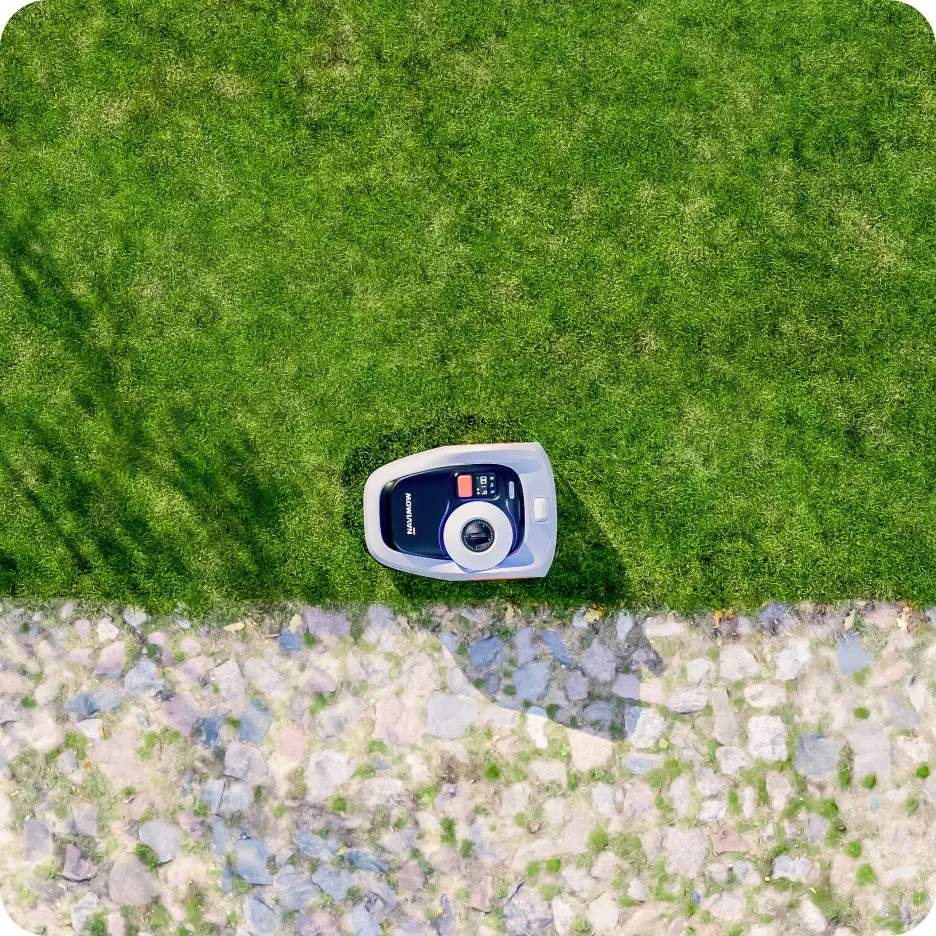
The edge strip is not a sign of dull blades with the i205 AWD, but is usually a result of the design. The mowing unit is not located all the way to the outside but is centered under the device. When the robot drives along a wall or a flower bed with its outer edge, the rotating blade disc does not reach all the way to the obstacle.
With navigable edges, it looks better. If there is a flat paving strip next to the lawn, the mower can partially drive over it with one wheel. Then the blade disc comes closer to the lawn edge. It becomes problematic when the edge is elevated, narrow, loose, or directly adjacent to a flower bed.
For this reason, users repeatedly express the desire for more overlap or a special edge cutting program. Some users try to draw the map a bit larger. This can work if there is a truly navigable area outside the lawn edge. However, it is not a good idea to send the robot towards gravel, flower mulch, pond edges, or steep slopes.
Practical Solution: Mitigate the Edge Structurally or via Map
If the i205 AWD leaves a strip of 5 to 10 cm at an edge, you have three sensible options. First: manually adjust the map and allow a bit more overlap in safe areas. Second: create a navigable lawn edge, for example, with flat, even stones. Third: trim the remaining strip every one to two weeks.
What does not help: constantly mounting new blades if the problem is geometric. Sharp blades improve the cutting pattern, but they do not create a laterally offset blade disc. The difference is more evident in frayed grass tips, uneven cuts, and higher energy consumption.
Blade Disc and Blades: The Underestimated Part of the i205
The Segway Navimow i205 works with small, freely movable blades on the blade disc. This design is quiet and efficient but requires maintenance. If blades become stuck, wear unevenly, or no longer swing freely, the cut becomes messy. Then the lawn looks more torn than cut after mowing.
With frequent use, it is worth checking under the robot about every two to three weeks. Grass clippings, dirt, and small twigs tend to accumulate around the blade disc and blade screws. Before each check, remember: turn off the robot, secure against accidental start, and wear protective gloves.
If you want to optimize not only individual replacement blades but also the cutting unit for the i205 AWD, you can find suitable accessory solutions at Messerscheibe24, such as the 9-blade disc for Segway Navimow i105E, i108E, and i205 AWD. Especially with regular mowing, a clean, stable blade disc is crucial because it guides the blades evenly and reduces vibrations.
NRTK, 4G, and Antenna Explained: What Buyers Need to Know Before Setup
Few points raise as many questions about the Segway Navimow i205 as positioning. Many buyers read “no boundary cable” and “no antenna needed” and then expect the robot to drive precisely to the centimeter everywhere immediately. In practice, the situation is a bit more nuanced.
NRTK is responsible for precise positioning. 4G or mobile data can be relevant for data connection, remote access, and certain online functions. These are not the same. Users often confuse these terms because, in the end, what matters is: Does the mower find its position or not?
Many reports show: In open gardens, the i205 AWD often works reliably without an additional antenna. However, under trees, close to house walls, between tall hedges, or in winding areas, an antenna can significantly help. It is not a magical problem solver, but it can improve signal stability.
When I Would Plan with an Antenna
- The garden is tightly enclosed between house walls, garage, and tall hedges.
- The charging station is to be placed in a garage or under a roof.
- There are many trees with dense crowns.
- The robot needs to navigate through narrow passages.
- Multiple zones are separated from each other.
If you are setting up the i205 AWD for the first time, you should not immediately buy all accessories. It is more sensible to first test the station in a good location, create the map cleanly, observe two to three complete mowing cycles, and only then decide if an antenna is necessary.
Automapping vs. Manual Mapping: Which Method Users Recommend
Automapping is convenient. The robot recognizes the area, drives along the boundaries, and creates its working map from it. In simple gardens, this is a fine thing. A rectangular lawn with clear edges, few obstacles, and open sky is exactly the scenario where automapping can shine.
In complicated areas, it looks different. Users report that the i205 AWD sometimes works too cautiously or inaccurately at hedges, flower beds, paving islands, or transitions. A typical case: The mower does not want to cross recessed paving stones, even though they would actually be navigable. Or it misinterprets a flower bed edge and drives too far in during mapping.
Manual mapping is slower but often more precise. You guide the robot along the boundary and define the mowing area as you really need it. This saves trouble later, especially in narrow passages, gates, and sloped areas.
My Setup Order
- Temporarily place the charging station and check the signal.
- Test automapping only on simple areas.
- If errors occur, do not experiment for long, but map manually.
- Observe edge driving separately, especially at flower beds and paving.
- Set no-go zones generously, not millimeter-precisely.
- After the first mowing trips, refine the map.
The transitions between multiple zones are also important. In user reports, multi-zone setups generally work, but channels at gates or narrow connecting areas can become fiddly. One user solved the problem with a small overlapping additional zone. Not elegant, but practical.
i205 AWD vs. i208 LiDAR vs. i105E: The Most Common Purchase Decisions from Forums
Many buyers compare the Segway Navimow i205 AWD with the i208 LiDAR or the older or differently positioned i105E. The model designations visibly cause confusion, especially since i205, i205E, and i2-AWD designations appear depending on the market.
The decision depends less on the name and more on your garden. Do you need traction? Then there is a lot to be said for AWD. Do you need navigation without strong RTK dependence? Then LiDAR is interesting. Do you have a simple small area and primarily want to mow wirelessly, an i105E may also suffice.
| Model | Strength | Typical Hook | Suitable for |
|---|---|---|---|
| Navimow i205 AWD | All-wheel, good traction, approx. 500 m² | Edge strips and NRTK dependence depending on the garden | Uneven small to medium gardens |
| Navimow i208 LiDAR | Navigation with LiDAR, interesting in difficult satellite reception | Higher price, AWD not always the focus depending on the variant | Areas with many visibility/signal obstacles |
| Navimow i105E | Proven wireless concept for smaller areas | Less traction reserve than AWD models | Simple, rather flat gardens |
If your garden is flat, open, and neatly bordered, I would not automatically reach for the i205 AWD. However, if you have unevenness, slight slopes, or areas where other lawn mowers get stuck, all-wheel drive is a real argument.
Garage, Charging Station, and Signal: How to Avoid Docking and GPS Problems
When thinking about the garage, many first consider the dimensions: Does the mower fit inside? With the i205 AWD, that is only half the question. Much more important is whether the station is positioned so that the robot reliably finds its position and docks cleanly.
User questions discuss narrow garages of about 60 × 70 × 30 cm. Physically, this can fit if the entrance and exit are just wide enough. More critical are materials and surroundings: metal, thick roofs, dirt on plant box garages, walls, and dense vegetation can disrupt the signal.
The mower should not have to steer immediately in front of and behind the station. Plan for a bit more free distance. If the robot has to turn directly when exiting, cross an edge, or go through a narrow gate, the likelihood of docking and positioning errors increases.
Checklist for the Station
- Do not squeeze the station directly against a high wall.
- Clear visibility upwards is better than a massively covered garage.
- No metal cover directly above the robot.
- Plan for a straight entrance and exit.
- Observe several docking processes after setting up.
- In case of “poor positioning,” first check the station, signal, and map, do not immediately disassemble the mower.
A garage protects against sun and weather but can also create new problems for wireless lawn mowers. Therefore, I always test new stations first without a garage. If the i205 AWD mows and docks cleanly for several days, then I add the covering. After that, test again.
Blade Maintenance for the Segway Navimow i205: When to Replace, When to Clean?
A lawn mower with good navigation is of little use if the cutting unit is neglected. With the i205 AWD, dull or blocked blades are often not immediately noticeable by a loud noise but by the cutting pattern. The grass tips appear bright, frayed, or shredded. The robot takes longer, and wet clippings stick more under the housing.
A rough practical rule is: With normal use, the blades should be checked regularly and replaced depending on the area, runtime, and obstacles. Small branches, sand, pine cones, fallen fruit, or molehills significantly shorten the lifespan. Those who mow daily should check more often than someone who mows twice a week.
How to Check the Cutting Unit
- Turn off the lawn mower and secure it against accidental starting.
- Put on protective gloves.
- Carefully tilt the robot, do not lay it roughly on the sensor side.
- Move the blades individually: They must swing freely.
- Check screws, but do not overtighten.
- Inspect the blade disc for cracks, imbalance, and heavy contamination.
If the robot vibrates more strongly or makes an unusual grinding noise, it should not be allowed to continue operating. A damaged blade disc can lead to uneven blade guidance. This stresses the cutting motor and worsens the cutting pattern.
Frequently Asked Questions
Do I really need an RTK antenna for the Segway Navimow i205 AWD?
Not in every garden. In open areas, the i205 AWD can also work well without an additional antenna. However, in the presence of trees, proximity to the house, narrow passages, garage, or multiple zones, an antenna can provide more stable positioning. I would first test cleanly without an antenna and retrofit if recurring signal problems arise.
Why does a strip remain at the edge with the i205 AWD?
It is usually due to the centrally located mowing unit and the safety distance to obstacles. The blades do not reach all the way to walls, flower beds, or fences. It improves if the lawn edge is navigable or if the map allows for some overlap in safe areas.
Automapping or manual mapping?
For simple, open areas, automapping is convenient. For hedges, paving stones, multiple zones, gates, or sloped areas, manual mapping is often more accurate. Many users report that manual adjustments provide a better map when automapping misses certain spots.
Can the i205 AWD reliably park in a garage?
Yes, if the entrance, exit, and signal conditions are right. A narrow garage is not automatically a problem. More critical are metal, massive coverings, plant boxes above the station, and lack of clear visibility upwards. First test without a garage, then observe again with the garage.
How often should I replace the blades?
This depends on runtime and garden conditions. With many branches, sand, cones, or uneven terrain, blades wear out faster. Check every two to three weeks to see if the blades swing freely and are still sharp. Replace them if the cutting pattern is frayed or if there are visible damages.
Conclusion from Amazon, Reddit, and Forums: Strong Mower, but Not Completely Without Follow-Up Work
The Segway Navimow i205 AWD is an exciting lawn mower for users who want to mow wirelessly and need more traction than simpler models. Its all-wheel drive is not a marketing gimmick but helps in real gardens with unevenness, edge stones, and slight slopes.
The biggest weaknesses are not in normal area mowing but at the edges and with complicated maps. Those who expect the i205 AWD to cleanly trim every edge without a trimmer will be disappointed. However, those willing to set up the station, map, and edges cleanly once will receive a systematically working lawn mower with good everyday usability.
My practical advice: Do not buy the i205 AWD just because it is “wireless.” Plan the setup like a small installation. Check the charging station, observe the first trips, refine the map, and keep the blade disc and blades clean. Then the Segway Navimow i205 will perform its strengths much better.
Tip: You will find all matching replacement blade discs and mowing plates for Segway Navimow in our overview: Blade discs for Segway Navimow.
Comments