
The RoboUP Raccoon 2 SE drives along the edge, starts to turn around—and suddenly leaves behind a frayed strip or pushes a small spot on thin grass. It gets even more annoying when, on the way back to the charging station, it repeatedly corrects itself in front of a terrace, a fence, or a wall, hesitates, and finally stops with an error. Exactly these everyday scenarios determine, for the cordless lawn mower, whether “just unpack and mow” really works.
The Raccoon 2 SE is a young system, and its results clearly depend on the map, the installation location, the ground, clearly identifiable boundaries, the reception and connection situation, as well as the software version. That’s why a statement like “works without boundary wire in every garden” would be misleading. For difficult transitions, open edges, tight reverse maneuvers, or very intricate areas, there is no guarantee and no exclusive effect from camera-based recognition.
So far, long-term experiences are still limited and not yet reliable for durability, spare part availability, app support, or typical errors after several mowing seasons. However, the available practical reports paint a clear picture: the Raccoon 2 SE can be an uncomplicated mower for small to medium-sized, clearly defined areas. Its limits are mainly where the garden is visually and geometrically more complex than the sales area shown on the box.
RoboUP Raccoon 2 SE at a glance: Which gardens is it intended for?

The RoboUP Raccoon 2 SE is a cable- and RTK-free robotic mower for areas up to 600 m². Practically, you shouldn’t read this figure as a blanket garden size, but rather as an upper limit for a suitable, contiguous mowing area. At around 500 m² with few obstacles, short return paths, and clear edges, the robot will have significantly better conditions than at 350 m², spread across three convoluted islands, narrow passages, and a long route to the charging station.
The manufacturer specifies around 150 minutes of runtime and about 70 minutes of charging time. That sounds comfortable for small areas, but it doesn’t replace garden analysis: the more turning maneuvers, interruptions, edge mowing, and return trips occur, the less the battery runtime alone says about the actual day-to-day operation.
| Better suited | Check critically before purchasing |
|---|---|
| A contiguous lawn with a sidewalk, flower bed edge, or wall as a visible boundary | An open transition to the neighboring property or a lawn without a recognizable edge |
| A short, clear path between the mowing area and the charging station | Reversing through a narrow passage, a terrace corridor, or close to a wall |
| One to three logically reachable zones | Multiple separate lawn islands without a sensible connection |
| Daytime mowing times that can be planned with sufficient light | Dusk or night operation with expectations for reliable safe camera detection |
Therefore, the practical suitability criterion is not only “How many square meters does my garden have?”, but: How many zones are there, are they connected in a sensible way, and how long is the return route to the charging station? Islands without a connection are critical. While a device weighing around 11.5 kg can be moved across separate areas, automatic operation is not automatically made more comfortable as a result.
The 600 m² figure is not a free pass for every property layout. What matters are real lawn edges, zone logic, and an interference-free return route to the station.
Does the Raccoon 2 SE need boundary wire, an RTK antenna, or a GPS base station?
No: For simple, clearly defined lawn areas, the Raccoon 2 SE does not require boundary wire or an RTK antenna or GPS base station. It uses camera-based obstacle and boundary detection as well as visual mapping. This significantly reduces installation effort, because no wire needs to be buried and no RTK reference station has to be aligned.
However, this advantage has a practical downside. Vision primarily detects what is visible in the immediate vicinity—for example, a clearly contrasting sidewalk, a wall, or a fixed edge. Vision is not the same as RTK positioning. RTK, maps, and WLAN or LTE connectivity can, in other systems, support zone planning, return logic, and the management of a digital map; the Raccoon’s camera, on the other hand, responds primarily to the visible environment locally.
For the Raccoon 2 SE, WLAN is relevant for app functions, status monitoring, map management, and software updates. But it is not a “backup” that compensates for poor visibility, unclear lawn edges, or an unsuccessful camera assessment. Bluetooth can be useful for operation nearby, but even a good Bluetooth range does not change the actual orientation at the edge.
For open lawn areas without visible separation—such as in a shared green space, along an unpaved property boundary, or with a smooth transition to another part of the lawn—you should plan additional boundary aids. The key is the real geometry: a No-Go zone or boundary belongs to the visible edge in the garden, not to a theoretical line that looks good on the phone map.
Does automatic mapping work in complex, winding gardens too?
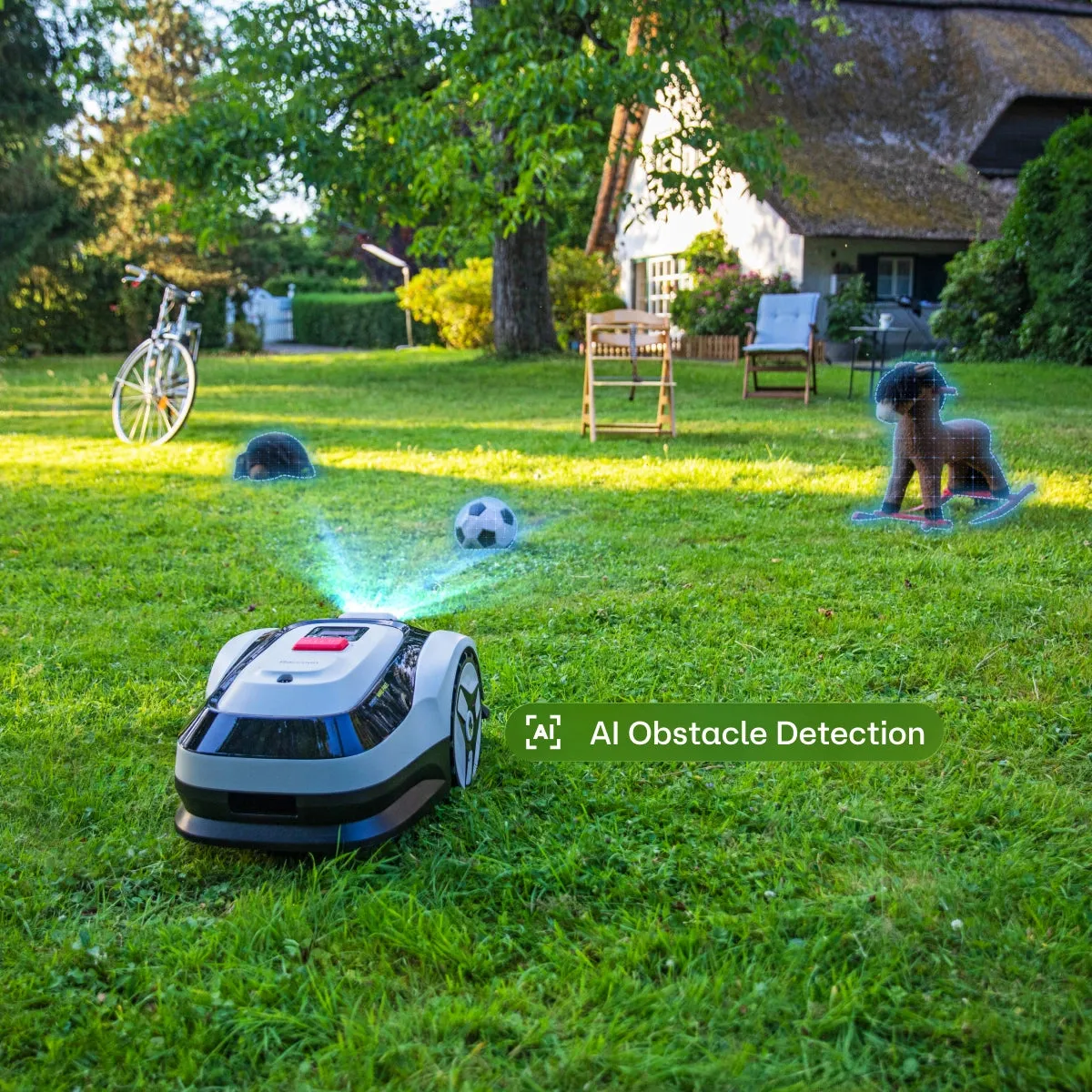
On a clear rectangular area or a slightly structured surface, automatic mapping can save a lot of setup work. A user with a lawn area of about 350 m², which is not quite easy, describes exactly this low setup effort as a strength. Clearly defined hard boundaries such as walkways were also mentioned positively.
In more intricate gardens, however, you should not understand mapping as an automatic solution to problems. The garden has real boundaries; the map only reflects a logic. Both are not the same. A robot drives through a curve and, when turning, behaves differently than on a straight path. Therefore, the drawn or detected boundary must also take into account the device’s movement when it swings out.
The two most important rules for walls, fences, and terraces
- Set the boundary to the actual edge. Especially near a fence, wall, terrace, or house wall, it must not be positioned so close to a collision point that the robot drives differently when turning or reversing than it does on straight sections.
- Make the return trip to the charging station mandatory to test. Drive at least one to two complete return trips over exactly the same route—i.e., through the terrace area, corridor, fence passage, or a narrowing—before you consider the setup successful.
A common misconception is: “If the robot has mowed the area correctly on the first start, the map is correct.” That’s not enough. Especially with short mowing windows, narrow passages, and long return drives, the assessment shifts from the area size to zones, the map, and the transfer path. A 80-cm passage may be fundamentally possible according to product data; in the real garden, however, side edges, loose stones, avoidance movements, wet ground, and the approach at an unfavorable angle also matter.
Our workshop experience with mowing robots shows: The first strip along the edge is rarely the most meaningful. If the robot repeatedly avoids in the same spot, turns on thin grass, or always leaves behind the same frayed corridor, the cause is often first found in the boundary, the map, or the driving path—not in the blades.
A map is only good if the robot handles turns and return trips cleanly in the real garden. Don’t just check the mowing area—check every critical passage in both directions.
Operation via device, app, Bluetooth, and Wi-Fi: How much technology is really necessary?
For a simple single lawn, the Raccoon 2 SE can be started directly on the device. That’s a real plus point for users who don’t want to manage every mowing run via an app. In an early hands-on report, this was praised specifically: just a few buttons on the device were enough to start, while the app was more for planning and further settings.
The app becomes important, however, as soon as you want to use multiple zones, schedules, map functions, or the electric cutting height. The mower offers an adjustable range of 30 to 80 mm in 5-mm steps. For the first trips, you shouldn’t choose an extremely low height: uneven spots, slight depressions, and thin patches of grass then show up less aggressively, and the mower can get used to the actual area more easily.
WLAN should work at the station’s location and in the area where updates or app functions are actually needed. That’s why, before permanently mounting the station, check the connection directly at the intended spot—not just at the kitchen window or on the terrace. For ongoing mowing, having a stable view of clear boundaries is more important than a particularly strong WLAN signal.
Why mowing times with vision systems belong in bright hours
The Raccoon 2 SE uses camera and/or vision support. Plan the mowing windows for sufficiently bright daytime hours. Don’t rely on it during dusk or at night to detect obstacles, lawn edges, and open transitions as safely as it does in good light. This is especially true for dark paving areas, shadows under hedges, and moist, visually uniform lawn edges.
Multiple lawn areas: create zones or carry the mower?
The Raccoon 2 SE can manage up to three zones. This makes sense when the areas are connected by a clearly identifiable path and the robot can repeatedly find the transitions in a reproducible way. A paved transition, a clearly marked passage, or a wide, open passage can be suitable for this.
However, if the areas are completely separated from each other—for example, a front garden and a back lawn without a secure connection—moving it is often the more honest solution. A user report describes the mower as sufficiently portable to take it to a separate lawn area. This is not a defect, but for small “islands” it can be the clearly less error-prone option.
For separate zones, the rule is: not every area has to be forced into an automatic map. Assess the effort per zone. If the robot has to navigate over a narrow terrace, pass close to a wall, or go through a gate, manually carrying it is often faster than repeated corrections and error messages.
Mowing results and lawn edges: what does the robot handle—and what remains manual work?
The Raccoon 2 SE has a 20-cm mowing disc with three blades and is designed to mow close to edges. In practice, though, “close” does not mean “completely edge-free.” Along walls, garden bed borders, posts, intricate terrace edges, and fixed obstacles, a residual edge remains. Small gardens in particular have a lot of edge relative to the lawn area—and therefore more follow-up work than the simple square-meter count would suggest.
In forums, inexpensive mowing robots are regularly criticized for not achieving clean edges fully automatically. For the Raccoon 2 SE, there are currently too few reliable long-term reports to derive a recurring series defect from them. Still, the realistic expectation for many properties remains: a trimmer or another solution for difficult edge areas is necessary.
If the cutting pattern stays clean in the middle, but the robot leaves a frayed strip at the edge, first check the driving geometry. Only then should you look at the blades, mowing disc, and cutting height. In our tests with mowing robots, we often see that a dull or dirty cutting system can worsen the cutting pattern, but it does not explain why the robot specifically drifts off course at a particular edge.
If, after several hours of operation, frayed blades appear across the entire area or grass clippings are left on the mowing disc, it’s worth checking the cutting system. If, when comparing later models, you pay attention to a more robust mowing disc with more space for clippings, you’ll find solutions in the category for matching cutting discs for mowing robots that can play a role in maintenance and the cutting pattern. For the Raccoon itself, of course, the dimensions, mounting, and clearance must be checked exactly before any modification.
Check service for frayed edge strips and swerving
- Check the app map and virtual boundaries: Is the boundary really on the actual edge, or is it only aligned to the screen?
- Inspect the station and connection environment: Is the charging station positioned sensibly relative to the mowing area, the WLAN, and the area with a stable connection?
- Observe positioning and driving stability: Do you see jumps, hesitation, or unusual corrections right along edges, transitions, and passages?
- Only then check the cutting system: Inspect the Klingen, mowing disc, cutting height, and any clumped grass residues.
For the repeat test, let the robot approach the same critical edge at least three times under comparable conditions. If the fault always occurs at the same spot, that points more toward the boundary, the ground, or the driving path. If the fault moves across the area or the overall cutting pattern gets worse, the Klingen and mowing disc are more likely.
An untidy edge strip is not automatically a blade problem. If the fault keeps returning in the same location, start with the map, the edge, and the reverse driving path.
Known weak spot: Why does the Raccoon 2 SE sometimes find the charging station poorly after updates?
A specific user report describes a problem after a software update: Previously, the Raccoon 2 SE docked without issues; afterward, it hesitated, jerked, and wobbled about a foot in front of the station and needed roughly 15 minutes to dock. This is currently not evidence of a widespread series defect, but a very specific practical risk related to the software version and returning to the charging station.
Therefore, do not install updates immediately before a longer absence or shortly before the mower is supposed to work on its own. After each update, perform a controlled test: start the mowing process, allow the battery to discharge partially, or trigger a return, and observe the complete route until it locks in at the station.
If the robot makes multiple corrections at the station, first check the placement of the station. The approach must not be too tight against a wall, a fence, a terrace corner, or an uneven edge of the lawn. Next, do a map and app check, and consider whether the conditions have changed since the last successful operation: a new obstacle, moved furniture, long blades, wet ground, or an update.
If you want to proceed very cautiously, wait a few days after a new software version for initial feedback from other owners. Because there are still only a small number of independent long-term reports, this is not a guarantee against problems, but it does reduce the risk of installing an update without time for a return-route test.
Frequently asked questions
Can the RoboUP Raccoon 2 SE mow without an app?
Yes, on a simple single lawn area, the Raccoon 2 SE can be started directly on the device. The app is mainly relevant for mapping, schedules, multiple zones, settings, and updates. If you only want to mow spontaneously, you don’t necessarily have to use the smartphone every time you start it.
How well does the Raccoon 2 SE work with open lawn edges?
For lawn edges that are open or visually difficult to recognize, you should not rely on vision recognition alone. Clear, hard contrasts such as paths are likely to work better than a smooth transition to the neighboring property or an entirely green area without a visible boundary.
Can I automatically mow multiple separate lawn areas?
Up to three zones are possible if they are connected by a safe and logically drivable transition. Fully separated islands should be considered better as separate tasks, and you should reposition the mower if needed.
How much edge work remains despite edge mowing?
At walls, flower beds, posts, and fixed corners, you should still expect manual work. How much of it is required depends less on the total area than on the length and shape of the lawn edges.
Should I install software updates right away?
No, install updates only when you can then carry out a complete mowing and return test. Especially because a documented report mentions a docking problem after an update, the return trip to the station should always be checked practically afterward.
Conclusion: A good choice for small, clearly defined gardens—with clear conditions
The RoboUP Raccoon 2 SE is especially suitable for small to medium-sized lawns whose boundaries are clearly visible to a camera and whose charging station remains reachable via an easy return route. No boundary wire, no RTK antenna, and the ability to operate it directly on the device make it interesting for uncomplicated gardens.
It is not a safe shortcut for every intricate garden. Open edges, narrow reversing corridors, multiple disconnected islands, difficult turning points, and night operation require realistic expectations. Plan the boundaries along real edges, test every critical reverse maneuver at least once or twice, and after updates consciously observe docking.
For the cutting layout, the same sober sequence applies: first check the route and the map, then the blades and mowing disc. This helps you avoid looking for a mechanical problem when the robot is actually failing due to geometry, lighting, or a poorly positioned station.
Comments