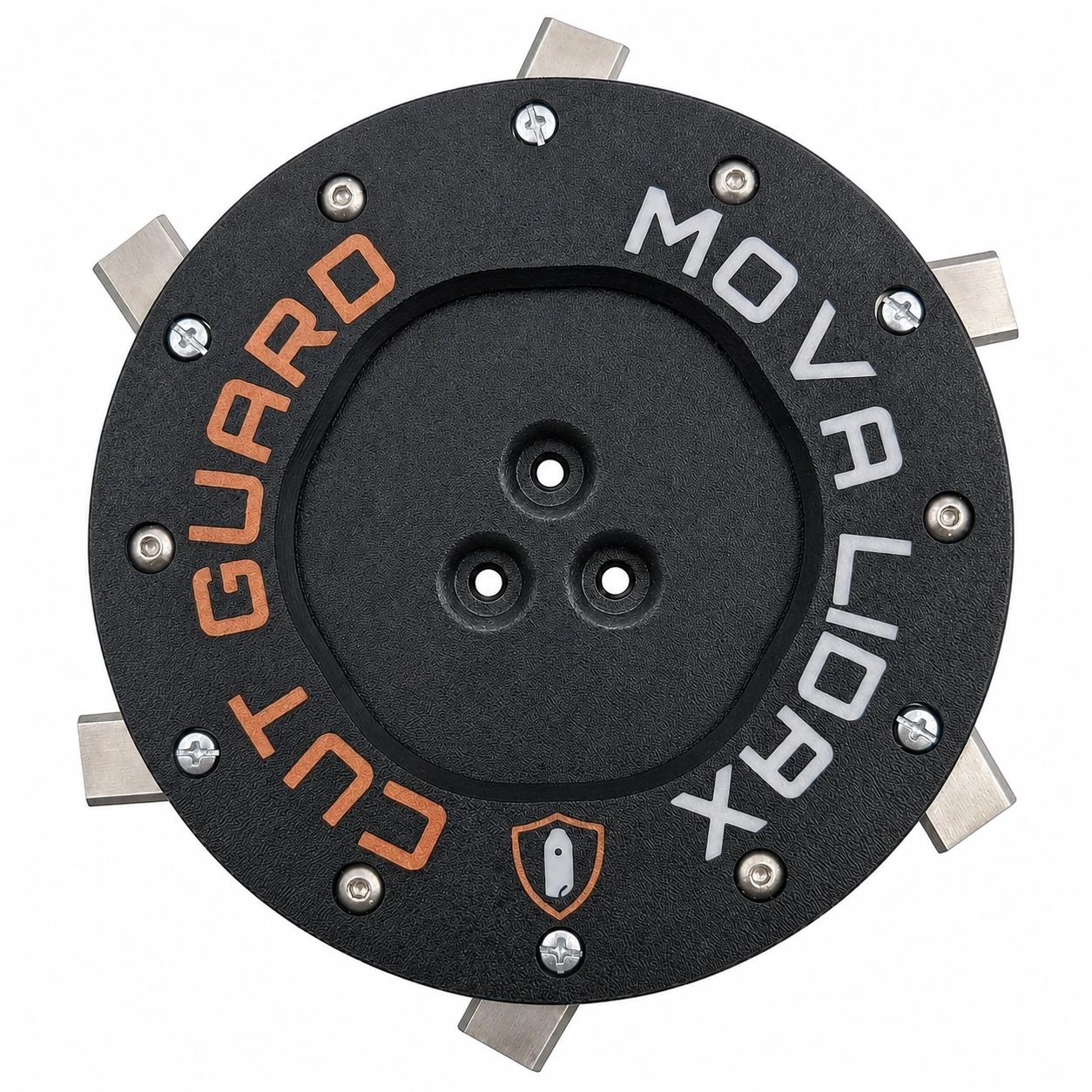
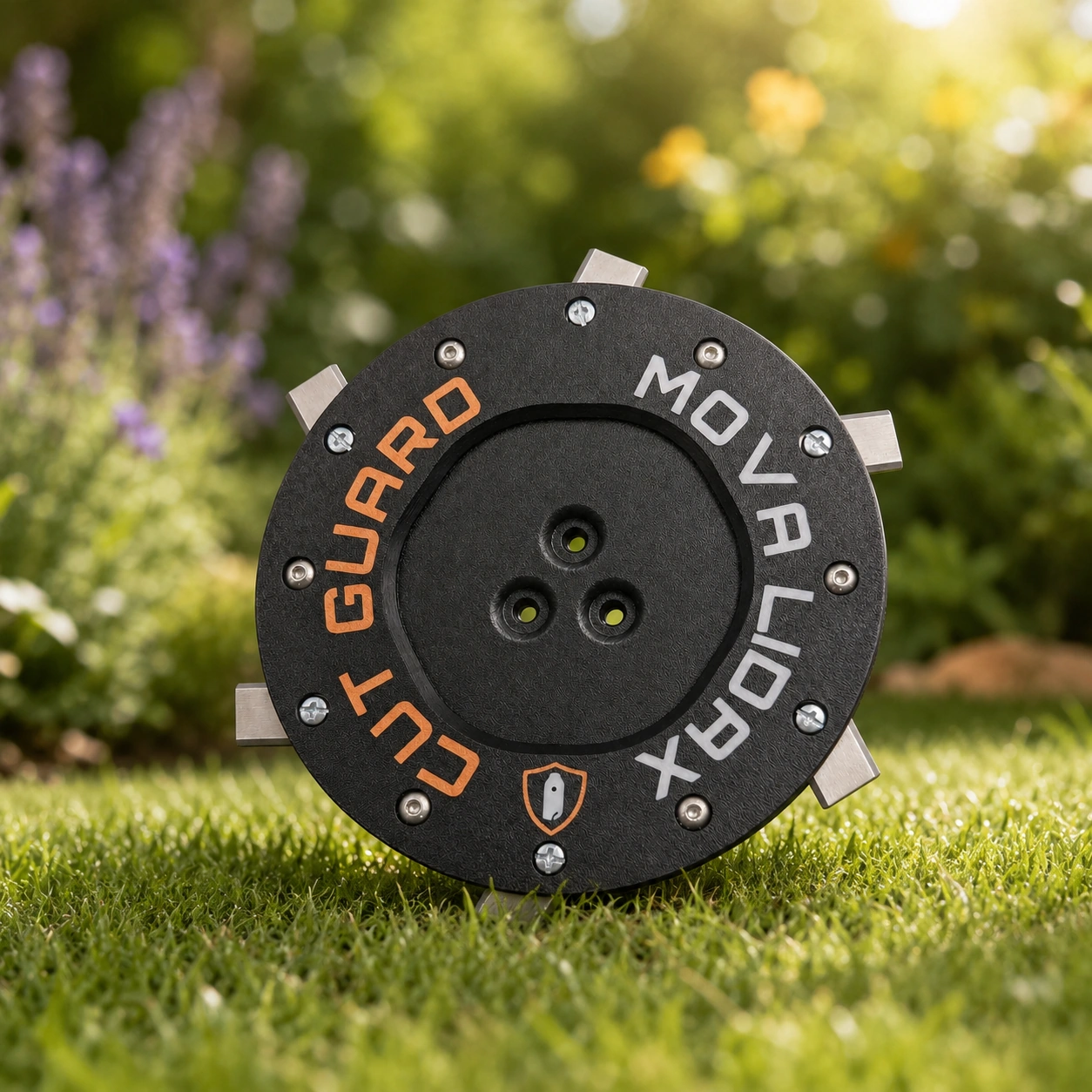
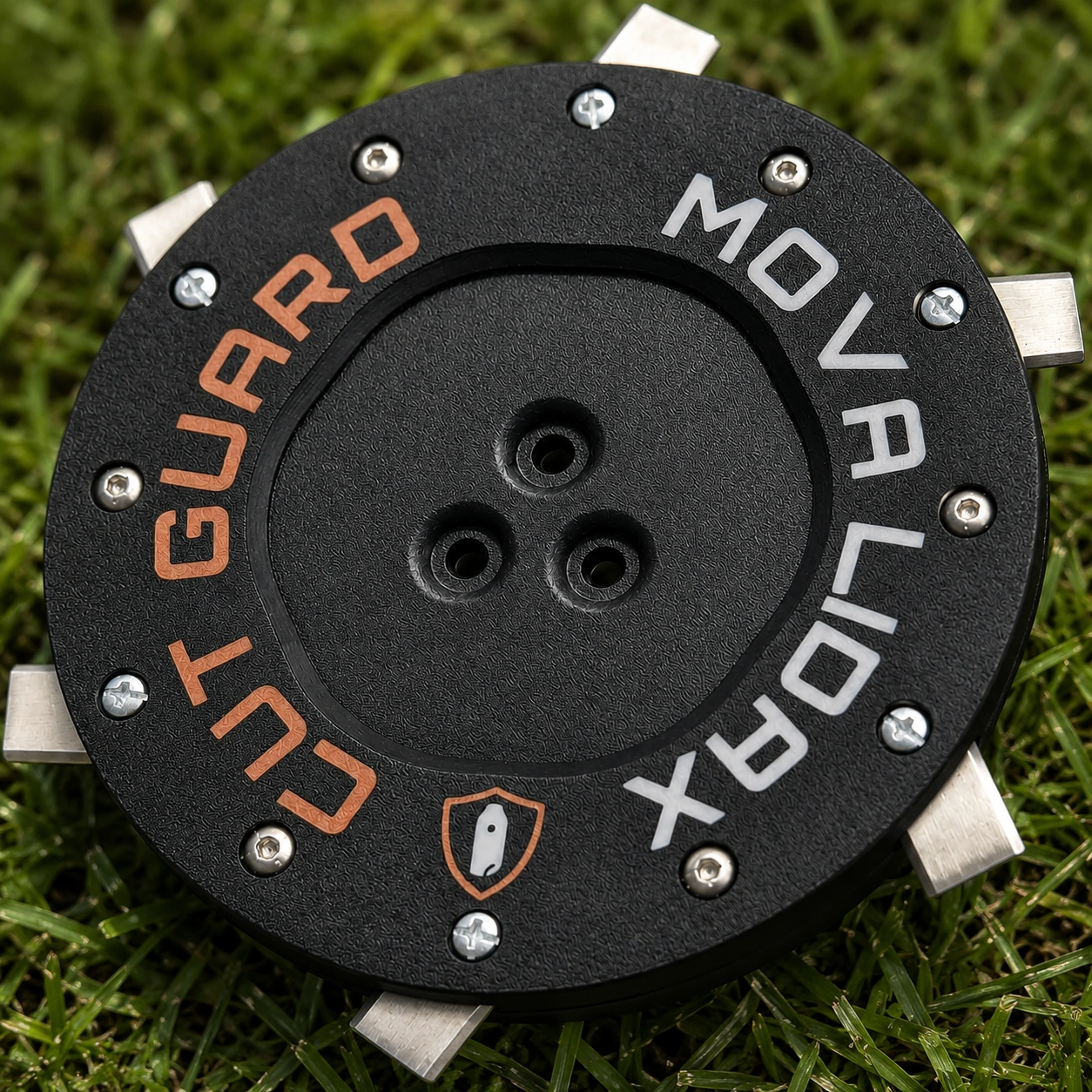
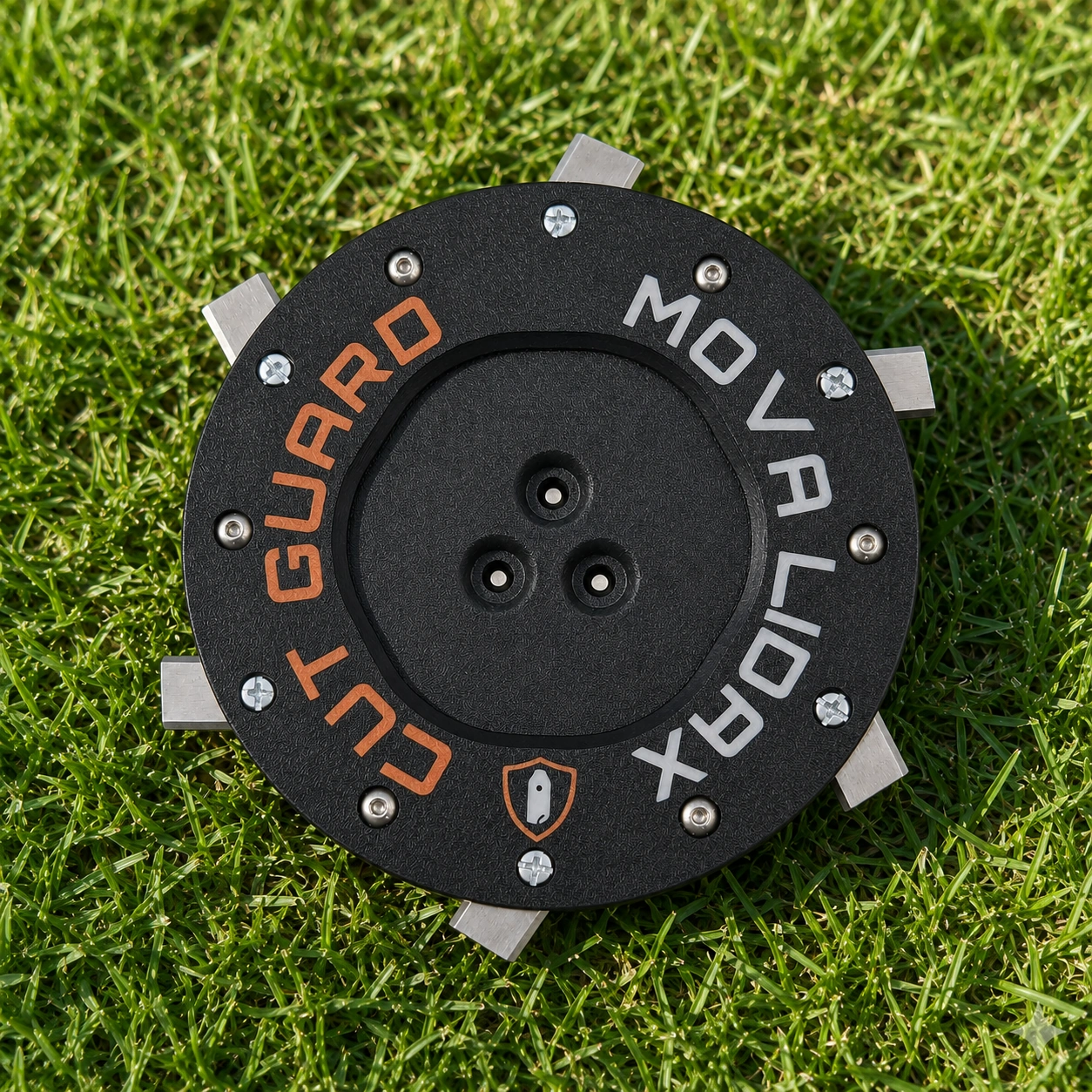
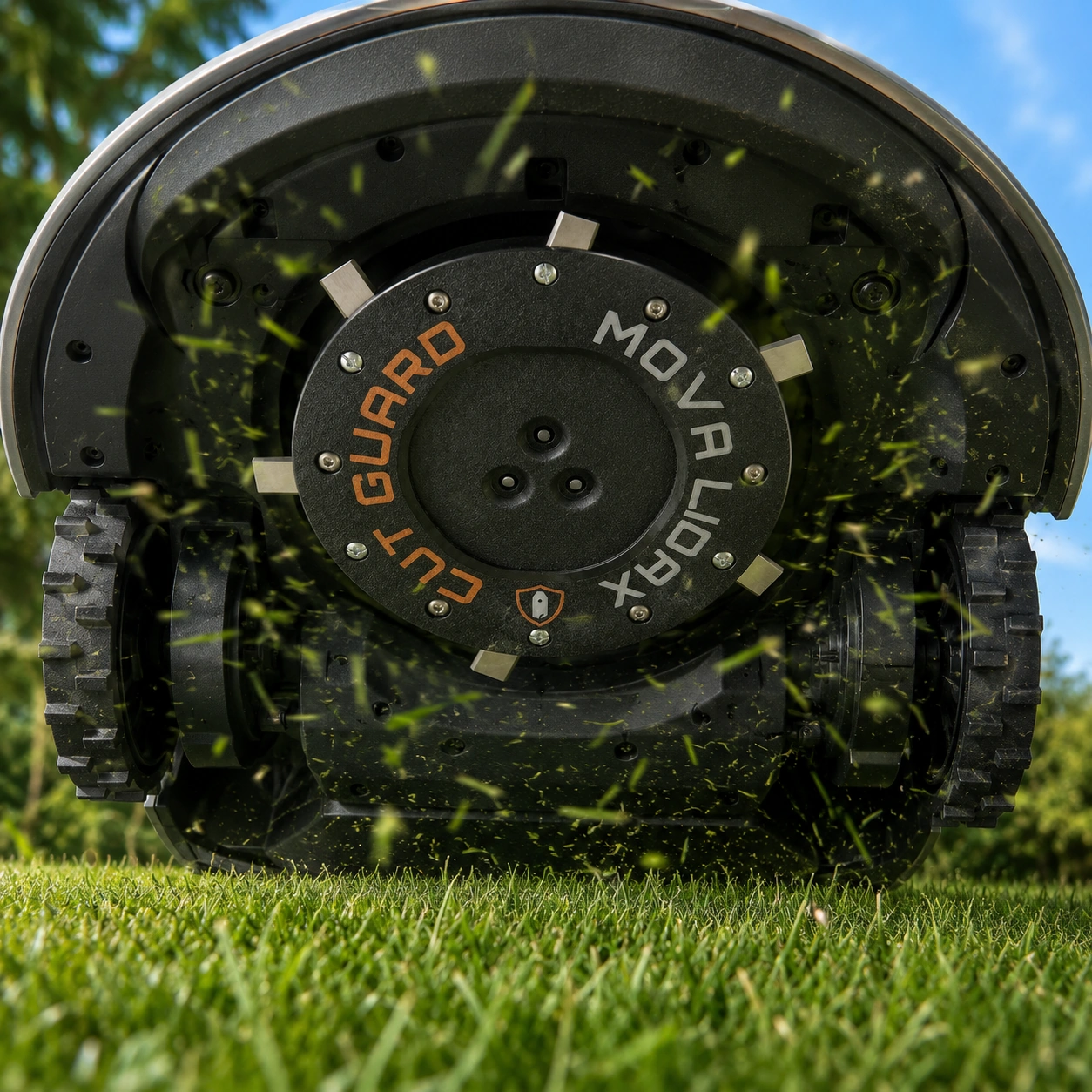
Cutting disc for MOVA LiDAX Ultra 800, 1000, 1200 and 1600
- cutting disc for MOVA LiDAX Ultra 800, 1000, 1200 and 1600 – a mount for the entire series
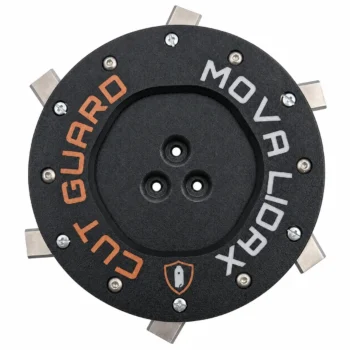
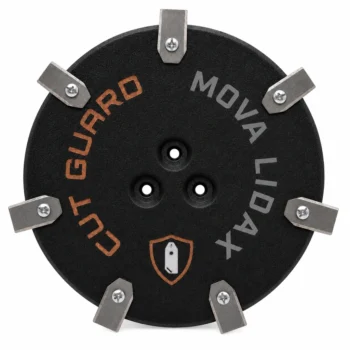
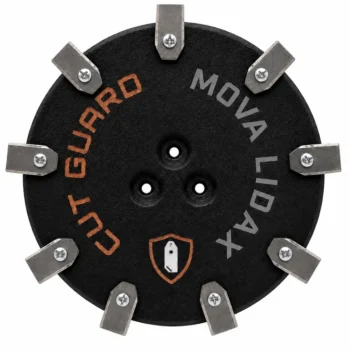
- Three variants to choose from: 6, 7 or 9 blades – from factory standard to the finest cut
- With protection in every variant – safe blade guidance and free grass flow on the mowing disc
- Blades pre-assembled, swap without tools – ready to mow again in just a few minutes
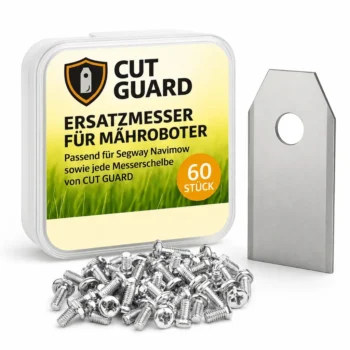
- Optional as a set with 60 replacement blades – stock up for the whole season
 +
+
 +
+
+
+
Compatibility – MOVA
Fits the following robotic mowers:
- ✓ LiDAX Ultra 800
- ✓ LiDAX Ultra 1000
- ✓ LiDAX Ultra 1200
- ✓ LiDAX Ultra 1600
Your MOVA LiDAX maps the garden, plans its route and notifies you via the app – mowing is still not done by the electronics, but by six, seven or nine small blades on the underside. Here you will find the right replacement mowing disc for LiDAX Ultra 800, 1000, 1200 and 1600: with protective features, pre-equipped and selectable in three blade counts.
6, 7 or 9 blades – the only decision you have to make here
All three versions fit the same mounting for the MOVA LiDAX Ultra 800, 1000, 1200 and 1600; all three come with a protective frame and pre-assembled cutting discs. The only difference is how often a blade stalk is hit per revolution – and thus how fine the cut pattern turns out.
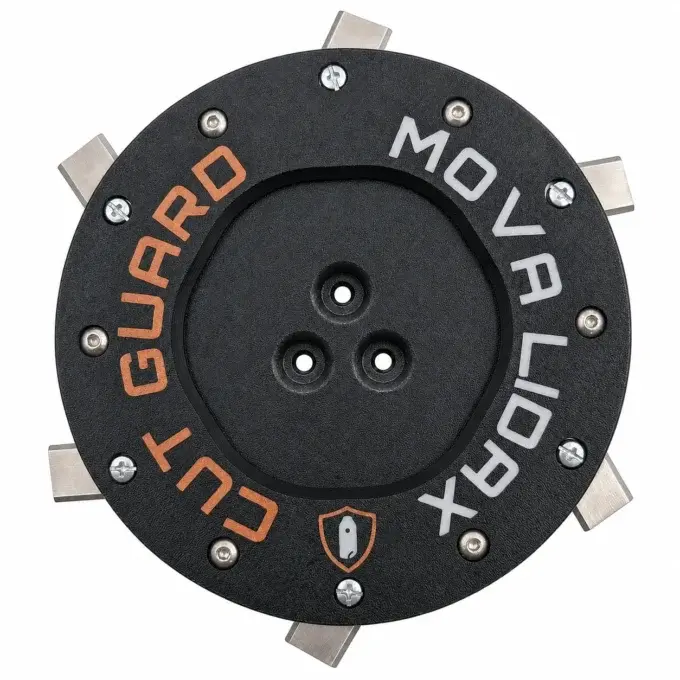
The configuration your LiDAX had from the factory. If you were happy with the cut pattern of the new robotic lawnmower and simply want to replace the worn disc, this is a direct 1:1 swap – without changing the familiar result.
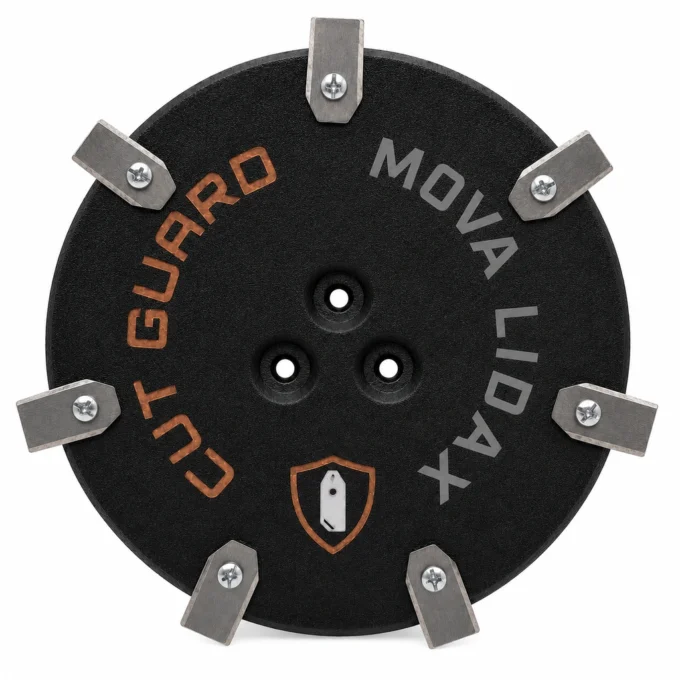
Seven cutting edges work per revolution instead of six. This is especially noticeable where the lawn grows vigorously or stands denser after rain: the blades are engaged more often, and the cut pattern looks more closed.
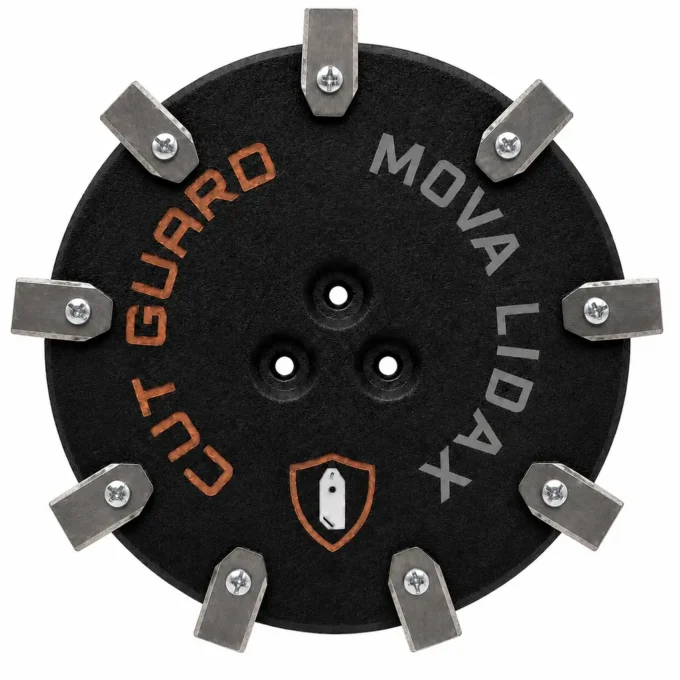
Nine blades break up the cuttings so finely that they disappear between the blades of grass. The choice for everyone who wants to get the most out of the LiDAX – and for lawn areas that should look freshly maintained after every ride.
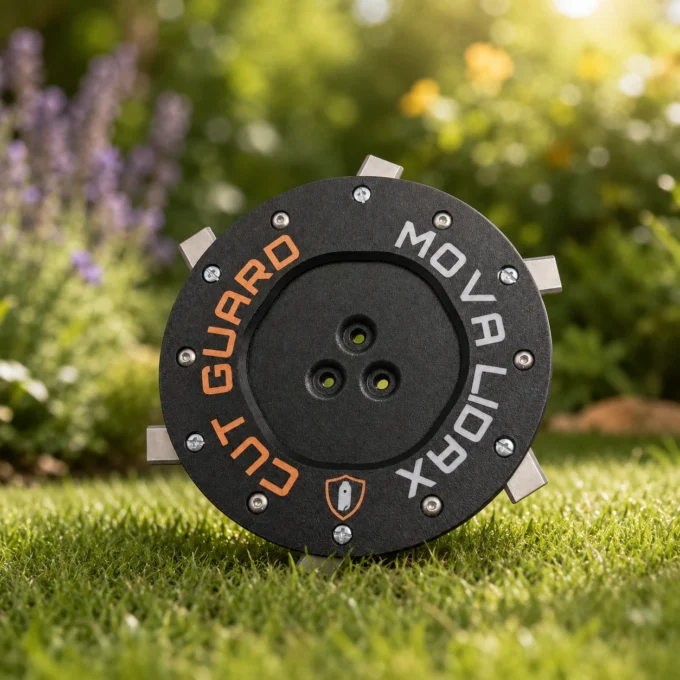
Navigation is only half the job
A MOVA LiDAX brings impressive technology: it scans the garden, creates maps, divides zones, and follows its plan without you having to run after it. That is exactly why it is often overlooked that the actual work happens quite unremarkably below – on a rotating disc with a few small blades.
No world mapping makes a dull cut sharp again. When the blades are worn, the robotic lawnmower tears the blades of grass rather than cutting through them. Many owners know the result: frayed tips that turn brown after one or two days, an unsettled cut pattern – and the irritating question of why a device with so much technology cannot keep the lawn looking clean.
The reason is almost never in the software. It lies in a wear part that can be replaced in just a few minutes. A fresh cutting disc restores exactly the condition for which you purchased the robotic lawnmower.
This disc is designed for the models 800, 1000, 1200 and 1600, is delivered with protective equipment and pre-assembled blades, and requires no adapters or adjustment work.
Protection, free grass flow-through, swap in minutes
Each of the three versions comes with a protective frame – including the 9-blade version. The protective frame supports safe blade guidance during operation and keeps the area around the mowing disc clear so that clippings cannot get stuck between the blades and the housing.
That’s more than just cosmetics: If damp grass builds up on the mowing disc, the motor works against the resistance, draws more power from the battery, and in the worst case the robotic lawnmower simply stops – right in an area that, according to the app, should have long been taken care of.
The swap itself requires no tools and no technical know-how: switch off the robotic lawnmower, carefully tilt it, remove the old mowing disc, and fit the new one. Since the blades are already pre-assembled, the individual screwing-on is also unnecessary – after a few minutes, LiDAX continues as if nothing had happened.
A quick look at the mowing disc is always worth it in between: After contact with stones, branches or roots, the disc can become warped. A mowing disc with runout creates imbalance, worsens the cut pattern and unnecessarily puts strain on the mowing unit.
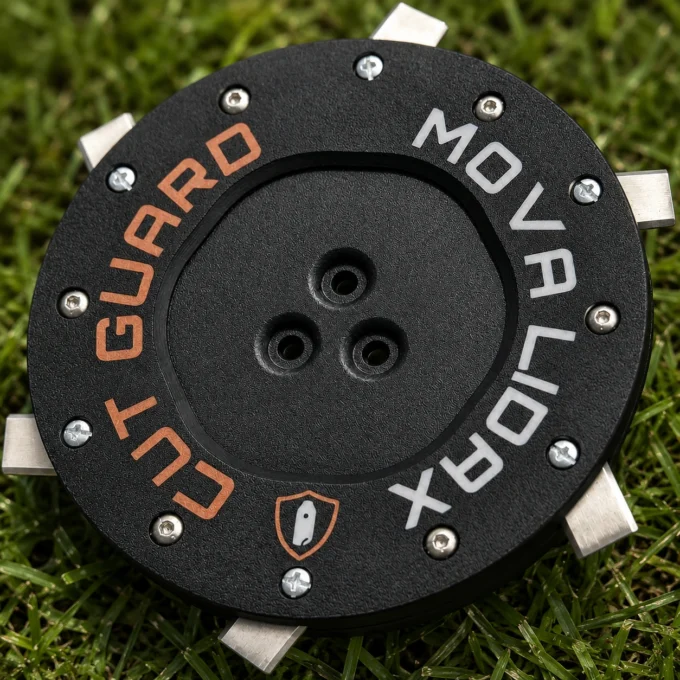
Simply select the desired number of blades above – 6, 7 or 9; if you like, right away together with 60 replacement blades. Each variant fits MOVA LiDAX Ultra 800, 1000, 1200 and 1600, comes with a protective frame and is delivered ready to install. That means the high-tech mower is back to the standard that its technology promises, even from below.
Top reviews
The cutting disc for my MOVA LiDAX Ultra 1200 fit exactly, and the six blades are neatly made. The swap was straightforward: I needed about 15 minutes, including mounting the guard and tightening the screws properly. Since then, I’ve had fewer blockages during mowing and the angled cut looks more even.
The cutting disc for the MOVA LiDAX worked well after trying two other brands. The six blades seem solid and provided a good passage for the grass, reducing blockages during cutting. However, delivery took one day longer than expected, which is a minor inconvenience. Otherwise, it's a good accessory for garden maintenance.
Write a review
CUT GUARD Assembly Instructions
General assembly instructions for cutting discs, replacement blades, and blades for compatible robotic mowers.
Note
These instructions generally apply to compatible cutting discs, replacement blades, and blades from CUT GUARD.
They do not refer to a specific model or version. Always additionally refer to the operating manual of your robotic mower.
Important Safety Notice
Sharp blades. Risk of injury. The knives and blades can cause serious cuts.
Always wear appropriate protective gloves during assembly, disassembly, cleaning, and maintenance.
Never work on the cutting disc while it is still moving.
1. General Safety Instructions
- The operator is responsible for accidents, injuries, and damages caused to other persons or their property.
- Keep children, animals, and uninvolved persons away during work and operation of the robotic mower.
- Never touch the cutting disc or the knives while they are still moving.
- Always turn off the robotic mower completely before performing work on the cutting disc or the knives.
- Remove the battery if possible or disconnect the device from the power supply.
- Always wear appropriate protective gloves.
- Do not use damaged, bent, heavily worn, or corroded knives, screws, or cutting discs.
- Regularly check the condition of the knives, fastening screws, and the cutting disc.
2. Required Tools and Materials
- Suitable screwdriver or bit, matching the screws used.
- Protective gloves.
- New or tested fastening screws.
- CUT GUARD cutting disc, replacement blades, or blades.
- Optional: soft surface for safely placing the robotic mower.
Important
Only use suitable screws and appropriate mounting materials.
If specified by the manufacturer or included in the delivery, use screws with locking lacquer
or suitable screw locking.
3. Preparation
- Stop the robotic mower completely.
- Turn off the device according to the operating manual.
- Remove the battery if possible.
- Wait until the cutting disc has completely come to a stop.
- Carefully turn the robotic mower upside down and place it on a stable, soft surface.
- Check the work area for cleanliness and adequate lighting.
4. Disassembly of the Existing Cutting Disc
- Loosen the fastening screws of the existing cutting disc.
- Completely remove the screws and set them aside safely.
- Carefully remove the existing cutting disc from the knife holder.
- Clean the knife holder of grass clippings, dirt, and debris.
- Check the knife holder for damage or unusual wear.
Warning
Do not use the new cutting disc if the knife holder, fastening points,
threads, or screws are damaged. In this case, the robotic mower may only be reused after proper
inspection.
5. Installation of the CUT GUARD Cutting Disc
- Place the CUT GUARD cutting disc correctly on the knife holder.
- Ensure that the cutting disc lies flat and is correctly centered.
- Insert the appropriate fastening screws.
- Tighten the screws evenly and firmly.
- Do not overtighten the screws to avoid damage to threads or components.
- After installation, check that the cutting disc is securely attached.
- Gently turn the cutting disc by hand and check if it runs freely.
6. Installation or Replacement of Replacement Blades
- Loosen the screws of the old blades.
- Carefully remove the old blades.
- Clean the contact surfaces on the cutting disc.
- Place the new CUT GUARD replacement blades on the designated fastening points.
- Ensure that the blades remain freely movable, as intended by design.
- Secure each blade with a suitable screw.
- Tighten the screws securely without overtightening.
- Check each blade for a secure fit and free movement.
7. Post-Installation Check
- Are all screws fully inserted and securely fastened?
- Is the cutting disc lying flat and securely?
- Can the blades move freely, if intended?
- Are there no tools or foreign objects left in the area of the cutting disc?
- Does the cutting disc run freely and without grinding?
8. Operation and Maintenance
- Regularly check knives, screws, and cutting disc for wear.
- Immediately replace damaged or heavily worn parts.
- Regularly clean the cutting disc of grass clippings and dirt.
- Do not use the robotic mower if unusual noises, vibrations, or running problems occur.
- Only use compatible spare parts and suitable mounting materials.
Note on Blade Replacement
Always replace blades in a timely manner. Dull or damaged blades can worsen the cutting quality,
put more strain on the robotic mower, and compromise safety.
9. Disclaimer
CUT GUARD cutting discs, replacement blades, and blades are accessories and spare parts for compatible robotic mowers.
They are not original accessories from the respective device manufacturer unless explicitly stated
in the product description.
The assembly and use are at your own risk. No liability is accepted for damages caused by improper assembly,
incorrect use, damaged components, or failure to observe the operating manual of the robotic mower.
Warning in Case of Injury
Seek medical assistance immediately in case of injury or accident.
GPSR Information on Product Safety
Product safety information in accordance with Regulation (EU) 2023/988 on general product safety.
Manufacturer & Responsible Person (EU)
Patryk Napiorkowski - Trivando
Am bhf Weinhübel 8
02827 Görlitz
Germany
Email:
service@trivando.de
Website:
www.trivando.de
Product Identification
Brand: CUT GUARD
Product Type: Blade discs, replacement blades, and blades for compatible robotic mowers
Intended Use: Accessories and replacement parts for suitable robotic mowers
Product Type: Cutting and fastening components for use in robotic mowers
Item Number / Model / Variant: see respective product description, packaging, or invoice
Compatibility: see product description and operating instructions of the robotic mower
Important Warning
Sharp blades. Risk of injury. The knives and blades can cause serious cuts.
Assembly, disassembly, cleaning, and maintenance should only be performed when the robotic mower is completely turned off.
Always wear appropriate protective gloves and wait until the blade disc has come to a complete stop.
Intended Use
CUT GUARD blade discs, replacement blades, and blades are intended solely as accessories and replacement parts for compatible robotic mowers.
The products may only be used for their intended purpose and only in conjunction with suitable, compatible devices.
Any other use, structural modification, or improper assembly may lead to injuries, malfunctions, or property damage.
Not Suitable For
- Children.
- Persons who have not read or understood the operating instructions of the robotic mower.
- Incompatible robotic mowers.
- Devices with damaged blade mounts, damaged threads, or defective fastening points.
- Use outside the intended application area.
- Use as a tool, hand knife, or for other cutting tasks outside the robotic mower.
Safety and Warning Notices
- Use only for the intended purpose.
- Use only with compatible robotic mowers, suitable blade discs, and appropriate mounting materials.
- Always turn off the robotic mower completely before any assembly, disassembly, cleaning, or maintenance.
- If possible, remove the battery or disconnect the device from the power supply.
- Always wait until the blade disc has come to a complete stop.
- Always wear appropriate protective gloves.
- Keep hands and feet away from rotating blades.
- Never touch knives, blades, or blade discs during operation.
- Do not use damaged, bent, heavily worn, rusted, or corroded knives, screws, or blade discs.
- Regularly check knives, screws, and blade discs for secure fit, wear, and damage.
- Use only suitable screws and appropriate mounting materials.
- If provided, use screws with locking lacquer or suitable screw locking.
- Keep children, animals, and uninvolved persons away from the work area.
- The robotic mower must not be operated if persons, especially children, or animals are in the work area.
- In case of unusual noises, vibrations, grinding noises, or running problems, stop operation immediately and check the assembly.
- In case of injuries or accidents, seek medical assistance immediately.
Assembly Instructions
Assembly may only be performed when the device is turned off. Always observe the operating instructions of the respective robotic mower.
Blade discs, replacement blades, and blades must be correctly seated and securely fastened. After assembly, check whether the blade disc runs freely and that no tools or foreign objects have been left in the area of the knives.
Check Before Operation
- Are all screws fully inserted and tightened?
- Is the blade disc correctly centered and securely fastened?
- Are the knives correctly mounted?
- Can movable knives move freely, if this is structurally intended?
- Are there no visible damages?
- Does the blade disc run freely and without grinding?
Maintenance and Inspection
- Regularly check knives, blades, screws, and blade discs for wear and damage.
- Immediately replace damaged or heavily worn parts.
- Regularly clean the blade disc of grass residues, dirt, and deposits.
- Do not use aggressive cleaning agents that may damage material or coating.
- Use only compatible replacement parts and suitable mounting materials.
Storage and Disposal
Store replacement blades, blades, screws, and blade discs dry, clean, and secure.
Keep out of reach of children and unauthorized persons.
Safely package used, damaged, or dull knives and blades to avoid cuts.
Dispose of metal parts, packaging, and accessories in accordance with local regulations.
Note on Original Accessories
CUT GUARD products are compatible accessories and replacement parts. They are not original accessories of the respective
device manufacturer unless explicitly stated in the product description. Brand names, model designations,
and manufacturer information are for compatibility indication only.
Contact for Safety Questions, Complaints, or Accidents
For questions regarding product safety, complaints, accidents, or indications of possible safety issues, please contact us immediately:
Patryk Napiorkowski - Trivando
Am bhf Weinhübel 8
02827 Görlitz
Germany
Email: service@trivando.de
Website: www.trivando.de
Frequently asked questions
My LiDAX navigates perfectly, but it cuts unevenly—could that be due to the cutting disc?
Very likely, even. Navigation, mapping, and app control only determine where your robot drives—cutting is done exclusively by the blades on the mowing disc. Frayed, brownish blade tips and a pulled-looking lawn despite otherwise flawless driving behavior are the classic signs of dull blades or a worn cutting disc, not an electronics problem.
Does the disc fit LiDAX 800, 1000, 1200, and 1600 equally?
Yes. All three versions are intended for the mowing disc mount of the MOVA LiDAX 800, 1000, 1200, and 1600 series and do not require an adapter. However, please briefly compare the model number of your robot and the design of the existing mowing disc before ordering, as the mounting and fastening for robotic mower replacement parts can differ depending on the series.
On my device it says LiDAX Ultra, but in the title it sometimes only says LiDAX— is it the same disc?
Yes. Depending on the source, the series is listed as MOVA LiDAX or as MOVA LiDAX Ultra 800, 1000, 1200, and 1600; it refers to the same mowing disc mount. So you can choose any of the three blade variants regardless of the “Ultra" suffix.
Which number of blades should I choose—6, 7, or 9?
This is the only decision you need to make here, because mechanically all three fit identically. 6 blades correspond to the factory standard and are the direct 1:1 replacement. 7 blades provide one more cut per revolution and work more closed off in dense or vigorously growing lawn. 9 blades deliver the finest cutting pattern in this series and the best mulching effect.
Does the 9-blade version also have the guard, or only the smaller versions?
All three versions are supplied with a guard—6, 7, and 9 blades alike. The guard supports safe blade guidance during rotation and is designed for a freer flow of grass at the mowing disc, so that damp clippings do not build up around the blades and slow down the rotation.
Do I need tools, and how long does the replacement take?
You don’t need any tools. Switch off the robot, carefully tip it over, remove the old mowing disc, and attach the new one—that’s it. Since the blades are delivered already pre-assembled, there’s also no need to individually screw in the blades. As a rule, the complete swap is done in just a few minutes, even without any technical know-how.
Why does my robotic mower stop on wet grass, even though the app shows the area as open?
Wet clippings often get stuck around the mowing disc. The motor then works against the resistance, draws more energy from the battery, and in the worst case can stop—while the software knows nothing about it and continues to report the area as unprocessed. A free-spinning disc with protection and sharp blades prevents exactly these grass blockages.
Is this an original MOVA disc, and is the 60-blade set worth it?
This is a compatible replacement part from CUT GUARD, not an original MOVA component—manufactured to fit the LiDAX series mount precisely and usually cheaper than the original part. The 60 set is worth it because the blades are the actual wear item, while the motor and sensors remain unchanged for years: By keeping a supply in the cupboard, you maintain the cutting pattern at a high level all season and pay less than if you buy individual blades later.