The mower is right in the middle of the garden, the app reports in effect poor reception, and instead of “cordless = less work” you go out for the third time a day, lift the robot, and set it up again. Exactly this picture keeps showing up in user reports about the new cordless Gardena SILENO models: It’s not the cutting pattern that’s the big issue, but GPS/GNSS reception, abort behavior, and the question of whether the mower reliably finds its way back to the charging station.
The Gardena smart SILENO sense 600 m² is exciting because Gardena is combining, for the first time in the SILENO concept, camera, AI, virtual boundary, and satellite-based navigation. No boundary wire, no additional antenna, no beacons in the garden—this sounds like a very clean setup. In workshop practice, though, with devices like this we first look at the weak point: What happens not on the perfect rectangular demonstration area, but next to the house wall, hedge, tree canopy, garage, and a narrow passage?
Important in advance: For the precisely specified smart SILENO sense 600 m², there is still a thin base of experience. Many specific reports relate to the closely related Gardena smart SILENO Free 600/1200 or older SILENO models. This is not proof of identical faults with the Sense, but it provides very useful checkpoints: reception, manual interventions, docking, the support route, app behavior, and spare parts availability.
Gardena smart SILENO sense 600: What’s new about the cordless camera mower?
The smart SILENO sense 600 m² is designed for lawns up to 600 square meters and works without a classic boundary wire. The boundary is set up virtually; the mower uses a combination of a camera, AI-supported edge detection, satellite-based positioning, mobile connectivity, and the Gardena smart App. This clearly sets it apart from older SILENO city or SILENO life models, which work with boundary wire and search cable.
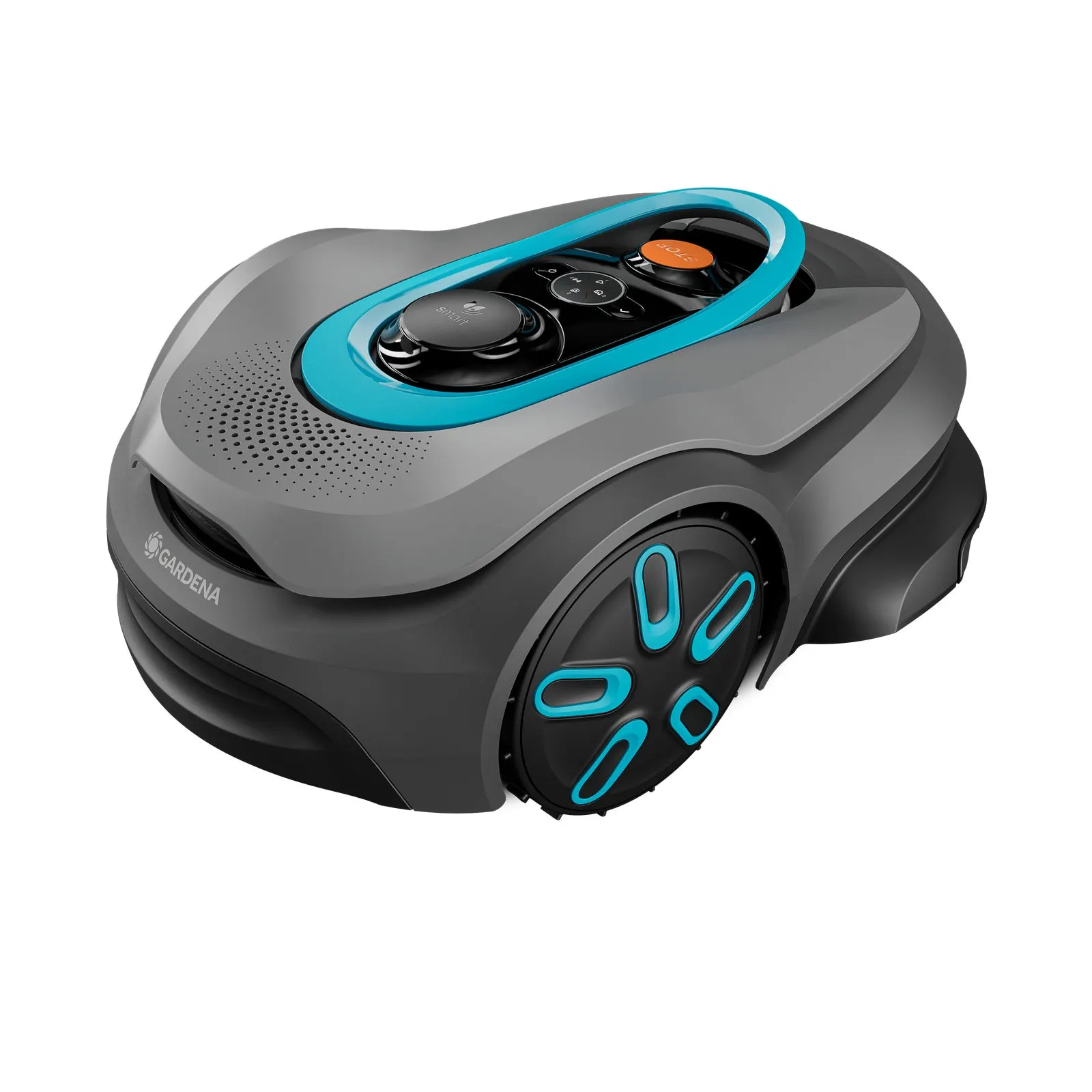
With the Sense, you also need to separate multiple tasks cleanly. The camera can detect edges and obstacles. Satellite navigation helps with positioning and virtual boundaries. The app manages the map, zones, mowing times, and settings. These are three different work sites. If one of them is weak, that doesn’t automatically mean the mowing disc is cutting poorly—but the mower may not even reach the area reliably in the first place.
Technically, Gardena sticks with the well-known small-blade principle: a blade plate with three freely movable blades, a cutting width of 16 cm, and an adjustable cutting range of about 25 to 45 mm. This is not a heavy sickle blade like on a classic lawn mower, but a fine mulching system. The robot often trims small tips rather than removing a large amount of material all at once.
| Point | Gardena smart SILENO sense 600 m² | Practical assessment |
|---|---|---|
| Boundary | virtual, without wire | comfortable, but dependent on reception and mapping |
| Navigation | camera/AI plus satellite positioning | critical with trees, walls, narrow passages, and shading |
| Mowing system | cutting disc with 3 blades | unobtrusive; problems are more related to orientation and returning home |
| Mowing pattern | random or parallel mowing style selectable | important for the purchase decision, because systematic mowing can save time |
For buyers, that means: Don’t just read and order “600 m²”. The square-meter figure is only part of the truth. An open, almost rectangular 500 m² lawn is something completely different from 300 m² in three zones with an apple tree, carport, house edge, and a narrow passage behind the garage.
Why does GPS reception break off on the Gardena smart SILENO sense 600?
The biggest practical problem in the user reports found is reception. Many users report with the wireless SILENO Free models and in current discussions about the Sense that the mower loses the satellite signal, gets stuck in certain parts of the garden, or stops after a waiting period. Areas next to tall objects, bushes, trees, walls, or buildings are especially mentioned.
That’s technically plausible. Satellite-based robotic mowers don’t just need “some GPS”, but ideally stable position data. The closer the mower gets to a house wall, garage, tall hedge, or under the tree canopy, the worse the view of the sky can become. Reflections off walls also play a role. The robot then doesn’t simply think “I’m roughly here”, but must know where it is with sufficient accuracy to maintain a safe virtual boundary.
With the wired SILENO models, the boundary wire was the hard reference: wire signal present, mower stays within the area. With the Sense, this signal is replaced by the virtual boundary. That makes installation easier, but shifts the risk to reception, the map, the software, and the environment. If a user writes that the mower constantly loses GPS and has to be manually repositioned multiple times per day, that’s not a minor cosmetic issue—then the comfort benefit is practically gone.
Typical reception traps in the garden
- House wall directly at the lawn edge: The mower drives close along the wall; satellite view and camera view can become difficult at the same time.
- Tree canopies and tall bushes: In spring they may seem inconspicuous, but in summer with full foliage they suddenly become a problem.
- Narrow corridors: Between the garage and the hedge, the area is large enough for the robot, but not necessarily for stable positioning.
- Charging station in a corner: Conveniently hidden, but often the worst place for GNSS, Wi-Fi, and clean departure.
- Multiple separate zones: Each zone needs transitions that can be reached reliably; otherwise, in practice the map turns into a rescue round.
Practical rule of thumb: Going wireless saves the wire, but not the location check. If the critical lawn edges are under trees, next to walls, or in narrow passages, the reception must be tested hard before the return period ends.
What happens when the signal is lost—does it stop or keep mowing?
This exact question is more important for the purchase decision than any piece of advertising. User reports describe that wireless Gardena models do not simply continue to work sensibly “blindly” when satellite reception is poor. Instead, they wait, lose orientation, stop in problem areas, or require manual intervention. One report, in essence, says that after a longer time without reconnection the mower shuts off, and the owner had to rescue it multiple times per day.
From a service perspective, that’s understandable: a robotic mower without a physical boundary wire can’t simply keep driving if its position is unclear. Otherwise, it risks crossing virtual boundaries, getting into flower beds, or mowing in areas that haven’t been approved. For the user, however, it still feels disappointing, because “staying safe” in everyday life essentially means “I have to go out.”
That’s why you shouldn’t just start the Sense 600 once in the first few days and be happy that mapping works. Instead, you should deliberately have it approach the problem areas: the edge under the hedge, the area next to the garden shed, the narrow passage to the side area, and the return route to the station when the battery is low. If the mower repeatedly stops there, it’s not a one-off issue caused by “the wrong time of day,” but a location problem.
Our test procedure for the first 7 days
- Day 1: Don’t hide the charging station—place it freely and as openly as possible.
- Day 2: Perform mapping in good daylight, not in twilight.
- Day 3: Observe every lawn edge, especially under trees and along walls.
- Day 4: Wait for the return to the charging station with a low battery.
- Day 5: Check side areas and narrow passages separately.
- Day 6: Note app notifications: reception, positioning, stop, blocked station.
- Day 7: Decide whether the garden fits the system—not hope that a fundamentally poor location will fix itself.
Firmware updates can improve performance. However, they do not replace a clear view of the sky, a stable connection, and a station that can be reached cleanly. Especially with newer models, missing long-term experience is not proof that everything is error-free. It only means that not enough gardens have yet had this mower cause trouble or confirmed its reliability over a full season.
Does the camera on the Gardena SILENO sense really help against GPS problems?
The camera is the big difference on the smart SILENO sense 600 compared to classic Gardena SILENO models. It is intended to recognize lawn edges, distinguish objects, and support navigation. That’s useful, but you shouldn’t mix up the camera and satellite positioning. A camera can see an edge, recognize a toy, or avoid a fixed object. But it does not automatically guarantee stable positioning in a GPS shadow.
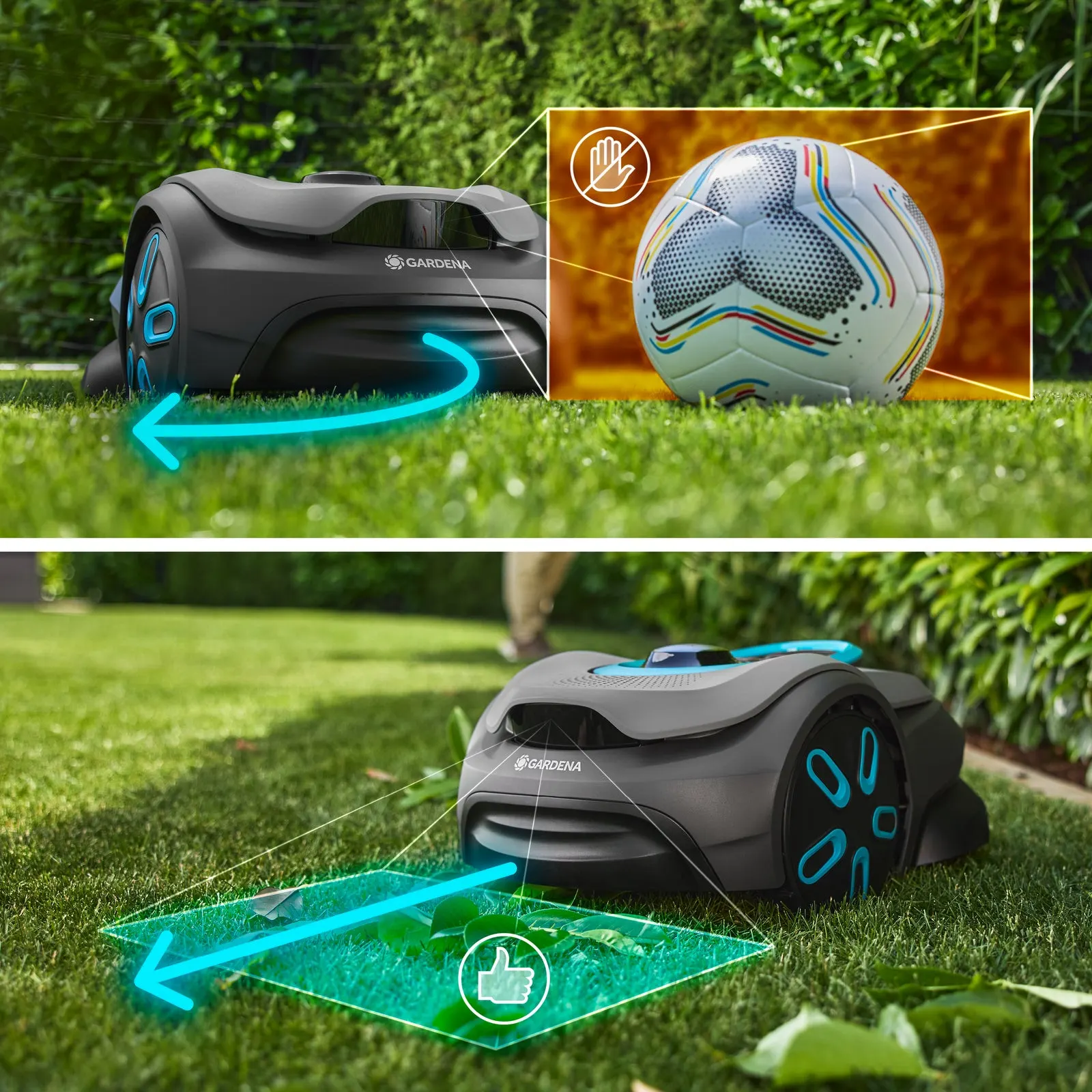
Many users ask, in essence: “If it has a camera, why does it then stop when the GPS signal is poor?” The short answer: Because the camera does not necessarily perform the same task as GNSS/RTK positioning. It can help the robot interpret its surroundings. For virtual boundaries, zones, and secure positioning in the garden, localization remains a central bottleneck.
In practice, you can see such misunderstandings with many cordless mowing robots. AWD or powerful wheels improve traction, but not navigation. LiDAR detects obstacles, but not satellites. Vision recognizes edges, but it needs light, a clean lens, and suitable contrast. RTK/GNSS provides positioning, but it suffers from shading and reflection. With Sense, there’s an additional factor: operation depends on daylight, which can limit the mowing windows.
Camera is helpful for:
- fixed lawn edges such as paving, walls, or fences,
- visible obstacles such as toys, stones, or branches,
- trim-to-edge movements along fixed boundaries,
- distinguishing between passable material such as leaves and real obstacles.
Camera does not automatically solve:
- GNSS dropouts under tree canopies,
- poor mobile or Wi-Fi coverage,
- unfavorable stations in tight corners,
- long reverse trips through narrow passages,
- errors caused by a dirty lens, shadows, backlight, or dusk.
Practical rule of thumb: The camera makes the Sense smarter, but not invulnerable. If the satellite position in your garden regularly weakens, Vision AI won’t automatically turn that into an easy replacement for boundary wire.
Installation without boundary wire: Which gardens is the SILENO sense 600 suitable for?
Best suited is the Gardena smart SILENO sense 600 for open, clearly defined lawn areas with a good view of the sky. Ideally, the area has few trees, wide passages, clearly visible edges, and a charging station that isn’t hidden under a balcony, next to a tall wall, or in a shady corner. In such cases, the wireless concept can genuinely save a lot of work.
It becomes critical in gardens where even a person looking up can tell: Here you see more leaves, roof overhangs, and walls than sky. Complex properties, many edge areas under hedges, narrow corridors, multiple zones, and long return paths to the station are typical situations where you should consider moving up to a higher device class, using a different navigation system, or checking a wired model instead.
Another important factor is the hybrid question: Some users want to mow wirelessly, but secure one or two difficult areas with boundary wire. Exactly this desire came up with the Free models, because certain zones lost reception. In practice, you should check before buying whether the specific Gardena model allows such a combination at all. If the mower only works virtually, a GPS-critical edge can’t simply be “fixed” with wire.
| Garden type | Assessment for the Sense 600 |
|---|---|
| open rectangular area up to approx. 600 m² | good candidate if the station is positioned freely and the connection is stable |
| lawn with a few trees at the edge | test it; individual shaded areas may be enough to trigger interruptions |
| a complex garden with narrow passages | critical, especially with long return trips and poor transitions |
| many tall trees, walls, garden shed | only recommended with a return policy and a thorough hands-on test |
A common mistake is reading the manufacturer’s coverage area as a guarantee. 600 m² does not mean: Every 600 m² garden works. It means: Under suitable conditions, this coverage class is intended. In a real garden, narrow passages, search trips, charging cycles, signal interruptions, and short mowing windows reduce capacity.
3-blade plate on the Gardena smart SILENO sense 600: Unobtrusive, but not the key factor
In the cutting unit of the smart SILENO sense 600, there is no noticeable concentration of specific complaints in the user reports we found. This is important because otherwise you quickly end up optimizing the wrong problem. If the mower stops due to a signal drop, the best blade won’t help. But if it runs reliably, the blade system determines the cutting pattern, noise level, blade changes, and follow-up costs.
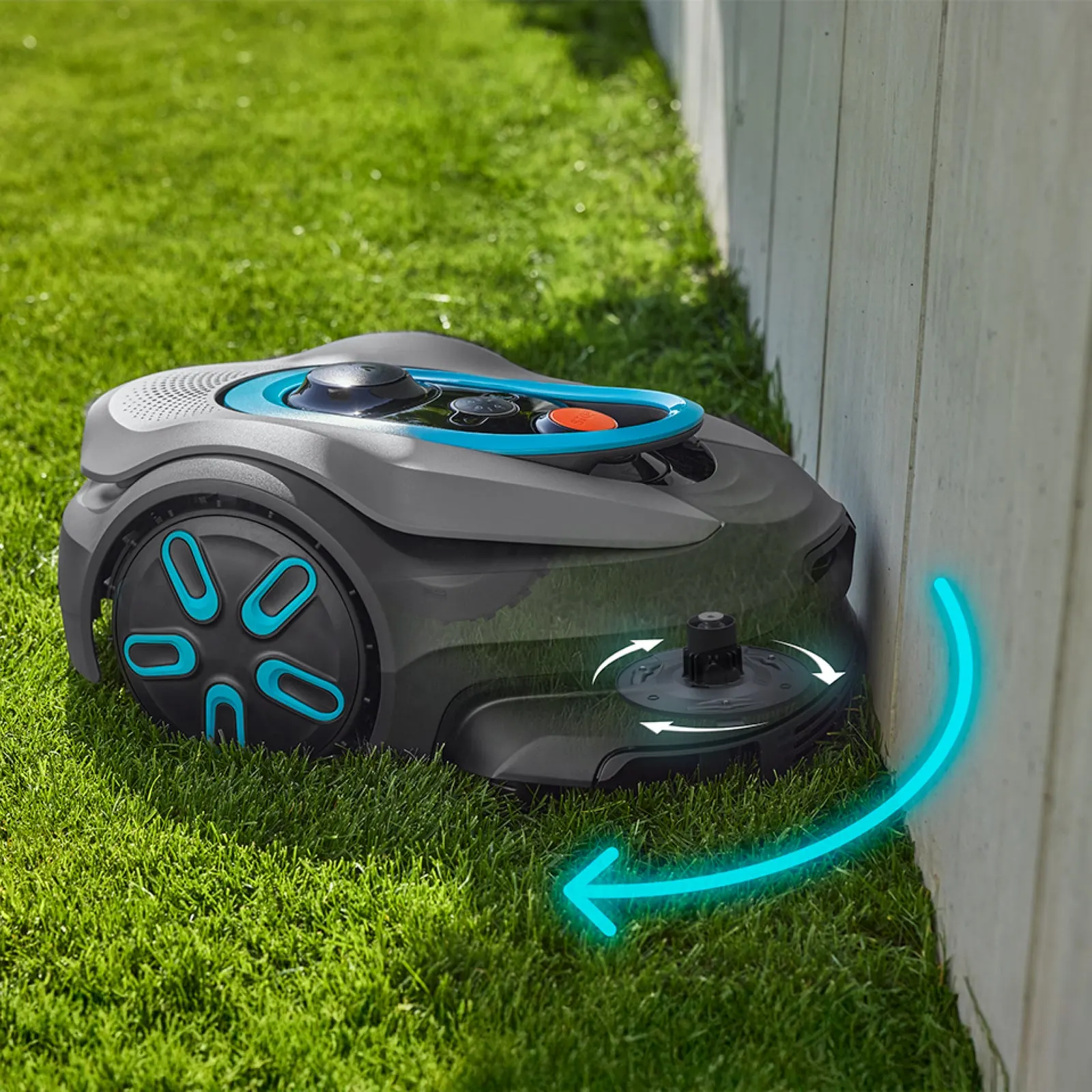
The 3-blade plate is a proven concept in many mowing robots: small, pivoting blades cut fine grass tips and can dodge when they come into contact with harder objects. In our CUT GUARD tests with cutting discs, we pay special attention to three points with such systems: free blade swing, grass buildup around the screws, and even load on the cutting motor.
A frayed or gray cut pattern usually comes from dull blades, not from navigation. Then the tips of the grass look frayed, the lawn appears lighter after one or two days, and the mower needs more power. That’s why anyone who lets the mower run regularly should not wait to replace the blades until they are visibly rounded. Depending on the area, runtime, sand, branches, and cones, a replacement after a few weeks can be sensible.
If the original mowing disc runs cleanly, there is no urgent need for action. But if you want to focus long-term on robust replacement parts, a clean blade mounting, and easy maintenance for a Gardena mower, you’ll find in our category for suitable Gardena cutting discs and blade plates accessories that address exactly the wear-and-tear issue—i.e., the area where you can actually optimize yourself after navigation.
How can you tell if there are blade problems?
- The tips of the grass are frayed instead of being cleanly cut.
- The mower sounds louder or rougher than usual.
- Wet grass builds up under the disc.
- A blade no longer moves freely.
- After contact with a stone, branch, or toy, a blade is bent.
For young cordless models, you should separate maintenance from the error pattern. “Positioning failed,” signal dropouts, or a return-to-home problem are not a blade issue. A “gray cut pattern,” frayed tips, or vibration, on the other hand, are. This separation prevents wrong purchases and unnecessary returns.
Charging station, return-to-home, and app: typical pitfalls
Alongside reception, user reports on Gardena SILENO models repeatedly bring up topics around the charging station, docking, and finding its way home. This applies not only to the Sense 600, but it is an important checkpoint. Even if a mower mows, but drives into the station at an angle, doesn’t charge, or reports the station as blocked, everyday use is still disrupted.
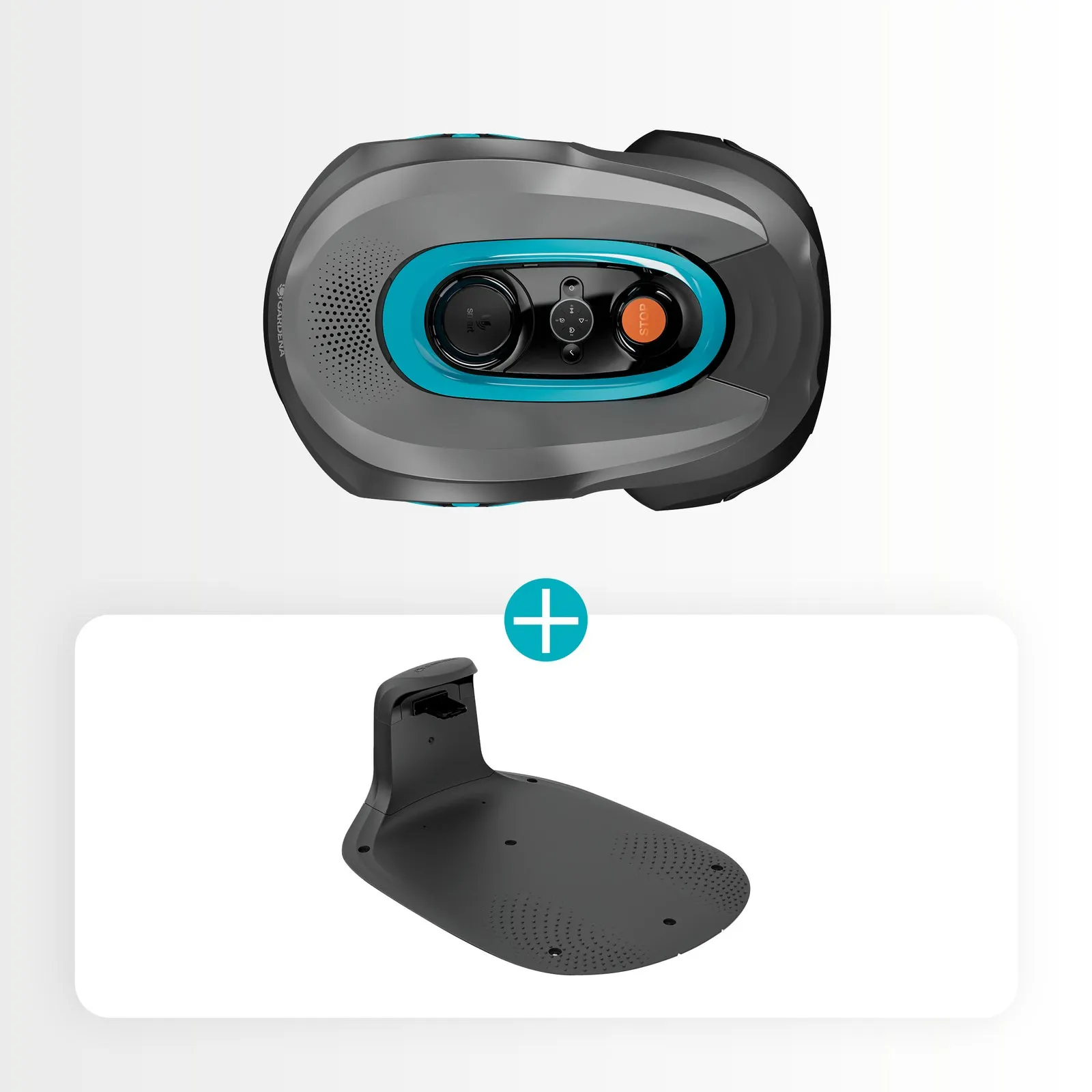
With wireless models, there’s more: the station is not only a charging point, but also the start and return base of the virtual world. A poor station location can trigger multiple errors at the same time: weak GNSS reception, a poor app connection, messy departure, difficult docking, and long search trips. That’s why the station shouldn’t be placed where it visually interferes the least, but where the mower can work most cleanly from a technical standpoint.
Station check before final installation
- Keep the driveway straight in front of the station clear.
- Do not place the station directly under an overhang, balcony, or next to a dense tree.
- Check WLAN and mobile reception at the installation site using a smartphone.
- Observe multiple reverse trips—don’t just watch the first one.
- Keep the contacts clean and check them after rain/dirt.
- Document app notifications in case support is needed.
In case of setup problems, you should check the entire chain: the device is activated, the PIN is correct, the app account is set up, Bluetooth is enabled for close-range pairing, WLAN or mobile reception is stable, firmware is up to date, the camera is free of protective film or dirt, and the station is positioned correctly. Only when these points are all clean and the error remains reproducible does a setup problem become a possible device or software issue.
Practical rule of thumb: A hidden charging station may look neat, but with wireless robots it is often the worst solution. Test signal reception and reverse travel first, then secure it permanently.
Support and return policy: don’t underestimate it with young camera mowers
Several users report frustration with support responses, long response times, or standard instructions based on experiences with wireless Gardena. This is especially relevant with a new, software-heavy system. With a wired mower, you can measure many issues yourself: wire signal, connectors, search wire, loop break. With camera, app, GNSS, and firmware, the user is more dependent on updates and manufacturer diagnostics.
That’s why you shouldn’t wait six weeks to comfortably set up the Sense 600. Right after delivery, the mower should go straight to the real problem areas. If the dealer offers a 14- or 30-day return period, those days belong to the hands-on test. Note the stop times, app messages, weather, time of day, and the affected area. This makes conversations with the dealer or support much more concrete.
No complaints about a young model don’t automatically mean there are no problems. It can also mean: Only a few devices are currently out in real summer operation. Especially with models that have a camera and satellite-assisted navigation, some issues only become apparent with full foliage, heat, shadow casting, firmware changes, or adjusted mowing schedules.
Frequently asked questions
Does the Gardena smart SILENO sense 600 really work reliably without a boundary wire?
Yes, but especially in open, well-covered gardens with a clear view of the sky. In gardens with many trees, walls, narrow passages, or an unfavorable charging station, users of wireless Gardena models report reception problems and manual interventions more often.
What happens if the SILENO sense 600 loses GPS or GNSS reception?
For safety reasons, it shouldn’t simply continue driving in an uncontrolled manner. User reports for related wireless SILENO models describe stopping, waiting, aborting, and manual repositioning; exactly this behavior should be tested at the problem spots in the first few days.
Can you add boundary wire to problematic areas with the Gardena smart SILENO sense 600?
Before purchasing, you shouldn’t assume that. With wireless SILENO-Free experiences, the hybrid idea was discussed, but it wasn’t confirmed as a simple solution; therefore, check with the retailer in detail whether your specific Sense model can actually combine wire and virtual boundary.
Does the Gardena smart SILENO sense 600 mow systematically or randomly?
According to the manufacturer, the Sense offers selectable mowing patterns, including a parallel mowing style and a random principle. In practice, however, it’s still crucial whether navigation in your garden is stable enough, because a systematic pattern helps little if the mower loses reception in edge areas.
Is the 3-blade mowing disc a weak point on the Sense 600?
No, based on the user reports found, there’s no noticeable concentration of criticism regarding the 3-blade mowing disc. The more common issues relate to reception, stop behavior, charging station, the app, and support; blades remain a normal maintenance topic.
Conclusion: Buy or wait?
The Gardena smart SILENO sense 600 m² is interesting for users who want a wireless robotic mower without boundary wire and have a rather open garden. Camera, virtual boundary, object detection, app zones, and the 3-blade mowing disc make for a modern package on paper. The idea is especially appealing: no more searching for broken wires and no need to lay a loop.
The issue in practice isn’t with the blade, but with orientation. Many user reports about the new cordless Gardena models revolve around GPS/satellite reception, manual rescue actions, problem areas around trees or tall objects, and sometimes frustrating paths to support. With the Sense 600, there’s also the still-young base of experience: there isn’t yet the amount of long-term experience you know from older SILENO models.
Our recommendation from a workshop and accessories perspective: buying can make sense if your garden is open, the station can stand freely, and you test it consistently during the first few days. Be cautious with complex, winding properties, many trees, narrow passages, and GPS-critical edges. If you don’t feel like experimenting, wait for real seasonal experience or check a wired system where the boundary is defined physically.
With the cutting system itself, we’d stay calm: the 3-blade mowing disc isn’t the known problem point. Keep the blades sharp, check the mowing disc’s free movement, and clearly separate blade maintenance from navigation errors. If the Sense drives reliably, the cutting result can be optimized well through blade care. But if it stops because reception is interrupted, the garden must first be compatible with the navigation system.
Comments