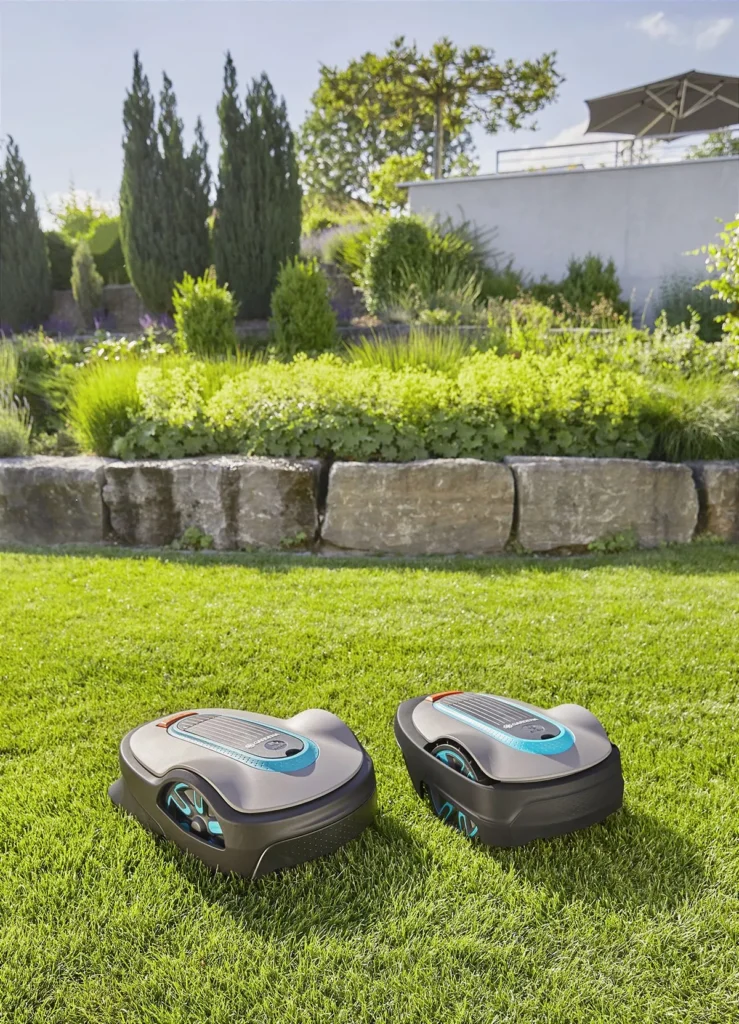
The Sileno Life is sitting in the charging station; the LED looks unobtrusive, and in the app it says something like “Moving to starting point” — but the mower doesn’t start. Exactly these kinds of cases keep showing up in user reports. The device isn’t fundamentally bad; many Sileno Life and Sileno+ models run for years quietly and reliably. But if the app, Eco mode, loop signal, guide wire, or cutting system don’t work together properly, an actually simple wire robot quickly turns into a game of searching.
From a workshop perspective, it’s important: the Gardena Sileno Life and the older Sileno+ are classic wired robotic mowers. They don’t navigate using RTK, a camera, or LiDAR, but instead rely on boundary wire, guide wire, the charging station, and internal sensors. This makes them more robust in many gardens than some wireless solutions — but only if the installation, contacts, app version, and blade condition all fit together.
Gardena Sileno Life & Sileno+ in the user check: Who is the model really worth it for?
The Sileno Life is aimed at medium-sized, fairly manageable lawn areas. Depending on the variant, the manufacturer’s specifications are typically several hundred up to about 1,000 m², and for the Sileno+ also beyond that. In practice, you shouldn’t read these figures as “comfort area.” A simple rectangular garden comes closer to the stated numbers than a property with narrow passages, side areas, long search trips, shady corners, and lots of obstacles.
Many users praise that the Sileno Life works very quietly during normal operation. A noticeable humming sound is therefore quickly perceived as a fault, because the mower was barely audible before. Another positive point: the Sileno Life can generally mow without a perfect app connection if the setup on the device works. This is an advantage over systems in which almost every step is app-dependent.
Be cautious if you have high smart expectations. In reviews and forums, it often comes up that users like the idea of the app, but fail with pairing, model selection, LONA detection, or Bluetooth/smart mix-ups. Anyone who confuses “smart” with real obstacle detection will also be disappointed: the Sileno Life drives based on cable and sensor logic, not on camera or LiDAR images.
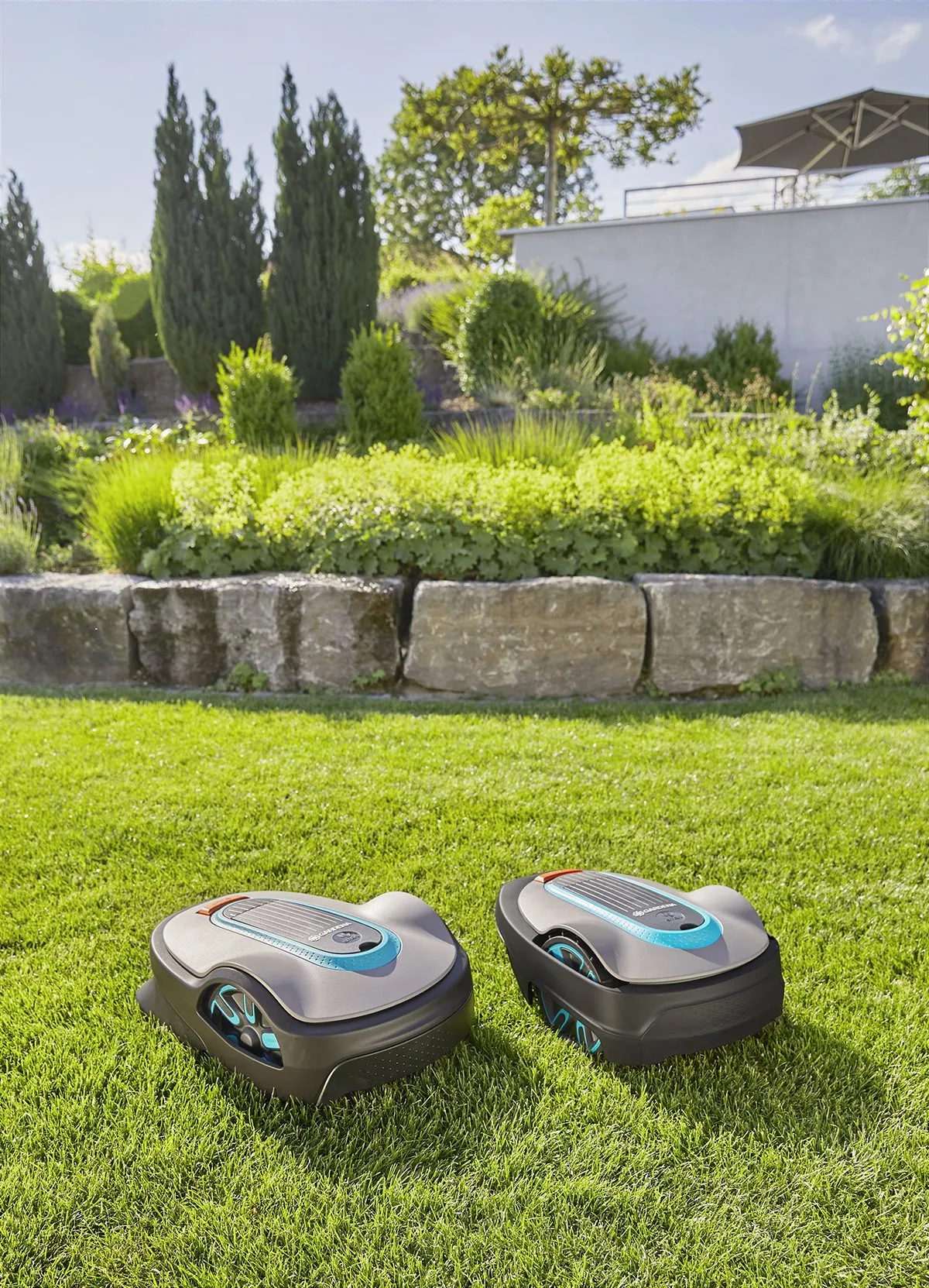
Key details in practice
| Model series | Typical area | Cutting width / cutting height | Navigation | Strengths | Weaknesses in practice | Practical verdict |
|---|---|---|---|---|---|---|
| Sileno Life | depending on the variant up to approx. 750–1,000 m² | 22 cm / usually 20–50 mm | Boundary wire, guide wire, sensors; depending on the version Bluetooth or smart/LONA | quiet, compact, solid with a clean cable setup | App pairing, Eco mode, narrow passages, low obstacles | Good for medium-sized gardens without extreme bottlenecks |
| smart Sileno Life | similar to Sileno Life, depending on the model | 22 cm / usually 20–50 mm | cable plus Gardena smart system; with LONA additionally mapping and zone functions | App control, zone concept, schedules | mix-ups between app version, gateway, model variant, LONA selection | Only makes sense if the smart system is set up properly |
| Sileno+ | larger areas, depending on the variant up to about 1,300 m² and more | 22 cm / often 20–60 mm | boundary wire and guide wire | robust wire robot for larger areas | cutting system gets blocked, docking, older firmware/battery issues | Interesting for larger existing installations, but check maintenance condition |
Practical catchphrase: With the Sileno Life, success or frustration is rarely determined by a single component. Most of the time, it’s the combination of cable routing, Eco mode, app version, charging contact, and blade condition.
The most common problems reported by users: App, Eco mode, start errors, and charging issues
The most common user problems can be divided into four groups: app connection, starting behavior, charging/battery issues, and driving problems in the garden. With the Sileno Life, it’s especially often reported that the mower basically works, but isn’t found in the app. That’s frustrating because many buyers choose the smart version specifically because of the app features.
The second major topic is Eco mode. Several users report situations where the mower stays in the station or doesn’t properly get going when heading to the starting point. In comments, turning off Eco mode is repeatedly mentioned as a helpful step. From a workshop perspective, that’s plausible: if the loop signal in Eco operation isn’t available in the way the mower currently expects, start-up and search problems can occur.
On top of that, there are charging problems after the winter break. An empty battery, dirty contacts, an aged battery, or a charging station with what appears to be a normal LED can all look similar. A green LED on the station doesn’t automatically prove that the mower is charging properly. That’s why, in such cases, we first check the power supply, low-voltage cable, charging contacts, battery condition, and error messages—only then do we move on to more expensive parts.
In the cross-section view, the rule is: not every driving problem is a blade problem. If the Sileno Life gets stuck on an edge, sinks into the soil, or hits the wrong button under a trailer, a new blade won’t help with the underlying cause. But if it tears up, leaves individual blades of grass standing, or the cutting system audibly runs much harder, looking underneath the mowing deck is absolutely essential.
Why doesn’t the Gardena app find my Sileno Life?
If the Gardena app can’t find the Sileno Life, it’s often due to the wrong app, the wrong model variant, or a LONA/Smart version that wasn’t recognized correctly. In user reports, this exact confusion keeps coming up: Bluetooth model, smart model with gateway, and LONA model are often mixed up in expectations, even though they are paired differently.
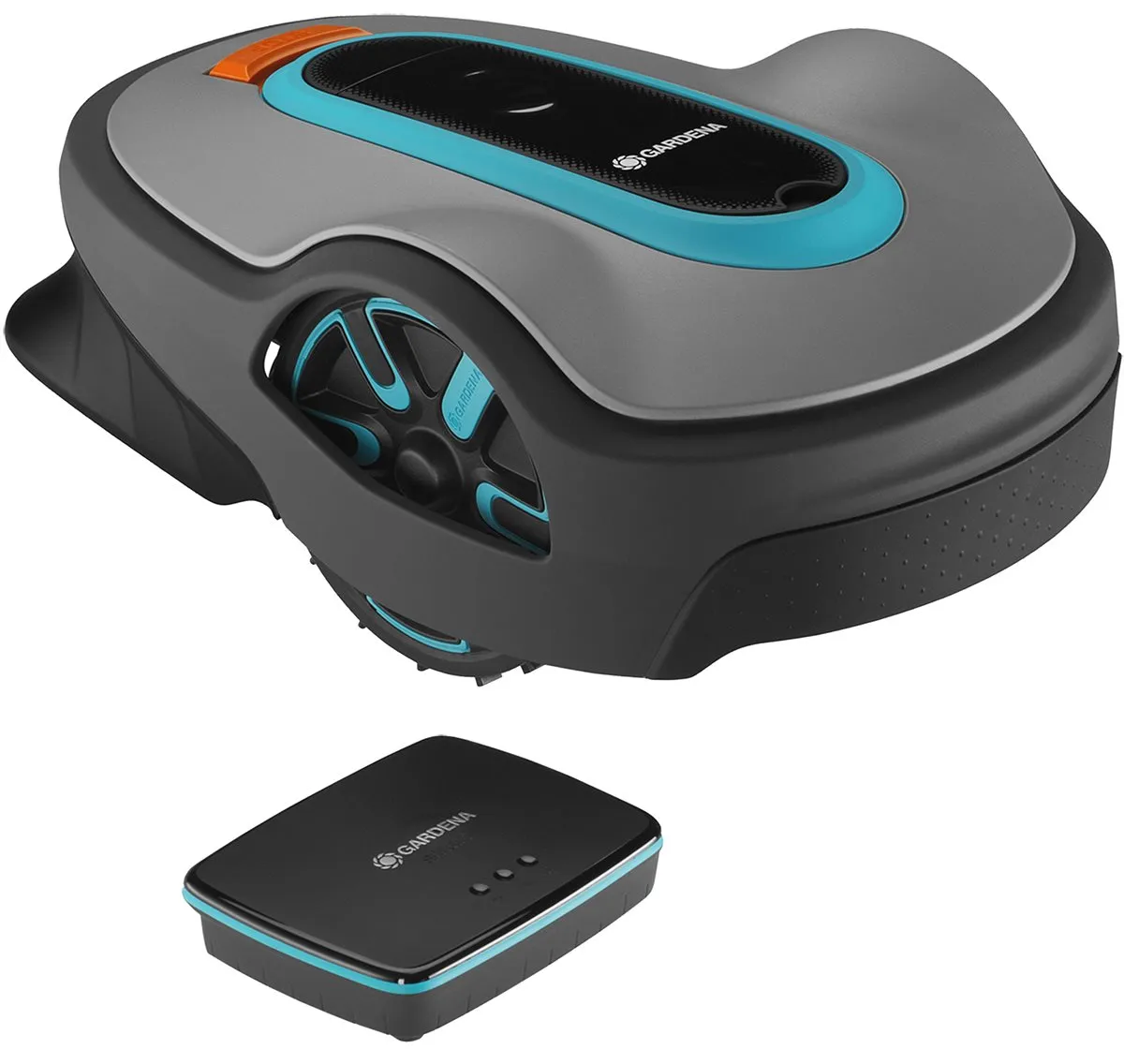
The first workshop step is simple, but it saves time: check the type label and the exact model name. If it’s a Bluetooth variant, you shouldn’t expect the same steps as you would for a smart system with a gateway. For LONA models, the app often requires you to select the exact matching variant. Several users report that the scan only worked after choosing the correct model.
Checklist for pairing
- Check the exact model designation on the type label.
- Do not confuse the Bluetooth app and the Gardena smart app.
- For smart versions, check the gateway, WLAN, and the app account.
- For LONA models, select the appropriate LONA variant.
- Enable Bluetooth on your smartphone and pair it close to the mower.
- After a winter break or battery replacement, restart the mower and the app.
Important: A missing app pairing does not automatically mean that the mower is defective. If it starts on the device, charges, and mows, the problem is more likely in the app, gateway, radio connection, or model assignment. Only if, in addition, there are start errors, charging interruptions, or sensor errors should you go deeper into hardware diagnostics.
Practical takeaway: With the Sileno Life, first clarify which mower you actually have. Bluetooth, smart, and LONA look similar, but they are not set up the same way.
Sileno Life won’t start or stays in the charging station – check Eco mode and loop signal
If the Sileno Life remains in the station even though a start is scheduled, we first check the simple causes: schedule active, battery charged, PIN unlocked, error message on the display, loop signal present. After that comes Eco mode. In user reports about “Moving to starting point,” switching off Eco mode is described multiple times as the solution.
The Eco Mode is designed to save energy by ensuring the boundary loop signal does not remain permanently active. This can work in everyday use, but after winter breaks, resets, or communication problems it can sometimes cause trouble. The situation is especially tricky: the station is in Eco Mode, the boundary loop signal is off, the mower finds nothing, and it cannot start the normal process properly.
Practical order when starting problems occur
- Remove the mower from the station, clean the contacts, and reinsert it correctly.
- Temporarily disable Eco Mode for testing.
- Check the boundary loop signal at the station.
- Try a manual start directly on the mower.
- Note error messages such as “Lift”, “lifted”, or “no boundary loop signal”.
- If possible: check the starting point and the search cable calibration.
Be cautious with Lift errors. Several users report that the mower stops directly after starting or after a turn and displays “lifted”, even though nobody has touched it. This can be caused by uneven ground, a stuck housing, dirty mechanisms, or a sensor issue. For a test, place the mower on a level surface and check whether the housing moves freely.
If the Sileno Life starts up but the cutting pattern gets worse, it’s worth taking a look at the blade disc. In our CUT GUARD tests, we often see this: even slightly dull or clogged blades increase resistance, the mower sounds more strained, and fine blades of grass are no longer cut cleanly. If you want to keep the near-original setup but use more free cutting edges, you can check a compatible 6-blade blade disc when the cut becomes repeatedly uneven, instead of only correcting the symptoms on the schedule.
Boundary wire, guide wire, and narrow passages: Where users fail in practice
The Sileno Life is a wire robot. That means reliability lives and dies with the boundary wire and the guide wire. Manufacturer statements about narrow passages often sound reassuring, but in a real garden you also have curb stones, roots, wet ground, slopes, lawn edging, and small offsets. A corridor that fits on paper can still become a spot where the robot gets stuck in practice.
In forums, people especially debate narrow passages and the specification of around 60 cm between boundary wires. Our experience: such minimum values are not comfort values. For an occasional pass-through, it may be enough; for daily guide trips on wet ground with small steering deviations, having more width is much more relaxed.
Typical installation mistakes
- The guide wire is not centered enough in the passage.
- Boundary wire creates hard corners instead of soft radii.
- Charging station is crooked or too close to an edge.
- Starting points are behind narrow sections that the mower cannot reliably reach.
- The mower has to make long reverse trips over the same narrow path too often.
If the mower gets stuck on low obstacles, trailers, cars, or edges, that is not a sign of “dumb blades.” The Sileno Life does not have real object detection like a camera, ultrasound, or LiDAR. It detects primarily through impact, tilt, lift sensor technology, and cable boundaries. Areas that it can partially drive into should be excluded mechanically or clearly separated with the cable.
In narrow passages, the difference between mowing performance and area logic also becomes apparent. A stronger or larger blade disc does not turn a bad passage into a good corridor. However, if the cut pattern suffers in heavily used narrow sections because the grass is pressed flat there and driven over multiple times, an upgraded 7-blade blade disc can help achieve more clean cuts per pass—provided that the passage itself is not the actual blockage point.
Practical takeaway: cable robots need reserves. A passage that “just barely” fits will quickly become a trouble spot after rain, growth, and small bumps in the ground.
Battery, charging station, and winter break: typical causes of charging and reset problems
Charging problems with the Sileno Life often show up in an unremarkable way: the battery is suddenly empty, the mower restarts after a mowing session, the charge level drops quickly, or after the winter break nothing works anymore. Many users first check the station, see a green LED, and conclude that charging must be working. That’s too short-sighted.
The correct order is: power supply unit, low-voltage cable, charging station, charging contacts on the mower, contacts on the station, battery voltage, error messages. Oxidized or dirty contact surfaces are enough for the mower to be in the station but not charge properly. After winter, additional deeply discharged batteries or batteries with a noticeable loss of capacity also come into play.
Restart after winter
- Place the station in a dry location and check the power supply.
- Clean the charging contacts, but do not aggressively sand them down.
- Let the mower charge fully before activating schedules.
- Keep Eco mode deactivated at first until the loop signal and starting work reliably.
- Reconnect the app only after stable basic operation is restored.
If the mower charges but then returns shortly afterward with an empty battery, an old battery may be involved. However, it could also be increased mechanical resistance: grass clippings on the cutting disc, blocked blades, worn bearings, or stubborn dirt can increase power draw. That’s why the underside should always be included in the battery diagnosis.
Sileno+ special problems: cutting system blocked, does not mow despite app display
With the Sileno+, a different error pattern appears in user reports: “Cutting system blocked” after just a few minutes. This is not a problem you can simply brush off with new blades. The causes range from grass clippings stuck in place to blocked blades and foreign objects, all the way to issues with the bearings or the motor.
The first check is mechanical: switch off the mower, follow the safety instructions, wear gloves, and rotate the blade disc freely. Each blade must be able to swing freely. If a screw is too tight, grass is wrapped around the blade, or soil has compacted under the disc, the load on the cutting motor increases. The mower then interprets this as a blockage.
That’s why, in our tests with CUT GUARD discs, we don’t just look at the number of blades, but also at clearance, cleanability, and smooth, even operation. Especially with fast-growing, damp grass, a disc with more cutting points can be useful if the original disc frequently tears up grass or holds onto clippings. If you’re looking for a finer distribution of cuts with the Sileno Life, you can consider a blade disc with 9 cutting positions; however, in the case of a real motor blockage, the cause at the cutting unit must be found first.
If the app shows that it is “mowing,” but the Sileno+ is standing still, the display is less important than the actual condition of the device. Display messages, the station’s LED, battery level, and the error log are more important than the app status. Especially with older smart setups, the app may appear delayed or incomplete.
Firmware updates: install immediately or wait first?
Several users report that their Sileno Life or Sileno City has behaved worse after a firmware update: more problems at corners, with the boundary wire, when docking, or when encountering obstacles. This is not statistical proof against updates. However, it is a serious pattern, because the same area is said to have worked over seasons beforehand.
Our recommendation is pragmatic: don’t ignore security and mandatory updates, but document the current condition before updating. Note the firmware version, app version, mowing times, noticeable errors, and take photos of critical corners or the station. If problems occur after the update, you can communicate more clearly with support.
According to user reports, a simple firmware rollback is not readily available. That’s why you shouldn’t carry out updates in the middle of an already unstable troubleshooting process. Solve the root problem first, then update—or clarify in advance whether Gardena support can help in case of issues.
Frequently asked questions
Why does my Sileno Life get stuck on “Moving to starting point”?
First, check the Eco mode and disable it as a test. In several user cases, exactly this step helped, because the mower apparently couldn’t use the required loop signal properly.
Why doesn’t the Gardena app find my Sileno Life?
Most of the time, it’s due to the wrong app, the wrong model selection, or confusion between Bluetooth, smart system, and LONA. Check the type label and select the exact matching variant in the app.
What to do if the Sileno Life doesn’t start after the winter break?
Start with power supply, charging contacts, the battery, and the boundary wire signal before replacing parts. Leave Eco mode off at first and re-pair the app only once the mower responds stably to the device.
Is a narrow passage of 60 cm really practical?
60 cm can work under ideal conditions, but it’s not a comfortable buffer. For daily passes with a search wire, damp ground, and small bumps, more width is clearly more reliable.
Why does the Sileno+ report “Cutting system blocked”?
Often, grass clippings, blocked blades, foreign objects, or increased motor resistance are involved. If the disc runs freely and the message comes back after a few minutes, you should check the bearings, the motor, and the power draw.
Conclusion from user reports: strengths, weaknesses, and purchase warnings
The Gardena Sileno Life and the Sileno+ are not “bluffers.” If the cables, boundary wire, charging station, and blade condition are right, they mow quietly and reliably. The Sileno Life in particular is a sensible choice for medium-sized gardens that aren’t too intricate, because it doesn’t require an RTK antenna, camera logic, or complicated wireless coverage.
The weaknesses are clear: app pairing can be annoying, Eco mode can make start-up and signal issues worse, narrow passages need more buffer than the brochure suggests, and the mower doesn’t intelligently recognize low obstacles. With the Sileno+, you should also watch for blockages in the cutting system, changes in noise level, and the battery status.
Our advice from the workshop: Diagnose in the correct order. First check the station, power, app, firmware, and loop signal. Then check the mapping or starting points, boundary wire, passages, and obstacles. Only after that, evaluate the blades, blade disc, battery, and service components. If you follow this order, you can avoid many unnecessary parts purchases—and find out faster whether the Sileno is just set up incorrectly or really needs a replacement part.
Tip: You will find all matching replacement blade discs and mowing plates for Gardena in our overview: Blade discs for Gardena.
Comments