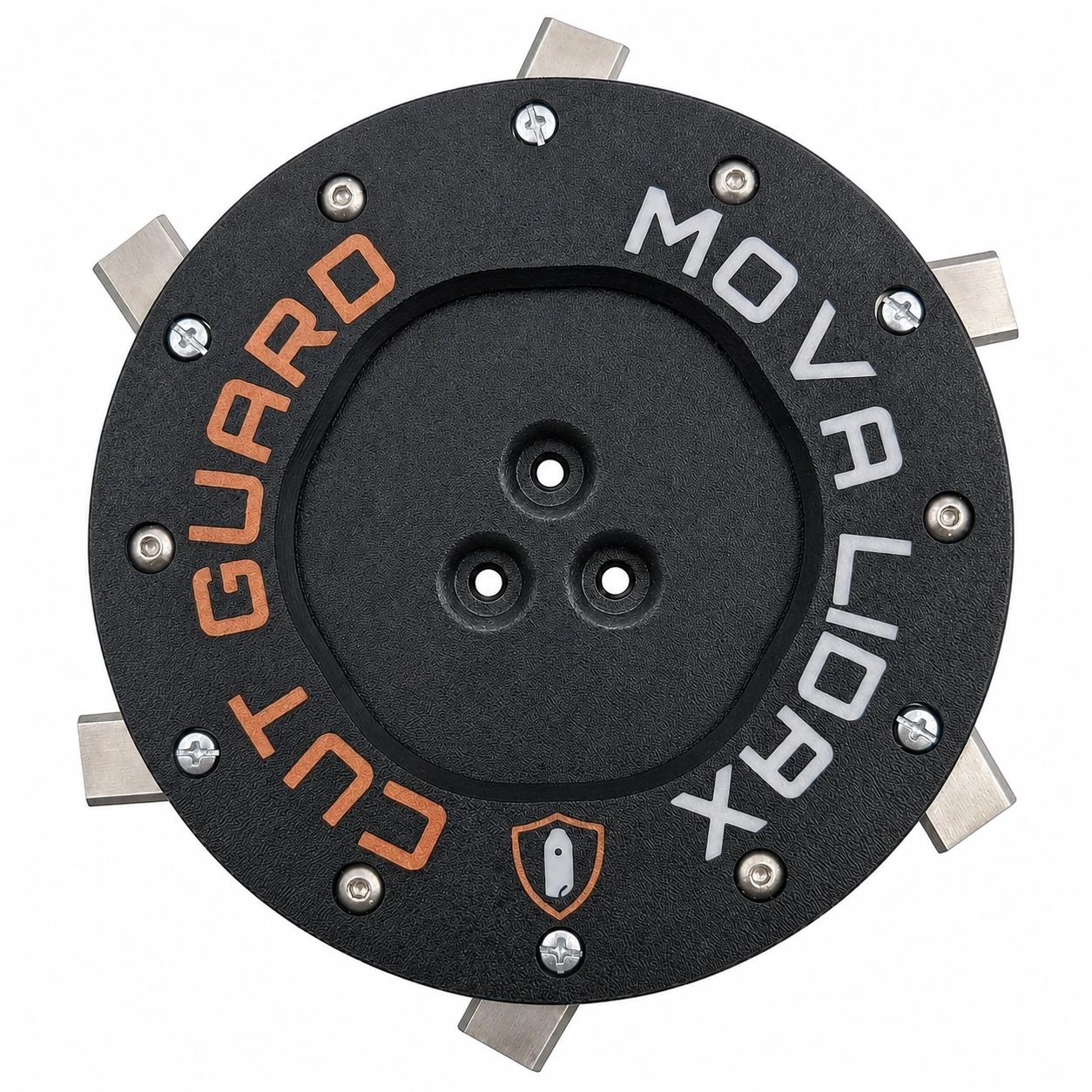
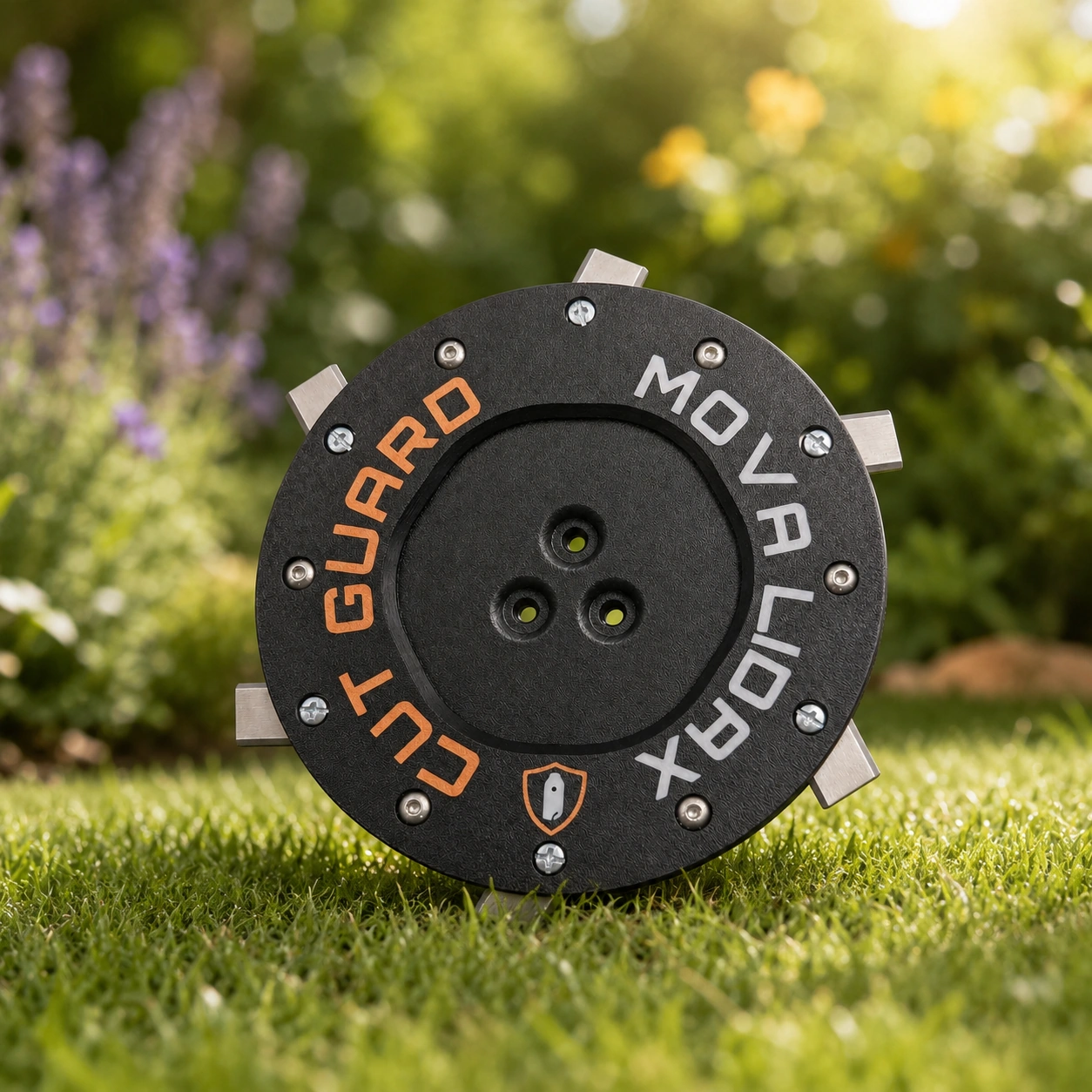
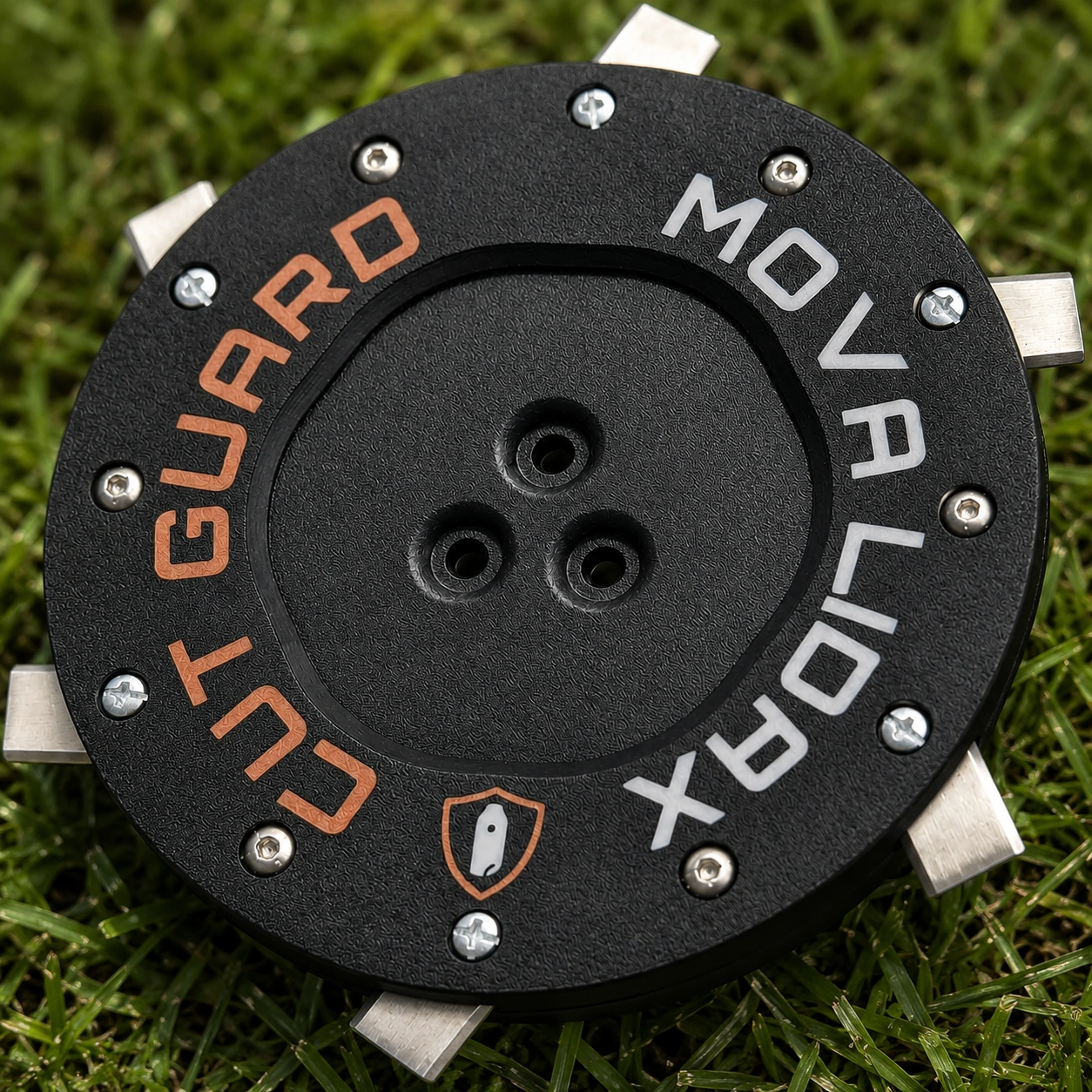
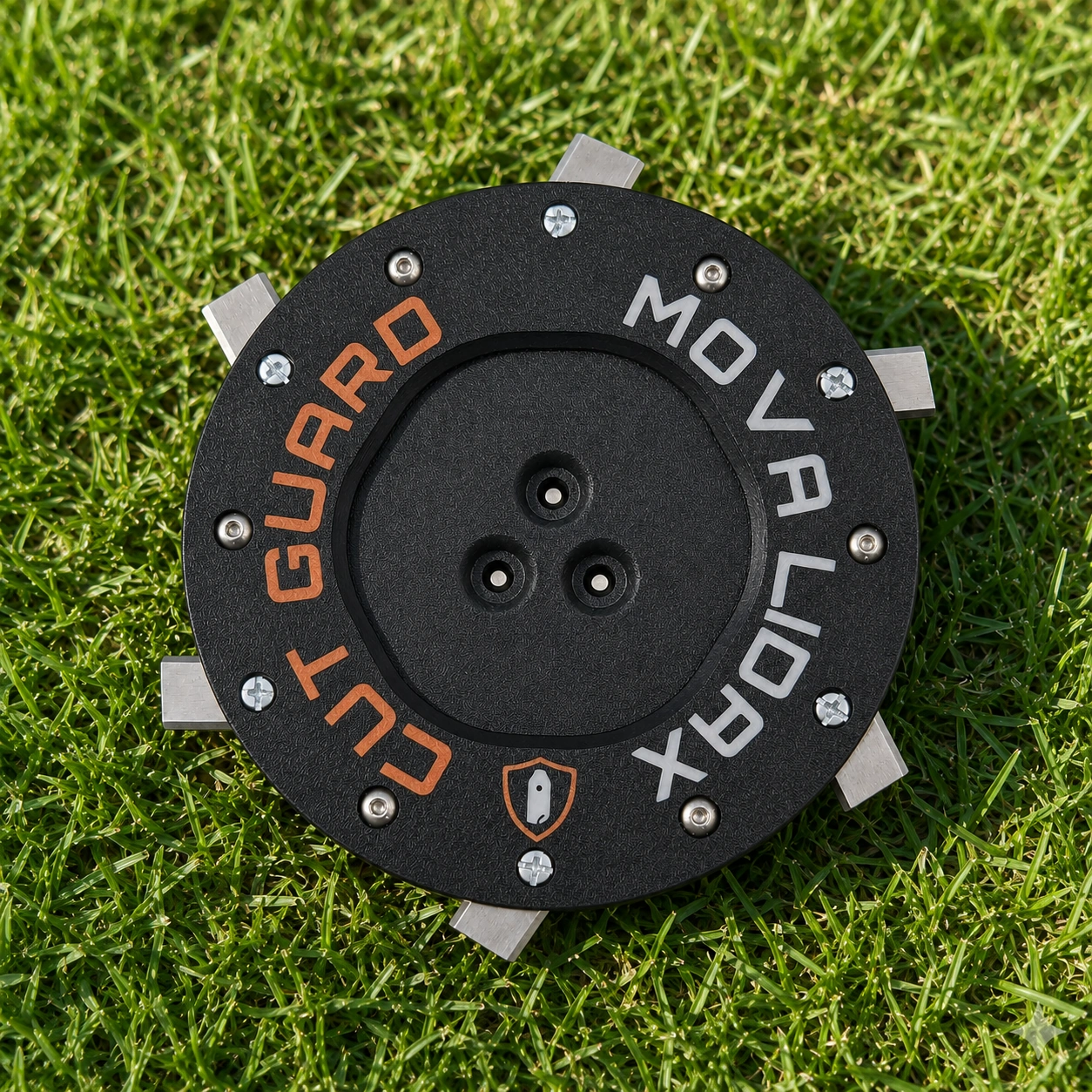
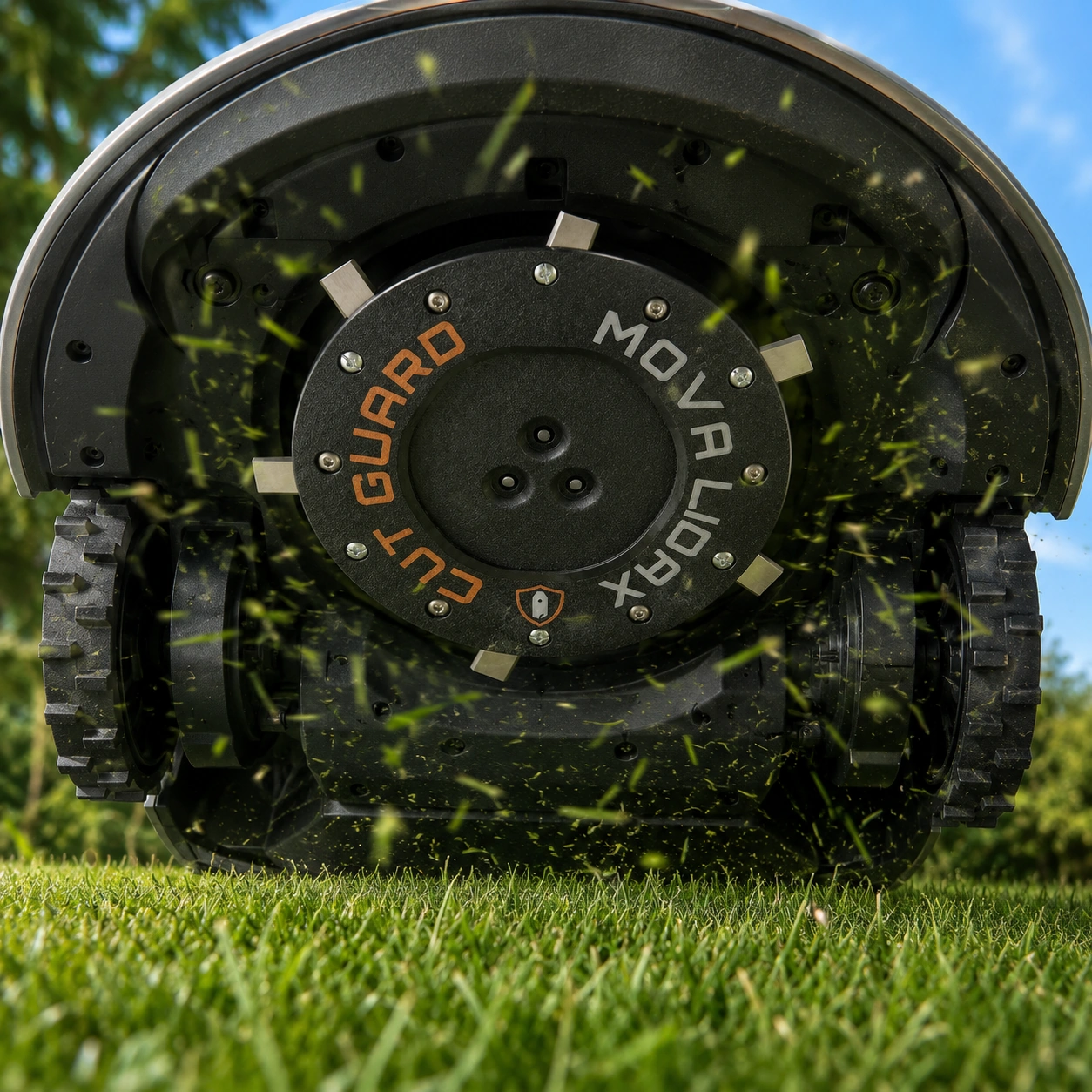
Cutting disc for MOVA LiDAX Ultra 800, 1000, 1200 & 1600 – Robotic lawnmower mowing disc with protection and 6 blades
- Blade disc for MOVA LiDAX Ultra 800, 1000, 1200, and 1600 robotic lawnmowers
- With protection and 6 blades for replacement in the cutting system
- Suitable as a mowing plate, knife plate, or cutting disc for compatible MOVA models
- Designed for better grass flow and fewer blockages from grass clippings
- Practical spare part for clean grass cutting, maintenance, and seasonal care
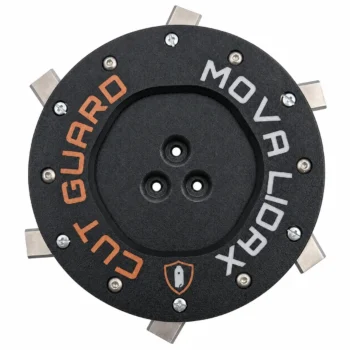
incl. 6 blades
+
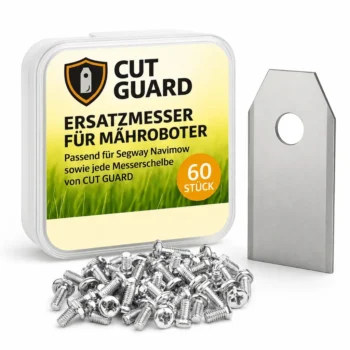
Compatibility – MOVA
Fits the following robotic mowers:
- ✓ LiDAX Ultra 800
- ✓ LiDAX Ultra 1000
- ✓ LiDAX Ultra 1200
- ✓ LiDAX Ultra 1600
Your lawn looks freshly cut again. This cutting disc for MOVA LiDAX Ultra 800, 1000, 1200 & 1600 restores a clean, even cutting pattern with 6 sharp blades—and puts an end to grass clippings that block the mowing disc.
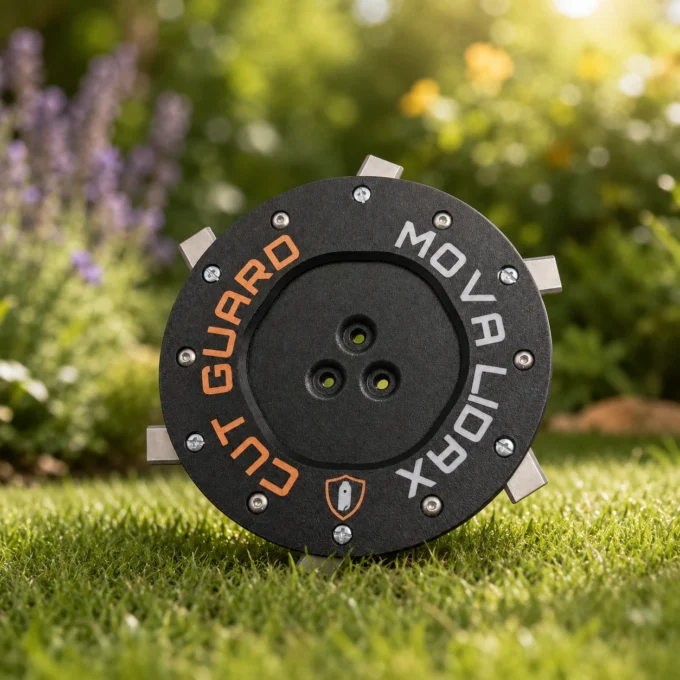
How to get your lawn’s clean cutting edges back
Do you know that? The robotic mower diligently makes its rounds, but the lawn looks more torn up than cut. Most of the time, it’s due to dull blades or grass that has become stuck on the blade plate. Over time, the original blades simply become blunt—then they tear the blades of grass rather than cleanly cutting through them. You can see it in the lawn: frayed tips that quickly turn brown, and an overall uneven cutting pattern. This is exactly where this cutting disc for MOVA LiDAX Ultra comes in: fresh, sharp blades, a free-spinning mowing disc, and a clean, even result—without you having to invest in a new robotic mower right away. A small step with a big impact on the look of your lawn.
Fits perfectly for your MOVA LiDAX Ultra
This robot mower cutting disc is designed for the models MOVA LiDAX Ultra 800, 1000, 1200 and 1600. Replacement is easy: remove the old mowing disc, attach the new one—no tools, no tinkering. Check the model name of your device briefly before purchasing, and everything will fit right away.
6 blades for a finer cutting pattern
The package includes a cutting disc with guard and 6 sharp replacement blades—so you’re ready to go right away. Sharp blades cut grass blades cleanly instead of crushing them. The result: a denser, well-groomed lawn and a cut that also looks great up close.
So that no grass gets stuck on the disc anymore
Moist clippings, dense grass, and dirt are happy to gather around the blade plate and slow down the blade rotation. If the grass buildup becomes too large, the motor works against the resistance, consumes more energy, and in the worst case the robot simply stops. Almost every robotic lawn mower owner knows this, especially in damp weather or when the grass is tall. This MOVA LiDAX Ultra cutting disc is deliberately designed for a better grass pass: the grass is guided cleanly forward instead of getting stuck. The result is noticeably fewer blockages, a more even operation, and a robotic lawn mower that reliably makes its rounds in everyday use—without you having to constantly monitor it.
The right time to change the disc
A replacement is worth it when the lawn looks torn rather than cut, the blades no longer sit securely, or grass frequently gets stuck in the cutting system. You should also check the mowing disc after contact with stones, branches, or roots. A warped disc worsens the cutting result and unnecessarily puts strain on the motor.
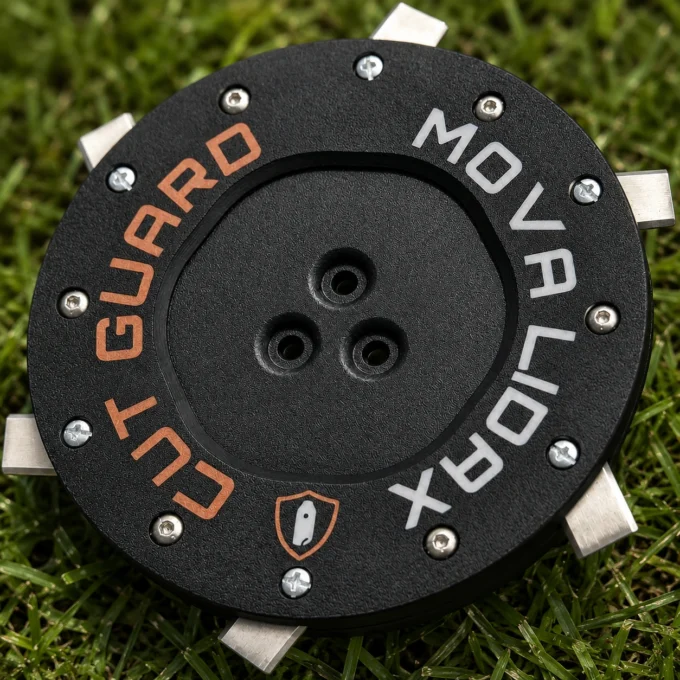
cutting disc, mowing disc, or blade plate?
This component is searched for under many names: cutting disc for MOVA LiDAX Ultra, mowing disc for robotic lawnmowers, blade plate, cutting disc or replacement mowing disc. It always means the same thing: the rotating element of the cutting system on which the blades are mounted.
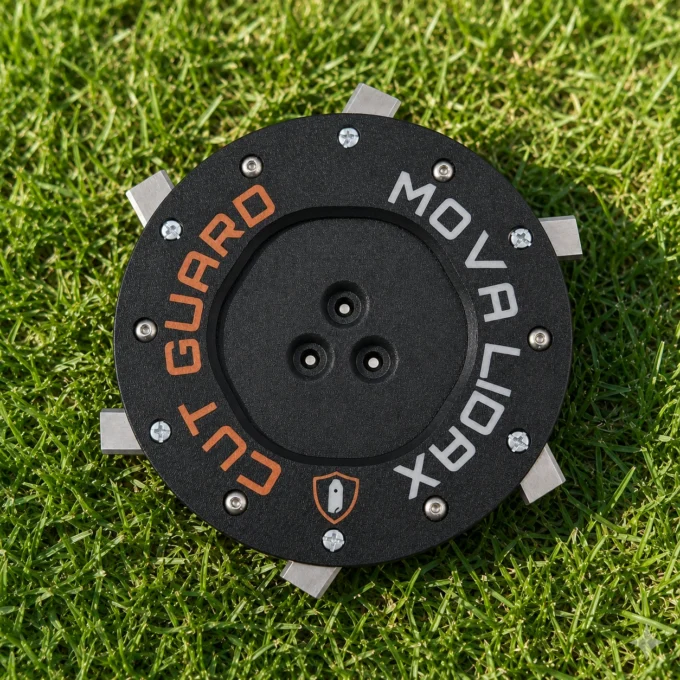
Unbox, attach, and mow away
You receive the cutting disc with guard along with 6 matching replacement blades right away—so everything you need for the swap is included in one set. Unpack, remove the old mowing disc, fit the new one—and your robotic mower cuts cleanly again. The replacement usually takes only a few minutes and works even without any technical know-how. No additional accessories, no tools, no workshop visit required. That way, you’ll have full cutting performance again in no time—ideal for getting fresh momentum at the start of the season or for quickly replacing worn blades in the middle of the season.
All benefits at a glance
Top reviews
Die Messerscheibe für meinen MOVA LiDAX Ultra 1200 passte exakt, und die sechs Klingen sind sauber verarbeitet. Der Tausch war unkompliziert: Ich brauchte etwa 15 Minuten, inklusive Schutz montieren und die Schrauben ordentlich festziehen. Seitdem habe ich beim Mähvorgang weniger Blockaden und der Gradschnitt wirkt gleichmäßiger.
Bytte måhteller på min MOVA LiDAX Ultra 1000 och den passade direkt i stället för den gamla. Jag räknade till sex skär/blad och det tog cirka 15 minuter att byta komplett, inklusive att dra fast skyddet med skruvarna. Nu får gräset bättre genomlopp och det känns som färre små stopp under klippningen.
The cutting disc for the MOVA LiDAX worked well after trying two other brands. The six blades seem solid and provided a good passage for the grass, reducing blockages during cutting. However, delivery took one day longer than expected, which is a minor inconvenience. Otherwise, it's a good accessory for garden maintenance.
De vervangende maaischijf voor mijn MOVA LiDAX Ultra 1000 paste netjes en de zes klingen zitten stevig met het bijgeleverde beschermdeel. Het maaien verloopt sindsdien vlotter met minder kleine blokkades. Enige minpunt: ik moest de schroeven wel even goed nalopen; anders voel je lichte speling na montage.
Works perfectly with my Mova robot, cuts cleanly and efficiently. Very happy with the quality!
Messerscheibe passerede til min MOVA LiDAX Ultra 1000 uden problemer, og beskyttelsen med 6 klinger sad lige på plads. Udskiftningen tog cirka 15-20 minutter, og jeg skulle lige efterspænde skruerne én gang for at undgå lidt slør. Efter det kører den mere jævnt og med færre små blokader ved vådt græs.
Szybko przyszedł i pasował do MOVA LiDAX Ultra 800 bez kombinowania. W zestawie jest osłona i 6 ostrzy, wymiana trwała ok. 15 minut, a trawa po cięciu wygląda równo i rzadziej się zatyka.
Write a review
CUT GUARD Assembly Instructions
General assembly instructions for cutting discs, replacement blades, and blades for compatible robotic mowers.
Note
These instructions generally apply to compatible cutting discs, replacement blades, and blades from CUT GUARD.
They do not refer to a specific model or version. Always additionally refer to the operating manual of your robotic mower.
Important Safety Notice
Sharp blades. Risk of injury. The knives and blades can cause serious cuts.
Always wear appropriate protective gloves during assembly, disassembly, cleaning, and maintenance.
Never work on the cutting disc while it is still moving.
1. General Safety Instructions
- The operator is responsible for accidents, injuries, and damages caused to other persons or their property.
- Keep children, animals, and uninvolved persons away during work and operation of the robotic mower.
- Never touch the cutting disc or the knives while they are still moving.
- Always turn off the robotic mower completely before performing work on the cutting disc or the knives.
- Remove the battery if possible or disconnect the device from the power supply.
- Always wear appropriate protective gloves.
- Do not use damaged, bent, heavily worn, or corroded knives, screws, or cutting discs.
- Regularly check the condition of the knives, fastening screws, and the cutting disc.
2. Required Tools and Materials
- Suitable screwdriver or bit, matching the screws used.
- Protective gloves.
- New or tested fastening screws.
- CUT GUARD cutting disc, replacement blades, or blades.
- Optional: soft surface for safely placing the robotic mower.
Important
Only use suitable screws and appropriate mounting materials.
If specified by the manufacturer or included in the delivery, use screws with locking lacquer
or suitable screw locking.
3. Preparation
- Stop the robotic mower completely.
- Turn off the device according to the operating manual.
- Remove the battery if possible.
- Wait until the cutting disc has completely come to a stop.
- Carefully turn the robotic mower upside down and place it on a stable, soft surface.
- Check the work area for cleanliness and adequate lighting.
4. Disassembly of the Existing Cutting Disc
- Loosen the fastening screws of the existing cutting disc.
- Completely remove the screws and set them aside safely.
- Carefully remove the existing cutting disc from the knife holder.
- Clean the knife holder of grass clippings, dirt, and debris.
- Check the knife holder for damage or unusual wear.
Warning
Do not use the new cutting disc if the knife holder, fastening points,
threads, or screws are damaged. In this case, the robotic mower may only be reused after proper
inspection.
5. Installation of the CUT GUARD Cutting Disc
- Place the CUT GUARD cutting disc correctly on the knife holder.
- Ensure that the cutting disc lies flat and is correctly centered.
- Insert the appropriate fastening screws.
- Tighten the screws evenly and firmly.
- Do not overtighten the screws to avoid damage to threads or components.
- After installation, check that the cutting disc is securely attached.
- Gently turn the cutting disc by hand and check if it runs freely.
6. Installation or Replacement of Replacement Blades
- Loosen the screws of the old blades.
- Carefully remove the old blades.
- Clean the contact surfaces on the cutting disc.
- Place the new CUT GUARD replacement blades on the designated fastening points.
- Ensure that the blades remain freely movable, as intended by design.
- Secure each blade with a suitable screw.
- Tighten the screws securely without overtightening.
- Check each blade for a secure fit and free movement.
7. Post-Installation Check
- Are all screws fully inserted and securely fastened?
- Is the cutting disc lying flat and securely?
- Can the blades move freely, if intended?
- Are there no tools or foreign objects left in the area of the cutting disc?
- Does the cutting disc run freely and without grinding?
8. Operation and Maintenance
- Regularly check knives, screws, and cutting disc for wear.
- Immediately replace damaged or heavily worn parts.
- Regularly clean the cutting disc of grass clippings and dirt.
- Do not use the robotic mower if unusual noises, vibrations, or running problems occur.
- Only use compatible spare parts and suitable mounting materials.
Note on Blade Replacement
Always replace blades in a timely manner. Dull or damaged blades can worsen the cutting quality,
put more strain on the robotic mower, and compromise safety.
9. Disclaimer
CUT GUARD cutting discs, replacement blades, and blades are accessories and spare parts for compatible robotic mowers.
They are not original accessories from the respective device manufacturer unless explicitly stated
in the product description.
The assembly and use are at your own risk. No liability is accepted for damages caused by improper assembly,
incorrect use, damaged components, or failure to observe the operating manual of the robotic mower.
Warning in Case of Injury
Seek medical assistance immediately in case of injury or accident.
GPSR Information on Product Safety
Product safety information in accordance with Regulation (EU) 2023/988 on general product safety.
Manufacturer & Responsible Person (EU)
Patryk Napiorkowski - Trivando
Am bhf Weinhübel 8
02827 Görlitz
Germany
Email:
service@trivando.de
Website:
www.trivando.de
Product Identification
Brand: CUT GUARD
Product Type: Blade discs, replacement blades, and blades for compatible robotic mowers
Intended Use: Accessories and replacement parts for suitable robotic mowers
Product Type: Cutting and fastening components for use in robotic mowers
Item Number / Model / Variant: see respective product description, packaging, or invoice
Compatibility: see product description and operating instructions of the robotic mower
Important Warning
Sharp blades. Risk of injury. The knives and blades can cause serious cuts.
Assembly, disassembly, cleaning, and maintenance should only be performed when the robotic mower is completely turned off.
Always wear appropriate protective gloves and wait until the blade disc has come to a complete stop.
Intended Use
CUT GUARD blade discs, replacement blades, and blades are intended solely as accessories and replacement parts for compatible robotic mowers.
The products may only be used for their intended purpose and only in conjunction with suitable, compatible devices.
Any other use, structural modification, or improper assembly may lead to injuries, malfunctions, or property damage.
Not Suitable For
- Children.
- Persons who have not read or understood the operating instructions of the robotic mower.
- Incompatible robotic mowers.
- Devices with damaged blade mounts, damaged threads, or defective fastening points.
- Use outside the intended application area.
- Use as a tool, hand knife, or for other cutting tasks outside the robotic mower.
Safety and Warning Notices
- Use only for the intended purpose.
- Use only with compatible robotic mowers, suitable blade discs, and appropriate mounting materials.
- Always turn off the robotic mower completely before any assembly, disassembly, cleaning, or maintenance.
- If possible, remove the battery or disconnect the device from the power supply.
- Always wait until the blade disc has come to a complete stop.
- Always wear appropriate protective gloves.
- Keep hands and feet away from rotating blades.
- Never touch knives, blades, or blade discs during operation.
- Do not use damaged, bent, heavily worn, rusted, or corroded knives, screws, or blade discs.
- Regularly check knives, screws, and blade discs for secure fit, wear, and damage.
- Use only suitable screws and appropriate mounting materials.
- If provided, use screws with locking lacquer or suitable screw locking.
- Keep children, animals, and uninvolved persons away from the work area.
- The robotic mower must not be operated if persons, especially children, or animals are in the work area.
- In case of unusual noises, vibrations, grinding noises, or running problems, stop operation immediately and check the assembly.
- In case of injuries or accidents, seek medical assistance immediately.
Assembly Instructions
Assembly may only be performed when the device is turned off. Always observe the operating instructions of the respective robotic mower.
Blade discs, replacement blades, and blades must be correctly seated and securely fastened. After assembly, check whether the blade disc runs freely and that no tools or foreign objects have been left in the area of the knives.
Check Before Operation
- Are all screws fully inserted and tightened?
- Is the blade disc correctly centered and securely fastened?
- Are the knives correctly mounted?
- Can movable knives move freely, if this is structurally intended?
- Are there no visible damages?
- Does the blade disc run freely and without grinding?
Maintenance and Inspection
- Regularly check knives, blades, screws, and blade discs for wear and damage.
- Immediately replace damaged or heavily worn parts.
- Regularly clean the blade disc of grass residues, dirt, and deposits.
- Do not use aggressive cleaning agents that may damage material or coating.
- Use only compatible replacement parts and suitable mounting materials.
Storage and Disposal
Store replacement blades, blades, screws, and blade discs dry, clean, and secure.
Keep out of reach of children and unauthorized persons.
Safely package used, damaged, or dull knives and blades to avoid cuts.
Dispose of metal parts, packaging, and accessories in accordance with local regulations.
Note on Original Accessories
CUT GUARD products are compatible accessories and replacement parts. They are not original accessories of the respective
device manufacturer unless explicitly stated in the product description. Brand names, model designations,
and manufacturer information are for compatibility indication only.
Contact for Safety Questions, Complaints, or Accidents
For questions regarding product safety, complaints, accidents, or indications of possible safety issues, please contact us immediately:
Patryk Napiorkowski - Trivando
Am bhf Weinhübel 8
02827 Görlitz
Germany
Email: service@trivando.de
Website: www.trivando.de
How can I tell that the blade disc for my MOVA LiDAX Ultra 800 needs to be replaced?
A clear warning sign that a replacement of the blade disc is necessary is an uneven cutting pattern caused by dull blades. Additionally, there may be increased grass clippings accumulating on the mowing plate. If the robotic mower frequently gets stuck or has difficulty cutting through the grass, a replacement of the blade disc with 6 blades may be required.
How durable is the blade disc for the MOVA LiDAX Ultra 1000 and what material is it made of?
The blade disc for the MOVA LiDAX Ultra 1000 is made of robust, corrosion-resistant steel, ensuring long durability. With regular use, it should be replaced every 1-2 years, depending on lawn care and the conditions of your garden.
What common problems are there with the blade disc for the MOVA LiDAX Ultra 1200 models?
Users often report issues such as clogging when the blades of the blade disc are worn out. Improper installation can also lead to vibrations, which overload the robotic mower and can cause damage to the motor. Regular inspections and timely replacements are crucial here.
What are the differences between the blade variants (6/7/9) for the MOVA LiDAX Ultra 1600, and which is best suited for my lawn?
The blade disc with 6 blades for the MOVA LiDAX Ultra 1600 is ideal for medium-thick grass and ensures a clean cut. 7 or 9 blades provide a finer cutting quality but are better suited for dense grass varieties. In extensive growth, a higher number of blades can be useful.
What happens if I attach an incorrect or incompatible blade disc to my MOVA LiDAX Ultra 800?
An incorrect blade disc can lead to imbalance and vibrations, which can cause serious damage to the drive system. The mowing performance will also be affected, leading to an uneven cut and suboptimal lawn health. Therefore, the original blade disc with 6 blades should always be used.